In Odoo 19, the scheduling of activities remains an important productivity tool that fills the communication gap between teams and ensures that follow-ups are done on time. Activities are reminders that are related to business documents such as Leads, Quotations, Invoices, Tasks, and Custom Models.
Whether you are:
- A salesperson following up on a lead
- An accountant reminding a customer about a payment
- A developer automating internal workflows
Scheduled Activities help keep operations organized and proactive.
What Are Activities in Odoo?
An Activity in Odoo is
- A task linked to a record (res_model, res_id)
- Assigned to a specific user
- With a due date and an optional note
- Displayed in the chatter and Activity Menu
Activity Types
- Call
- Email
- Meeting
- To-Do
- Custom Activities
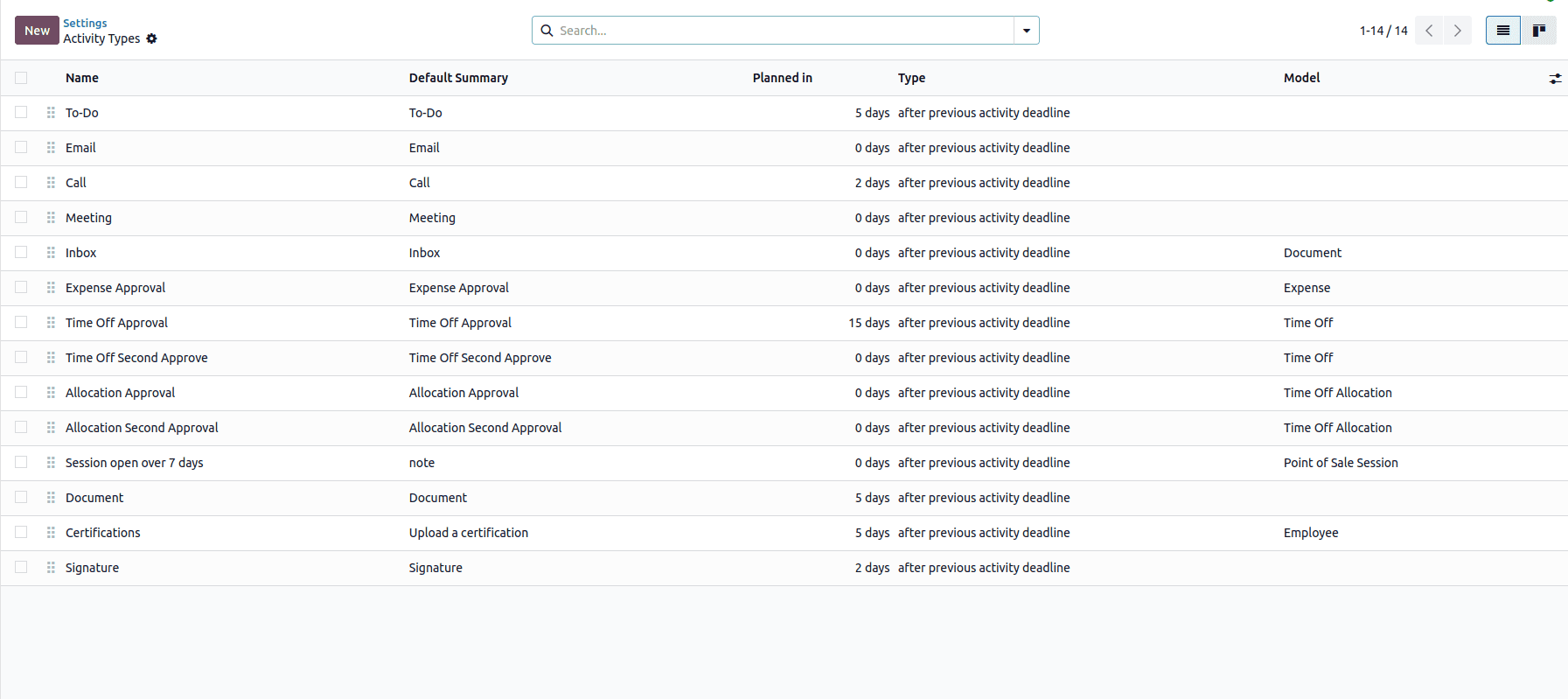
Scheduling Activities from the User Interface
Step-by-Step (Functional Flow)
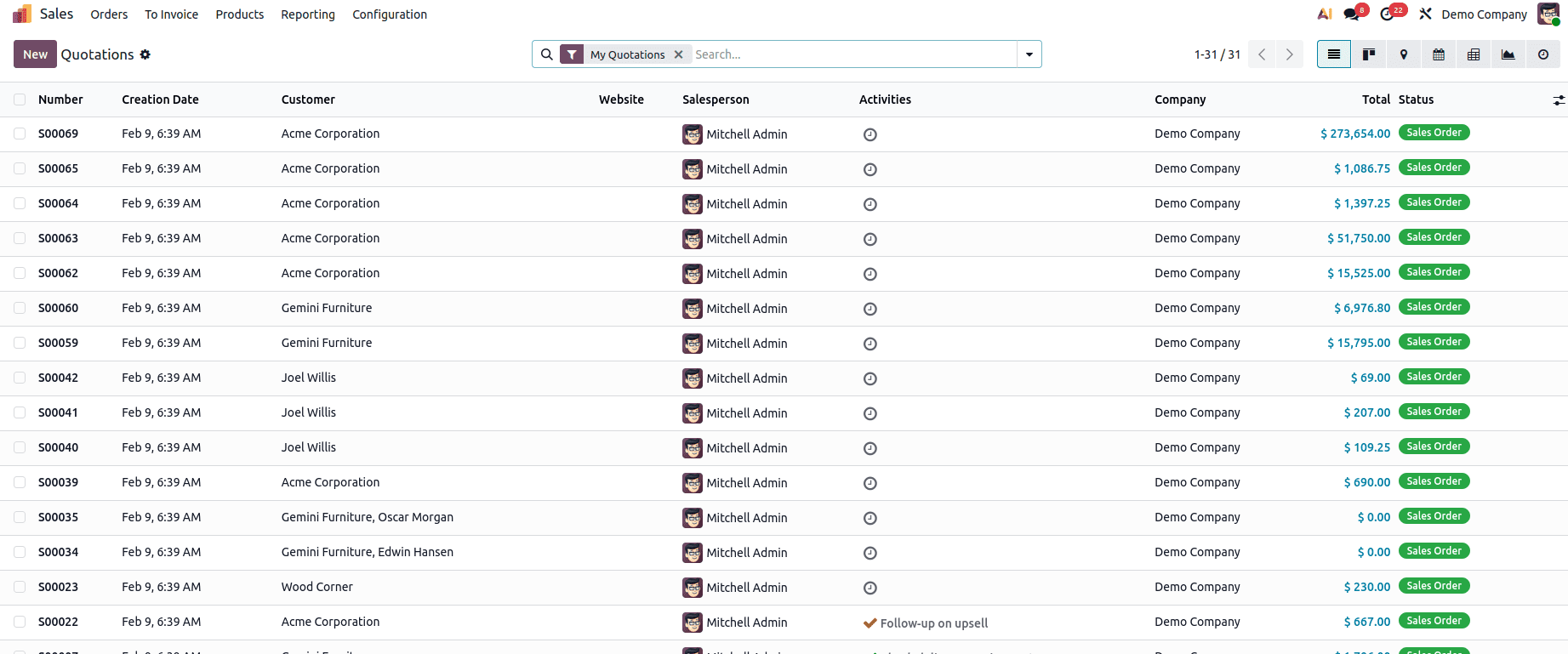
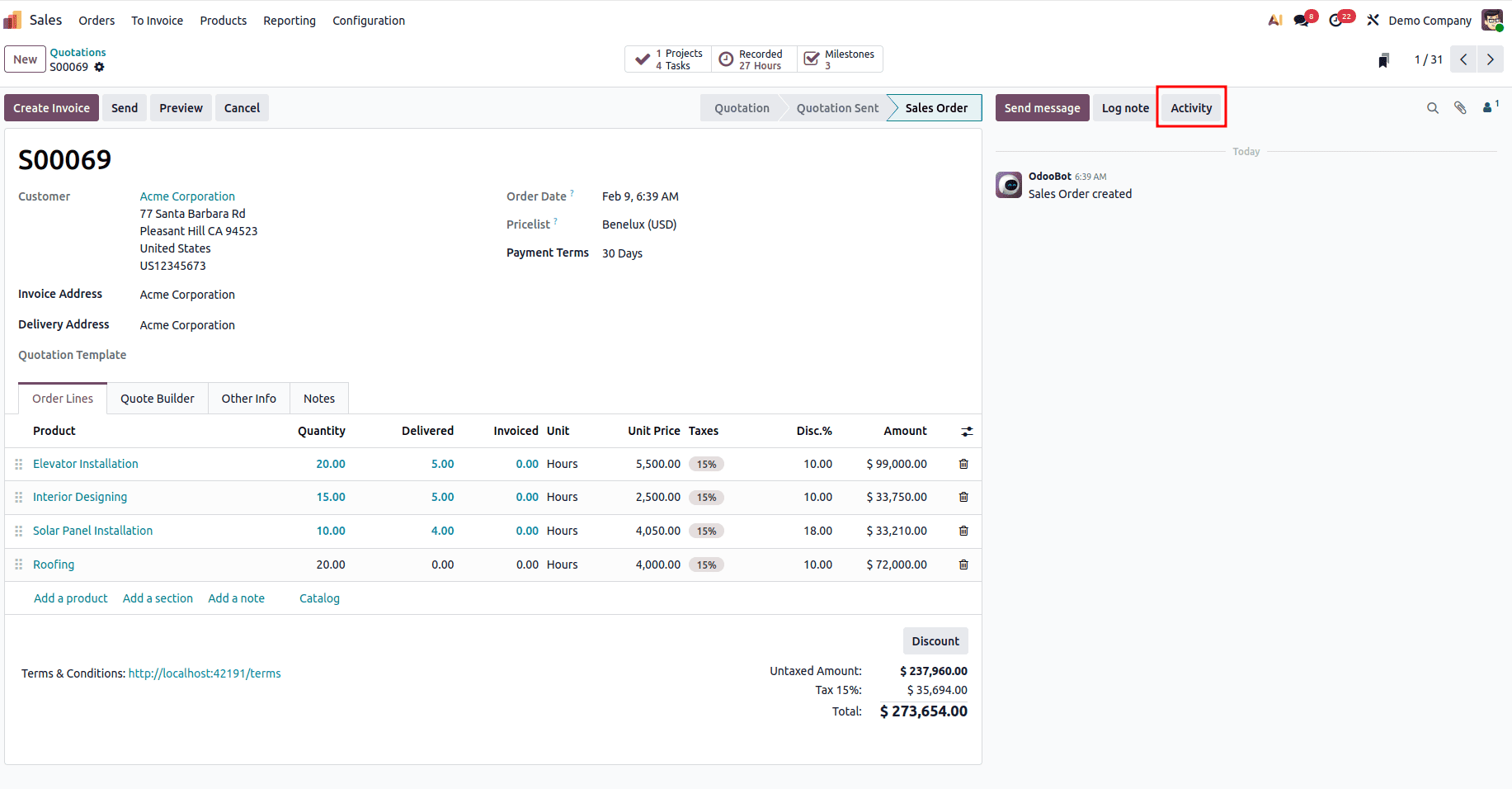
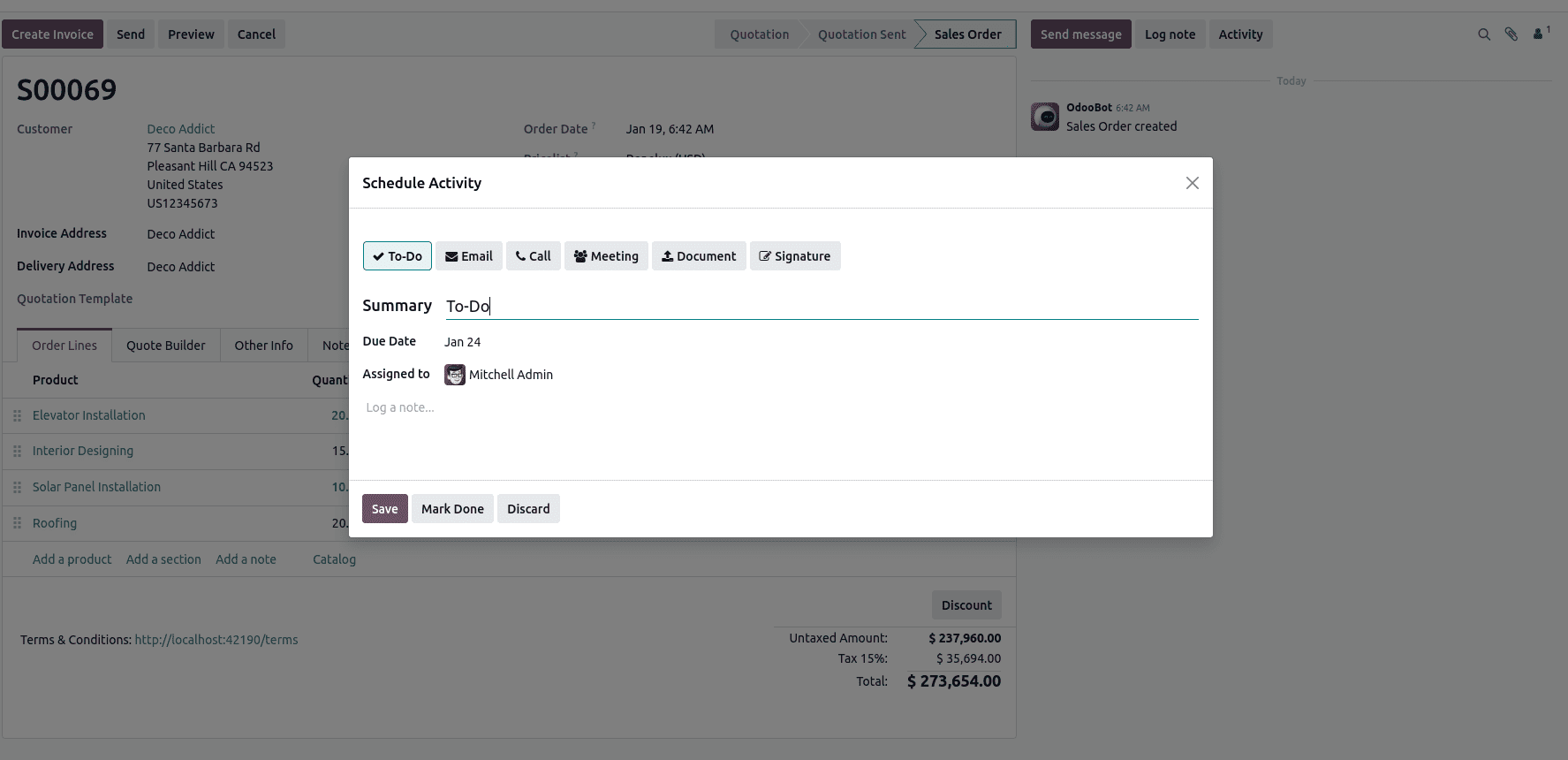
- Choose Due Date
- Assign User
- Add Summary / Notes
- Save
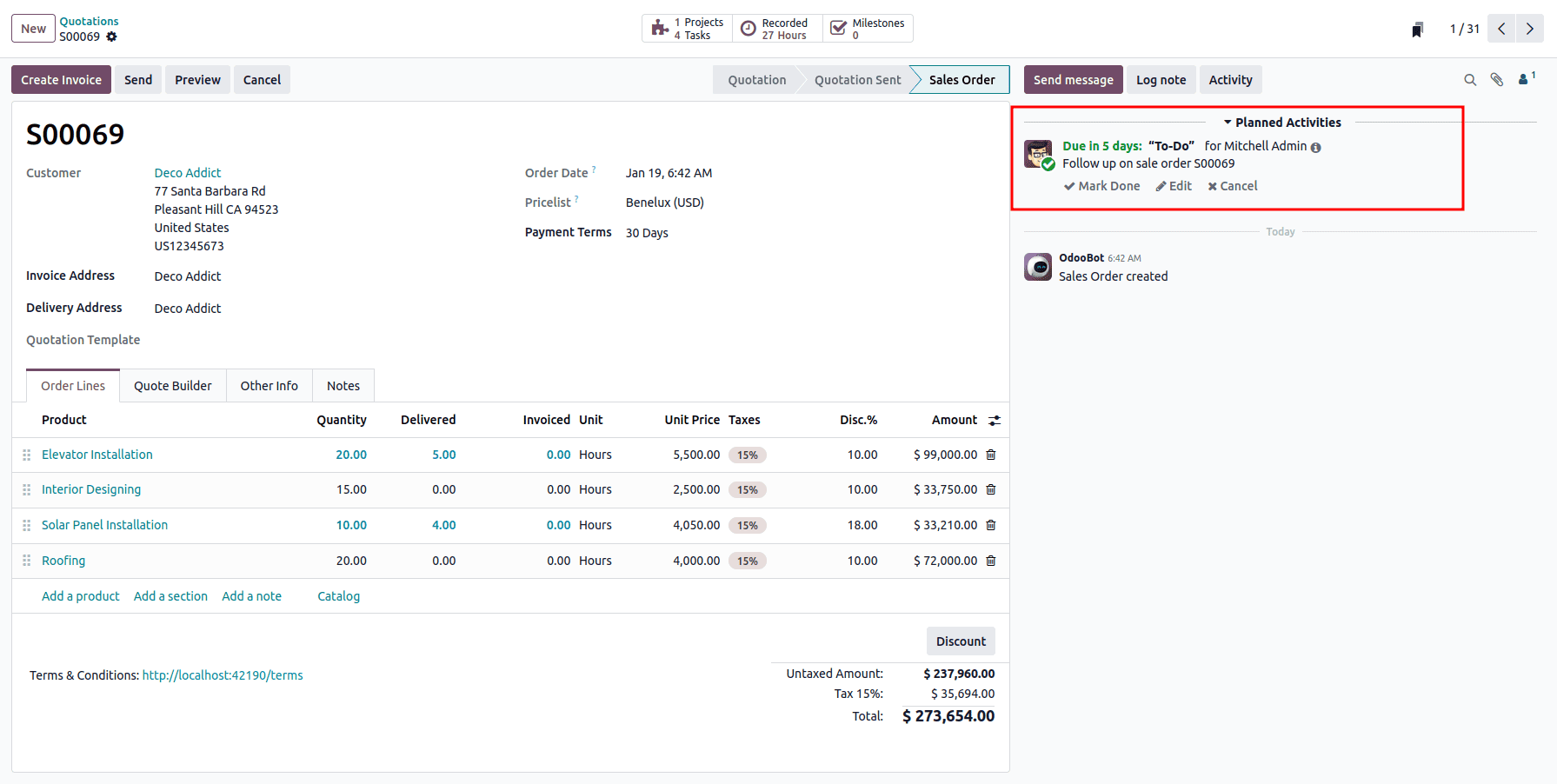
Where Activities Are Commonly Used
CRM (Leads & Opportunities)
- Follow-up calls after lead creation
- Proposal reminders
- Opportunity status tracking
Sales
- Quotation follow-ups
- Contract renewals
- Customer confirmation reminders
Accounting
- Payment follow-ups
- Invoice dispute handling
- Audit reminders
Project & Tasks
- Task reviews
- Deadline follow-ups
- Internal coordination
Activities adapt seamlessly across all Odoo applications.
Understanding the Activity Menu
The Activity Menu (clock icon in the top bar) provides a centralized view of all scheduled activities:
- Grouped by application
- Filtered by Today, Planned, and Overdue
- Clickable shortcuts to the related records
This helps users prioritize work without navigating through multiple modules.
Technical Overview: mail.activity Model
From a developer’s perspective, activities are handled by the mail.activity model.
Key Fields
- activity_type_id – Defines the type of activity
- res_model_id – Related model
- res_id – Record ID
- user_id – Assigned user
- date_deadline – Due date
- summary – Short description
- note – Detailed notes
Activities are tightly integrated with the mail framework, making them extensible and automation-friendly.
Scheduling Activities Programmatically (Python)
Developers can create activities automatically based on business logic.
Example: Auto Schedule Activity on Lead Creation
from odoo import models, fields, api
from datetime import timedelta
class CrmLead(models.Model):
   _inherit = 'crm.lead'
   @api.model
   def create(self, vals):
       lead = super().create(vals)
       activity_type = self.env.ref('mail.mail_activity_data_call')
       self.env['mail.activity'].create({
           'activity_type_id': activity_type.id,
           'res_model_id': self.env['ir.model']._get_id('crm.lead'),
           'res_id': lead.id,
           'user_id': lead.user_id.id or self.env.user.id,
           'date_deadline': fields.Date.today() + timedelta(days=2),
           'summary': 'Follow-up with customer',
       })
       return lead
This ensures that every newly created lead automatically has a follow-up activity scheduled.
Using Automated Actions to Schedule Activities
Odoo allows non-developers to automate activity creation using Automated Actions.
Steps:
- Enable Developer Mode
- Navigate to Settings > Technical > Automation > Automated Actions
- Select:
- Trigger (On Creation / Update)
Example Code
activity_type = env.ref('mail.mail_activity_data_todo')
env['mail.activity'].create({
   'activity_type_id': activity_type.id,
   'res_model_id': env['ir.model']._get_id('sale.order'),
   'res_id': record.id,
   'user_id': record.user_id.id,
   'date_deadline': fields.Date.today(),
   'summary': 'Review Sales Order',
})
This approach is ideal for functional consultants implementing workflow rules without custom modules.
Creating Custom Activity Types
Custom activity types help standardize internal processes.
Example XML
<record id="activity_type_quality_check" model="mail.activity.type">
   <field name="name">Quality Check</field>
   <field name="category">default</field>
   <field name="icon">fa-check-circle</field>
</record>
These custom types then become available across all models.
Activity Lifecycle & States
Activities automatically move through different states:
- Planned – Scheduled for a future date
- Due Today – Deadline is today
- Overdue – Deadline has passed
- Done – Activity completed
Completing activities keeps the system clean and improves reporting accuracy.
Scheduling Activities in Odoo 19 is a powerful way to ensure accountability, improve collaboration, and streamline daily operations. From simple reminders to complex automated workflows, activities play a vital role in keeping businesses organized.
For developers and consultants, mastering activity scheduling is essential when designing scalable and user-friendly Odoo solutions.
To read more about How to Manage Activities in Odoo 19, refer to our blog How to Manage Activities in Odoo 19.