Odoo 19 offers robust capabilities to support the increasing adoption of subscription-based billing models. One of the most important features in Odoo’s Subscription module is the use of subscription templates. These templates streamline subscription management by automating invoicing and reducing manual work. By defining billing periods, pricing rules, renewal options, and invoicing policies in advance, companies can ensure consistency across all subscriptions. Setting up subscription templates correctly not only saves time but also minimizes billing errors and improves customer satisfaction. Whether you are offering monthly services, annual contracts, or usage-based plans, Odoo 19 allows you to configure flexible templates that adapt to your business needs. This guide provides a clear overview of how to set up subscription templates in Odoo 19, helping you streamline subscription management and maintain better control over recurring revenue.
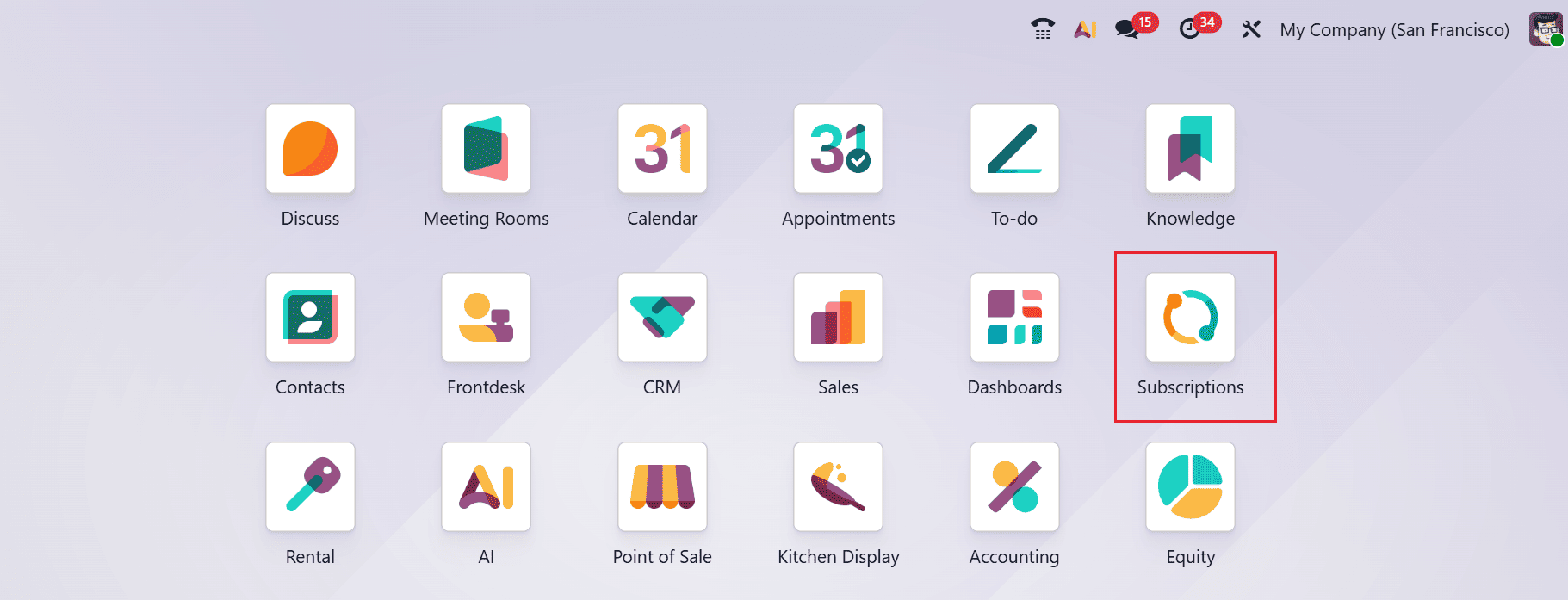
From the Odoo 19 dashboard, select the Subscription module as shown below:
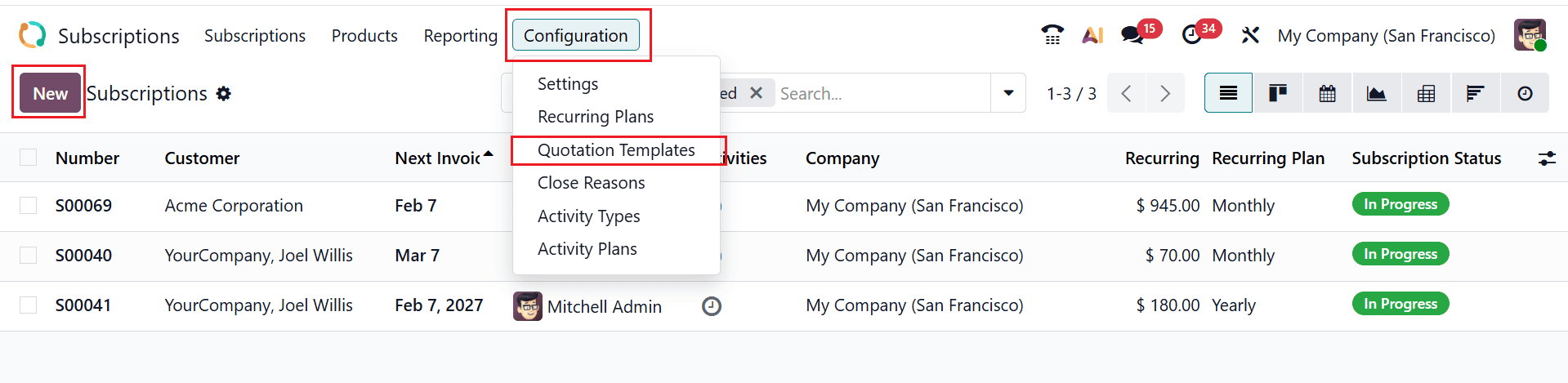
Move to the Configuration menu and select the Quotation Template option. and click on the New button in the upper-left corner of the window to create a new subscription template as shown below:
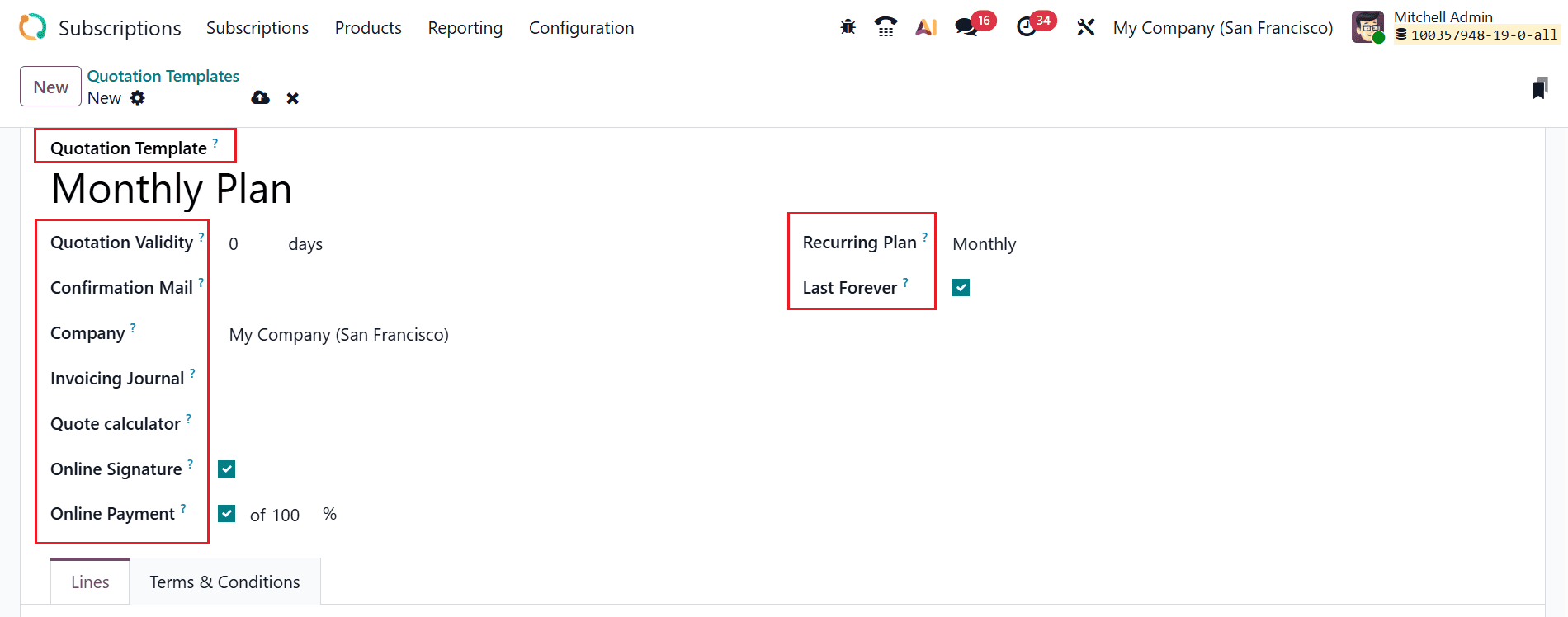
Firstly, add a name for your new quotation template uder the Quoataion Template field. Specify the validity period, in days, in the Quotation Validity field. You can keep the field as zero to keep the quotation template valid indefinitely. From the drop-down menu, select an email template in the Confirmation Mail field to send to the customer to confirm an order. In the Invoicing Journal field, select an accounting journal to invoice all the sales orders specified in the journal. Enable the Online Signature and Online Payment fields to request online signature and online payment from customers to confirm an order. In the Quote calculator field, the sales teams can instantly compute the final quote value by auto-updating with the selected recurring services. Choose the appropriate recurring plan from the Recurring Plan drop-down menu. Enable the Last Forever field to keep the quotation template valid indefinitely. The End After field will appear when you do not enable the Last Forever field. You can add the number of months or years the quotation template will stop automatically.
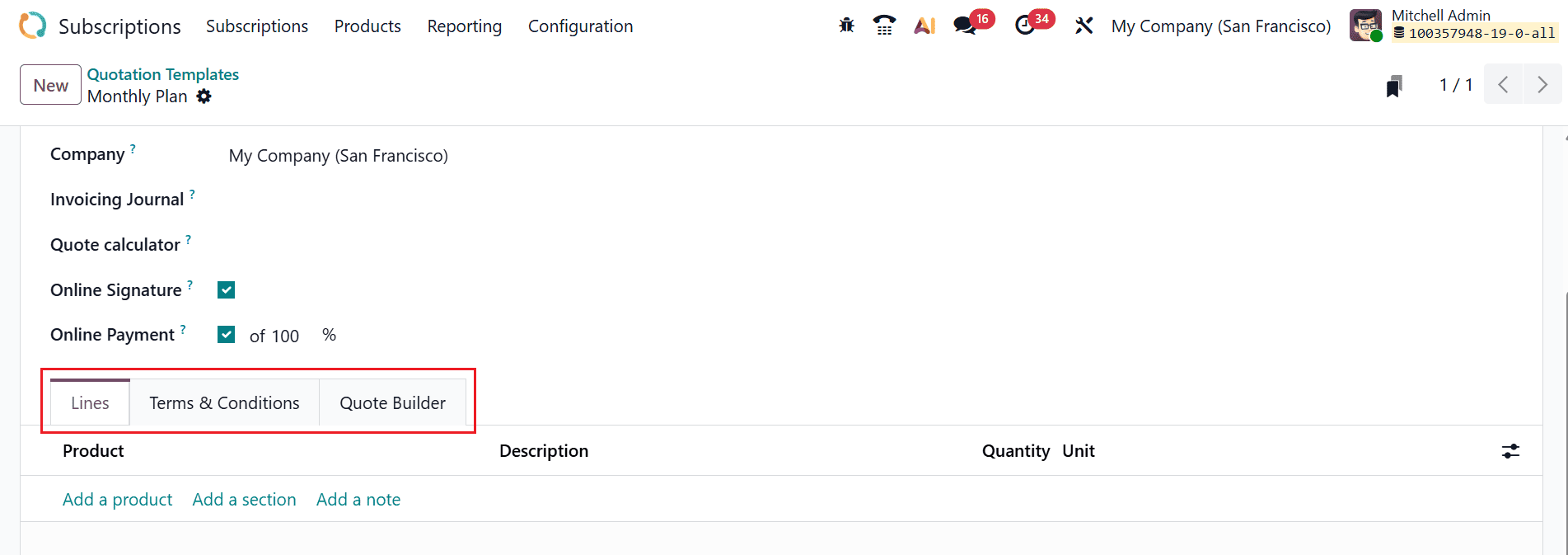
Use Add a product button under the Lines tab to add products to the quotation template. Here, you can select the product, add the description, and quantity. Click on the Add a section button to organize the sales order by adding a new section. Select Add a note button to add a brief message for the customer on the quotation. Under the Terms & Conditions tab, you can add the terms & conditions to the quotation template. Under the Quote Builder tab, you can customize the view of the quotation by adding a header, product description, details of the quote, and a footer. Then, save the newly created quotation template.
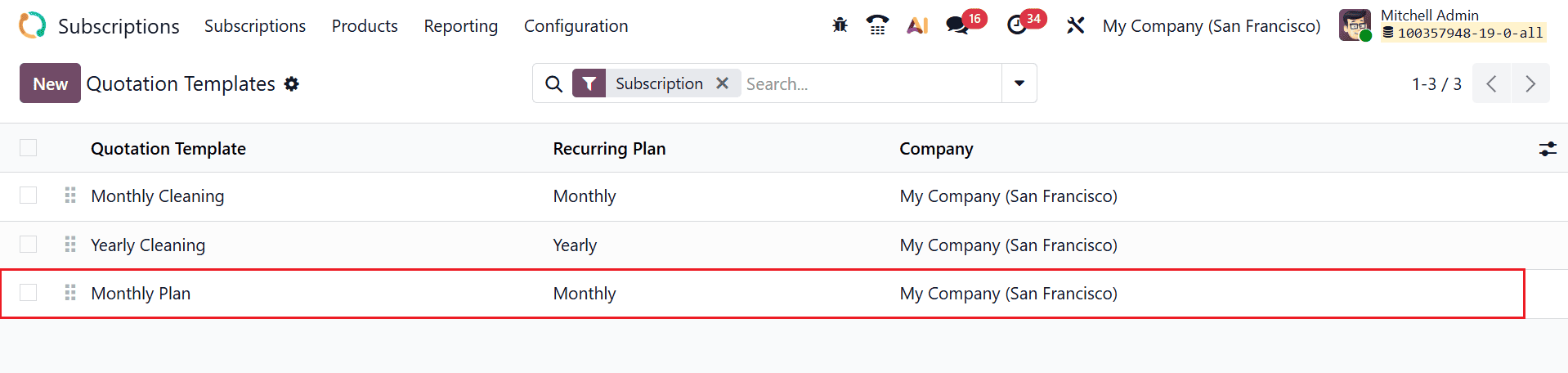
In the Quotation Templates dashboard, you can view the newly created quotation template.
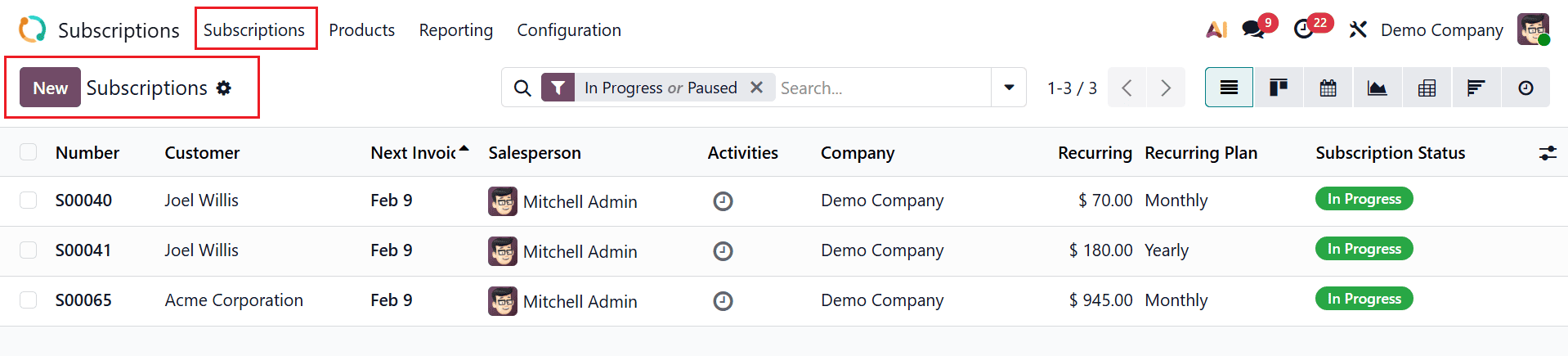
To set up the newly reated quittaion template in a subscription, navigate to the Subscriptions > Subscriptions. By clicking on the New button, create a new subscription or select a pre-configured one from the dashboard.
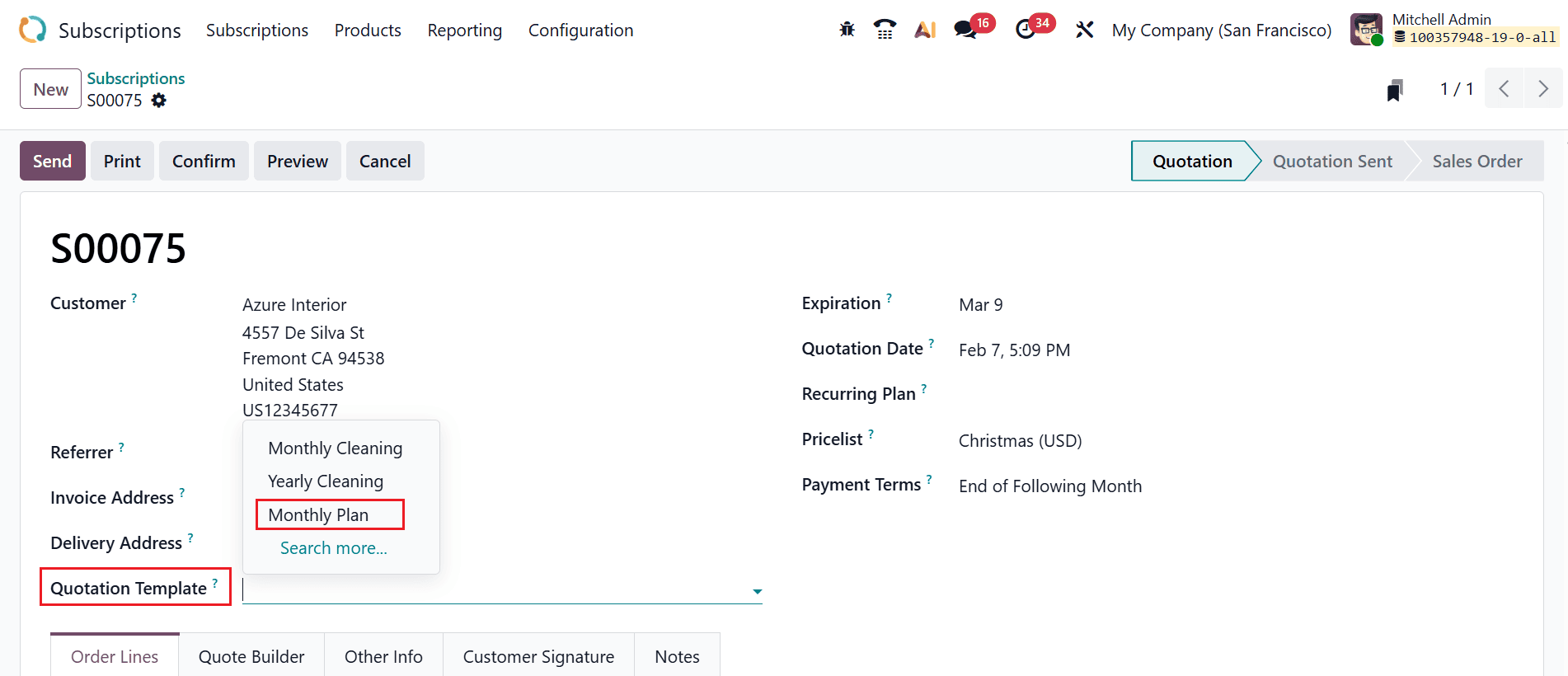
In the Quotation Template field, you can select the newly created quotation template for the subscription.
Configuring subscription templates in Odoo 19 is a critical process for businesses built on recurring revenue models. Well-configured templates simplify subscription creation, automate recurring invoices, and ensure consistent billing terms for customers. By carefully defining billing cycles, pricing, renewal rules, and invoice settings, businesses can reduce administrative overhead and focus more on growth and customer relationships. Odoo 19’s flexible subscription framework allows companies to adapt templates to different services and customer segments, making it suitable for both small businesses and large enterprises. Regularly reviewing and optimizing your subscription templates can further improve accuracy and efficiency as your business evolves. In conclusion, investing time in properly setting up subscription templates in Odoo 19 leads to smoother operations, better financial forecasting, and a more professional subscription experience for your customers.
To read more about How to Configure Subscription Template in Odoo 18, refer to our blog How to Configure Subscription Template in Odoo 18.