Efficient inventory control is essential to maintaining seamless warehouse operations and timely client order fulfillment. In Odoo 19, businesses can improve stock movement and reduce inefficiencies by setting up suitable removal strategies. These strategies control how products are selected and dispatched from inventory, helping ensure proper stock rotation, lower waste, and better warehouse performance. This blog explains how configuring removal strategies in Odoo 19 streamlines inventory flow, covering methods such as FIFO, LIFO, FEFO, and location-based rules, and showing how the right approach can improve accuracy, reduce handling time, and strengthen overall control of stock movement.
Before exploring product removal strategies, it is important to first understand storage locations in the Odoo Inventory module, since removal rules are configured and applied within these locations.
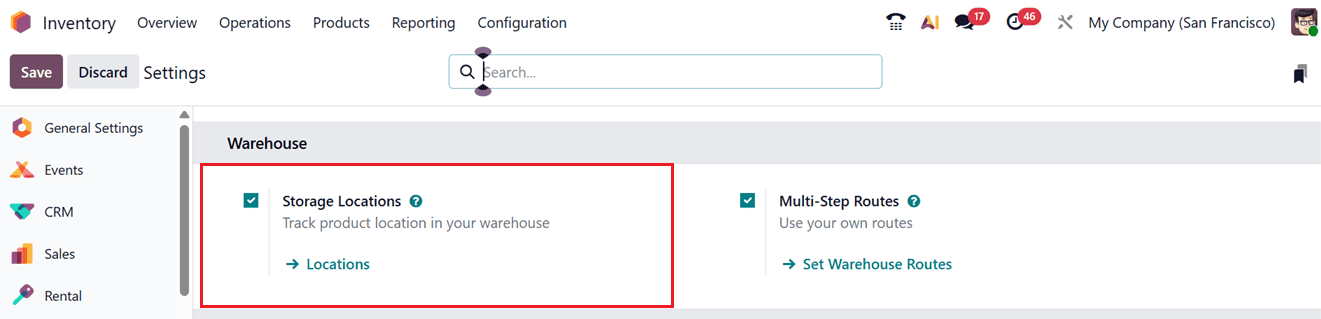
These Storage locations are essential for organizing and tracking products inside a warehouse. In Odoo 19, you can create and manage multiple storage areas within a single warehouse, giving you better control over stock movement. To use this feature, open the Settings menu, go to the Warehouse tab, and enable the Storage Locations option.
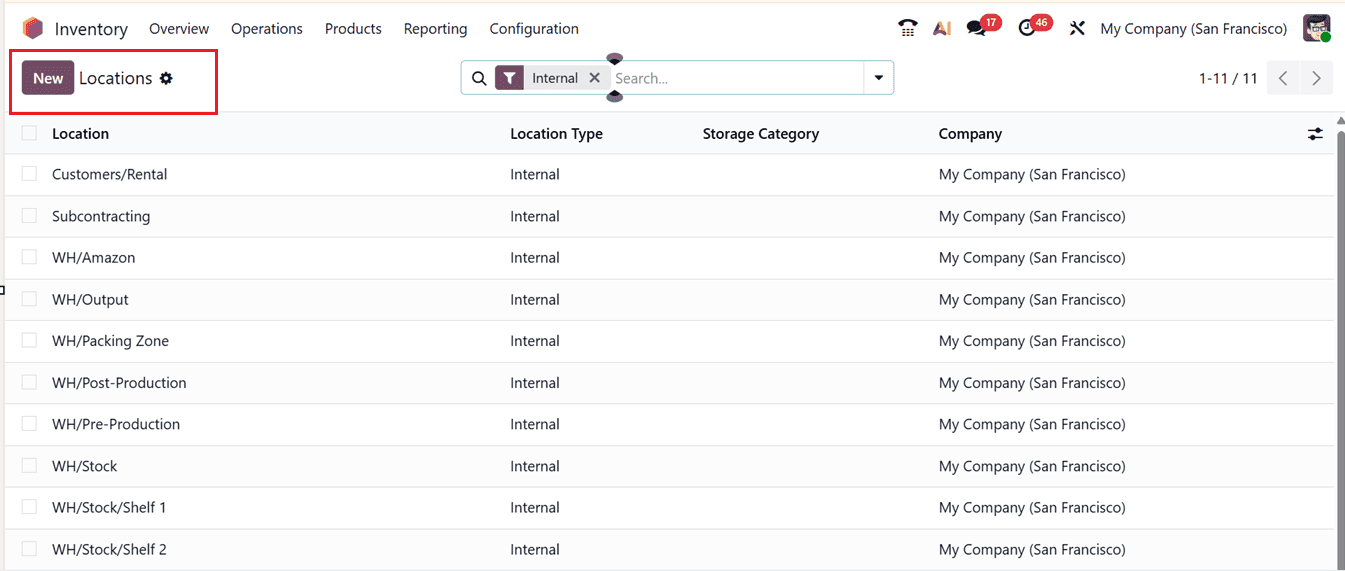
After activating the Storage Locations feature, go to the Configuration menu and select Locations to see all existing storage locations. You can also access this list through the shortcut link available in the Storage Locations settings section. The list view displays important details such as the Location Name, Location Type, Storage Category, and the related Company, as shown in the screenshot below.
To create a new storage location, click the New button. In the form that appears, enter the Location Name and choose a Parent Location from the dropdown list. Additional settings can be configured under the ADDITIONAL INFORMATION, LOGISTICS, and CYCLING COUNTING tab sections, as shown in the screenshot below.
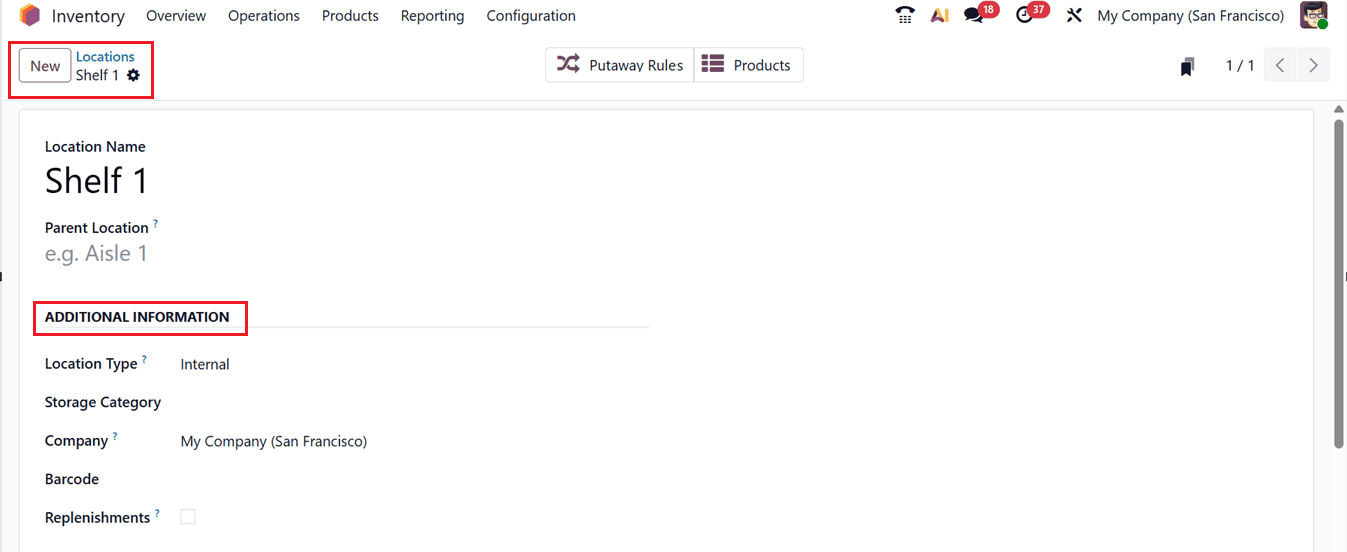
In the ADDITIONAL INFORMATION tab, you must choose the appropriate Location Type. here the Location type options include;
- Vendor Location (supplier premises)
- Internal Location (your warehouse or storage area)
- Customer Location (customer delivery point)
- Inventory Loss (for stock adjustments)
- Production (used in manufacturing)
- Transit (for inter-warehouse transfers)
- View (a grouping location without physical stock).
You can also assign a Storage Category, link the location to one or more companies, add a Barcode for scanning, and enable the Replenishments option to receive restocking suggestions for that location.
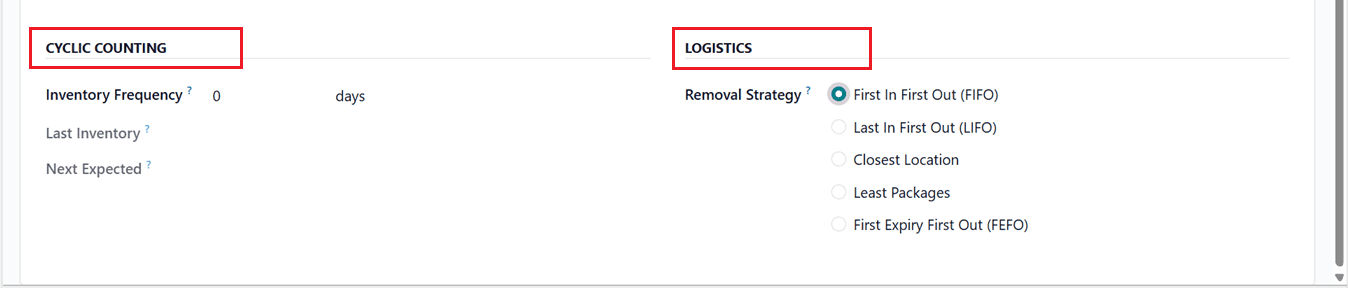
Under the CYCLING COUNTING tab, you can define how often inventory checks should be performed by setting the Inventory Frequency in days. Based on this schedule, Odoo automatically updates the Last Inventory date and calculates the Next Expected Inventory date.
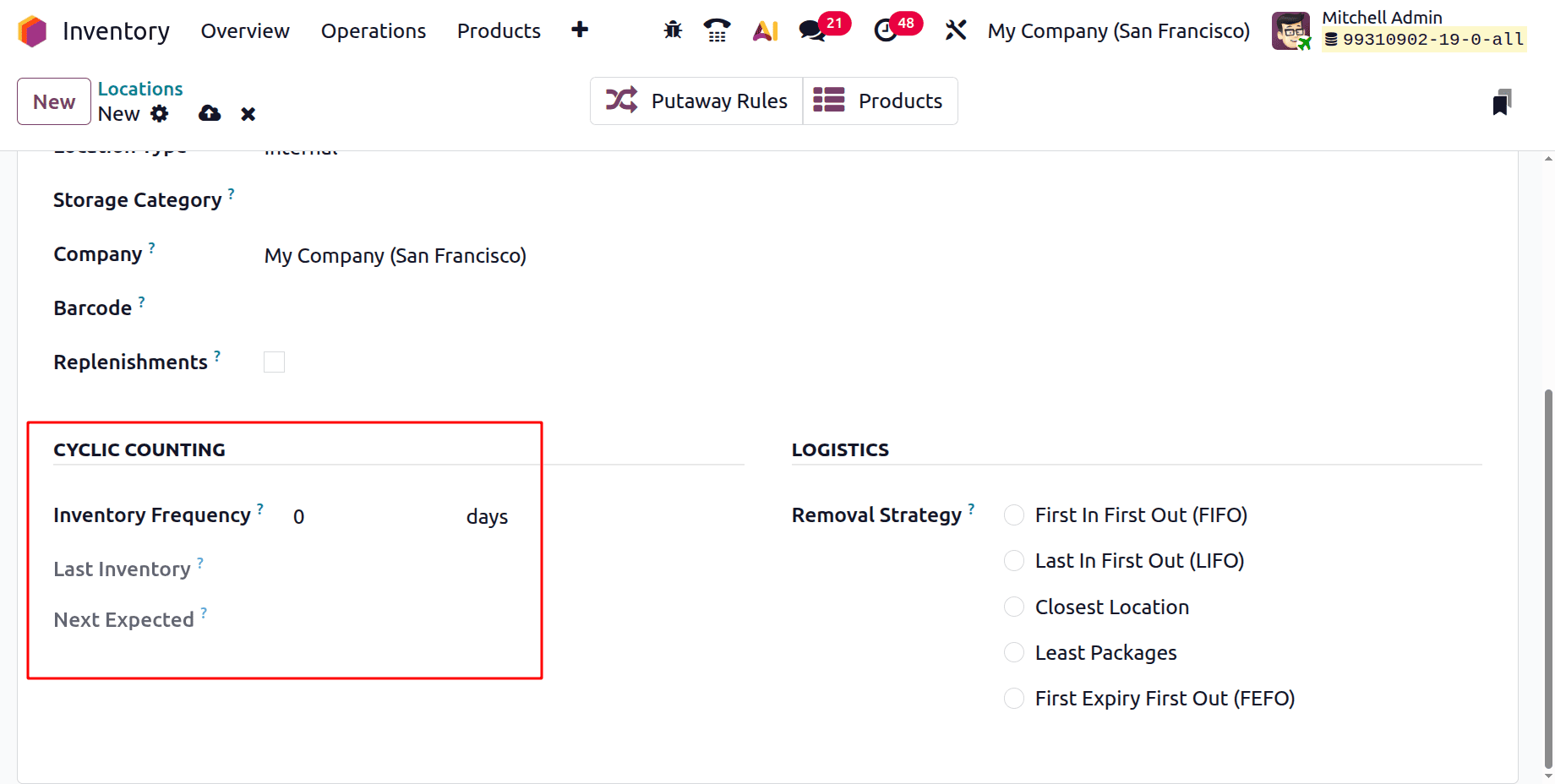
In the LOGISTICS tab, you can set Removal Strategies, which determine how products are picked from stock during deliveries or internal transfers. These strategies control which items are removed first, helping ensure proper stock rotation. Choosing the right removal method improves warehouse efficiency, reduces waste, and is especially useful for managing perishable or high-value products.
Here, you can choose between the FIFO (First In, First Out), LIFO (Last In, First Out), Closest Location, FEFO (First Expiry, First Out) or Least Packages options. Each of these strategies follows a distinct process for removing products, as explained below.
- FIFO (First In, First Out) is one of the most commonly used removal strategies. Under FIFO, the items that were received into inventory first are shipped out first. Odoo selects products based on their incoming date, ensuring that older stock moves before newer stock. This method is especially useful for perishable goods, seasonal products, or items with a risk of becoming obsolete. FIFO helps maintain healthy stock rotation and reduces the chances of expired or outdated inventory remaining in storage.
- LIFO (Last In, First Out) follows the opposite approach. With this strategy, the most recently received items are dispatched first. Odoo prioritizes the newest stock available in the warehouse. LIFO is generally used for non-perishable goods or in specific accounting and costing scenarios. While it is less common in industries dealing with expiry-sensitive products, it may be suitable where newer stock needs to be moved quickly.
- The Closest Location strategy focuses on operational efficiency. Instead of considering receipt dates, Odoo selects products stored in the location nearest to the delivery point. This reduces travel time for warehouse staff and speeds up the picking process. It is particularly beneficial in large warehouses where minimizing movement can significantly improve productivity and reduce handling time.
- FEFO (First Expiry, First Out) is designed for products with expiration dates. Under this method, Odoo prioritizes items that will expire soonest, regardless of when they were received. The system uses lot or serial numbers with assigned expiration dates to determine which stock to remove first. FEFO is widely used in industries such as food and beverage, pharmaceuticals, and cosmetics, where product safety and regulatory compliance are critical. This strategy helps minimize waste and ensures customers receive products within their valid shelf life.
- The Least Packages strategy aims to reduce handling complexity. With this method, Odoo prioritizes stock from locations that involve fewer packages, helping to minimize the number of packages opened or moved during order fulfillment. This approach is useful in bulk storage environments and businesses looking to optimize packaging efficiency. It can save time, reduce labor effort, and simplify warehouse operations.
After saving the details, you can save the storage location for future use. Also, you can alter between these removal strategies anytime as per your new inventory requirements. Then, the Products smart button provides a quick view of all items stored or assigned to a location, showing stock levels and detailed product information to simplify inventory management, while the Putaway Rules smart button lets you access and manage the rules that guide how products are stored, ensuring efficient placement, reducing errors, and improving overall warehouse organization.
Overall, removal strategies in Odoo 19 play a vital role in controlling how inventory leaves the warehouse. By selecting the appropriate strategy based on product type and business needs, organizations can improve stock management, enhance operational efficiency, and maintain better control over inventory flow.
To read more about What are the Different Types of Removal Strategies in Odoo 18, refer to our blog What are the Different Types of Removal Strategies in Odoo 18.