It is possible for recruiters to spot weaknesses and make improvements in their hiring processes through the provision of useful information provided by the recruitment management system. It saves on advertising costs because recruiters are able to create and communicate with already screened candidates before placing advertisements anywhere else. It saves time spent on such things as reporting, recruiting, and online job postings. Odoo 19 Recruitment Module is open-source software that makes it possible for you to manage all aspects of recruiting employees. You are able to post on a job board, advertise your job vacancies, and monitor your applications efficiently. You don’t have to outsource your recruiting.
To initiate the recruitment process for a new staff member, you need to install the Recruitment Module from the Odoo 19 platform.
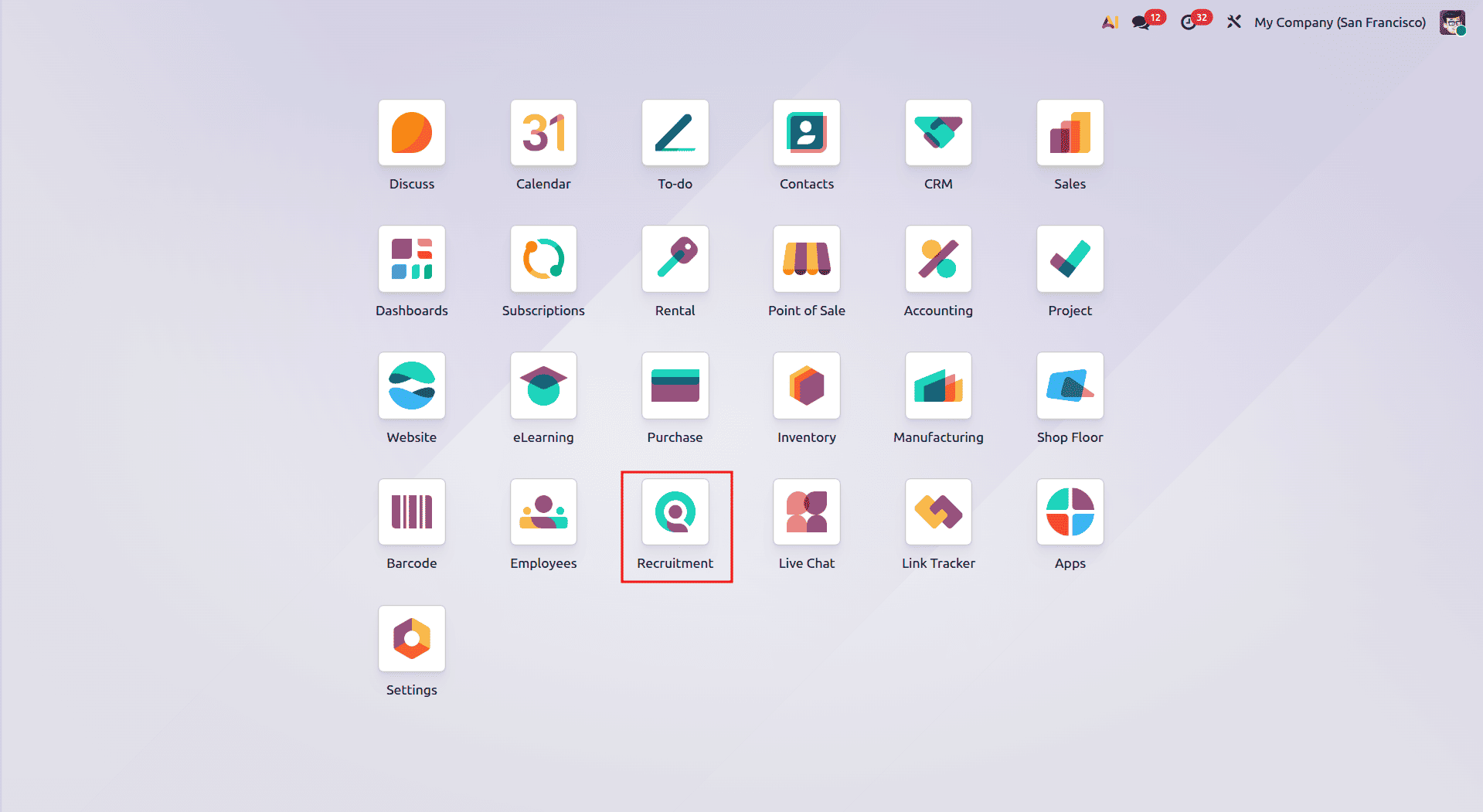
Once the Recruitment Module is opened, you will find yourself on the homepage that displays all the "Job Positions" in a Kanban View, as given below.
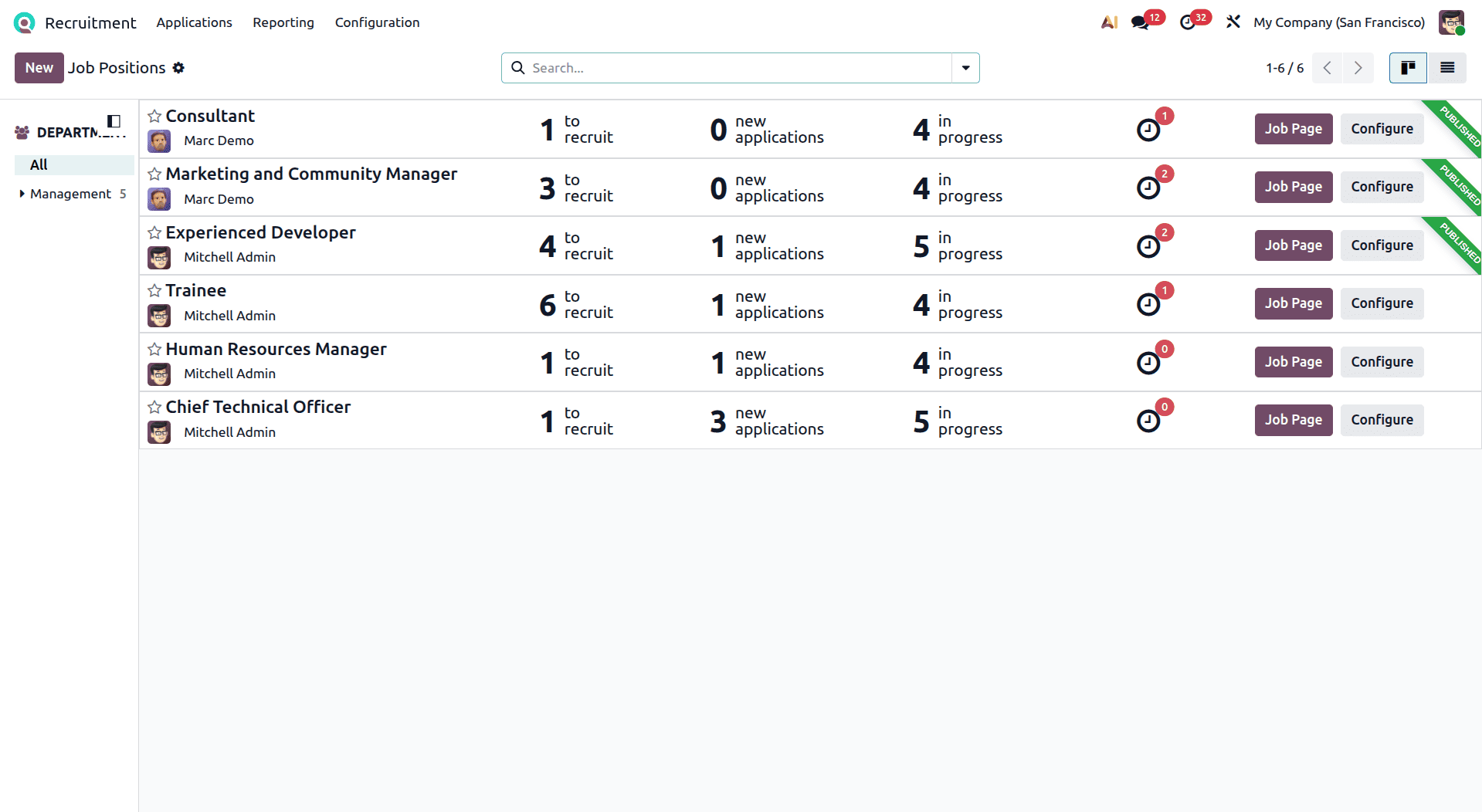
Creation of a New Job Position
We are able to create a new job position simply by selecting the "New" option present on the Job Positions dashboard. This action will display a small pop-up or redirect you to a form where you can enter the "Job Position" name, and you can define specific email aliases (e.g., jobs@yourcompany.com). When an applicant emails their resume to this alias, Odoo automatically captures it and creates a new candidate record.
And click "Create" to add it to the database.
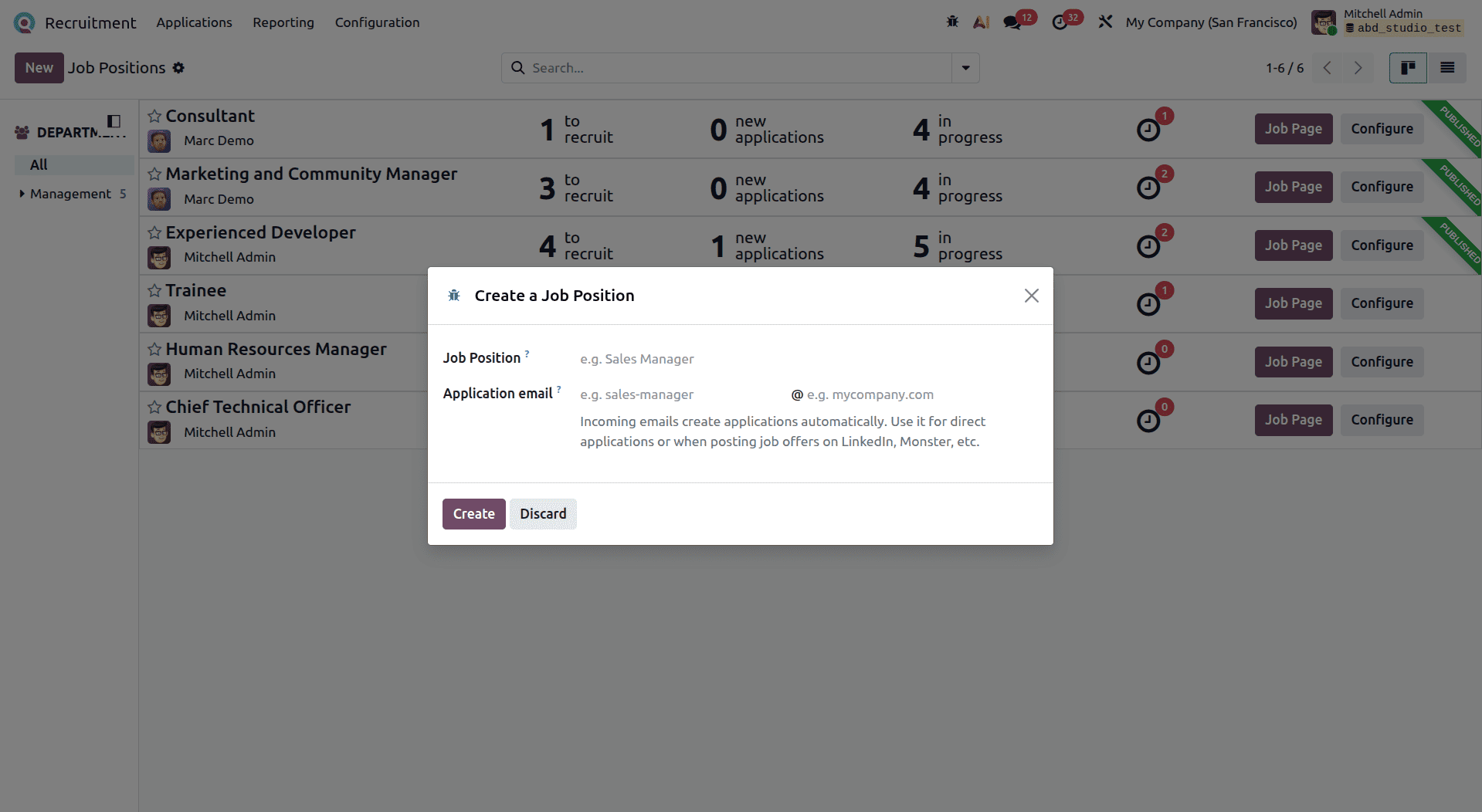
Job Board Posts (Applications Menu)
After creating a job, one should proceed to publish the job. In Odoo 19, the Applications menu features a dedicated "Job Boards Posts" sub-menu. Opening this menu acts as your centralized command center for all external job listings.
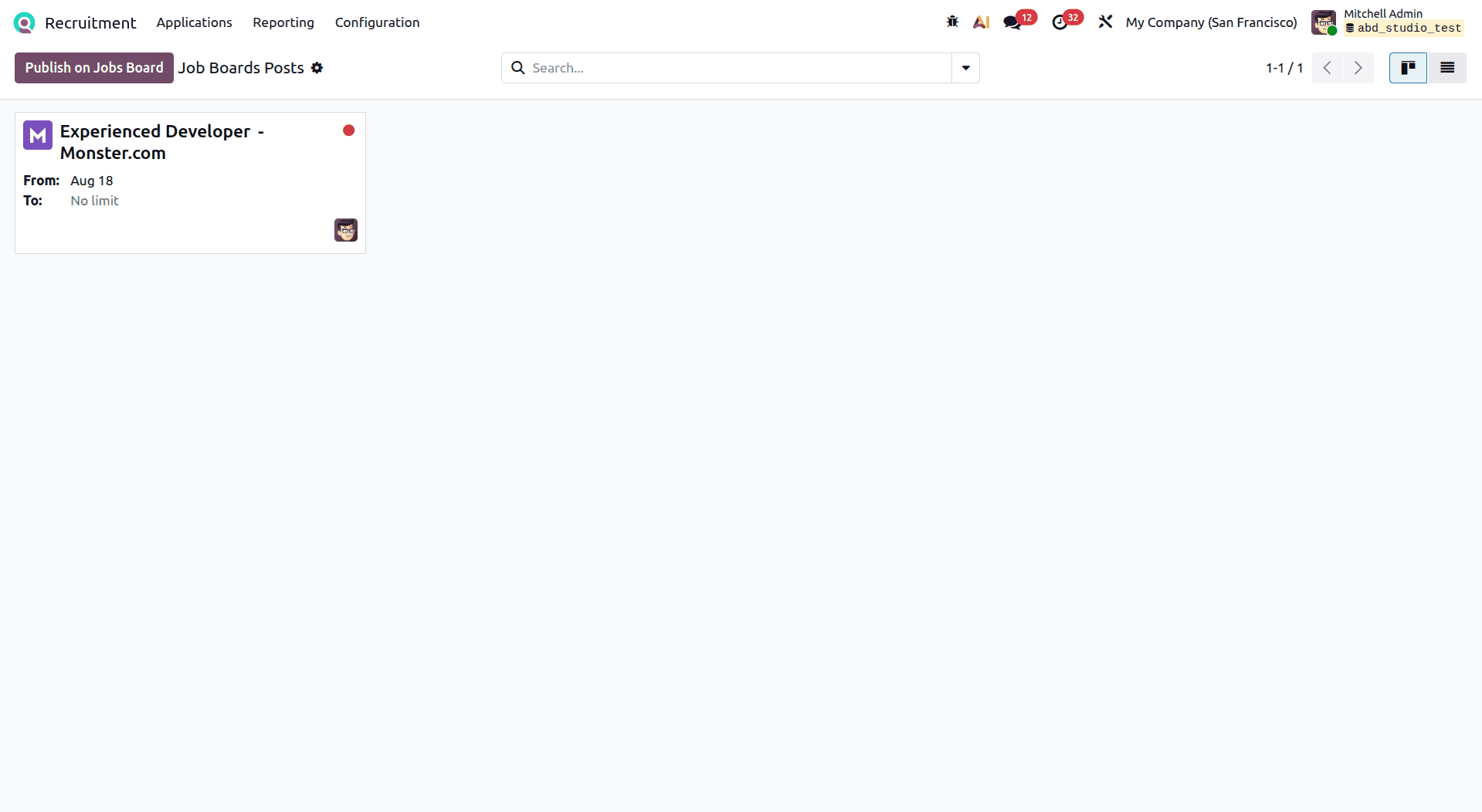
From there, one is able to flip the “Published” switch to make the job available right away on external boards. Accessing the job post allows one to be able to make edits to the job’s description, requirements, and other details.
Job Board Settings & Integrations
To unlock the full potential of external hiring, navigate to Configuration > Settings. Scroll down to the Job Board section.
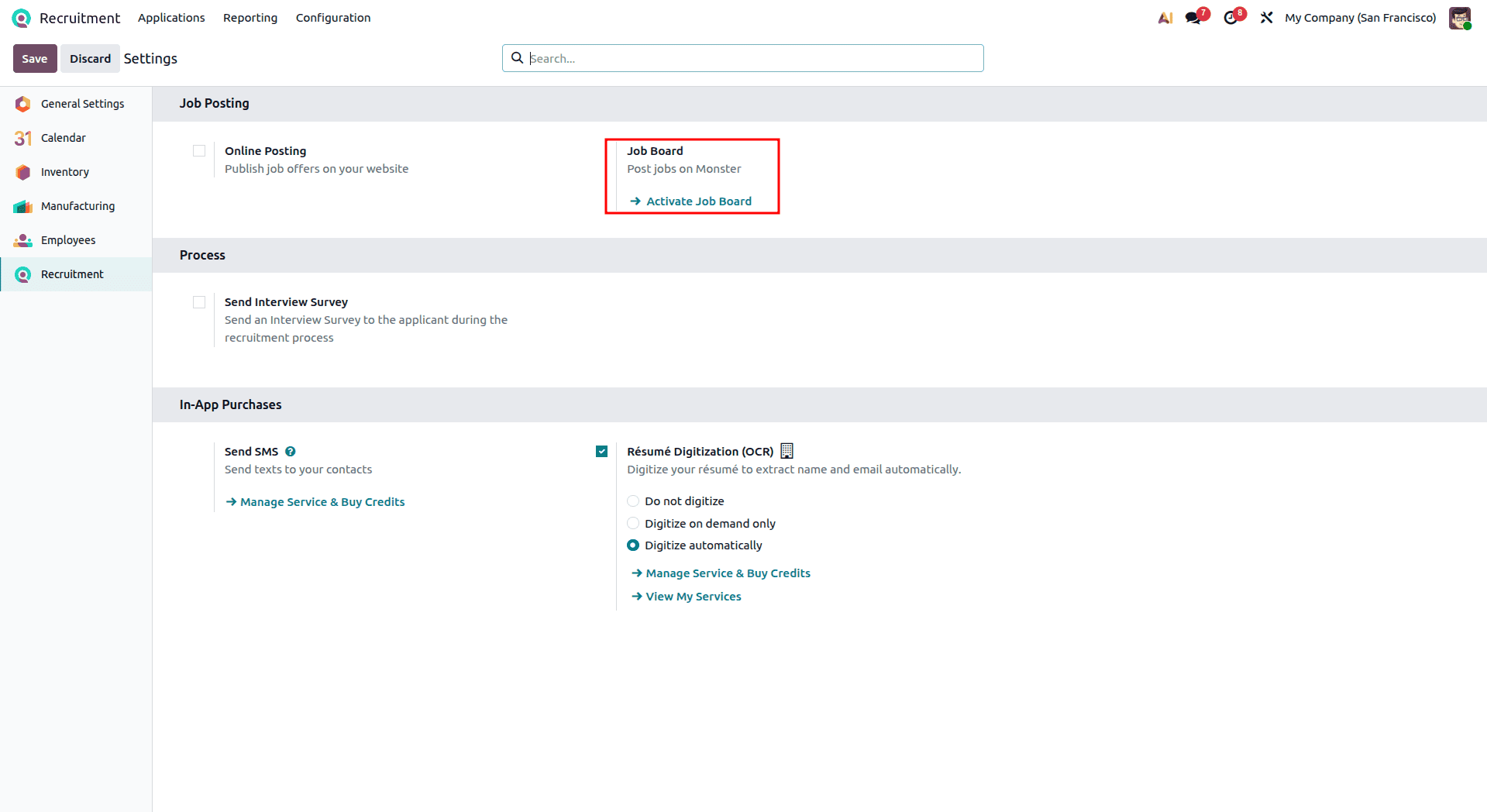
Activating these settings allows Odoo to push your open job requisitions seamlessly to the web, ensuring maximum visibility.
Managing Candidates (Applications Menu)
Application tracking will be easy once you begin receiving them. Choose the Applications tab followed by “All Applications” beneath it. You will be redirected to the list view of all applications.
It becomes extremely easy to drag-and-drop candidates into various custom hiring phases based on their performance during interviews.
Processing Applications: Resume Digitization & In-App SMS
Click on any candidate’s record to open the details in its form view. That’s where Odoo 19 truly comes into its own.
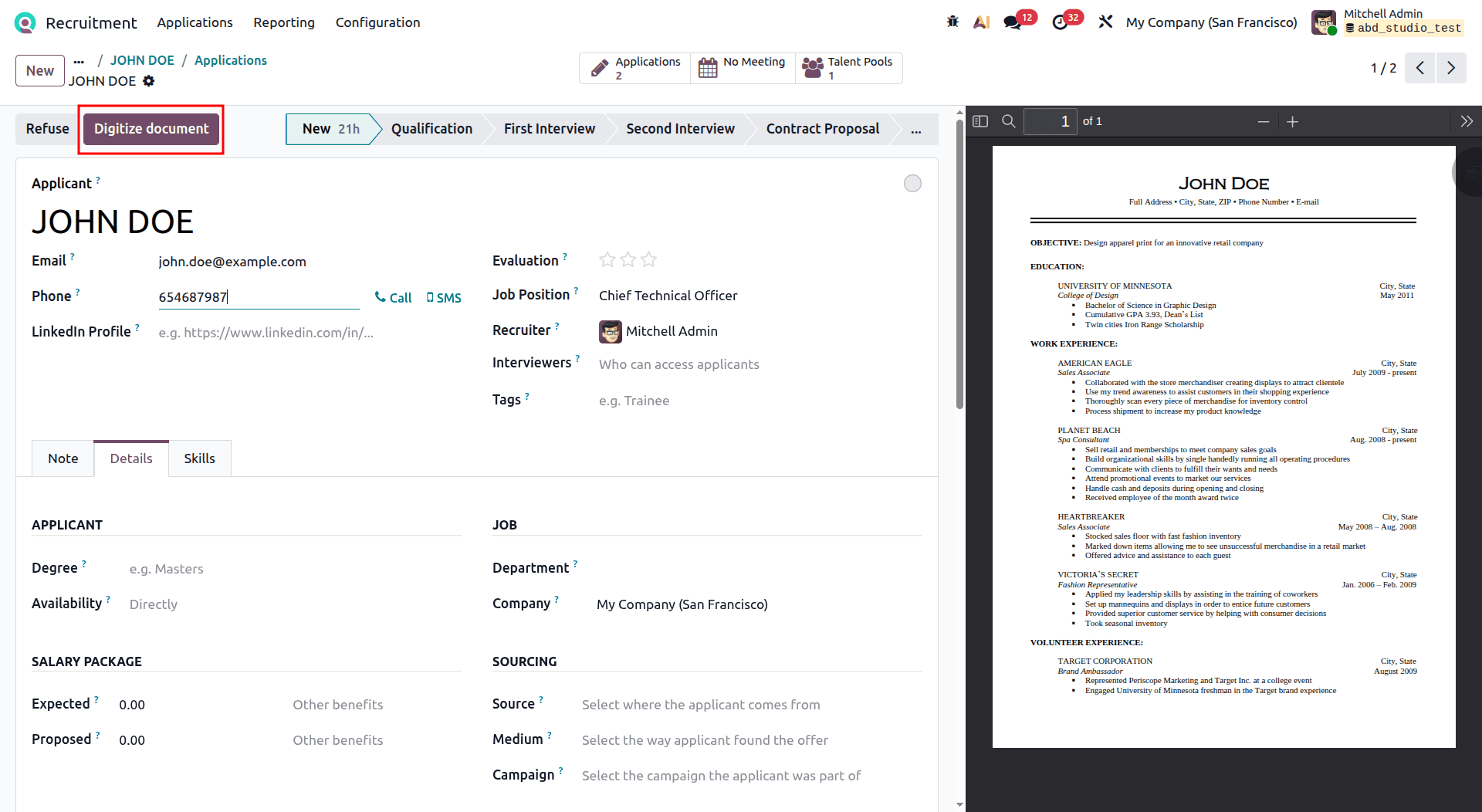
Step 1: Resume Digitization (OCR). As soon as a resume arrives, click the “Digitize Document” button. Odoo will read the document using OCR and automatically fill in the Name, Email, Phone and Skills fields for that candidate.
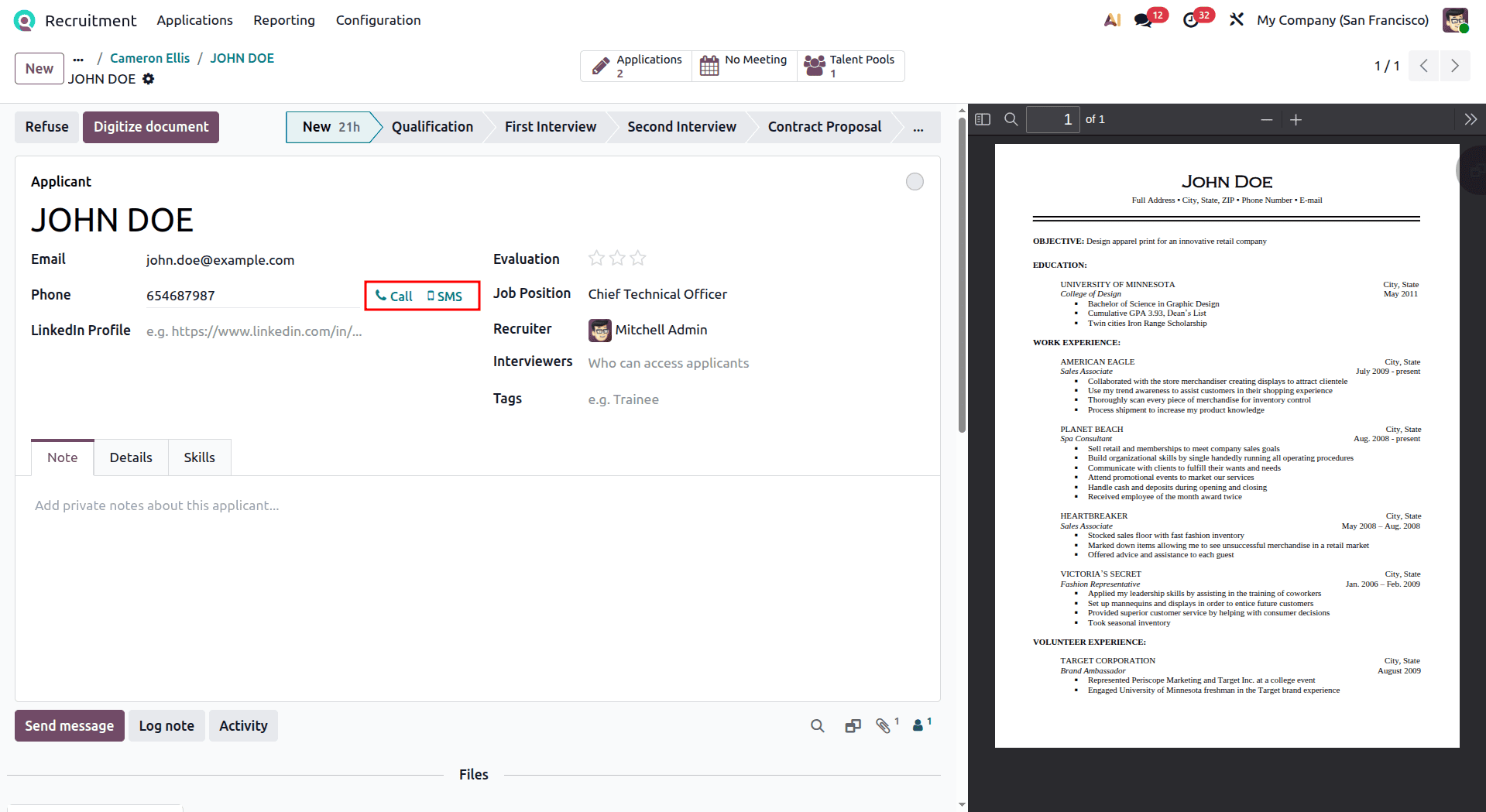
Step 2: Send SMS or Call. Need to remind them of an interview? Click the "SMS" or “CALL” action to text them directly from Odoo.
Hiring the Candidate
The last stage after processing and interviewing the candidate is to bring them into the fold. You could take them to the final stage in the pipeline or manually update their status to "Contract Signed."
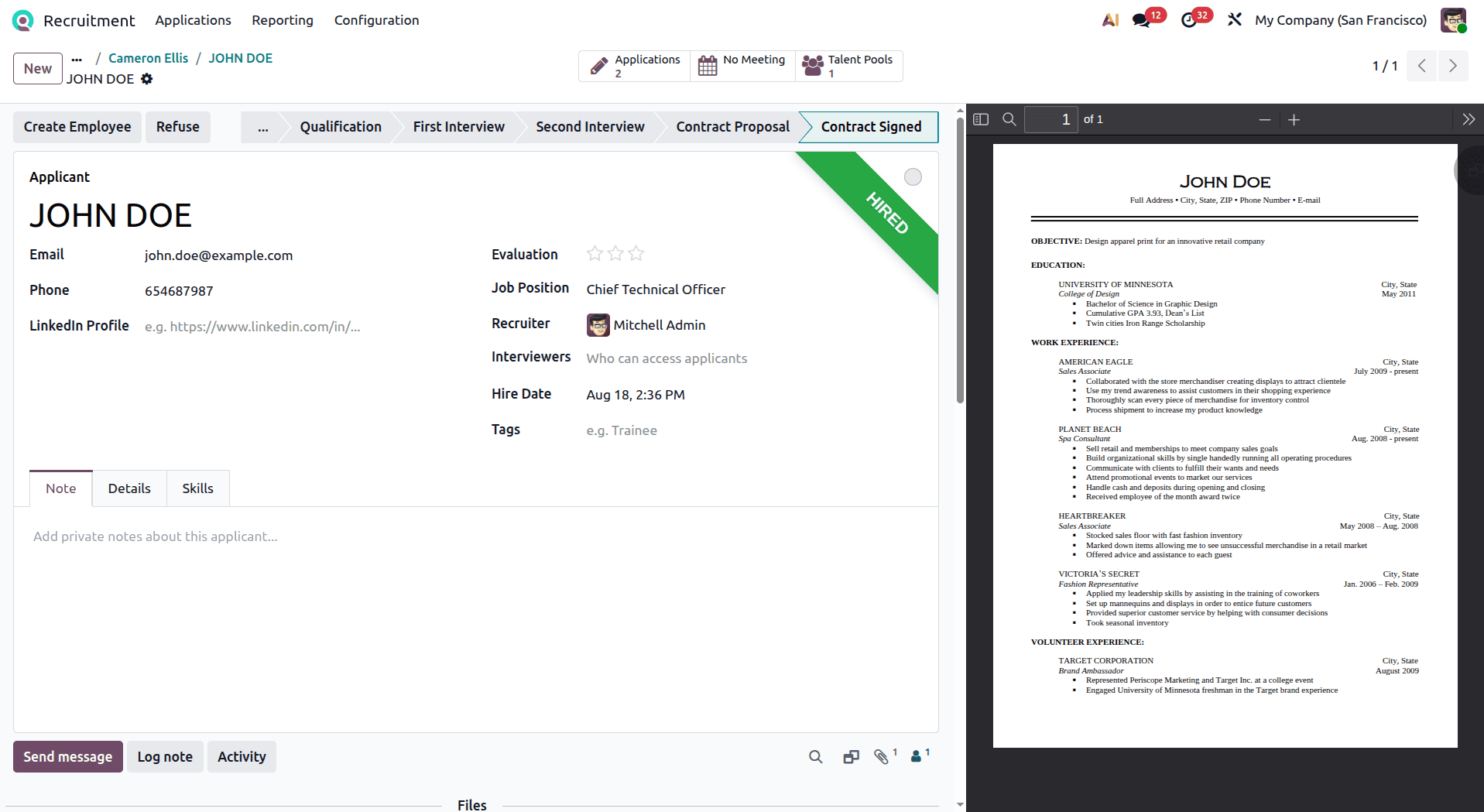
A green ribbon with the word "HIRED" will appear on the top right of the candidate profile. Clicking the "Create Employee" button is where the real magic happens. Odoo will seamlessly take the applicant's information and use it to generate a new Employee record in your database, transferring their Name, Email, Phone, and Department directly to the Employees module.
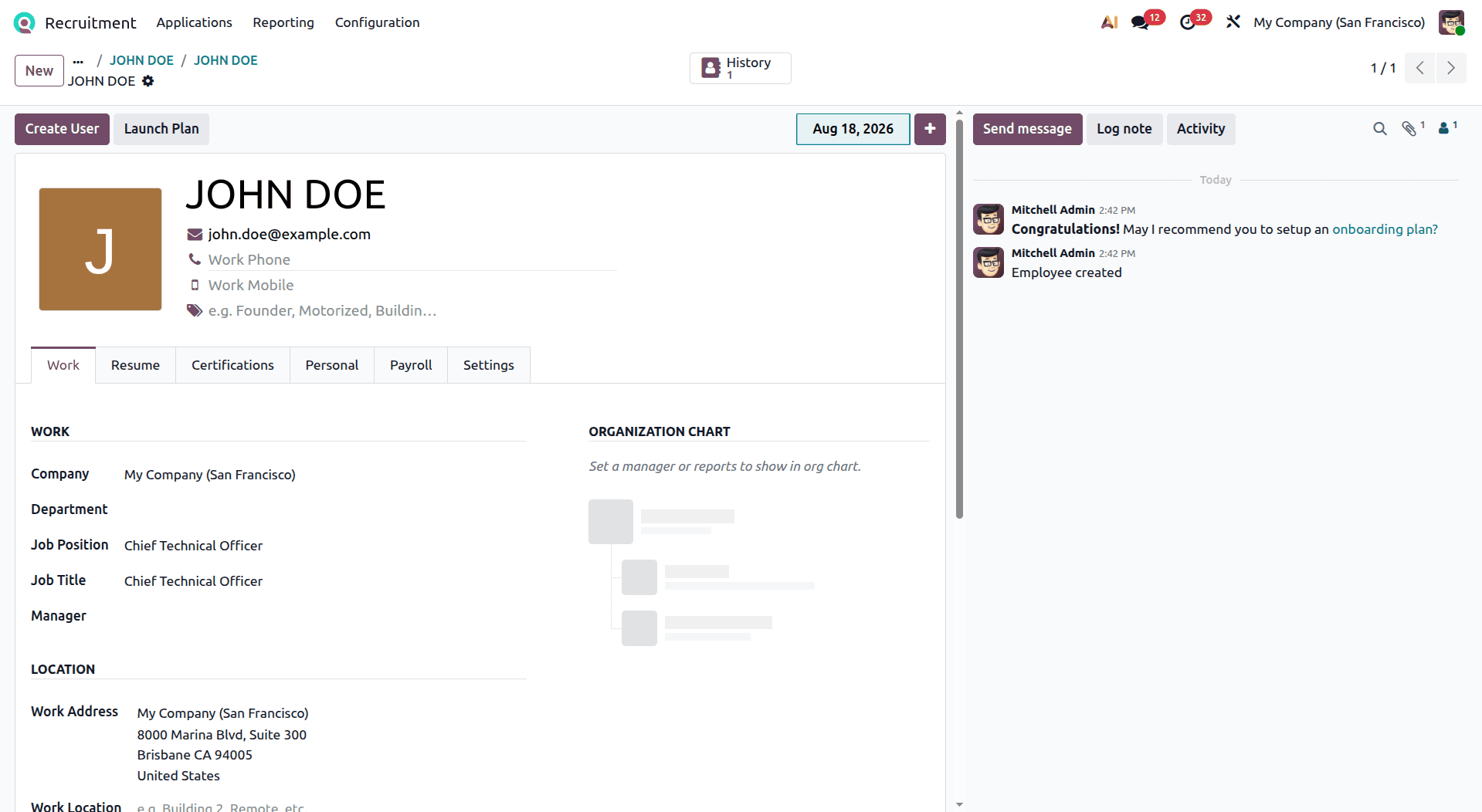
To complete the hiring process, follow these final steps within the newly created Employee record:
1. Review Private Information: Update their home address, emergency contacts, marital status, and bank account details for payroll.
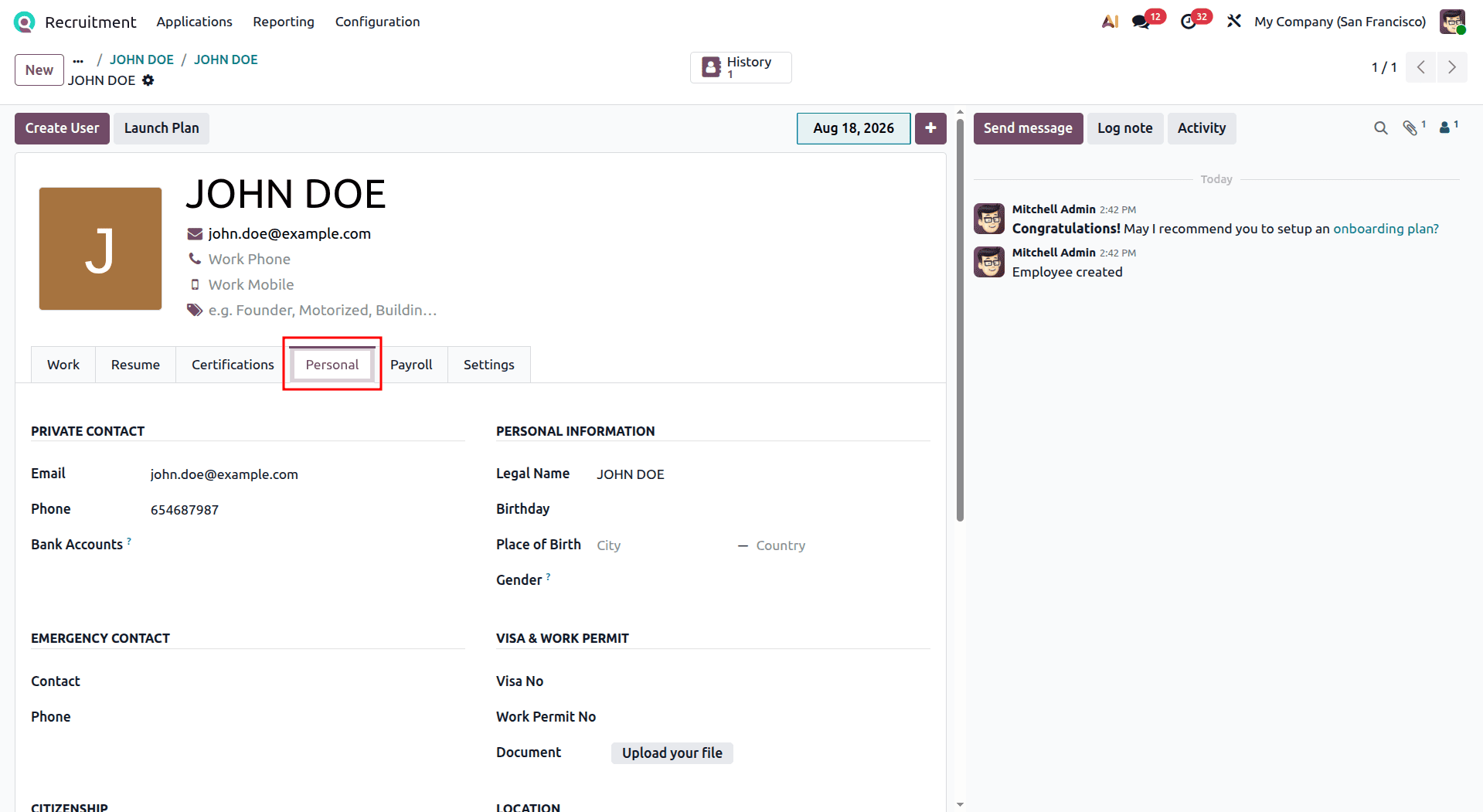
2. Create a Contract: Click on the "Payroll" tab in the employee form to generate their official employment contract. Define their wage, contract dates, contract type, and pay category; we can also choose the working hours.
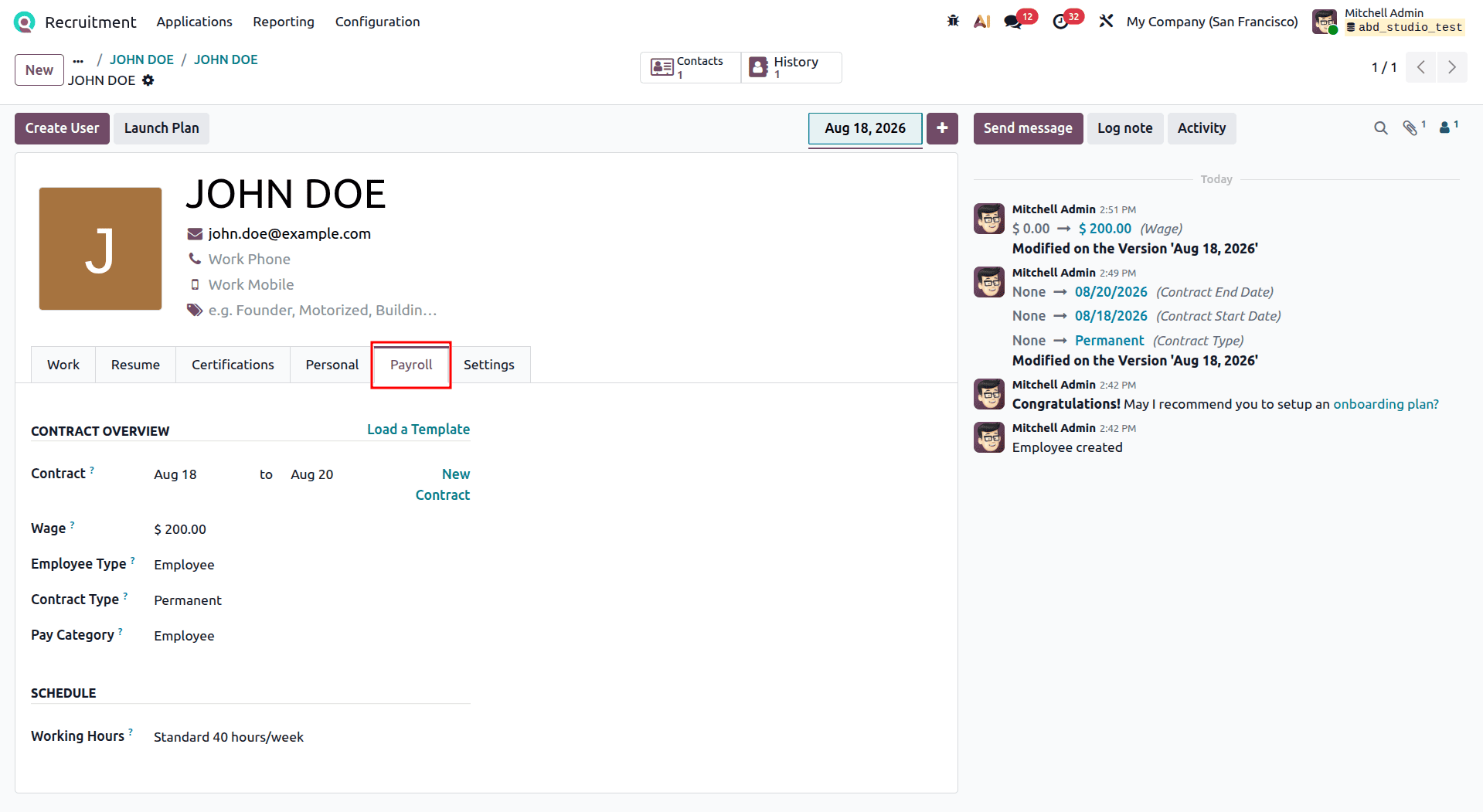
Thus, your recruit is formally integrated into the business organization, and is now eligible for payrolls and timesheets.
This is how the entire process is carried out through hiring a new candidate, utilizing the efficient capabilities of the Odoo 19 Recruitment Module.
The Odoo 19 Recruitment module will provide you with a user-friendly module for managing all aspects of your hiring process from one interface. With the ability to create job positions and vacancies, collect applications, process resumes, communicate with candidates, and hire suitable candidates, the module can help minimize routine actions and structure your recruiting activities.
In addition, Odoo modules work well together. After recruiting a candidate and hiring him, all of his information will be sent to the Employees module and further used in managing the new employee's information, his contract, salary, and other human resources activities. In general, Odoo 19 Recruitment allows you to structure the recruiting process and keep your candidate's data available throughout it.
To read more about Overview of Reporting Features in Odoo 19 Recruitment Module, refer to our blog, Overview of Reporting Features in Odoo 19 Recruitment Module.