List views, which display business data in an understandable tabular format, are among the most popular interfaces in Odoo. However, it can take a long time to find important information when hundreds of records have the same appearance. Odoo 19 offers decoration attributes in the list view as a solution.
Developers can apply conditional styling to records using decoration attributes, making sure that crucial business information is immediately noticeable. For instance, completed orders can be shown in green, past-due tasks in red, and draft entries in italics. This subtle but effective feature turns simple data tables into user-friendly visual dashboards so users can concentrate on what really matters without having to make extra clicks.
The following is the syntax for utilizing decoration attributes in list view definitions:
<list decoration-type="your_field=='value'"></list>
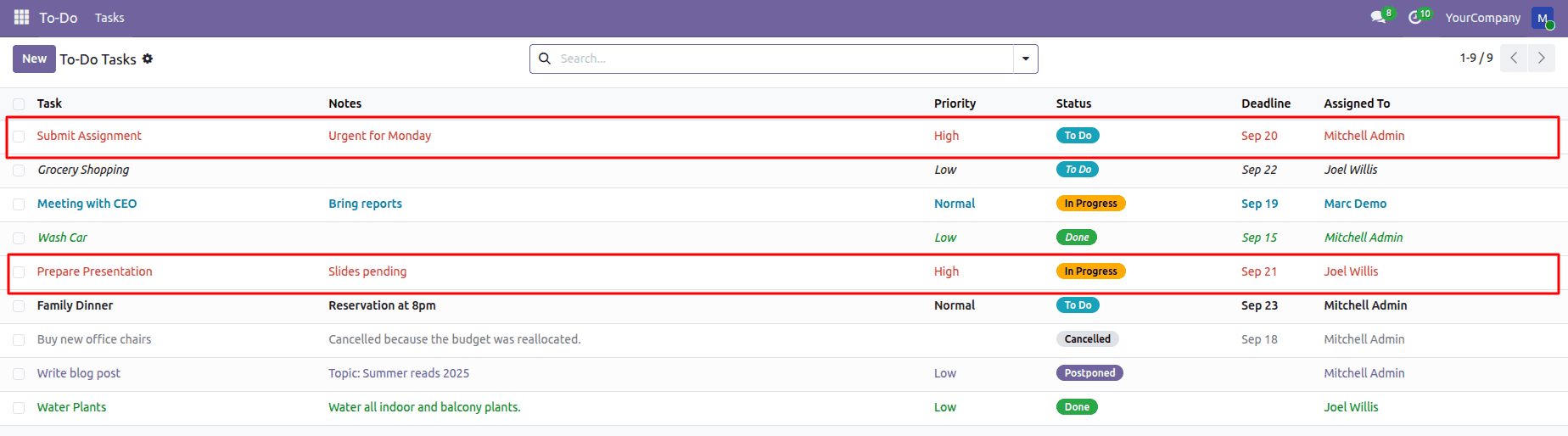
1. decoration-danger
Applies a danger (red) highlight to records that meet the specified condition.
It is typically used to draw immediate attention to critical or high-risk records, such as high-priority tasks or error states.
Eg:
<list decoration-danger="priority == '2'">
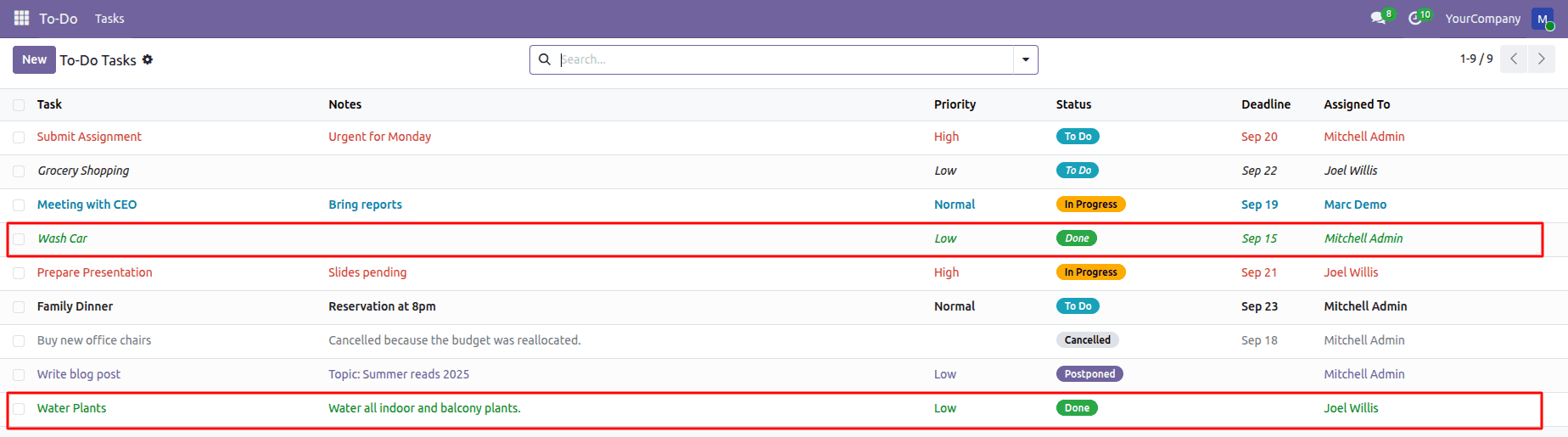
2. decoration-success
Applies a success (green) highlight to records that satisfy the condition.
It is used to indicate positive or completed states, such as finished tasks or validated documents.
Eg:
<list decoration-success="state == 'done'">
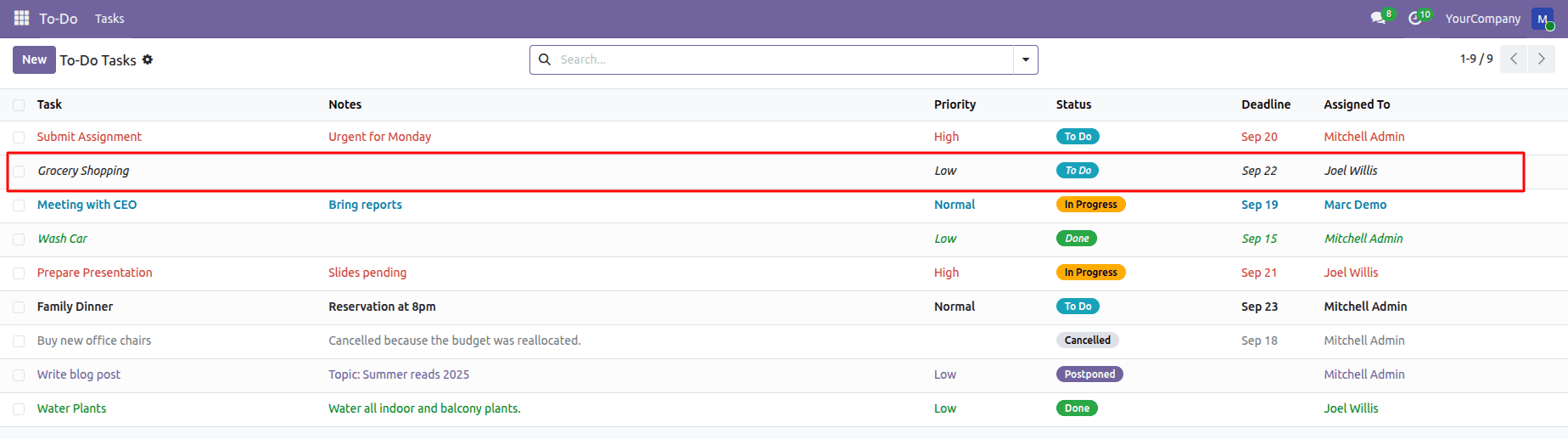
3. decoration-it
Displays the record content in italic font.
Italics are commonly used in text to indicate a subtle distinction in meaning or status without drawing strong attention. Unlike bold or color-based emphasis, italic styling conveys that information is secondary, contextual, or non-critical.
Eg:
<list decoration-it="notes == False">
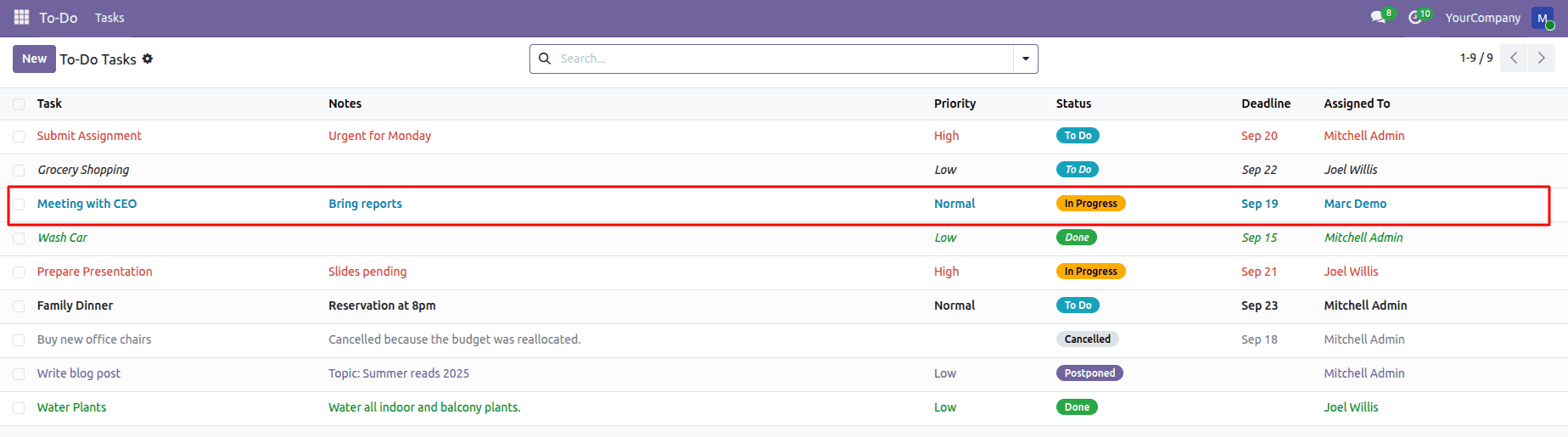
4. decoration-info
Applies an informational (blue) highlight to records.
It is typically used for neutral or active states, such as records currently in progress.
Eg:
<list decoration-info="state == 'in_progress'">
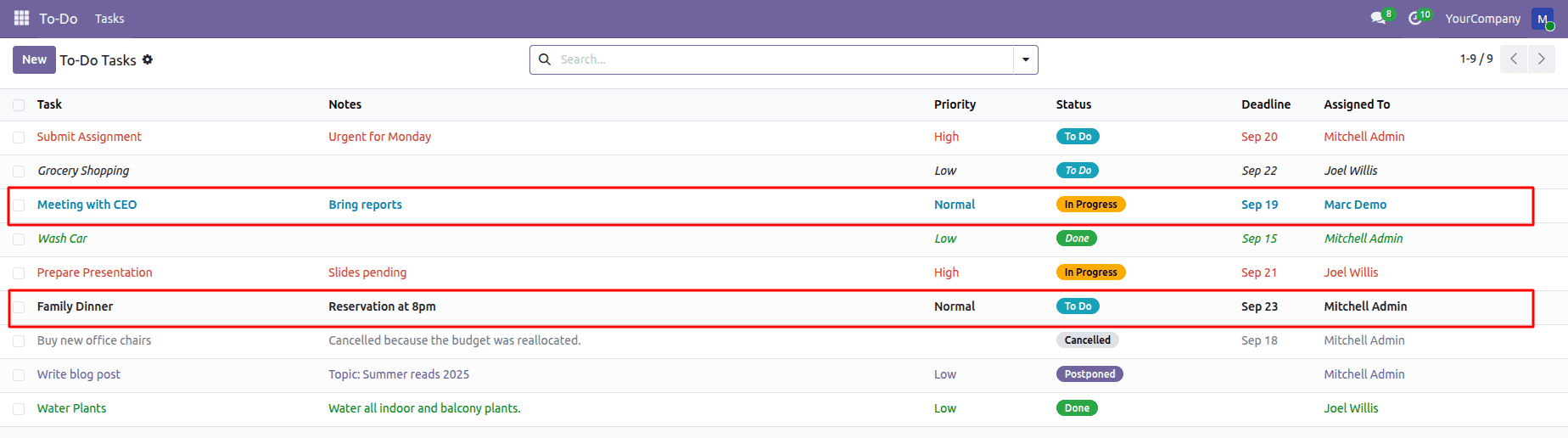
5. decoration-bf
Displays the record content in bold font.
This decoration is useful for emphasizing important records, such as high-priority or key entries that should stand out in the list view
Eg:
<list decoration-bf="priority == '1'">
6. decoration-muted
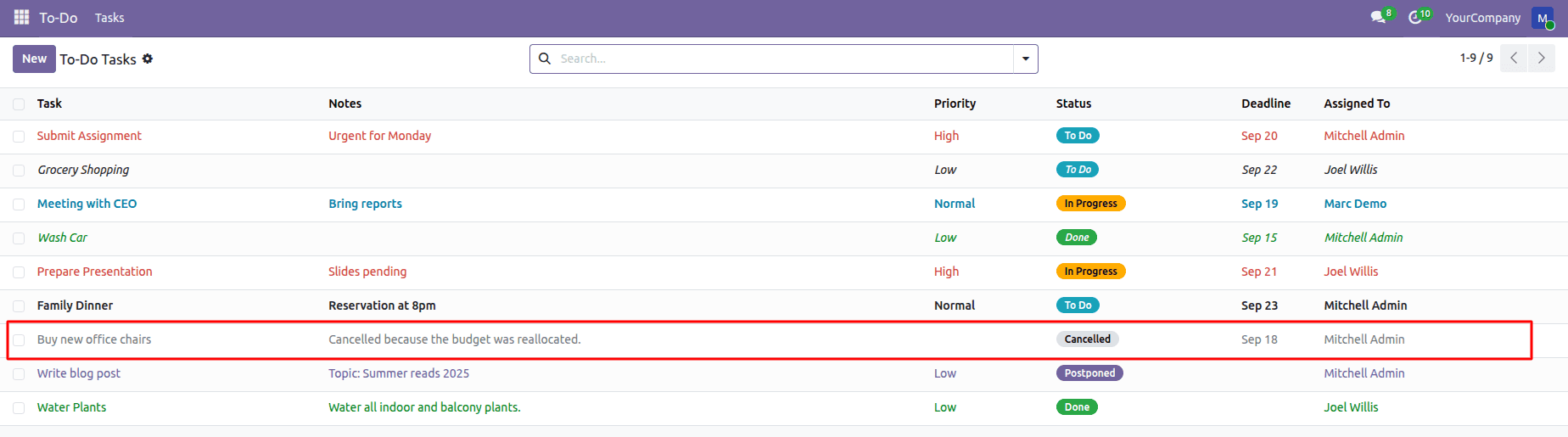
Displays records in a muted or greyed-out style.
This decoration is commonly used for inactive or cancelled records, reducing their visual prominence without hiding them.
Eg:
<list decoration-muted="state == 'cancelled'">
7. decoration-primary
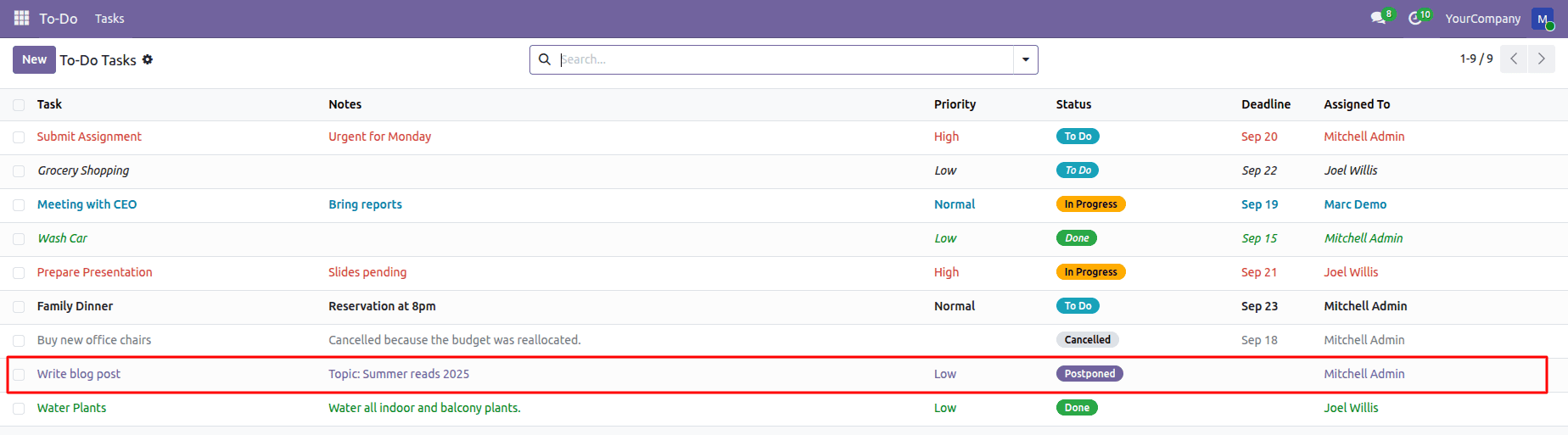
Applies a primary (brand-accent) highlight, typically purple, to records that meet the specified condition.
Eg:
<list decoration-primary="state == 'postponed'">
Here is the complete example of the different types of decoration attributes in Odoo 19:
<record id="view_todo_task_list" model="ir.ui.view">
        <field name="name">todo.task.list</field>
        <field name="model">todo.task</field>
        <field name="arch" type="xml">
            <list
                    decoration-danger="priority == '2'"
                    decoration-warning="is_overdue"
                    decoration-success="state == 'done'"
                    decoration-bf="priority == '1'"
                    decoration-primary="state == 'postponed'"
                    decoration-info="state == 'in_progress'"
                    decoration-muted="state == 'cancelled'"
                    decoration-it="notes == False">
                <field name="name"/>
                <field name="notes"/>
                <field name="priority"/>
                <field name="state" widget="badge"
                       decoration-info="state == 'todo'"
                       decoration-warning="state == 'in_progress'"
                       decoration-success="state == 'done'"
                       decoration-primary="state == 'postponed'"/>
                <field name="deadline"/>
                <field name="user_id"/>
            </list>
        </field>
    </record>
Decoration attributes in Odoo 19 make list views simpler to read and comprehend. Important tasks and statuses can be quickly identified by utilizing colors, bold text, and italics.
When utilized appropriately, these decorations enable users to monitor progress, quickly concentrate on priorities, and prevent overlooking crucial information. In general, decoration attributes enhance list views' usability and clarity without adding additional complexity.
To read more about List (Tree) View Decoration Attributes in Odoo 18, refer to our blog List (Tree) View Decoration Attributes in Odoo 18.