If you've ever attempted to motivate your sales team to hit their target, then you'll know that using a spreadsheet full of figures isn't going to do the job for you. This is where the Odoo Employee Challenges tool comes into play to solve this issue. It uses the existing Gamification platform of Odoo and applies it to everyday goal-setting, making it a little more like a competition, with badges and rankings.
Here's a step-by-step tutorial of how the feature is used in Odoo 19, including how to activate it, create a challenge, and manage it once it's live.
What Gamification Actually Means Here
Gamification, as defined by Odoo, simply implies taking some concepts from gaming, such as goals, feedback on progress, and rewards, to help make mundane activities interesting. Gamification does not involve turning work into gaming but rather providing an individual with something else to focus on apart from the mere fact that something is on the KPI sheet.
There are three main components to the process:
- Goals - the specific, measurable things employees are working toward
- Challenges - time-bound competitions built around one or more goals
- Badges - the recognition handed out when a challenge is completed
Turning Gamification On
Gamification doesn't show up in a fresh Odoo database by default - it's tucked away as a technical feature, so there's a short setup before you can create your first challenge.
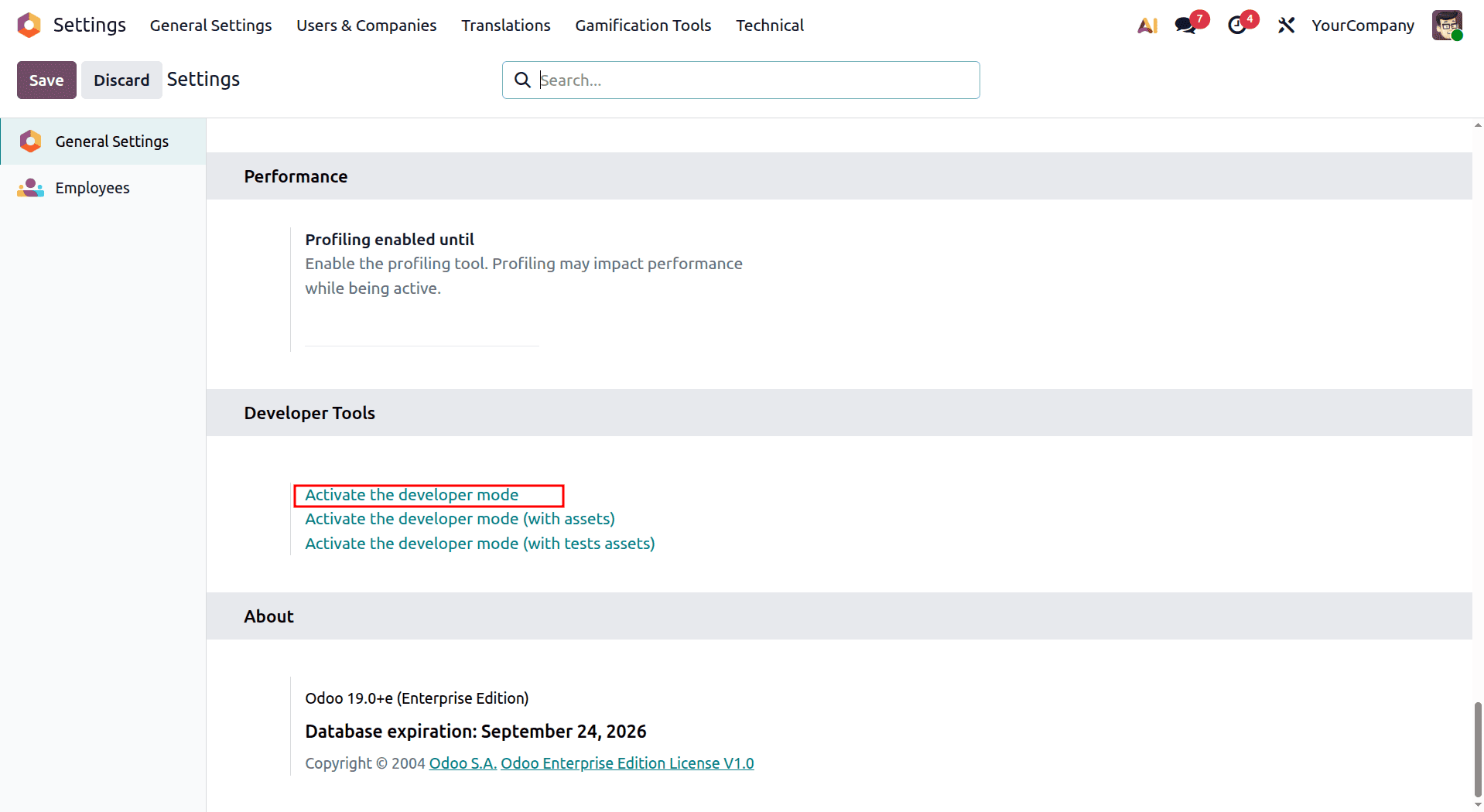
- Enable Developer Mode: Head to Settings and switch on developer (debug) mode. Since gamification lives under the technical menus, you won't see it until this is turned on.
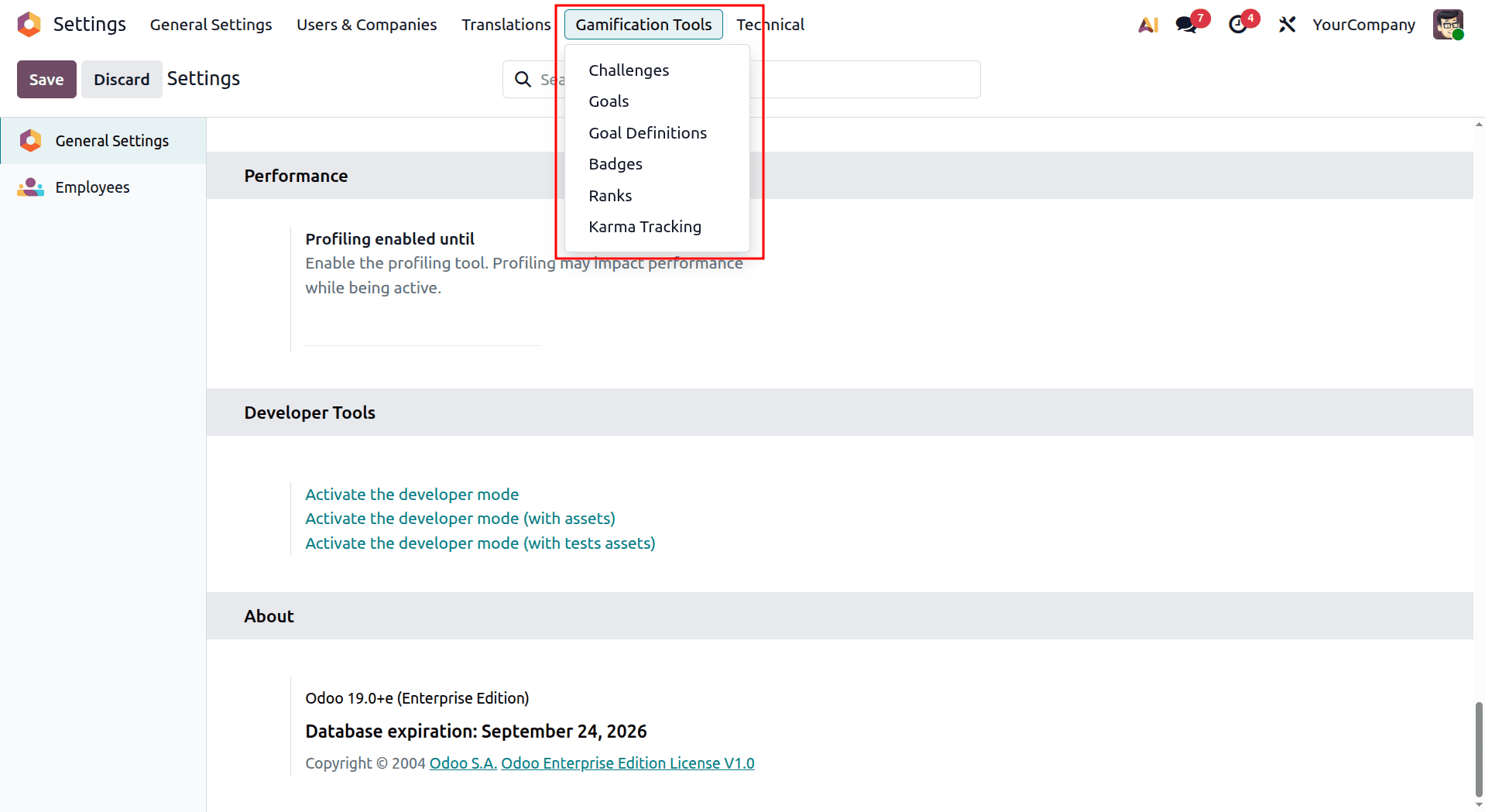
- Find the Gamification Tools menu: With developer mode active, go to Settings > Gamification Tools. This becomes your control centre for everything related to challenges and badges.
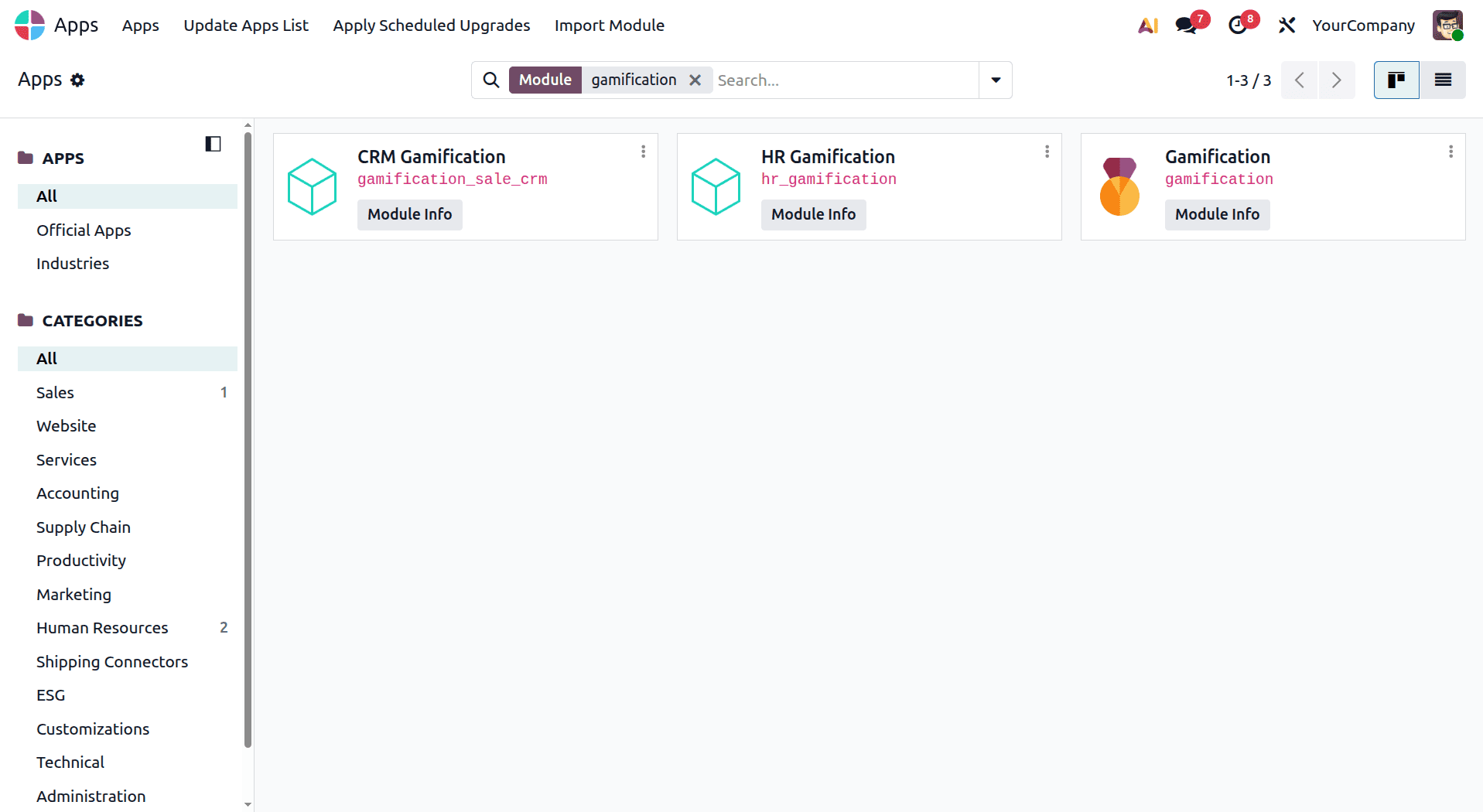
- Check the required modules: If you want to create challenges based on a specific application, such as CRM or Sales, make sure the relevant application and its associated Gamification features are installed. For example, CRM Gamification provides goals and challenges related to CRM and Sales.
Building Badges
A badge is the tangible payoff - proof that someone hit a goal or simply did something worth recognizing, whether that's closing a big deal or just being a good teammate.
Creating One
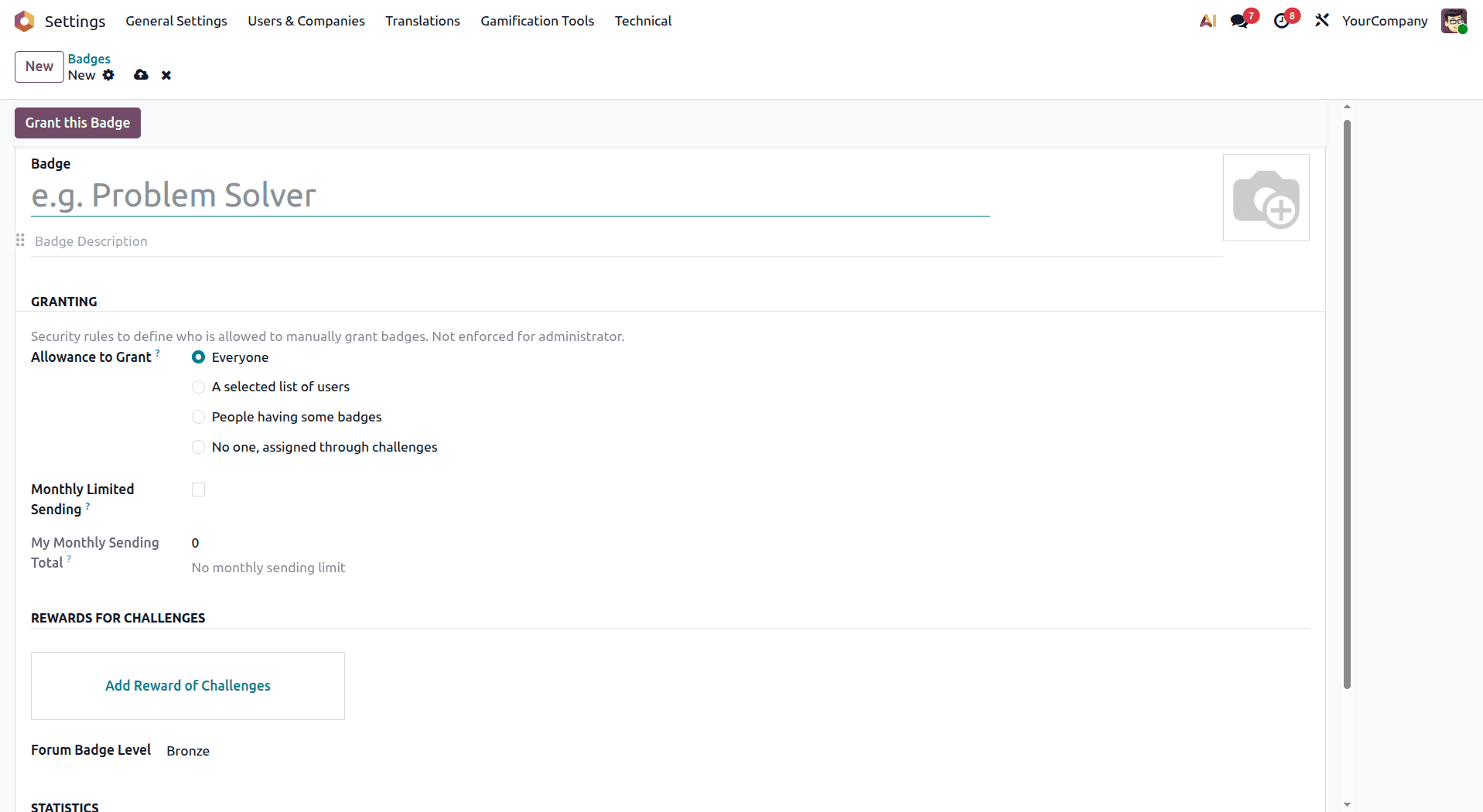
- Go to Settings > Gamification Tools > Badges and click New to start with a blank form. From there, you'll fill in:
- Name - something that actually motivates people, not just a label
- Description - a short explanation of what the badge stands for and why someone would earn it.
- Allowance to Grant - who's allowed to hand this badge out: everyone, a specific list of users, or admins only
- Monthly Limited Sending - enable this option to limit the number of times the badge can be granted per month.
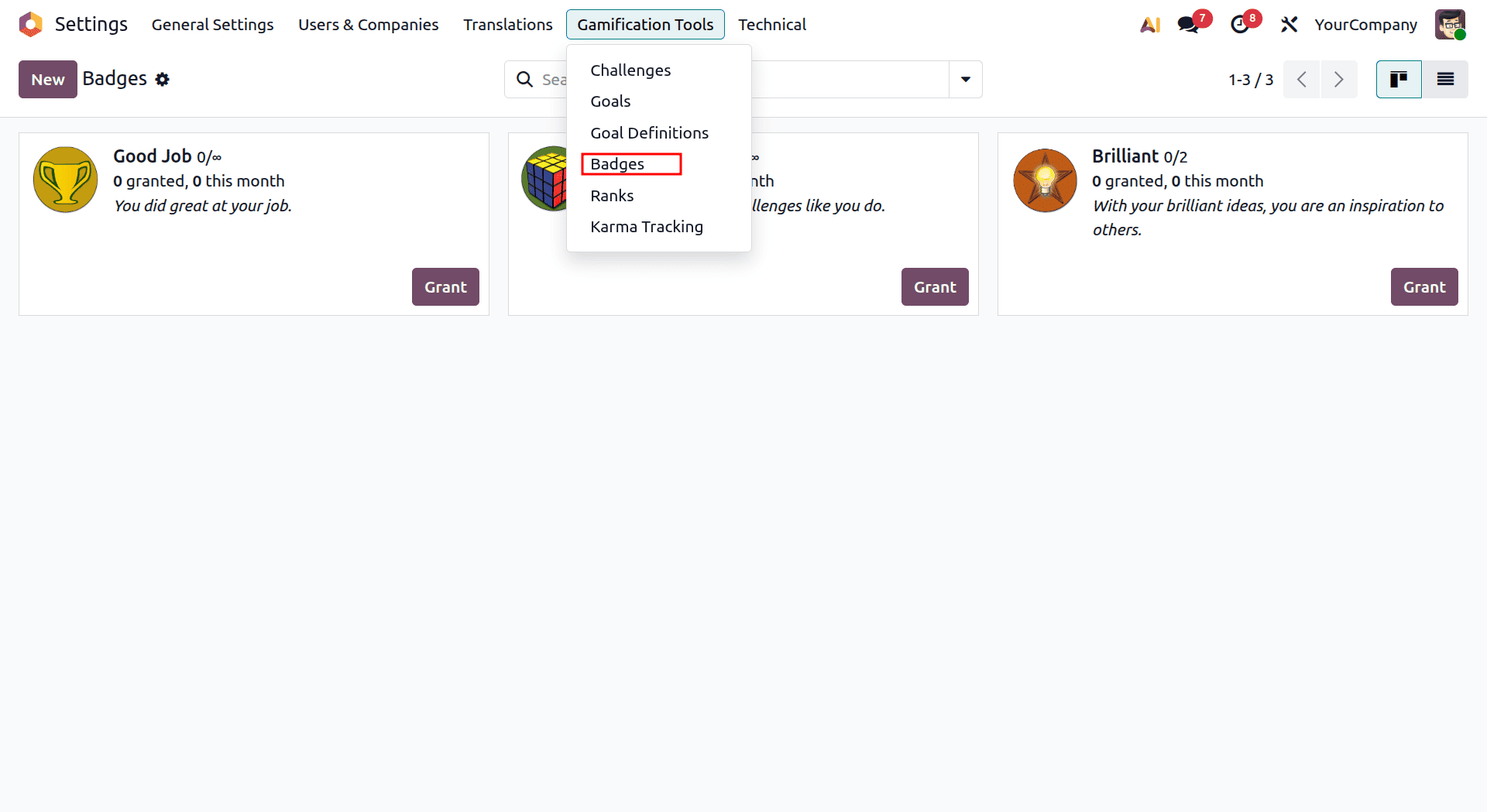
If the badge is meant to be a reward for a particular challenge, link it there as well. The badge form also keeps a running tally of statistics: total badges granted, how many this month, how many unique people have received it, and how many you personally have handed out.
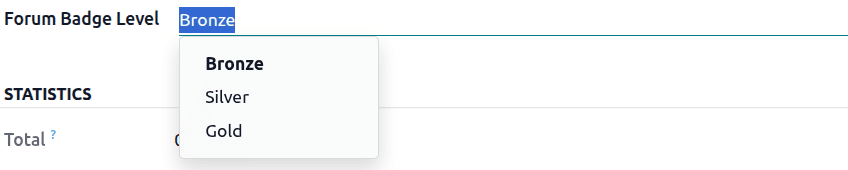
So it's easy to see at a glance whether a badge is landing with people or just sitting unused. If your setup includes Odoo's forum functionality, you can also assign the badge a forum badge level.
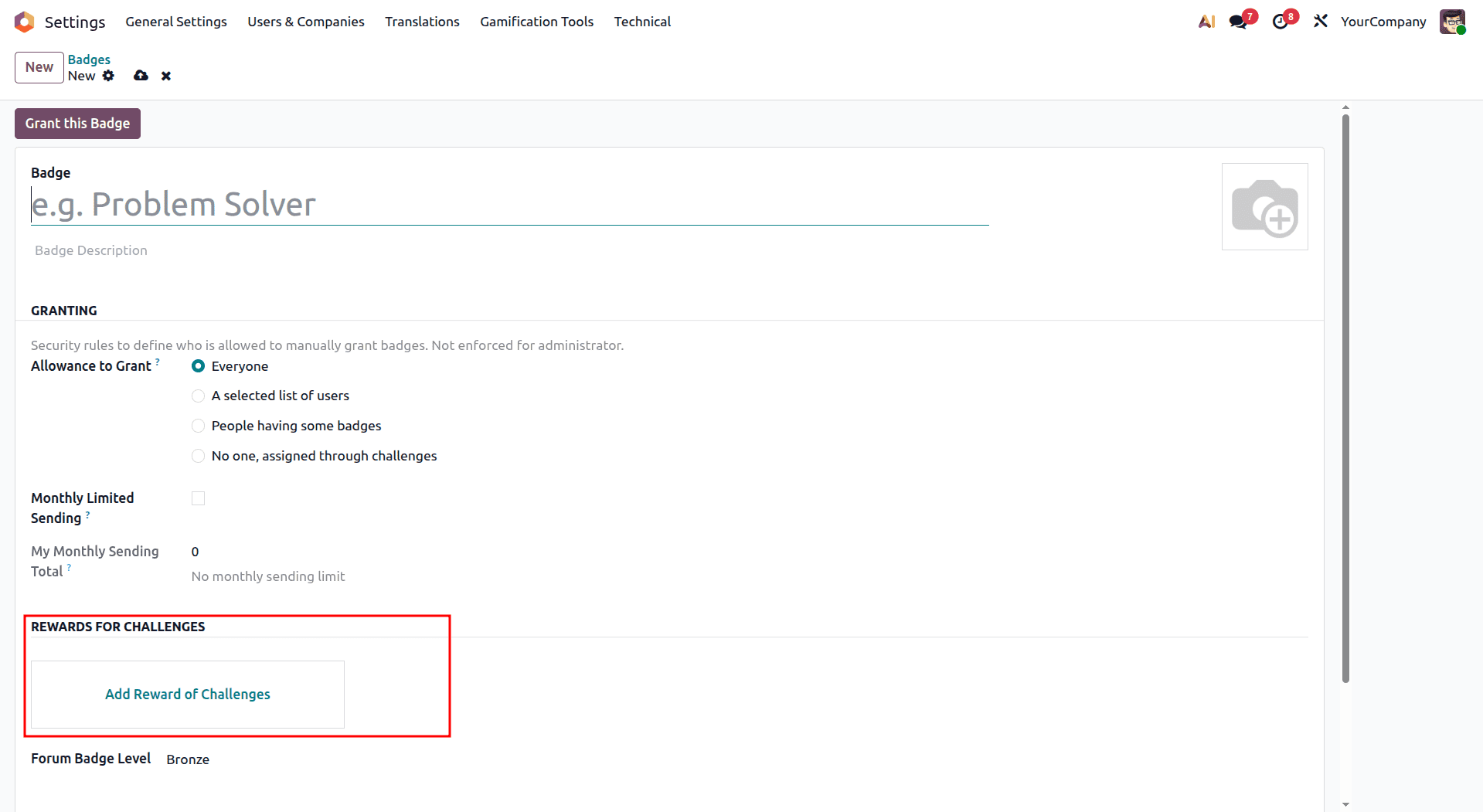
Configure Statistics: Keep track of key metrics such as the total number of badges awarded, monthly totals, how many users have received them, and your own badge-giving activity.

Set Forum Badge Level: If your organization uses Odoo’s forum, you can choose the appropriate level for the badge based on your requirements.
Granting Badges
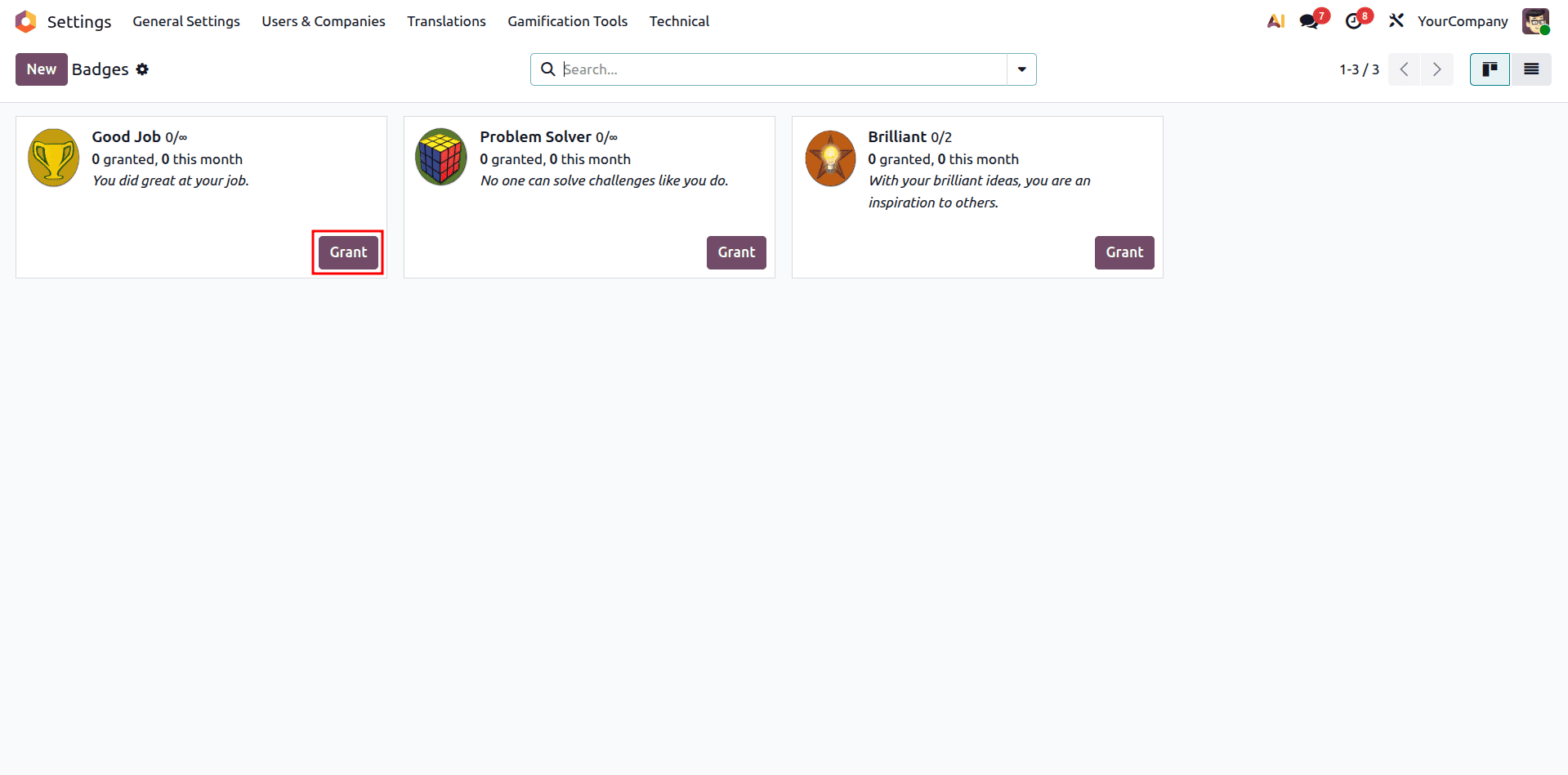
Badges can be awarded in two simple ways:
- Automatically: When an employee completes a challenge, Odoo can automatically award the badge based on the reward settings configured for that challenge.
- Manually: You can also award a badge directly from the badge form by clicking "Grant this Badge". Select the employee who should receive it and add a personal message to let them know why they’re being recognized.
Creating Employee Challenges
Challenges are a key part of Odoo 19’s gamification features. They help you set clear goals for employees, define a specific time period, and encourage them with rewards for their achievements.
Challenge Creation Process
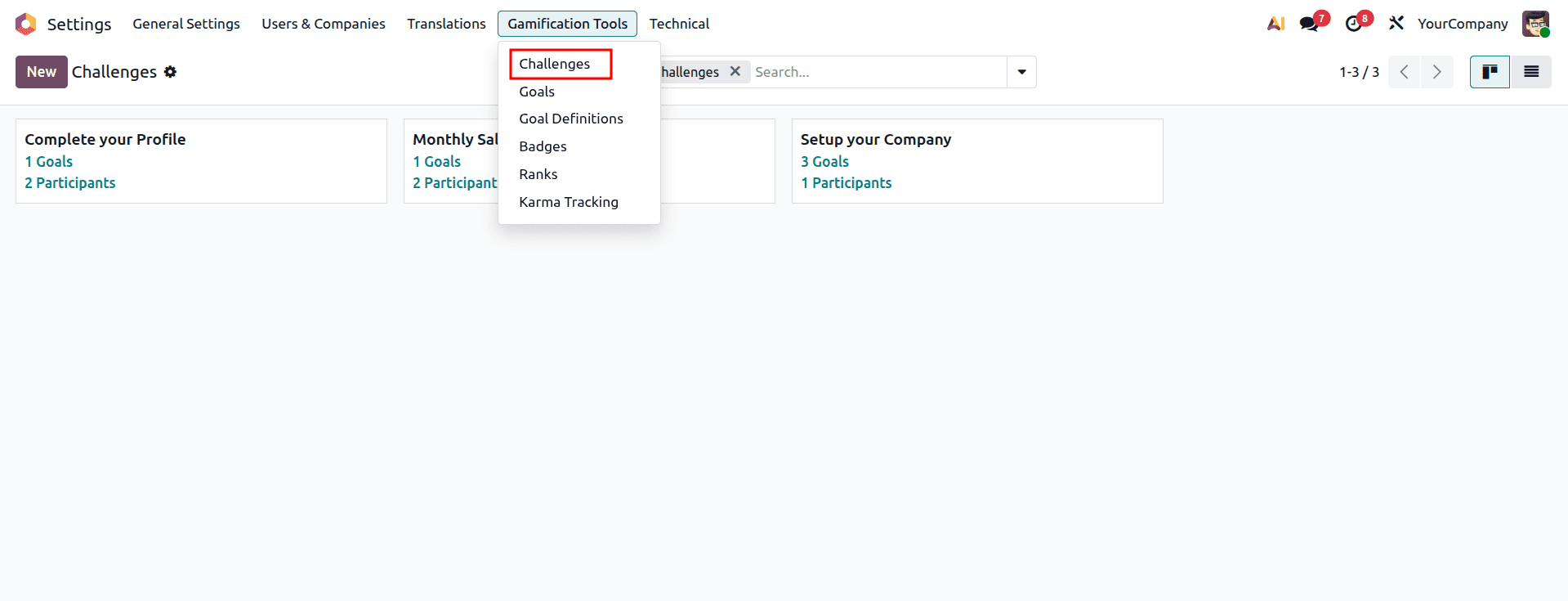
- Access Challenges: Go to Settings > Gamification Tools > Challenges and click "New" to create a new challenge.
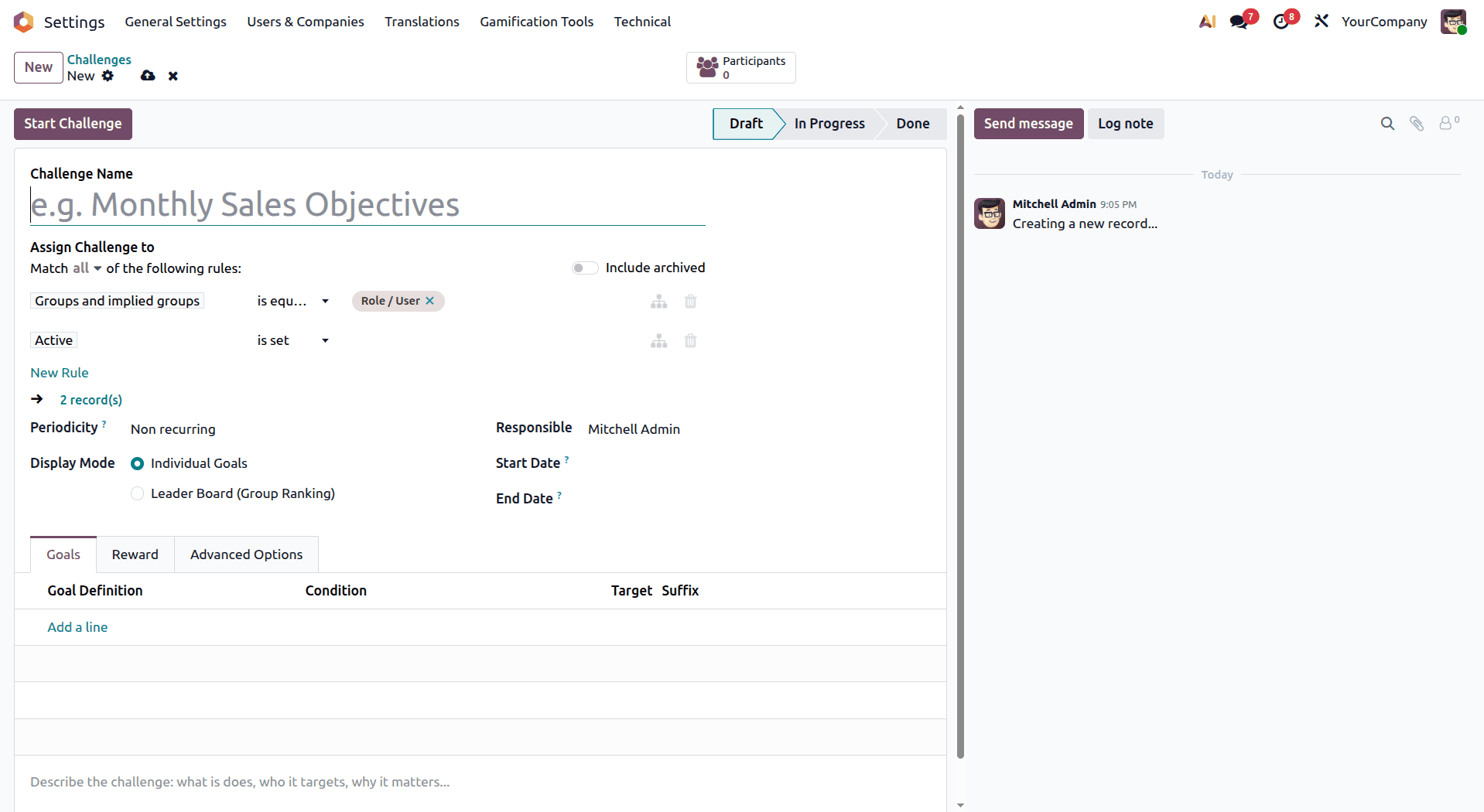
- Basic Challenge Information:
- Challenge Name: Choose a clear and engaging name that explains what the challenge is about.
- Responsible Person: Assign a person to manage and keep track of the challenge.
- Start and End Dates: Set the dates to define how long the challenge will run.
- Assign Challenge Participants: Select participants for the challenge using the assignment rules. It is possible to use several assignment rules depending on various criteria, such as:
- Include users with specific application access, such as all Sales users.
- Select employees from specific departments or teams.
- Include users based on their job positions.
- For example, if you want the challenge to include everyone on the Sales team, create a rule that selects users with access to the Sales application.
- Set Periodicity: Choose how often the system should check and evaluate the goals:
- Once - For a one-time challenge.
- Daily - Goals are checked every day.
- Weekly - Goals are evaluated each week.
- Monthly - Goals are evaluated every month.
- Yearly - Goals are evaluated once a year.
- The selected periodicity determines when Odoo automatically checks whether participants have achieved their goals.
- Configure Display Mode: Choose how participants can view their progress, achievements, and rankings from their dashboard.
Defining Goals
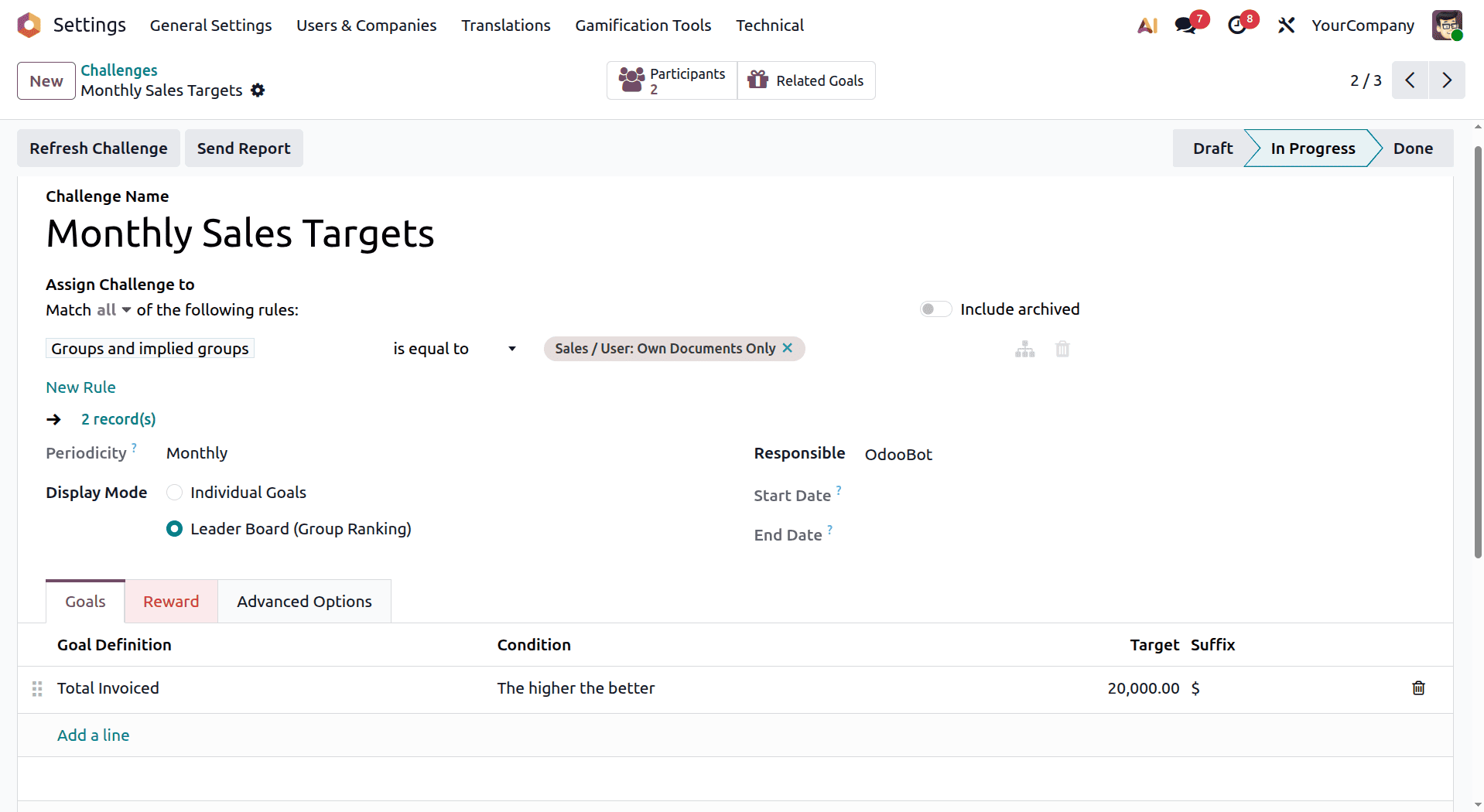
The Goals tab is where you define the goals that your employees should accomplish during the challenge. The goals could be as follows:
- Goal Definition: Choose an existing goal or create a custom one based on your requirements.
- Condition: Define how the target should be reached, such as greater than, less than, or equal to a specific value.
- Target: Enter the number or value employees need to achieve.
- Suffix: Add a unit to make the target easier to understand, such as leads, sales, or hours.
A challenge can have one or multiple goals. For more detailed challenges, you can add several goal lines, each with its own target and criteria.
Setting Up Rewards
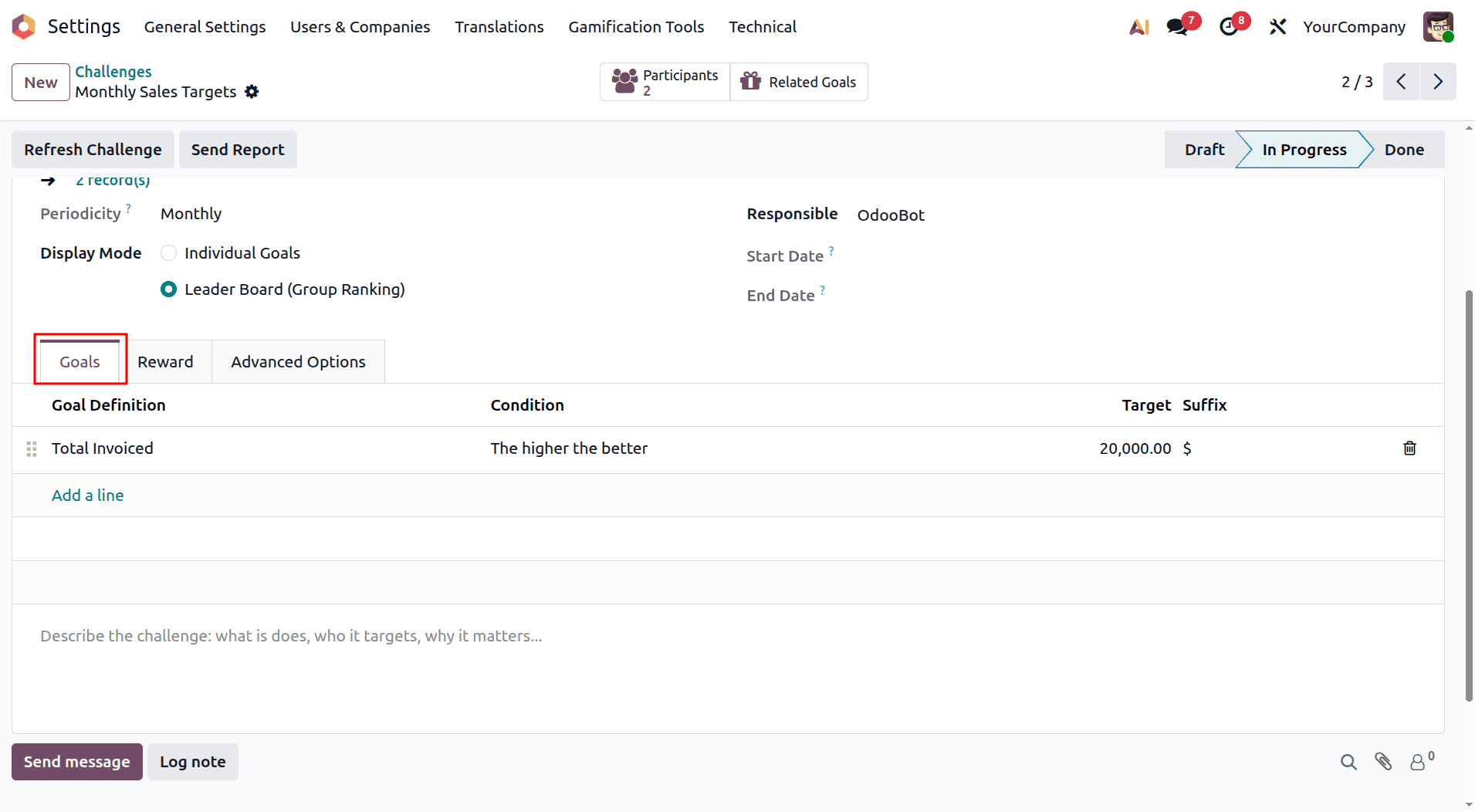
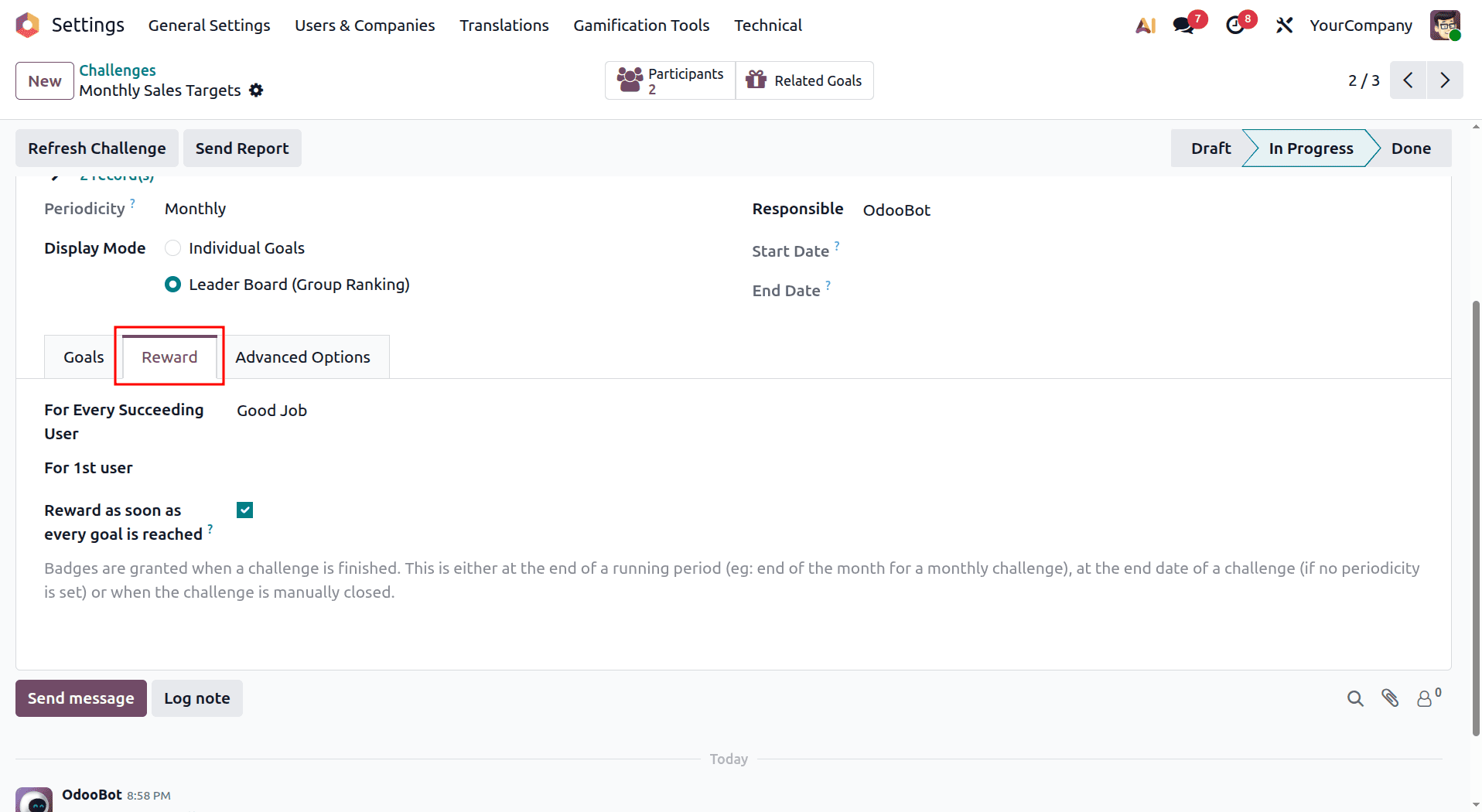
The Reward tab lets you decide what participants receive when they complete the challenge:
- For 1st User: Choose a badge to reward the top-performing participant.
- For Every Succeeding User: Select a badge that will be given to other participants who complete the challenge.
- Reward Immediately: Enable this option if you want badges to be awarded as soon as participants achieve their goals, without waiting for the challenge to end.
Advanced Configuration Options
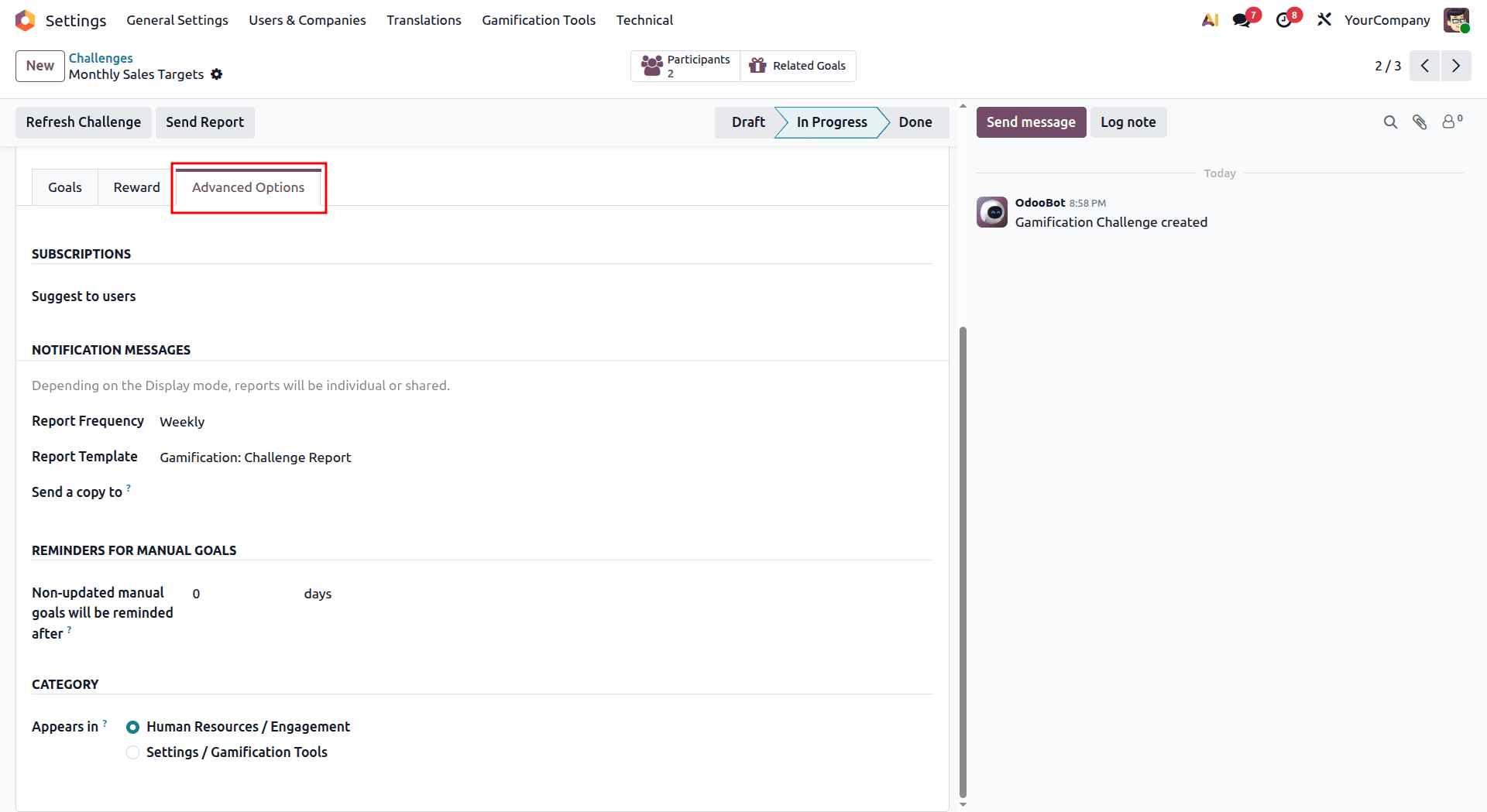
The Advanced Options tab gives you more control over how the challenge is managed and communicated:
- Report Template: Choose the template used for challenge notifications and progress updates.
- Report Frequency: Set how often participants should receive progress reports.
- Send Report To: Select the users or employees who should receive these reports.
- Reminder Settings: Set up reminder notifications and choose how many days before the deadline they should be sent.
Once you’ve completed all the settings, save the challenge and click Start Challenge to activate it. Participants can then start working toward their goals, while administrators can keep track of their progress in real time.
The Challenges module in Odoo 19 makes it possible for organizations to increase the engagement of routine tasks through recognition of employee accomplishments and productivity.
Managing Goal Definitions
Goal definitions form the foundation of challenges. They determine which activities or metrics are tracked and how employee performance is measured.
Creating Custom Goal Definitions
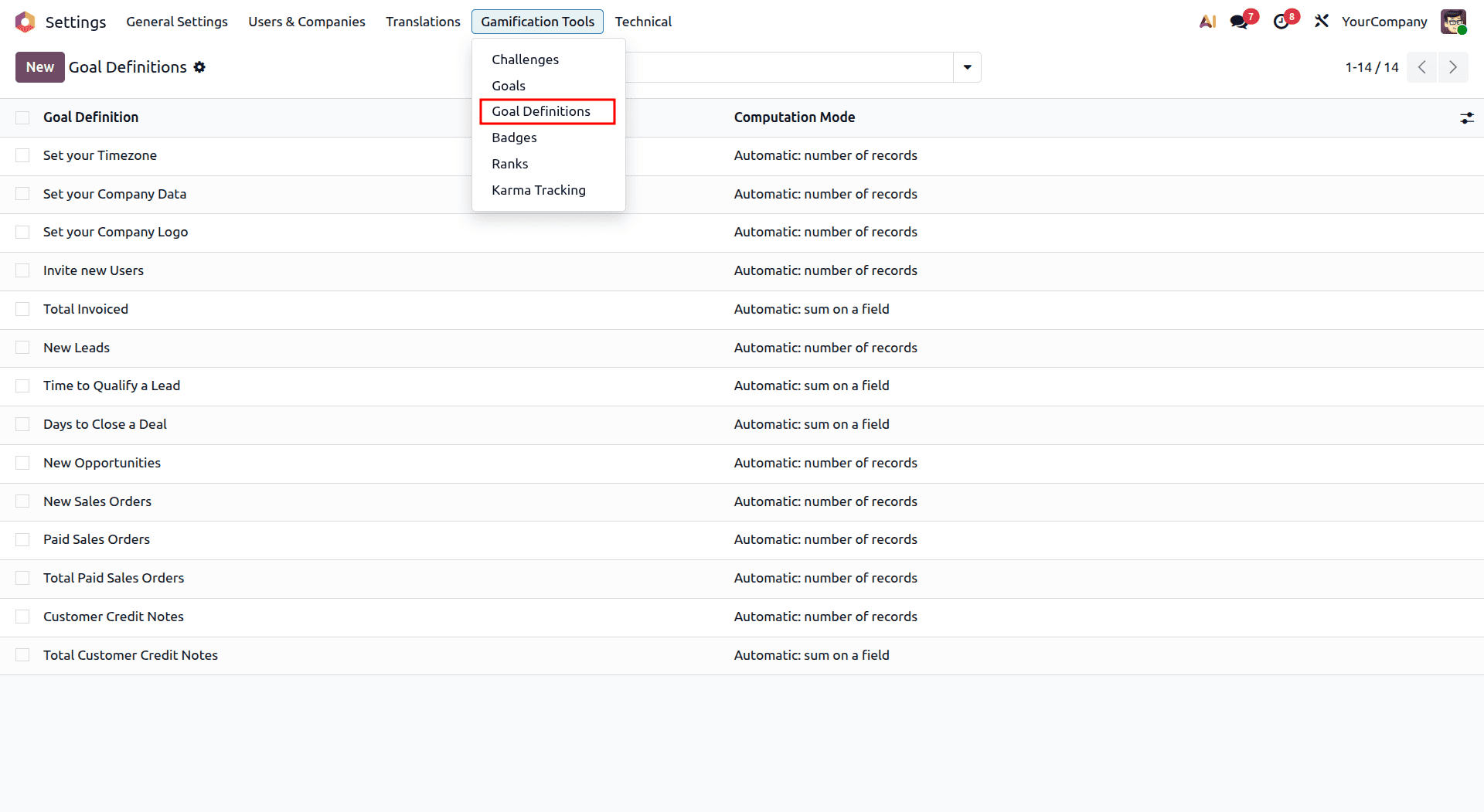
Go to Settings > Gamification Tools > Goal Definitions to create a new goal or update an existing one:
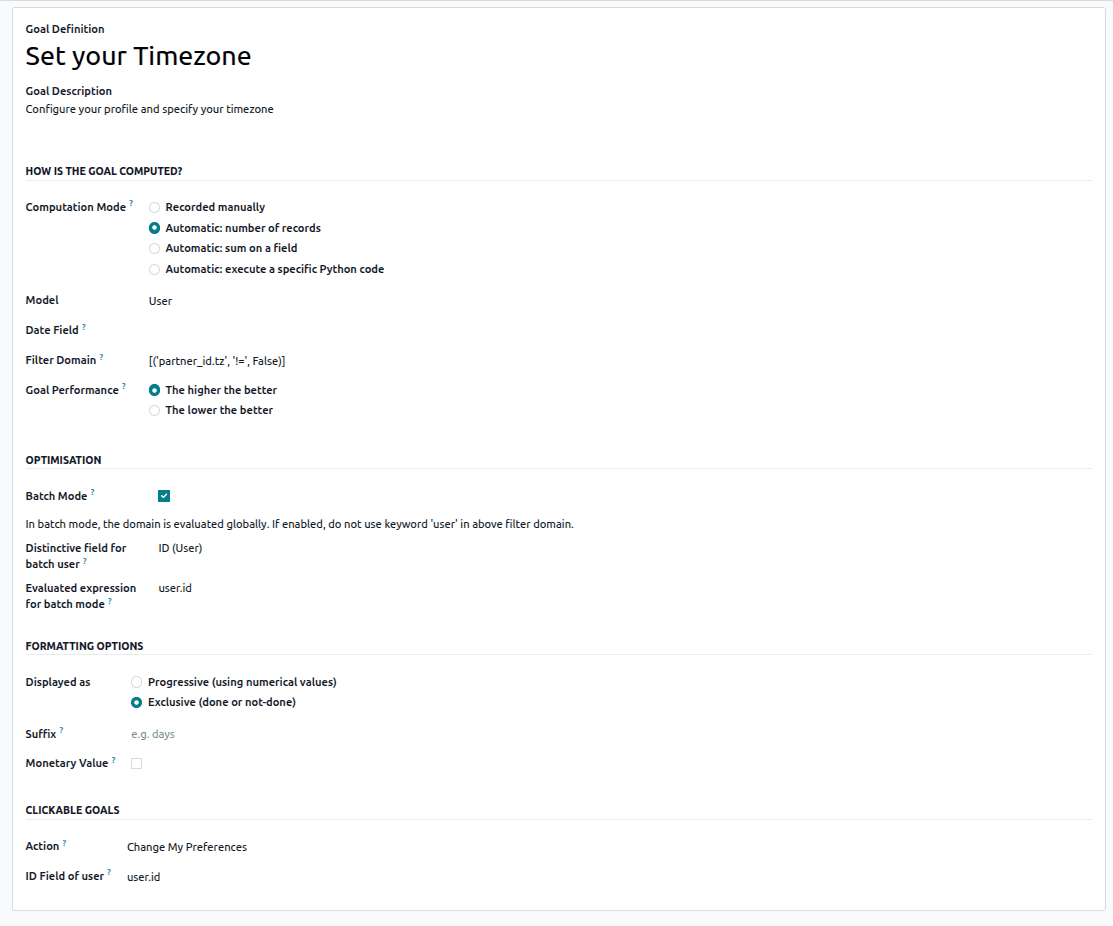
- Goal Description: Add a clear description of what the goal measures and what participants are expected to achieve.
- Computation Mode: Choose how Odoo should calculate the goal:
- Manual: Allow a manager to update the progress manually.
- Count: Automatically count the relevant records in the database.
- Sum: Calculate the total value of a specific field.
- Python Code: Use custom Python code when more complex calculations are required.
- Model: Select the Odoo model (database table) from which the goal data should be taken.
- Filter Domain: Set specific conditions to determine which records should be included in the goal calculation.
- Goal Performance Mode: Specify whether a higher or lower value indicates better performance.
Tracking Challenge Progress
Once a challenge is active, administrators and participants can view the progress of the challenge and the goals assigned to them.
For Administrators
Administrators can use the Challenges dashboard to monitor ongoing challenges and:
- Check overall participation
- Monitor individual and team progress
- Tracking Challenge Progress
- Once a challenge is active, both administrators and employees can keep track of progress in real time.
- Identify top-performing employees
- Generate reports to review performance
- Make changes to the challenge when necessary
For Employees
Employees taking part in a challenge can check their progress from their user dashboard. They can:
- View the challenges they are participating in
- Check their current progress and position
- Compare their results with other participants, depending on the visibility settings
- View the badges they have earned
- Receive notifications about achievements and challenge updates
Odoo's Employee Challenges module brings to life something that typically comes from an excel sheet – goals, deadlines, and performance figures. The Gamification approach uses goals, time-based challenges, and badges to allow managers to encourage their teams in an effective manner but without the hassle of additional administration.
The implementation process of such a module is quite simple – when developer mode is turned on, it is necessary to determine what success means in the form of goal definitions, encapsulate it within a challenge together with participants and deadlines, and attach some kind of rewards that people would be really interested in. And then, Odoo does everything else for you automatically.
Whether it is a race for closed leads between salespeople or an efficiency contest between support staff, Odoo provides companies with an easy tool for turning routine KPIs into fun activities which are likely to motivate people better than anything else.
To read more about How Employee Challenges are Handled in Odoo 18, refer to our blog How Employee Challenges are Handled in Odoo 18.