An essential component of efficiently managing an organization's financial operations is accounting. As a complete suite of company management software, Odoo enables companies to scale, automate, and precisely manage their financial activities. Purchase and sales receipts, which are crucial records for documenting incoming and exiting financial transactions, are among the most important parts of Odoo's accounting features.
The Accounting module of Odoo 19 makes it easier to capture instantaneous consumer payments by using sales receipts. When products or services are delivered and paid for simultaneously, sales receipts are usually used for cash transactions or direct payments. Businesses may rapidly establish a receipt that documents the sale and the payment in a single step, eliminating the need to generate a quotation and invoice separately. Retail establishments, point-of-sale systems, and enterprises that manage large numbers of quick, minor transactions will find this functionality very helpful.
A sales receipt is a document that is given to the client following a successful sale of products or services. It serves as a transactional record and is necessary for financial reconciliation, auditing, and customer communication. Accurate financial tracking, efficient audits, and well-organized records are made possible by these receipts taken together.
Sales receipt
Maintaining financial accuracy, compliance, and transparency all depend on effective sales receipt administration. Businesses may handle client transactions more effectively with Odoo 19's powerful solution for streamlining the creation and administration of sales receipts. In Odoo, a sales receipt is an official confirmation that a consumer has purchased products or services. It is an essential document for customer service and revenue recognition.
Open the Settings page in the Accounting module to configure this function. Turn on the Sales Receipt option in the Customer Invoices area.
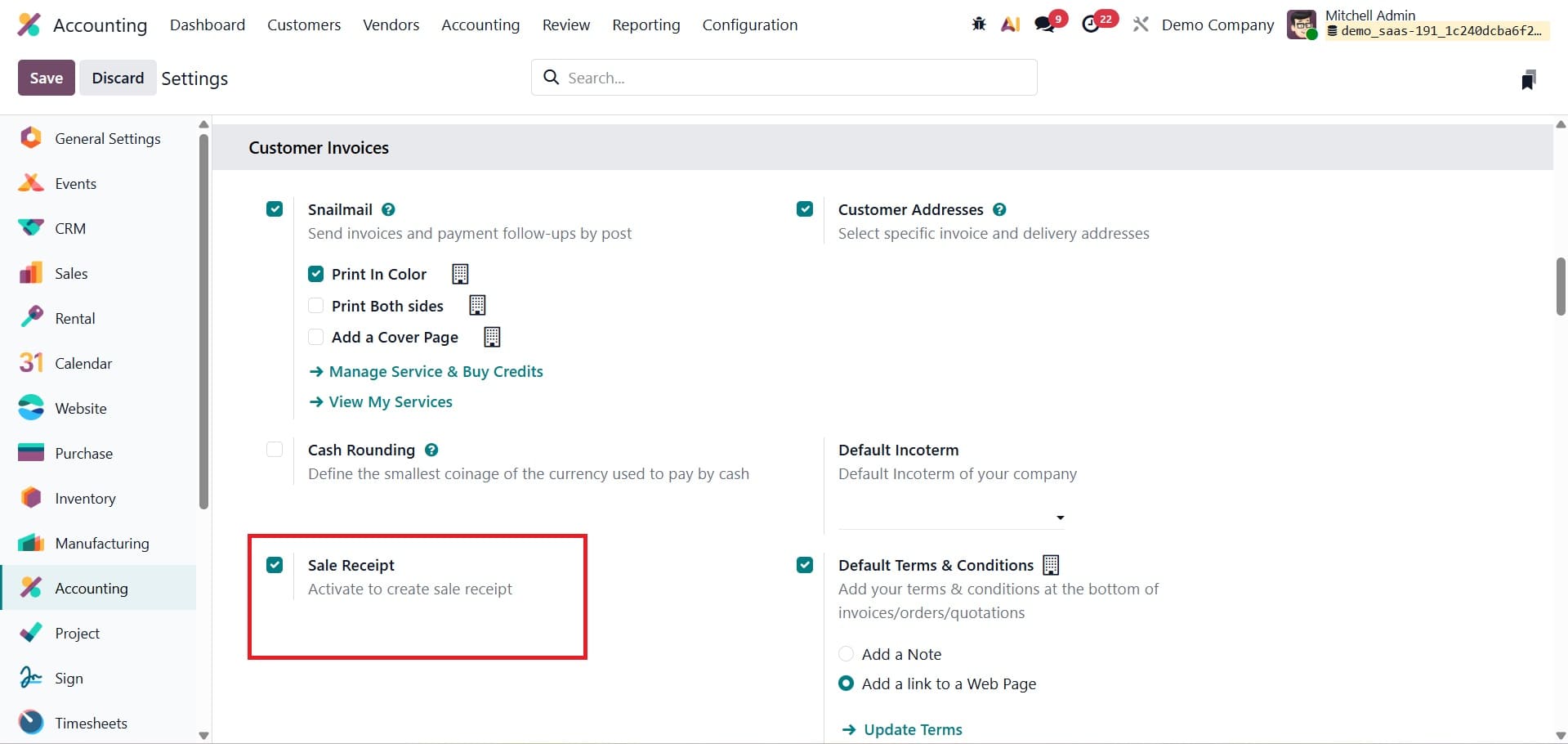
A new Receipts boolean appears under the invoices option in Customers menu after activation, as shown below.
While the Upload option allows you to import receipts from other systems, the New button allows you to create a new receipt.
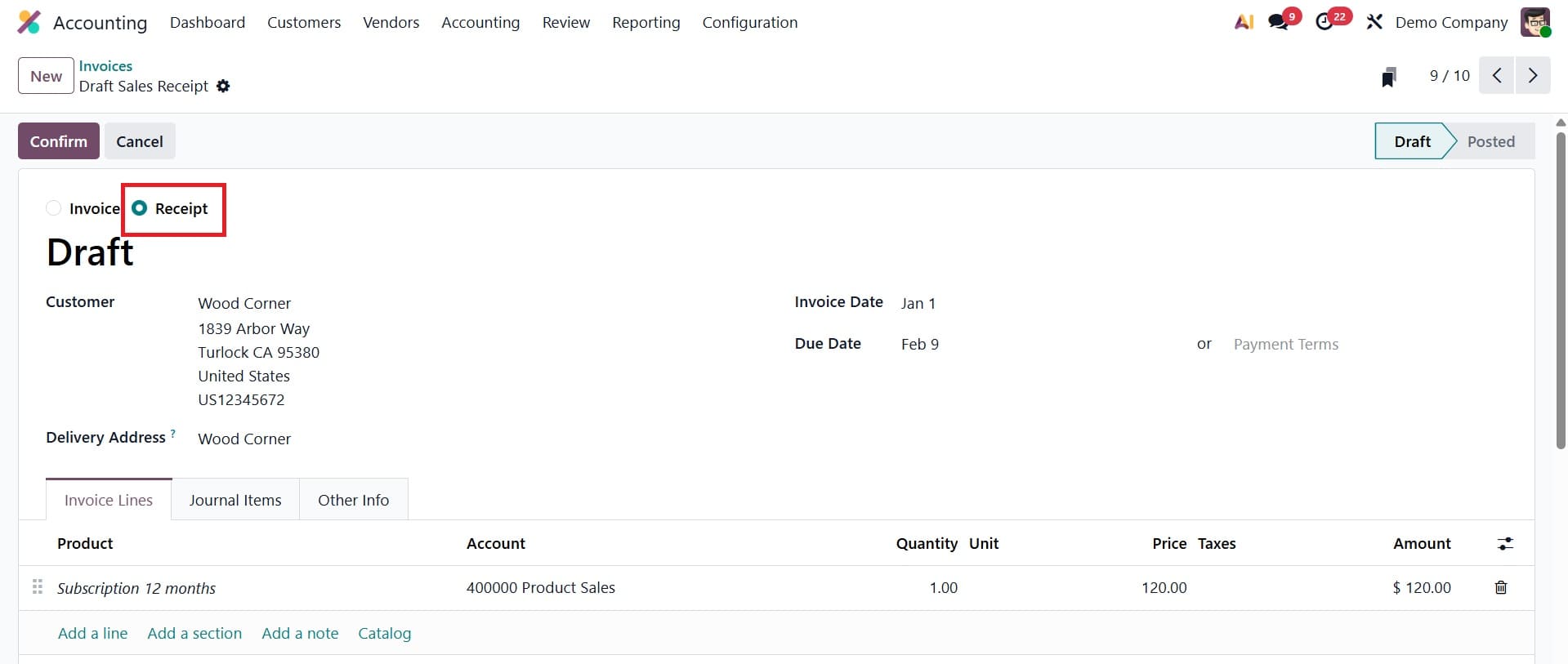
Information like the customer, invoice date, due date, delivery address, and associated activities are all included on every sales receipt. Enter the customer's details, delivery address, reference, invoice date, due date, journal, and other required data when generating a new sales receipt. In order to calculate the fiscal situation for taxes, the delivery address is also utilized.
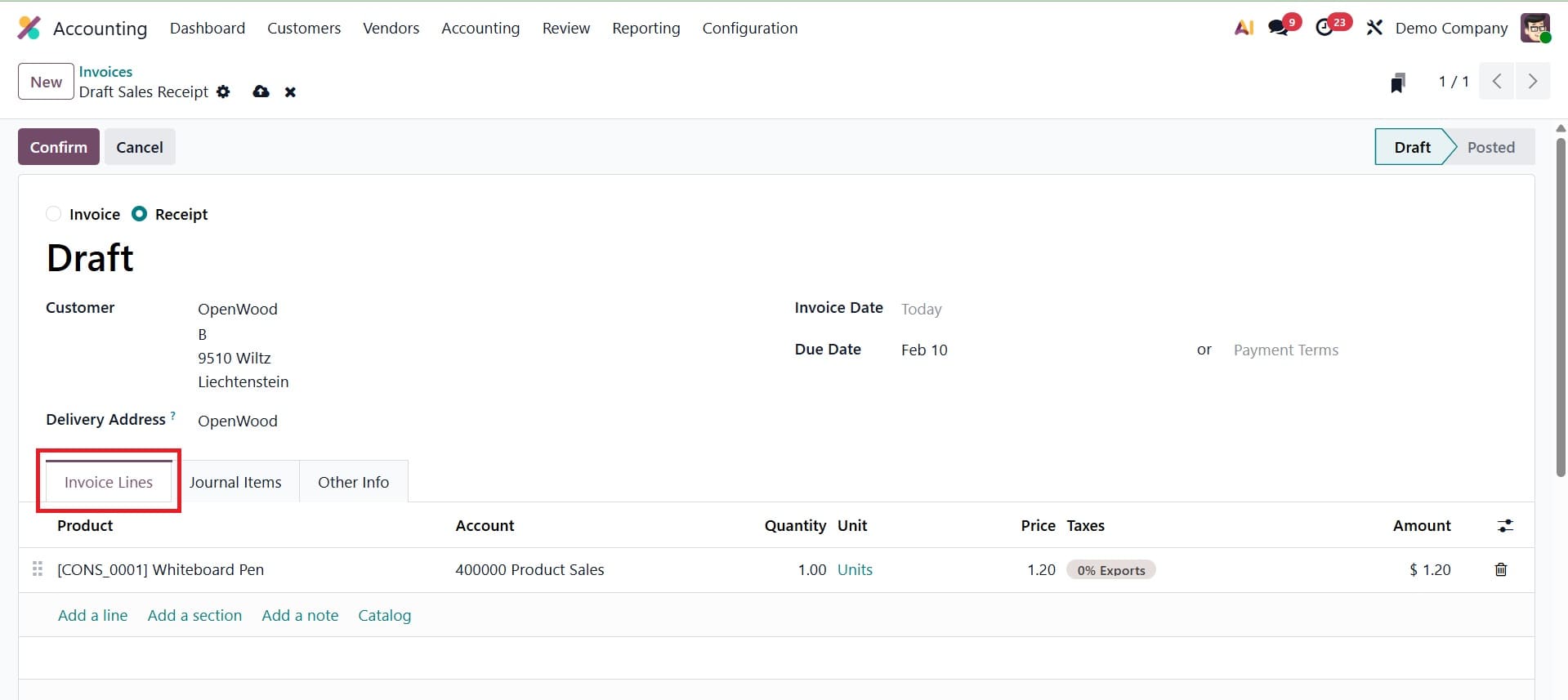
Add the goods or services that were part of the transaction under the Invoice Lines tab.
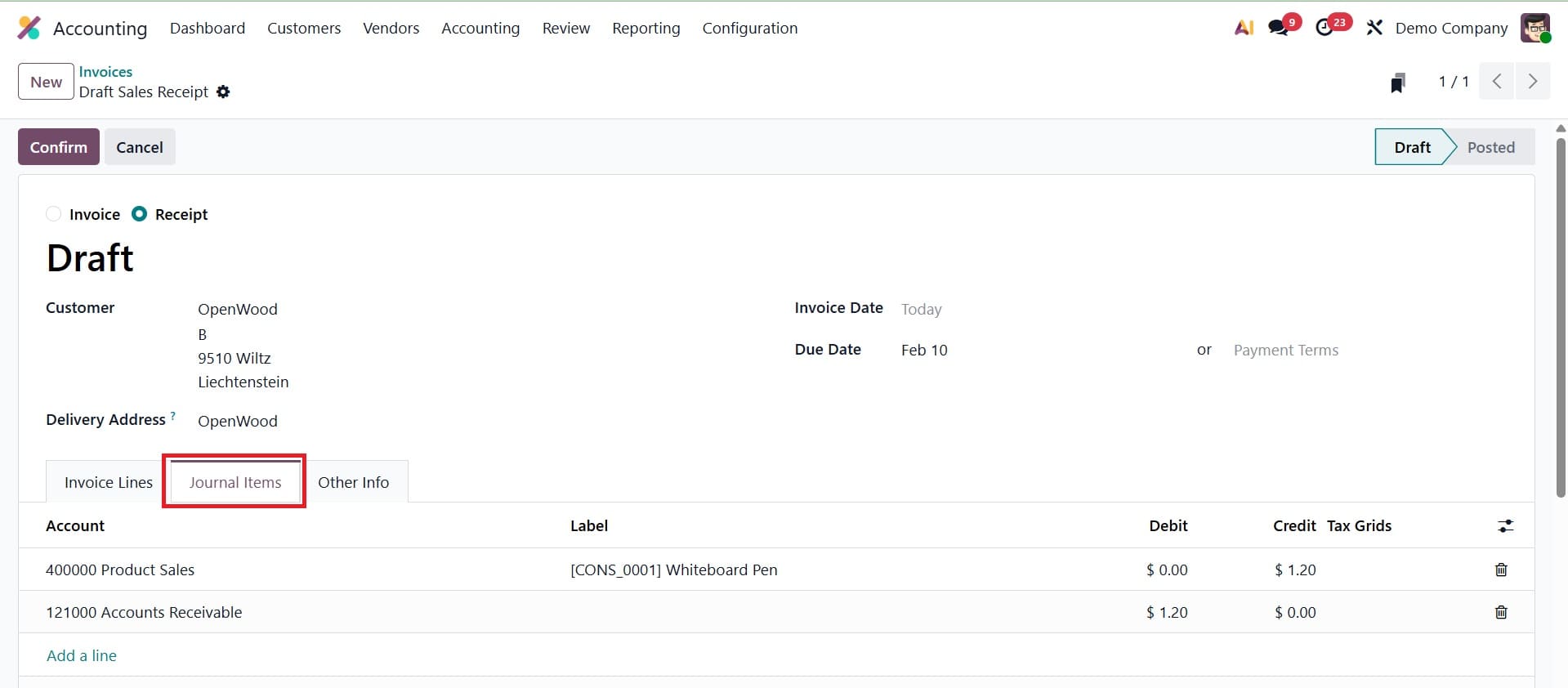
All accounting entries pertaining to the receipt will be displayed on the Journal Items tab.
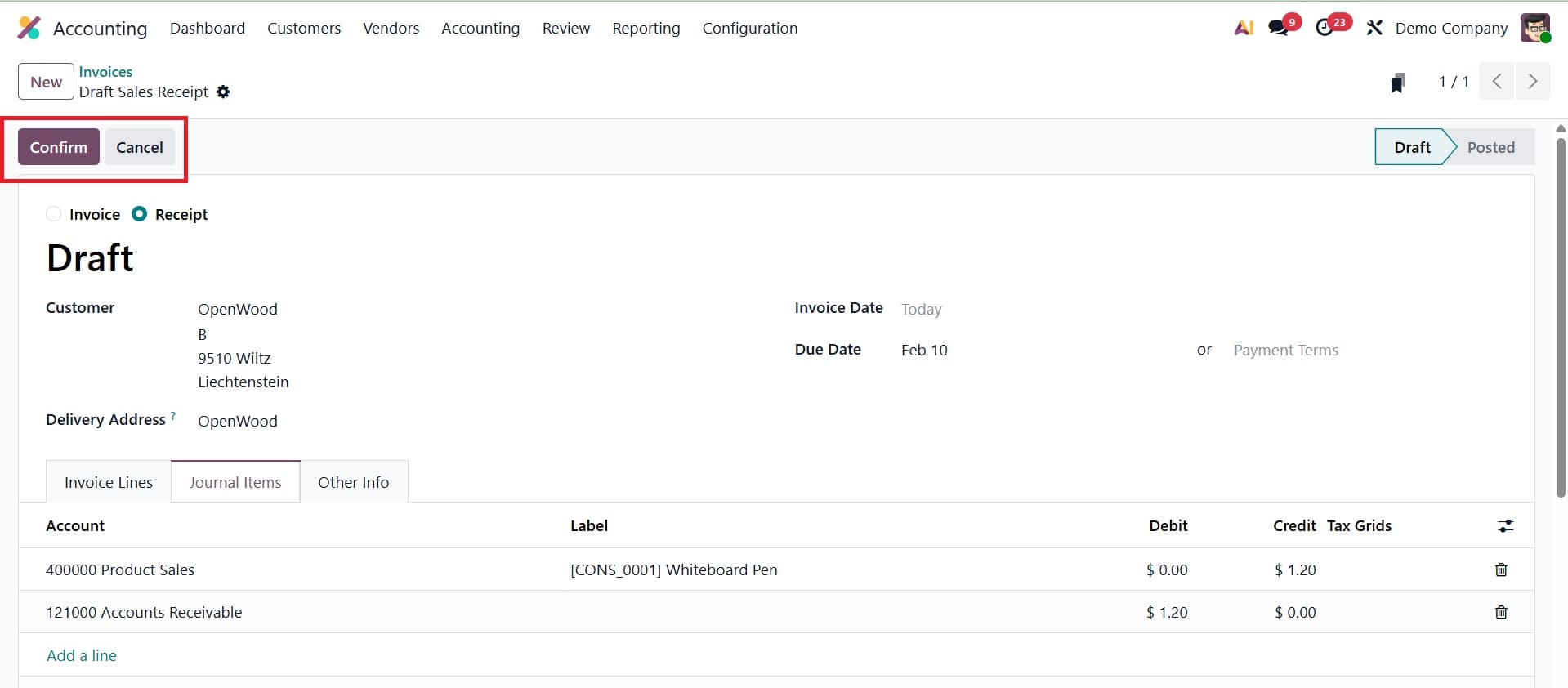
Use the Pay button to register the customer's payment after verifying the receipt with the Confirm button.
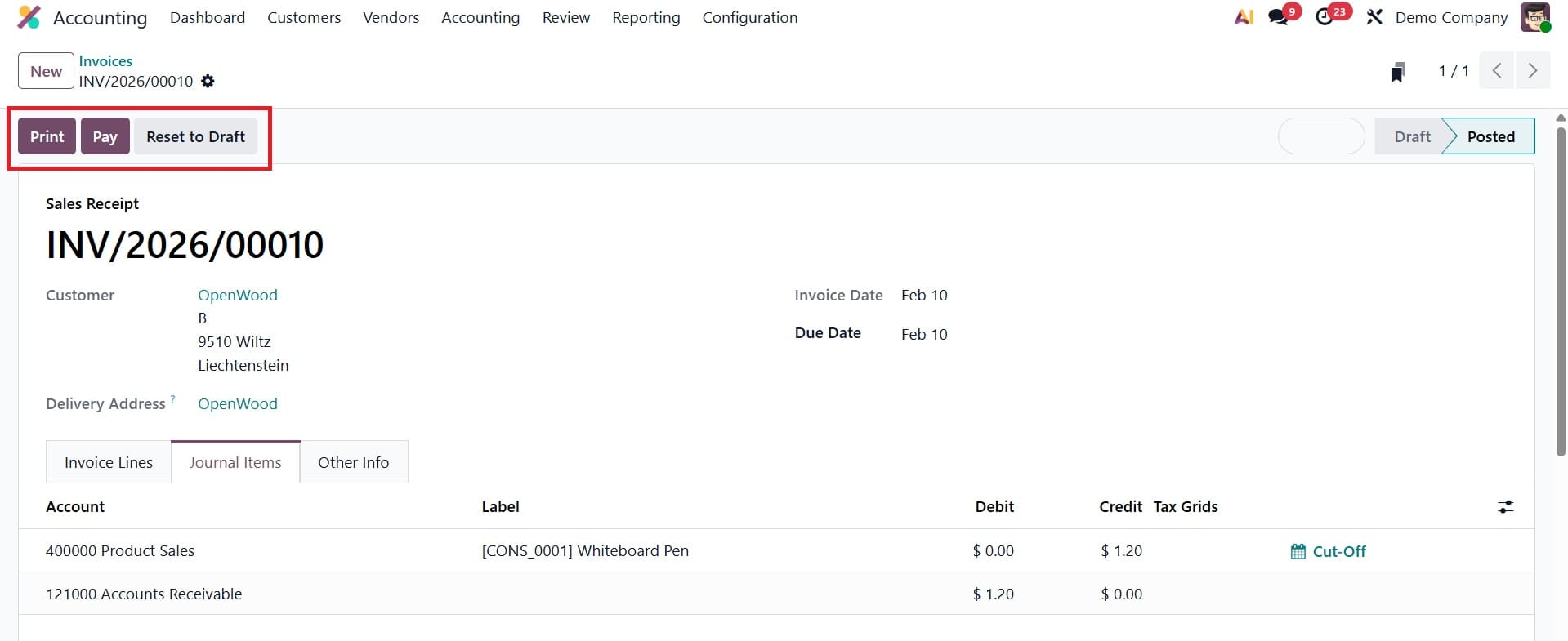
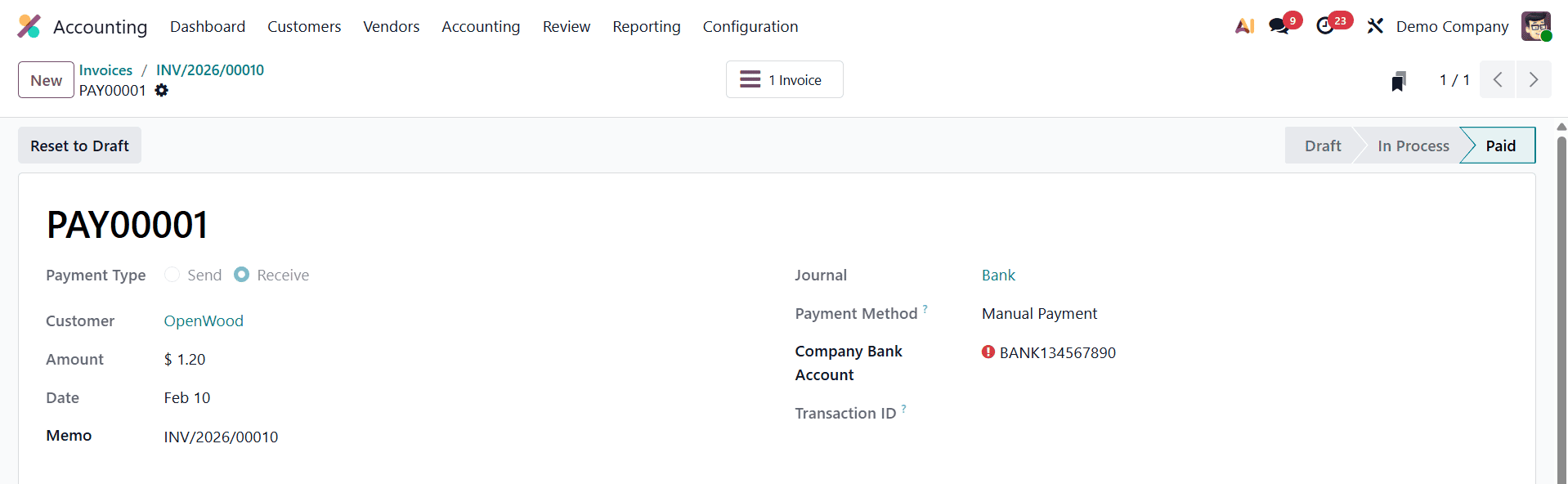
To finish the transaction, enter the payment method, amount, and date. Then, confirm the payment. Odoo increases client flexibility by allowing many payment methods to be used on a single receipt. The receipt can be sent straight to the customer via email after it has been verified. Data synchronization between departments is ensured by Odoo's smooth interaction with the sales, invoicing, and inventory modules, which fosters accuracy and efficiency.
It's easier, more precise, and more user-friendly than ever to manage sales receipts. Businesses may manage both ends of their financial spectrum—purchases and sales—effectively and fully traceably thanks to these features. Sales receipts guarantee accurate and timely documentation of customer transactions, while purchase receipts assist with appropriate vendor management and inventory tracking. Businesses may improve their financial operations, guarantee compliance, and forge closer bonds with suppliers and consumers by utilizing Odoo 19's robust receipt management solutions.
In conclusion, by integrating payment registration and invoicing into a single, smooth procedure, the use of receipts for sales in Odoo 19 improves financial correctness and operational efficiency. It offers immediate financial statement updates, lessens the possibility of errors, and lessens the administrative burden. This feature enhances cash flow tracking and record-keeping, which is especially helpful for companies that deal with a lot of cash or immediate-payment transactions. In the end, Odoo 19 sales receipts provide a useful, dependable, and easy-to-use way to manage direct sales while upholding precise and open accounting procedures. In addition to saving time, this guarantees accurate and automatic posting of accounting entries. Odoo 19 streamlines daily transaction management and helps firms keep up-to-date financial records by including receipts into the accounting workflow.
To read more about How to Use Sales Receipt & Purchase Receipt in Odoo 18 Accounting, refer to our blog How to Use Sales Receipt & Purchase Receipt in Odoo 18 Accounting.