Odoo 19 still places great importance on scheduling activities since it is crucial for task management, following up, and working in a team. Whatever you may have on your plate, whether sales, projects, customer service, or anything else, proper scheduling of activity deadlines will make sure nothing gets left behind.
Below are the steps to understand activity deadlines in Odoo 19.
What are Activities in Odoo?
In Odoo, activities are actionable tasks associated with a record (lead, invoice, tasks, etc.) that assist the user in knowing the task at hand.
An activity comprises:
- Type of activity (Call, Email, Meeting, etc.)
- User assigned
- Deadline date
- Instructions/notes
Scheduling Activity Deadlines
From the User Interface
For scheduling of an activity:
- Open any record (for example, CRM Lead, Sales Order)
- Click on "Activities" or the clock icon
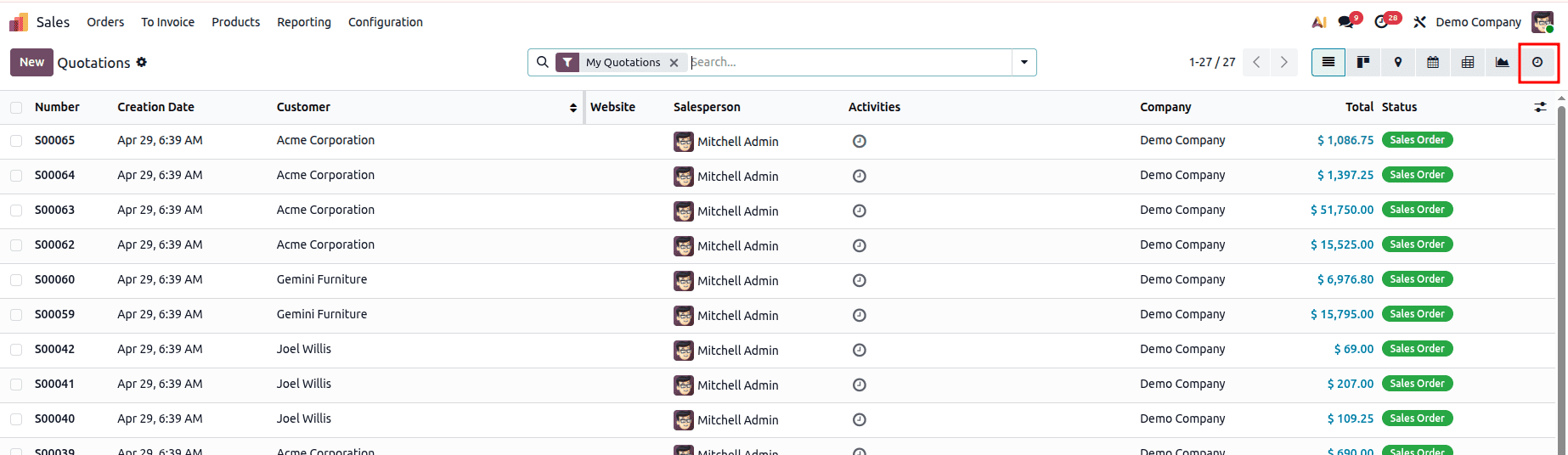
- Choose "Schedule Activity"
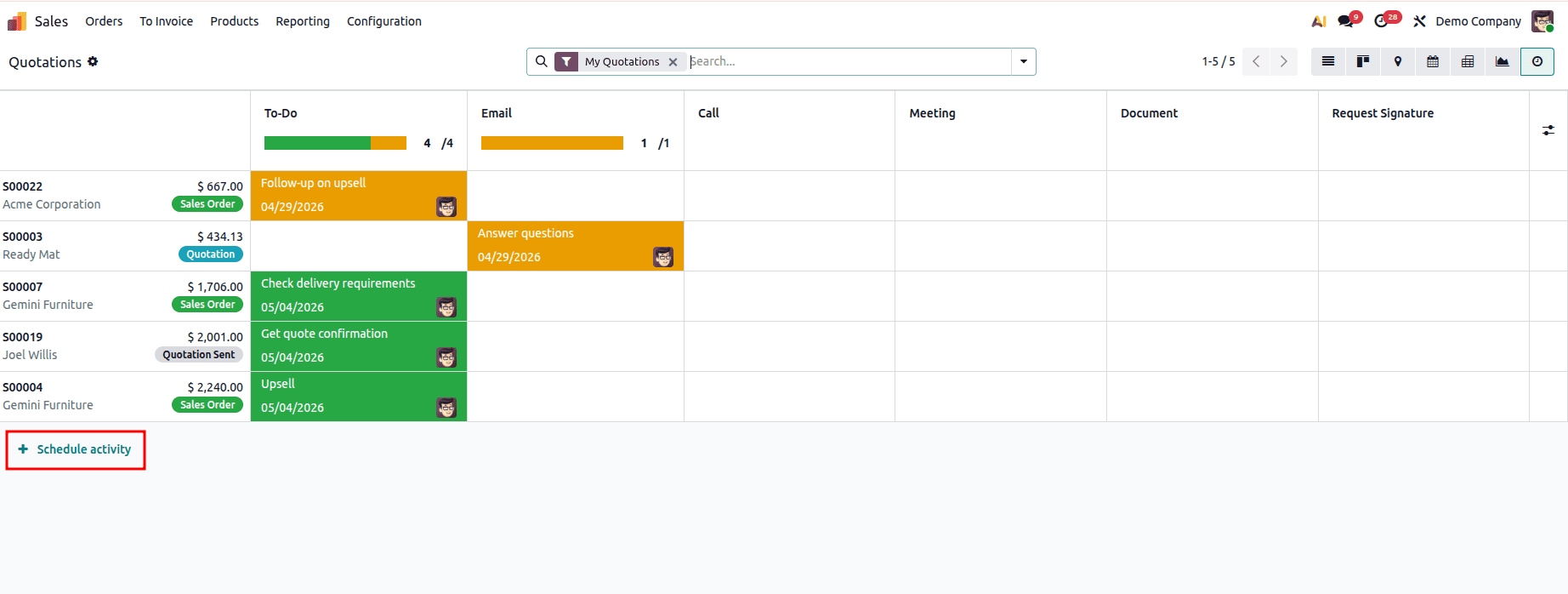
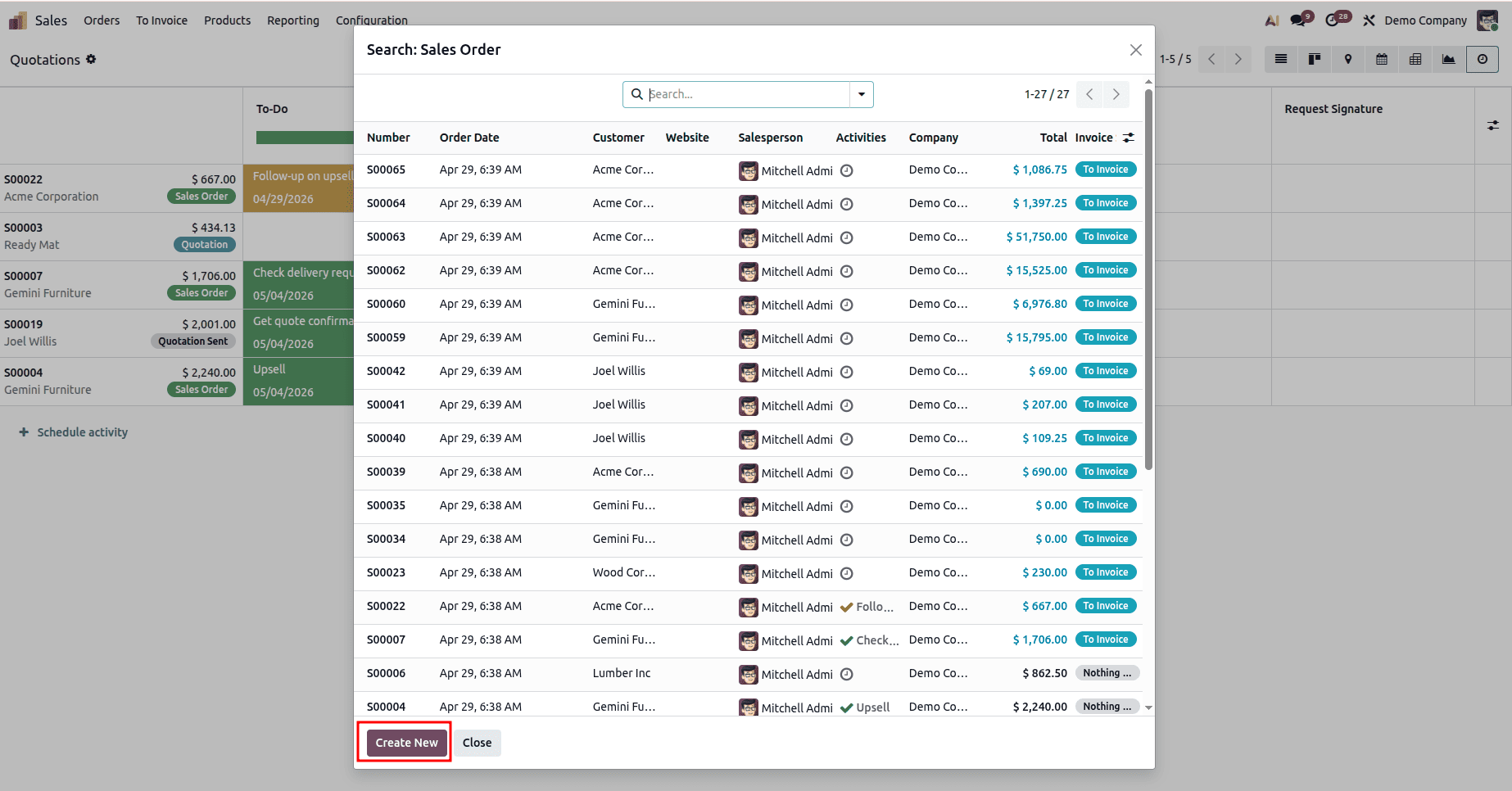
- Choose the record for which an activity needs to be scheduled
- Fill in the following details:
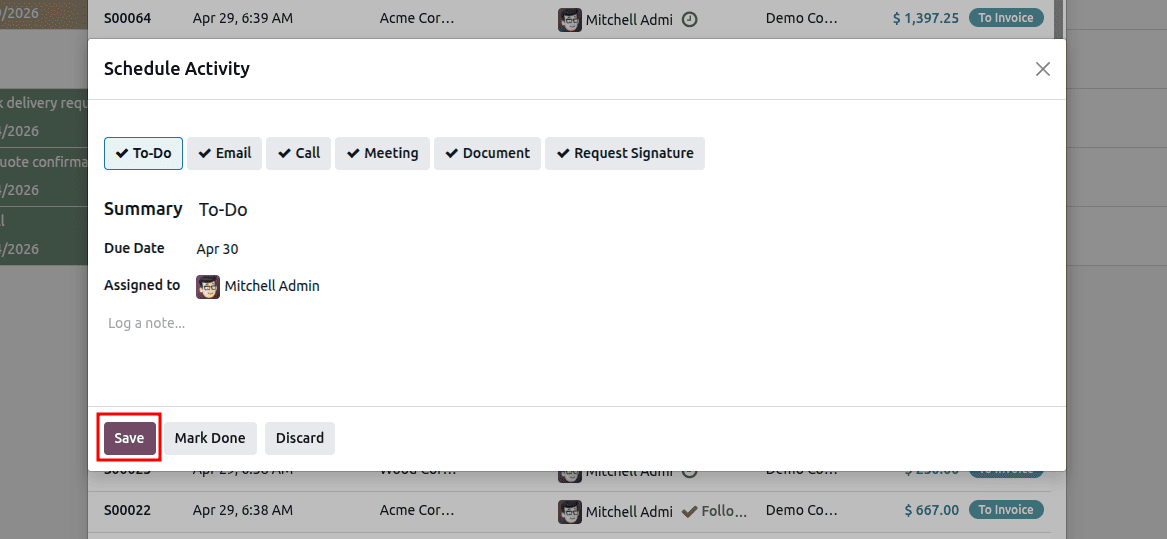
Deadlines are important as:
- They determine when the activity is due
- Color indicators (green, orange, red)
- Notifications and reminders
Deadline Indicators
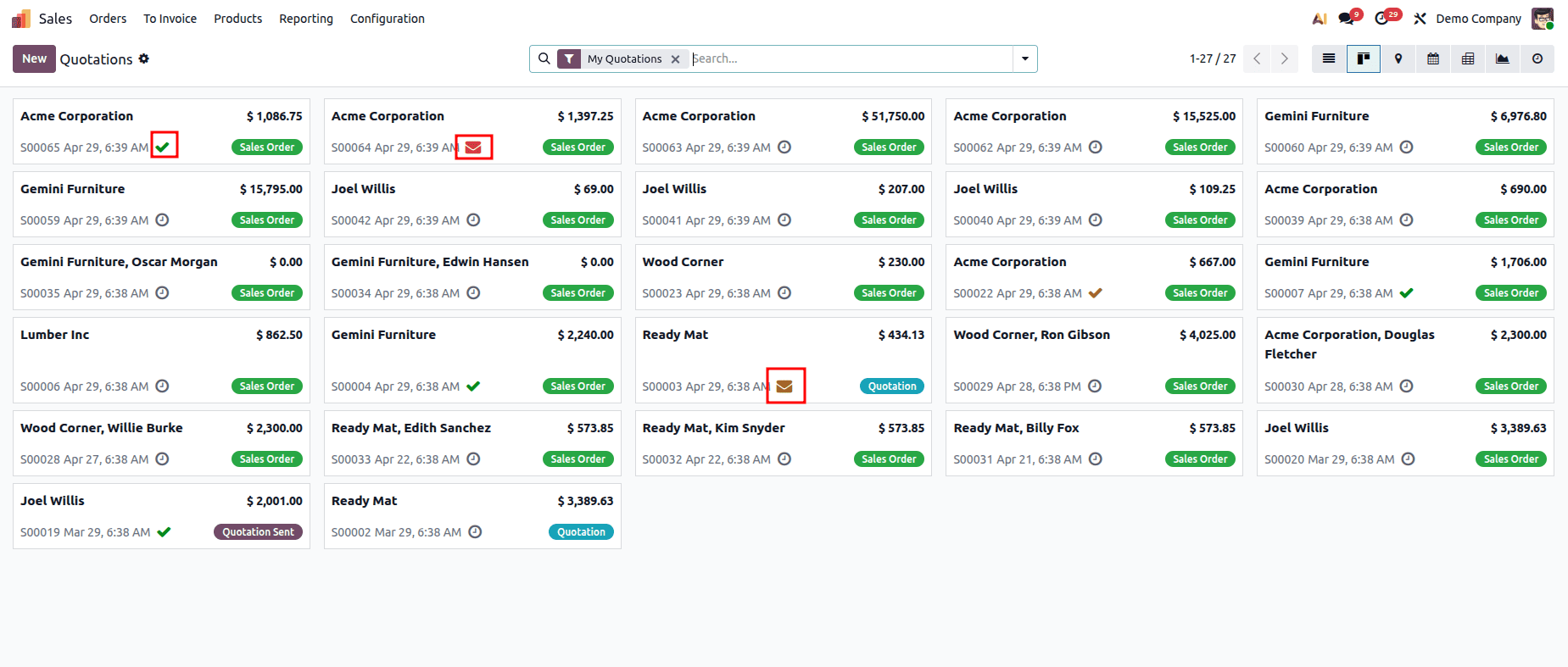
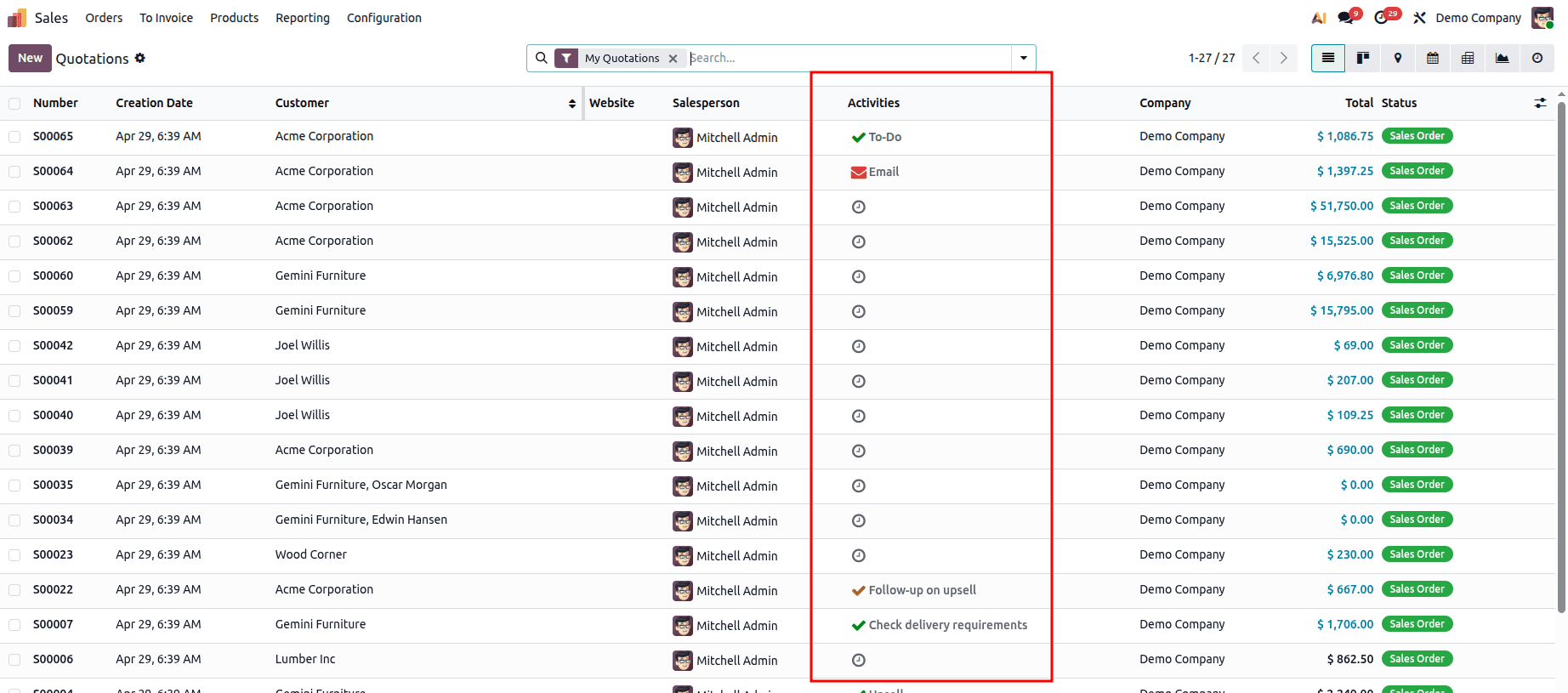
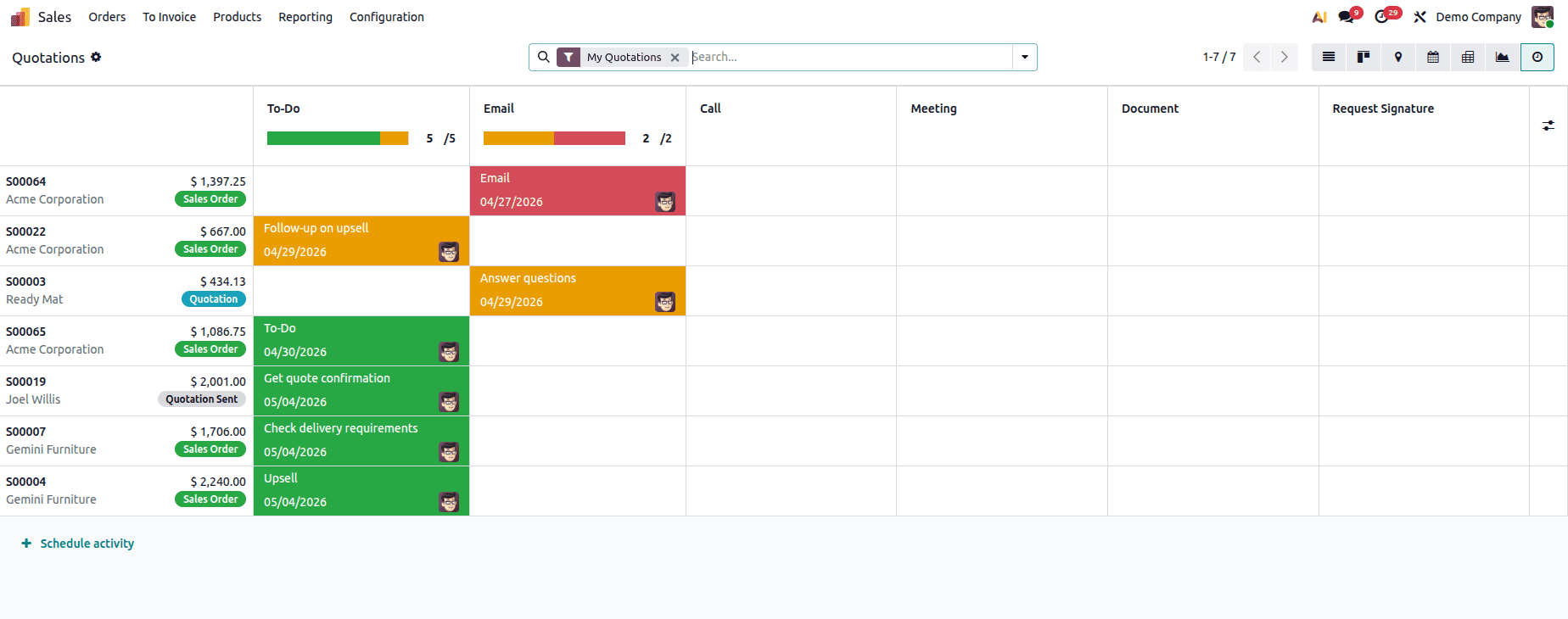
Visual indicators are utilized by Odoo to allow users to organize tasks:
- Green = Planned (future date)
- Orange = Due today
- Red = Overdue
They are displayed in:
The use of activity deadlines in Odoo 19 is an integral part of organizing business processes and completing crucial activities in time. With such an efficient tool as deadline tracking and indicators, as well as activity management, users are provided with a comprehensive solution to organizing their follow-ups, meetings, calls, and other internal activities in one system. From a developer's perspective, the activity management functionality of Odoo becomes the base for developing various workflow extensions.
To read more about Overview of Scheduling Activities in Odoo 19, refer to our blog Overview of Scheduling Activities in Odoo 19.