A key component of sound corporate operations is effective expense control. It's critical to have an open and accountable reimbursement procedure in place when employees incur charges on behalf of the business, such as travel, lodging, meals, or office supplies. This is where Odoo 19 Expenses, a potent tool for streamlining and automating employee expenditure reimbursements from submission to payment, comes in.
The user-friendly interface, customizable workflows, and accounting integration of Odoo 19 will be highlighted as we step through how to efficiently manage and reimburse employee costs in this article.
Let's say an employee needs to pay for his own meals and hotel stay. In order for the corporation to review and reimburse him, the expenses had to be documented after he returned. Additionally, the employee may receive reimbursement for the stated expense either directly or through the subsequent payslip. Thus, Odoo 19's Expenses module can be used for this.
Go to the Expenses module to enter the expense. Selecting the New button on the dashboard will create a new expenditure, and selecting the Upload button will upload an expense.
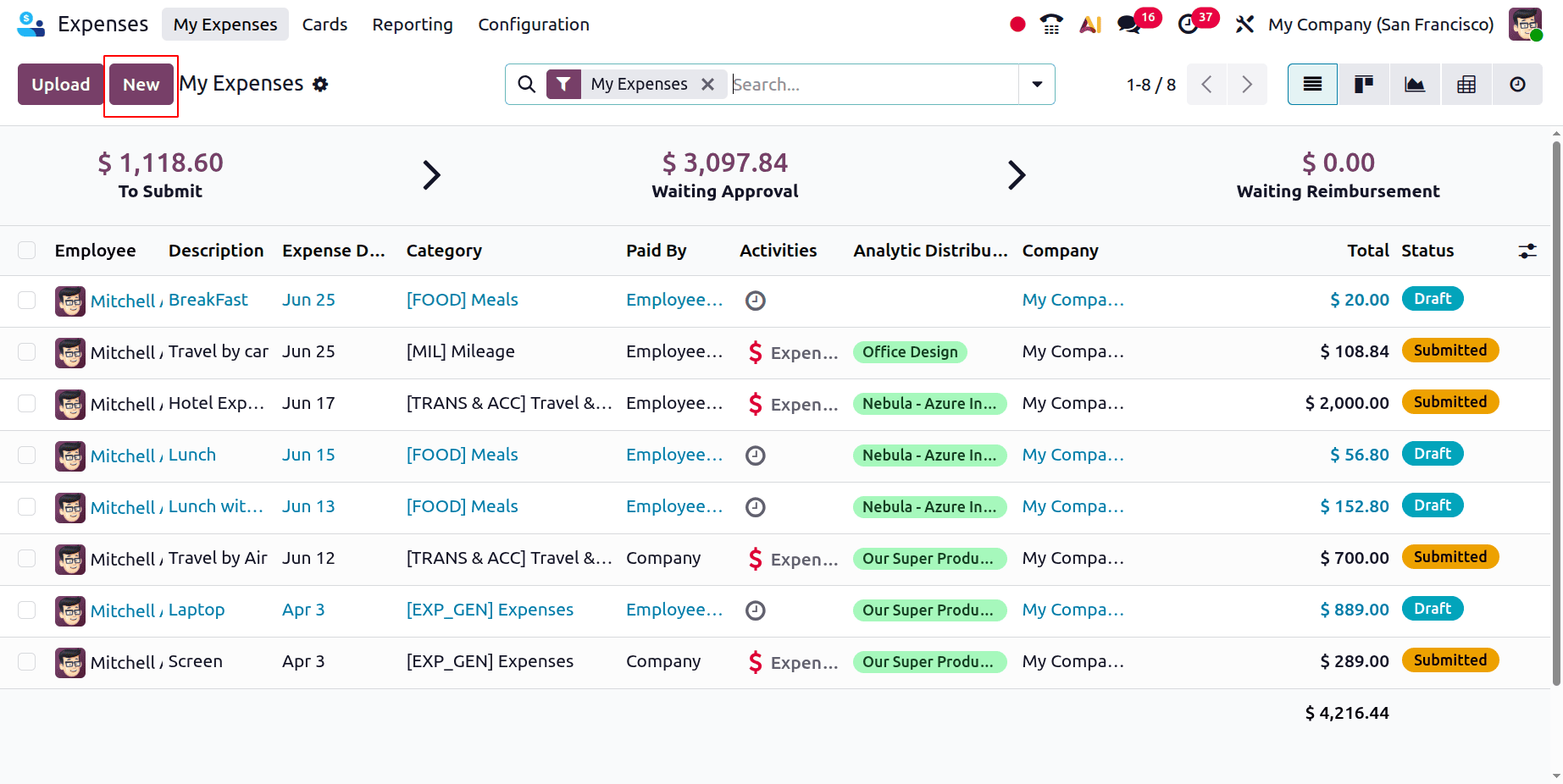
Clicking the New button opens a new form where you can enter the specifics of the expense.
Enter the following information in the generated expense:
Description: You can give the cost a brief title here.
Category: When employees enter their expenses, they can choose from a predetermined category of expense.
Overall: The overall cost incurred.
Included Taxes: Displays the equivalent sum and tax percentage.
Employee: The individual who spent the money.
You can input the details of the expense in a new form that appears when you click the New button.
Add the following details to the created expense:
This is where you may give the expense a short title.
Category: Employees can select from a predefined category of expenses when entering their spending.
Overall: The total amount spent.
Included Taxes: Shows the tax percentage and corresponding amount.
Employee: The person who used the funds.
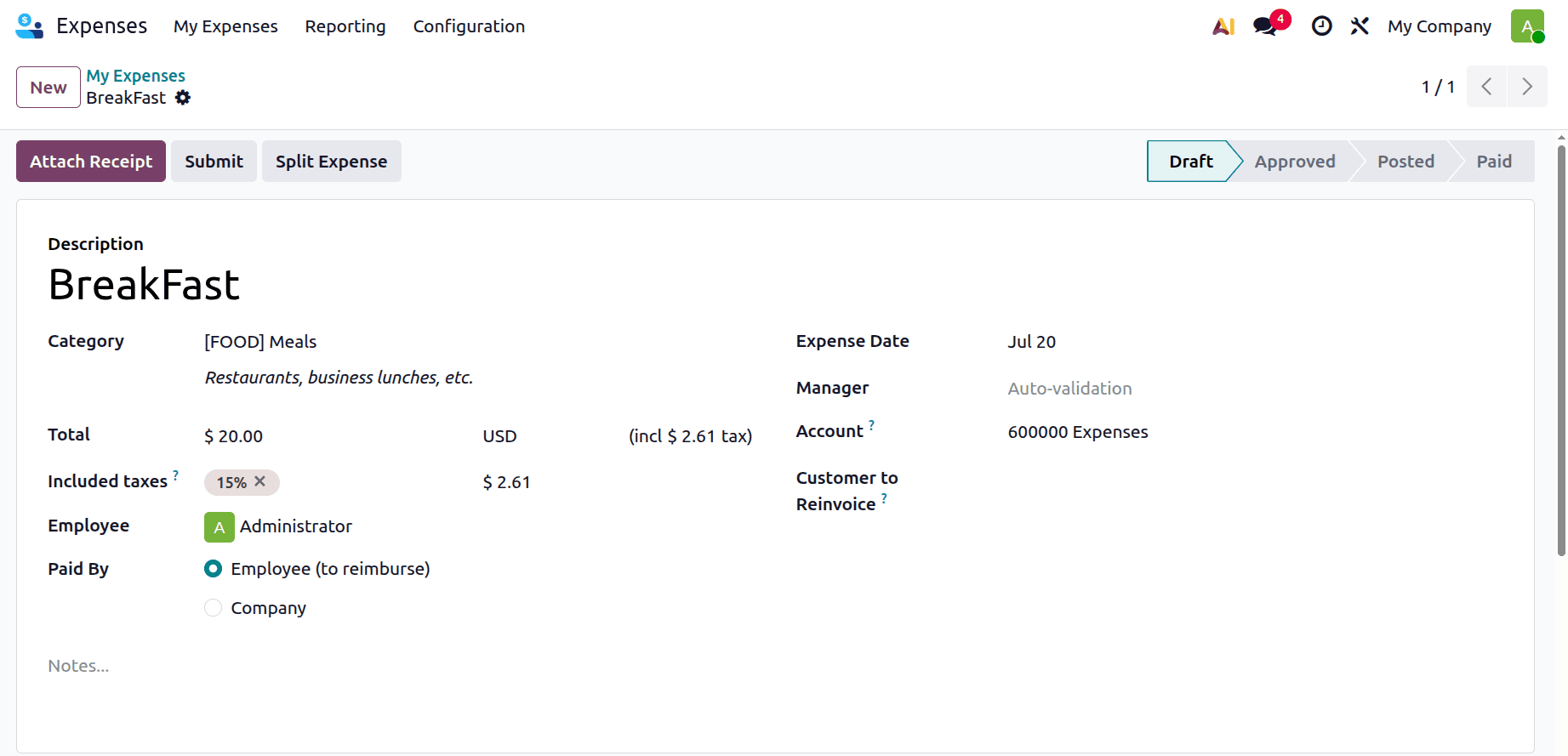
After the expense is completed, you can either click the Submit button or use the Attach Receipt button to attach a receipt (such as a bill or invoice) as proof of expense.
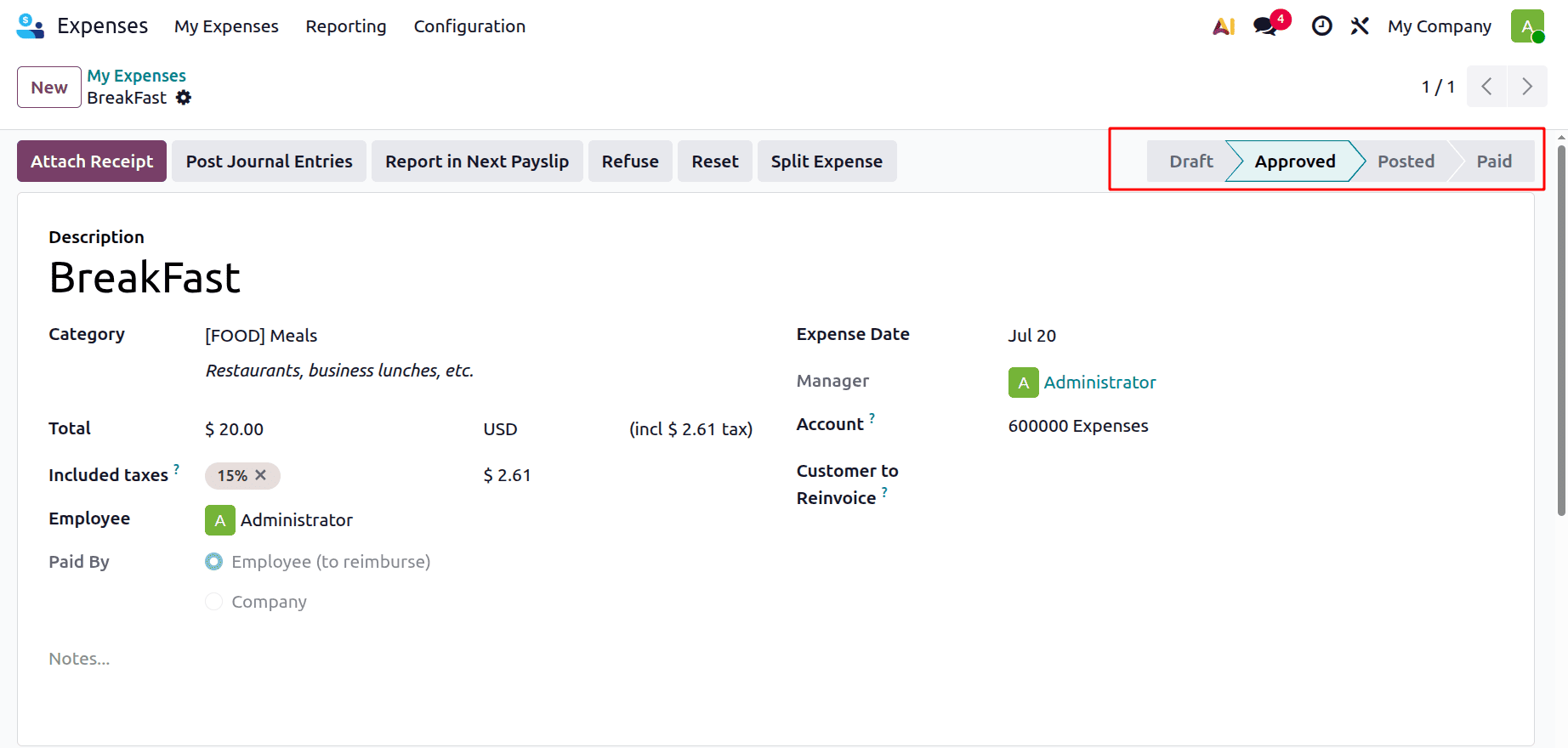
The status of the report is changed to Submitted upon submission to the manager, who can then click the Authorize option to authorize the expense. Additionally, managers can reject the expense report by clicking the Refuse button next to Approve.
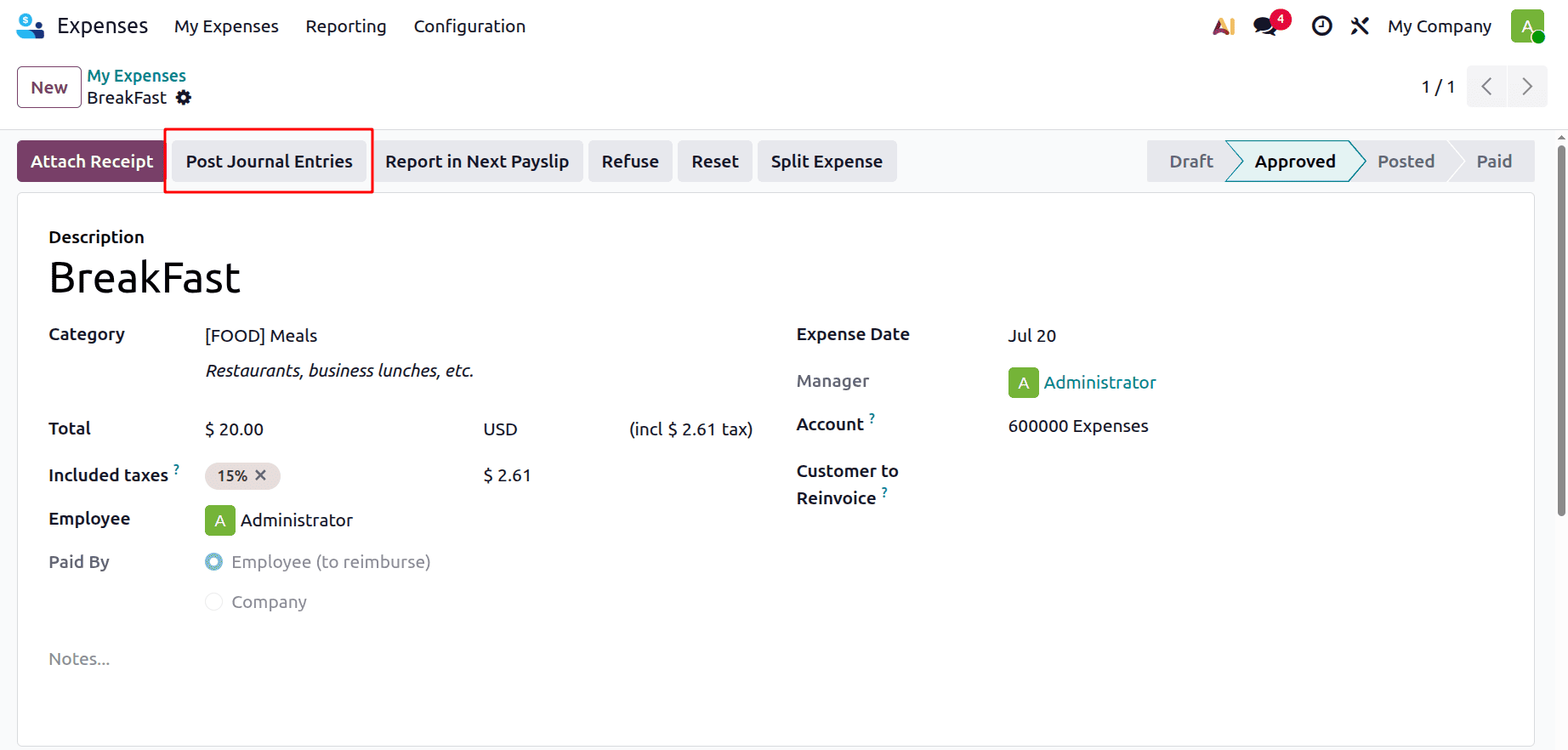
Clicking on Post Journal Entries will allow the journal entries to be uploaded after the expense has been accepted.
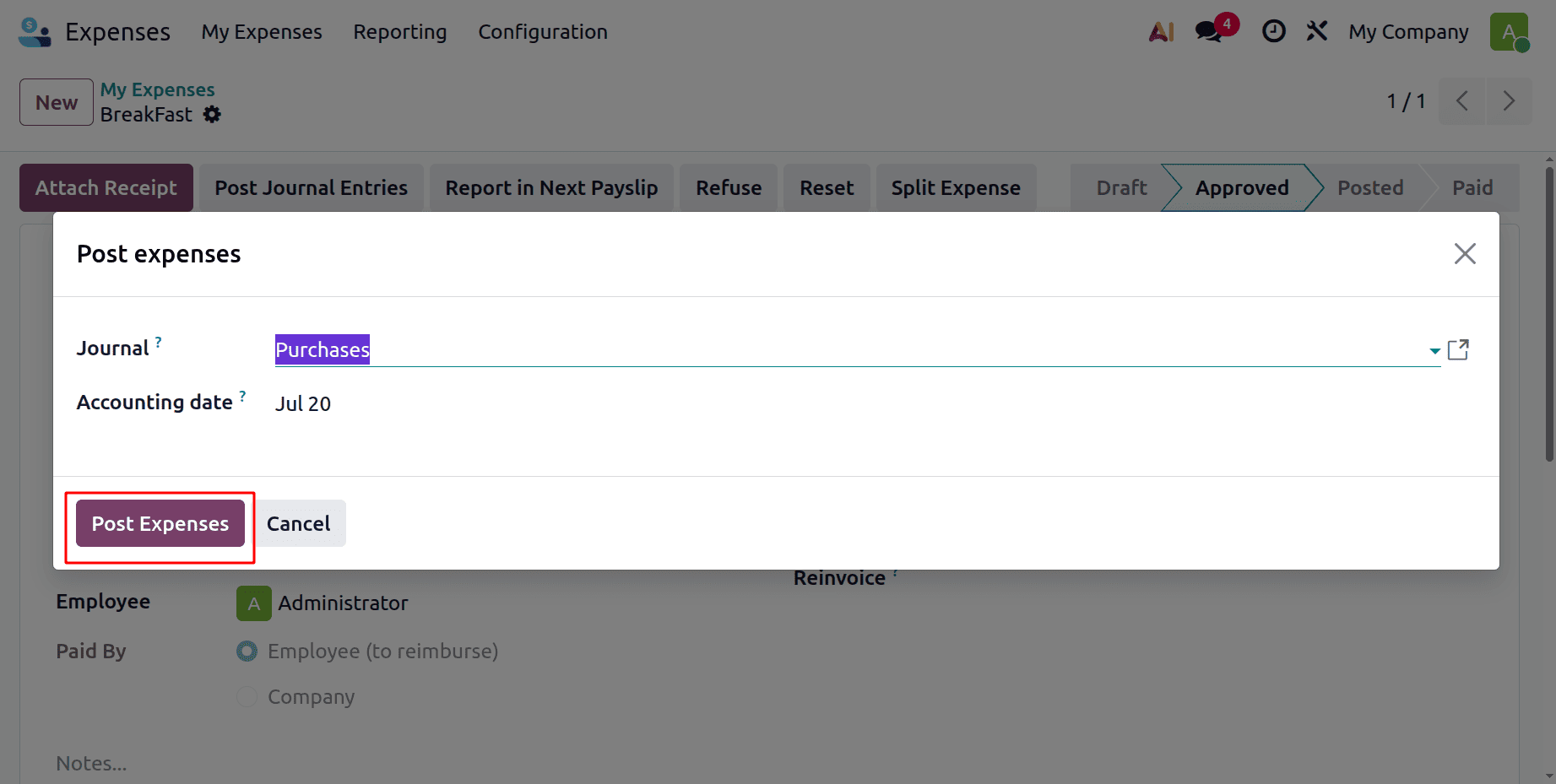
The journal entries can be uploaded by selecting the Post Journal Entries option after the expense has been authorized. Choose the Journal and click on the Post Expense button.
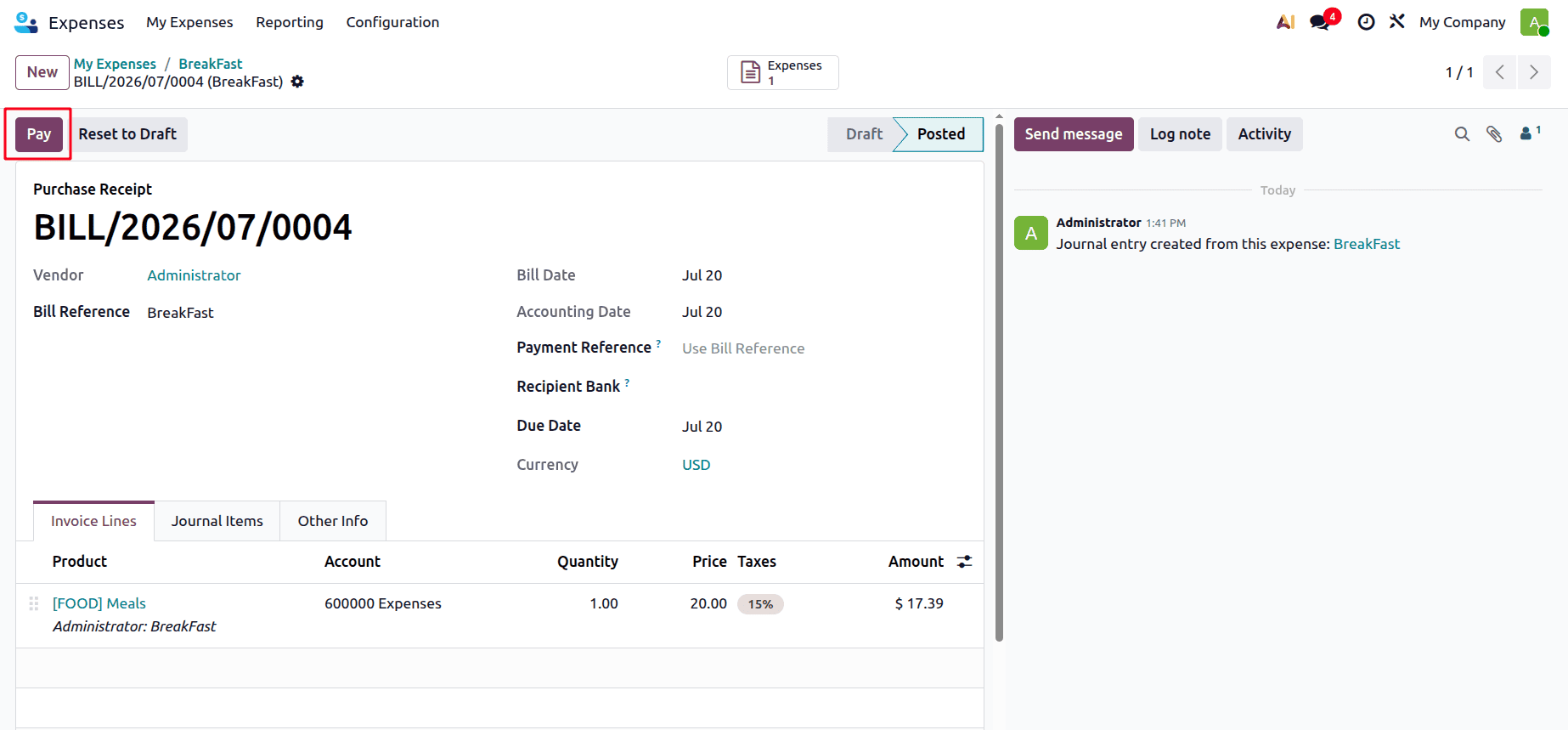
When you click "pay," a payment pop-up window will show up with the following fields automatically filled in:
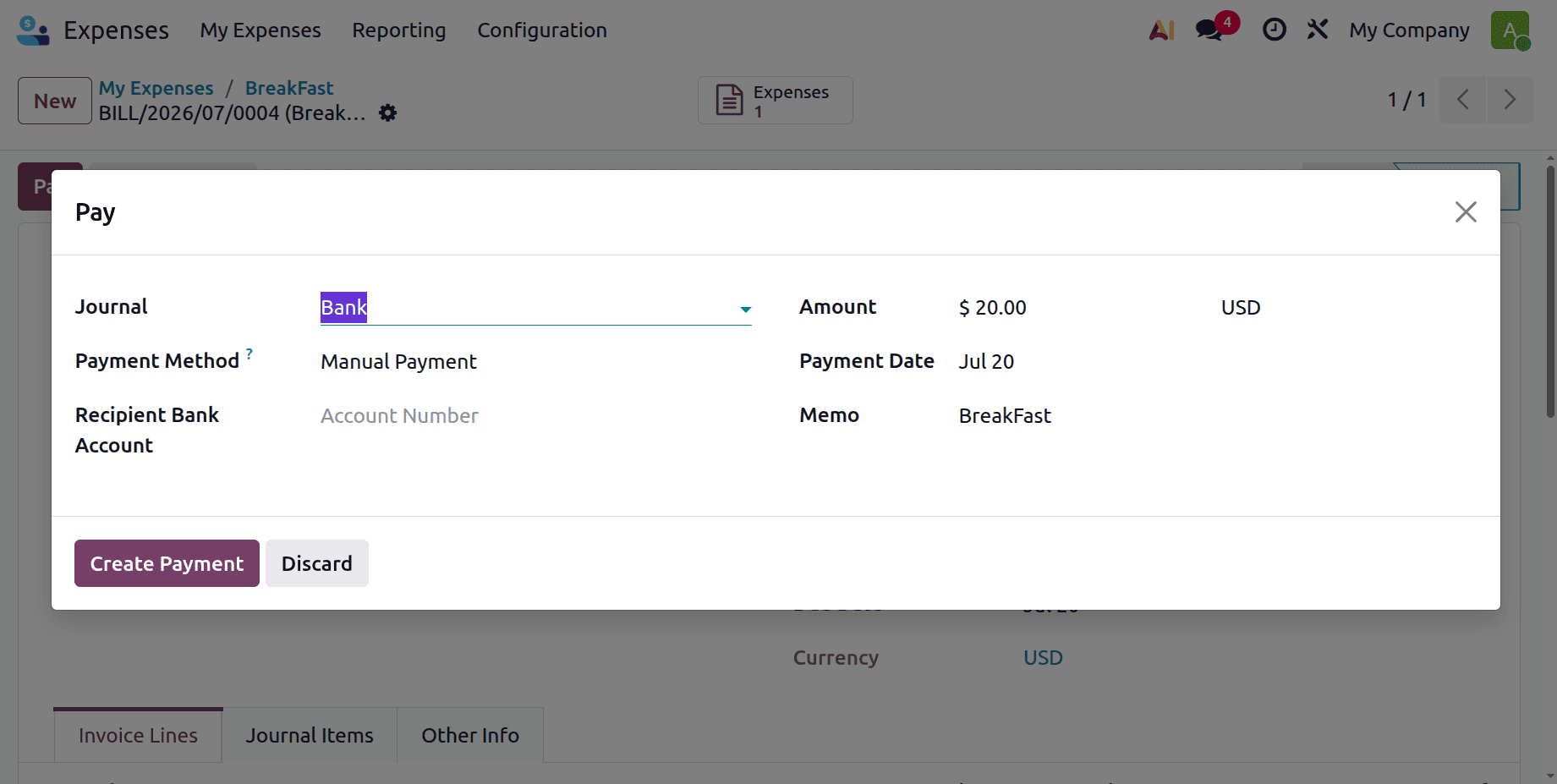
Journal: The bank or cash account that will be used to make the payment.
Payment Method: The recording of the payment (e.g., Manual Payment).
Recipient Bank Account: The bank account of the employee or vendor that is getting paid.
Amount: The overall cost of the expense.
Payment Date: The day the payment is officially recorded.
Memo: A brief explanation that will show up on the payment entry.
Next, to register the payment, click the Create Payment option.
Additionally, it is evident that the payment will be in the "In Payment" state, and the report's status will change to "Done."
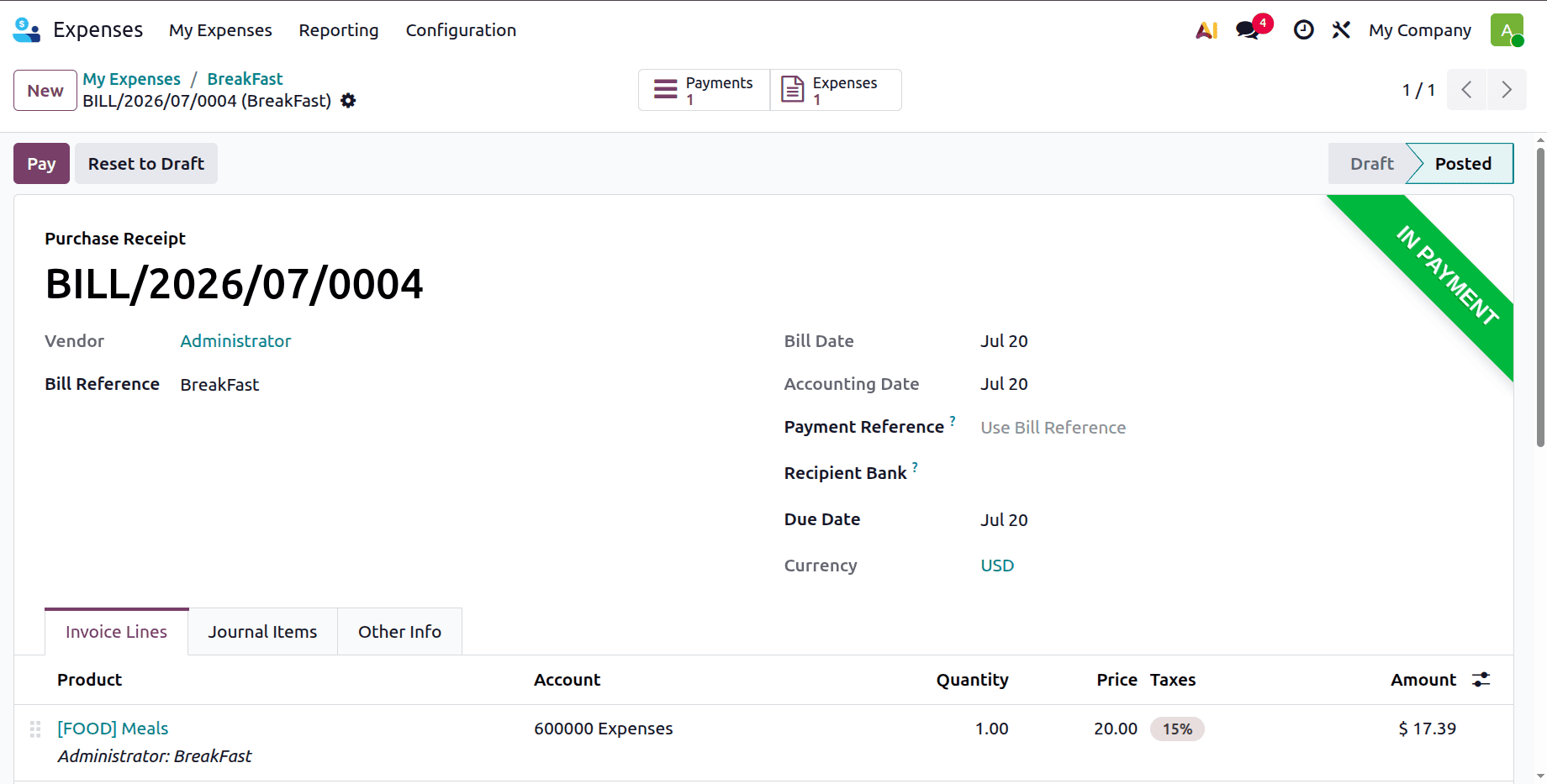
The produced bill, which is in the "In Payment" status, can be viewed by clicking the Journal Entry smart tab.
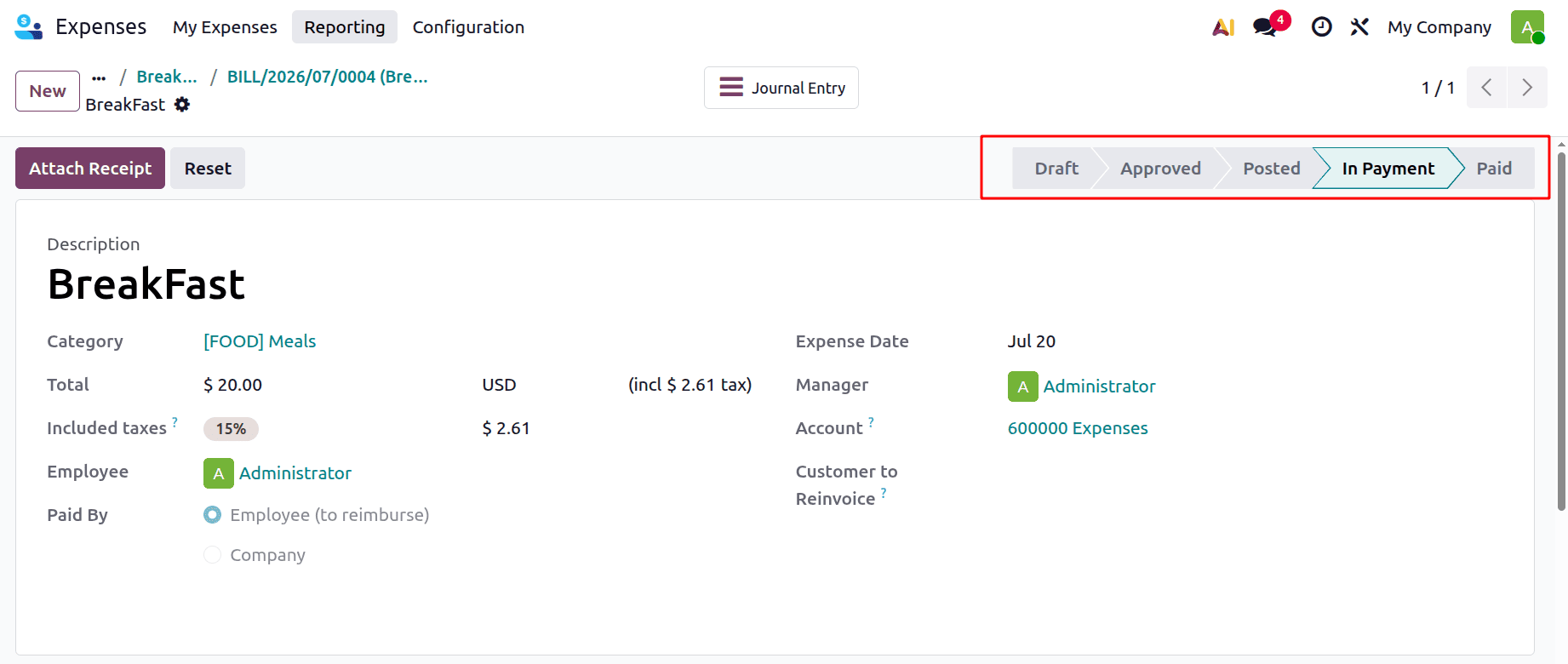
This payment must now be reconciled. To do this, go to the Accounting module, select the Bank journal from the dashboard, and then click the Transactions button to generate a bank statement.
To generate a new bank statement, click the New button, enter the employee in the Partner area, and enter a negative amount because the employee has been paid for the spending.
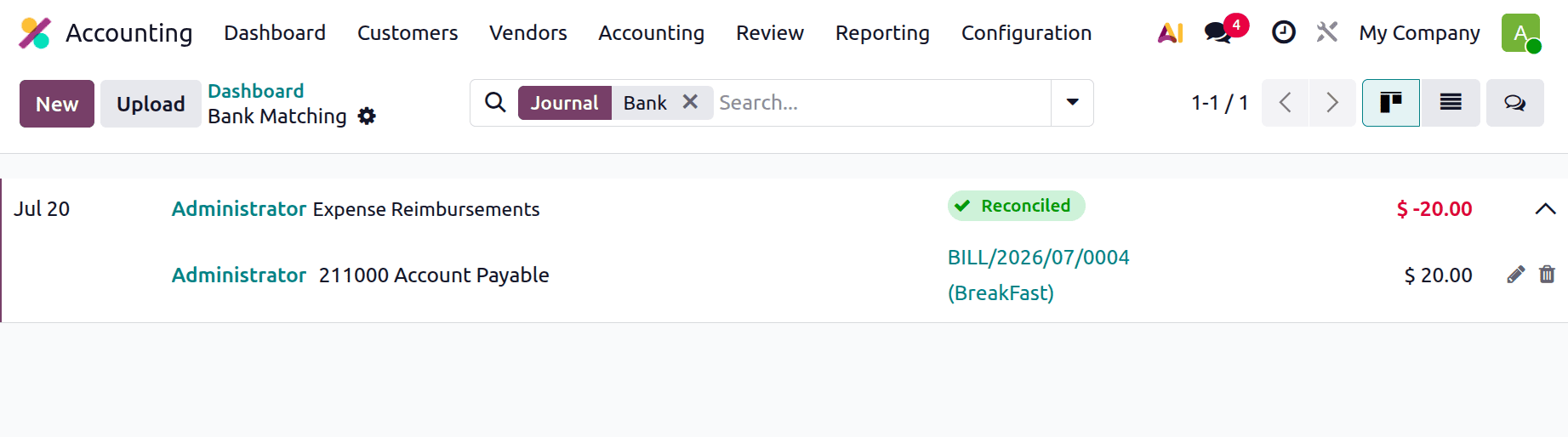
The Expense will be recorded as Paid after it has been reconciled.
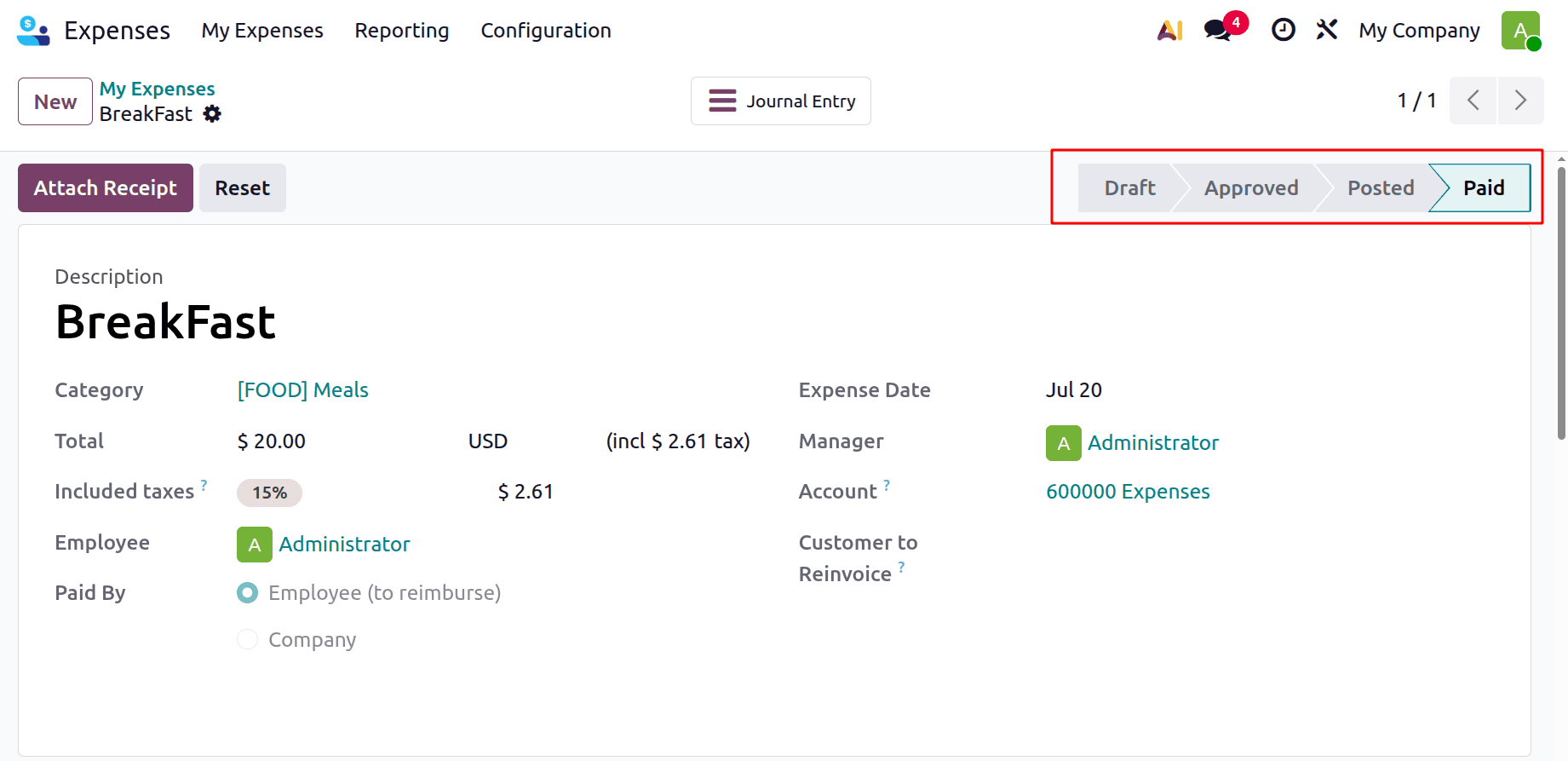
This is one option to reimburse the payment; the other is to give the employee a refund on their subsequent payslip.
Using the payslip to reimburse the cost
Navigate to the Expenses module's setup settings to repay the employee via their payslip. For that, the user needs to enable Reimburse in Payslip from the Settings.
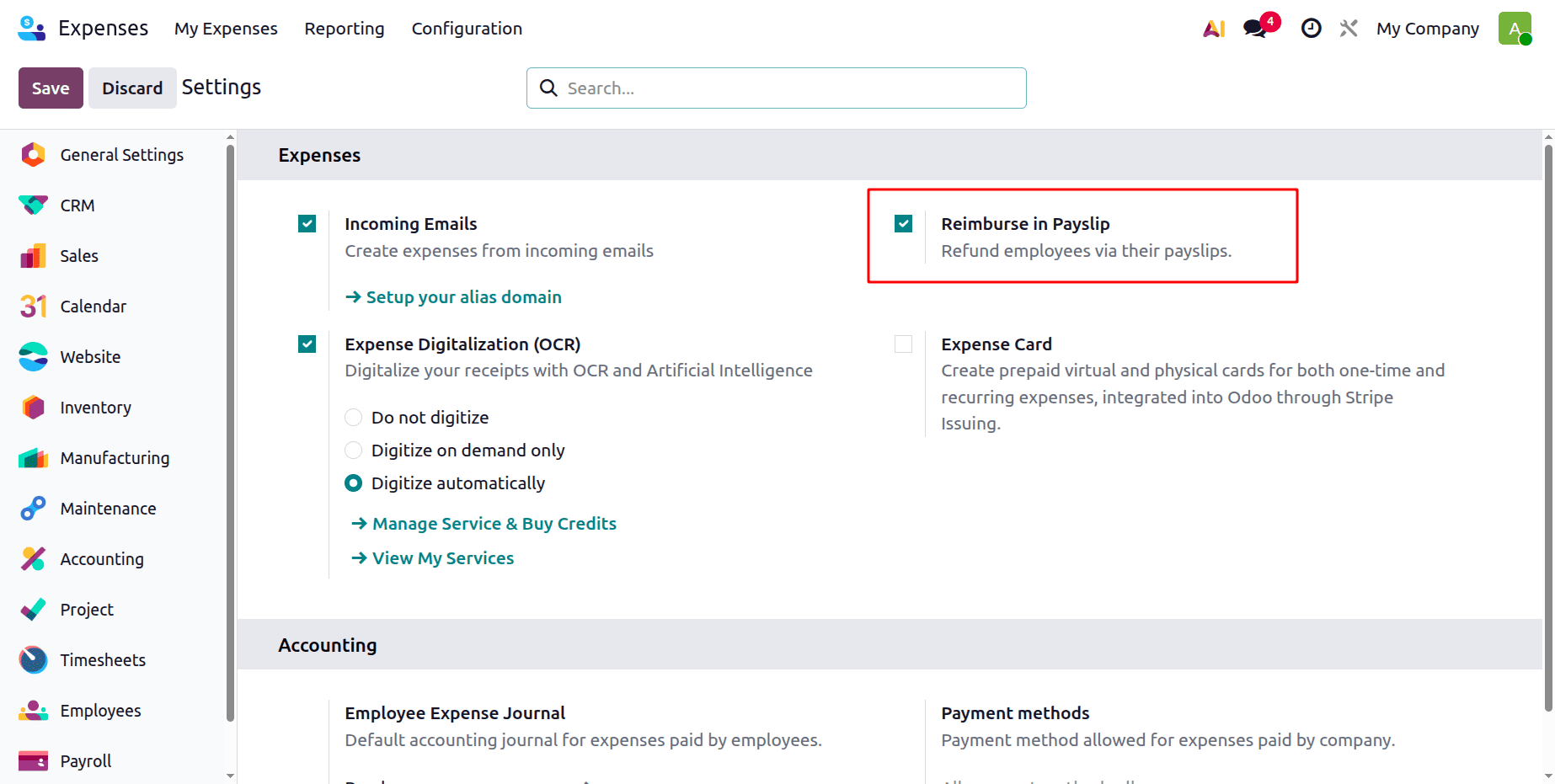
Turn on the "Reimbursement in Payslip" feature and save the modifications. Then the next step is to create a new expense. In the same way, make another employee's expense. Add the details and then submit the expense to the manager.
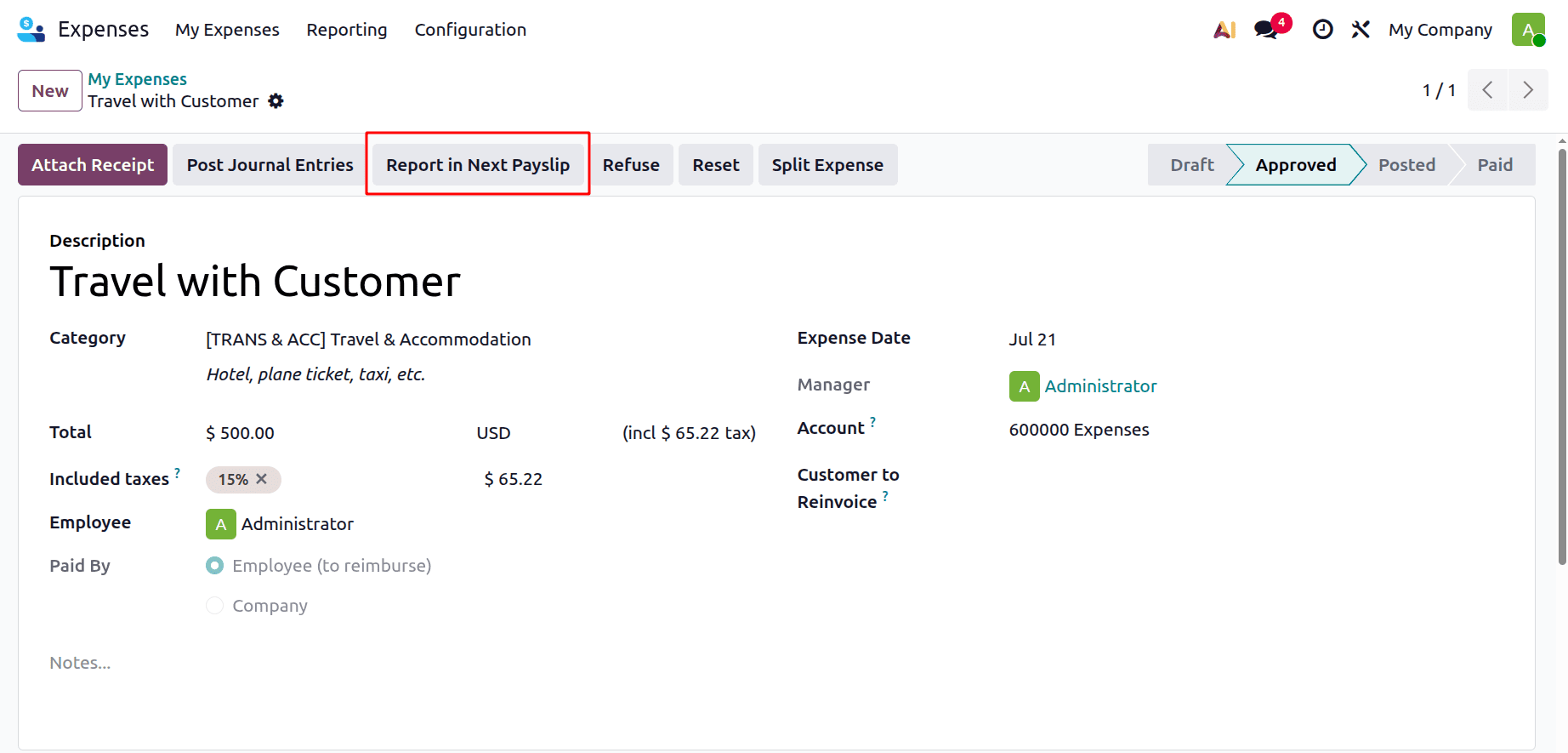
After getting approval from the manager, this time the user needs to reimburse the amount through the payslip. So click the Report in Next Payslip button to ensure that the employee is paid on their subsequent payslip after the item has been approved.
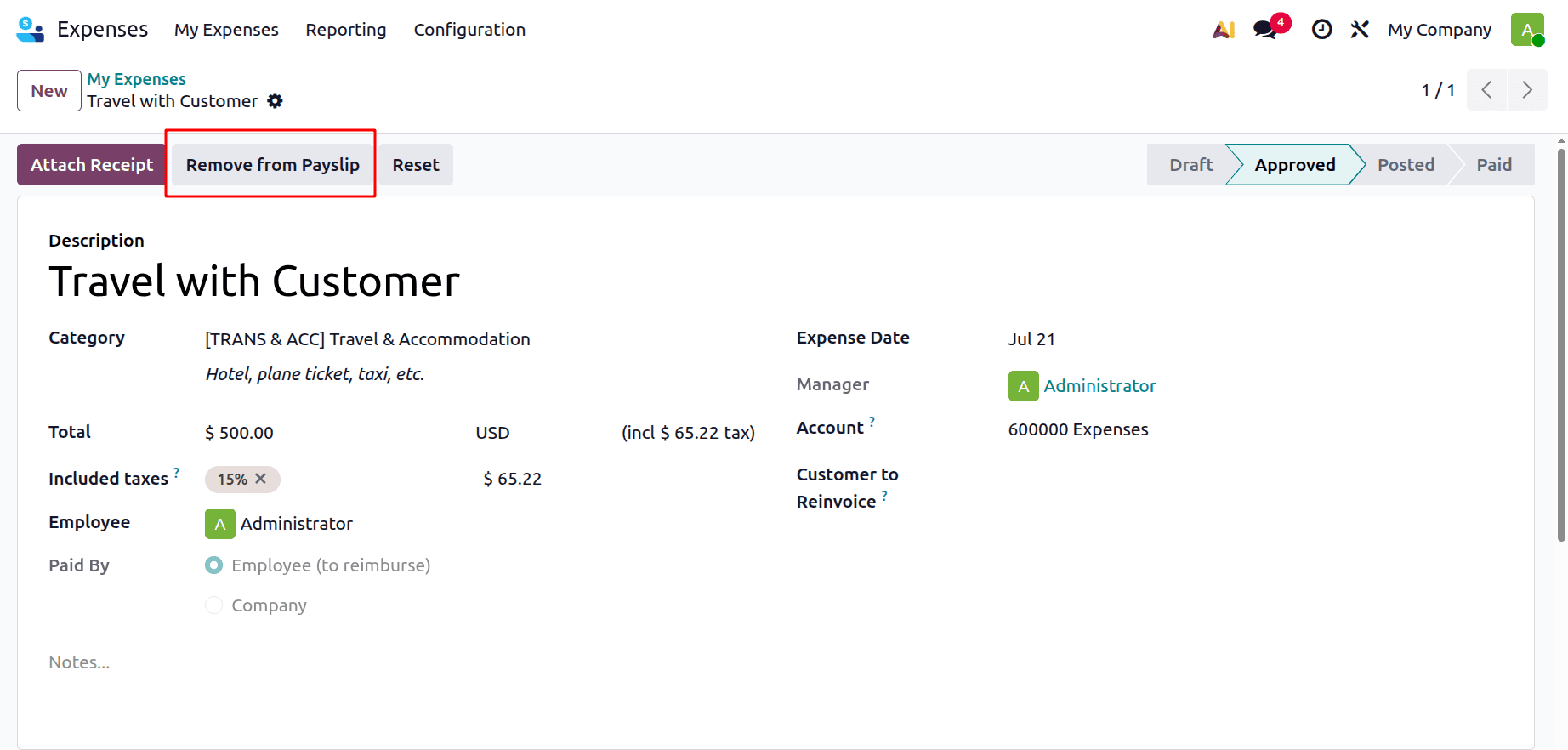
The Remove from Payslip button can be used to delete the expense from the payslip.
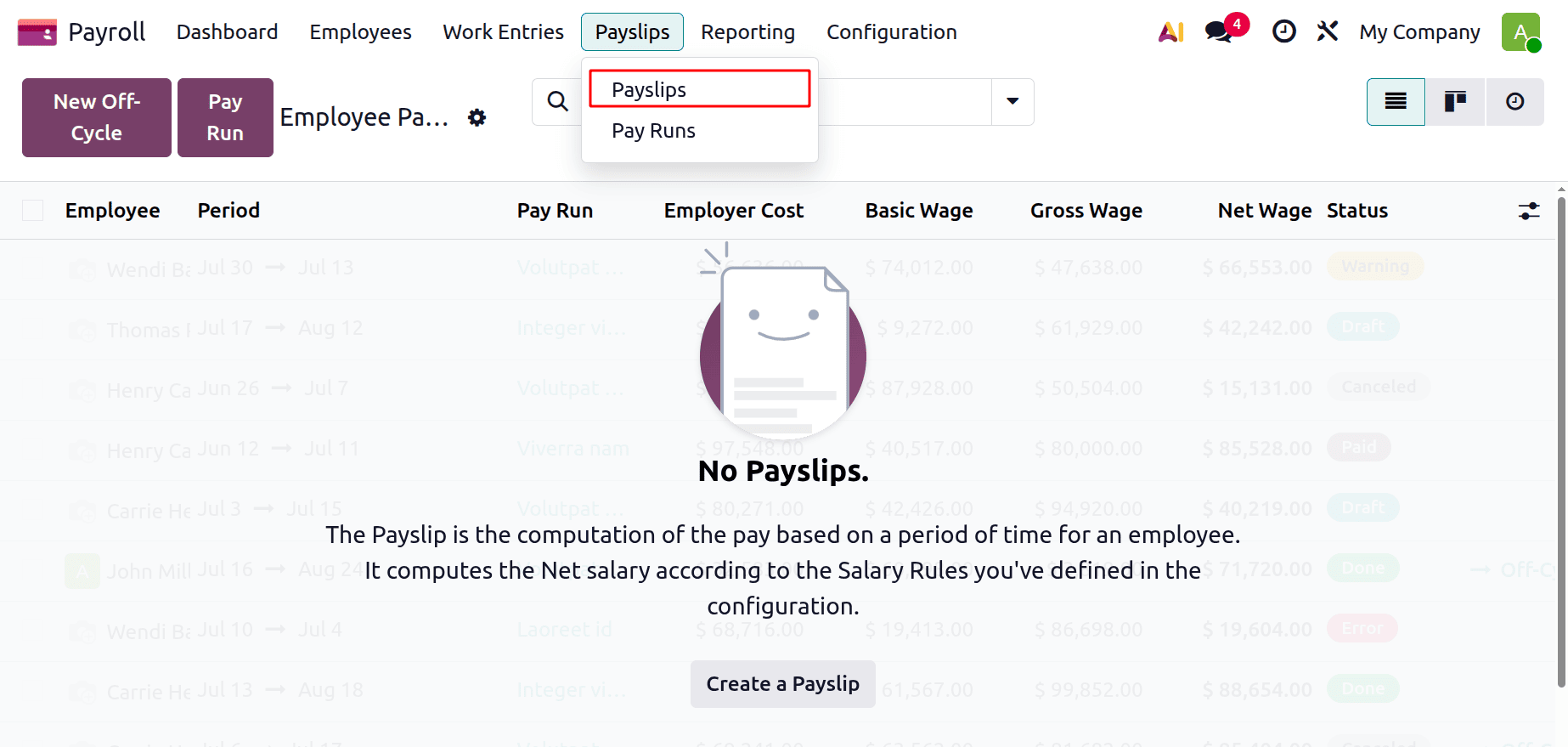
Once it is reported in the next payslip, go to the Payroll module and generate the payslip for the employee. Also, ensure the Employee has an active contract. From the Payroll module, go to the Payslips > Payslips, and the prepared payslip that needs to be paid may be displayed.
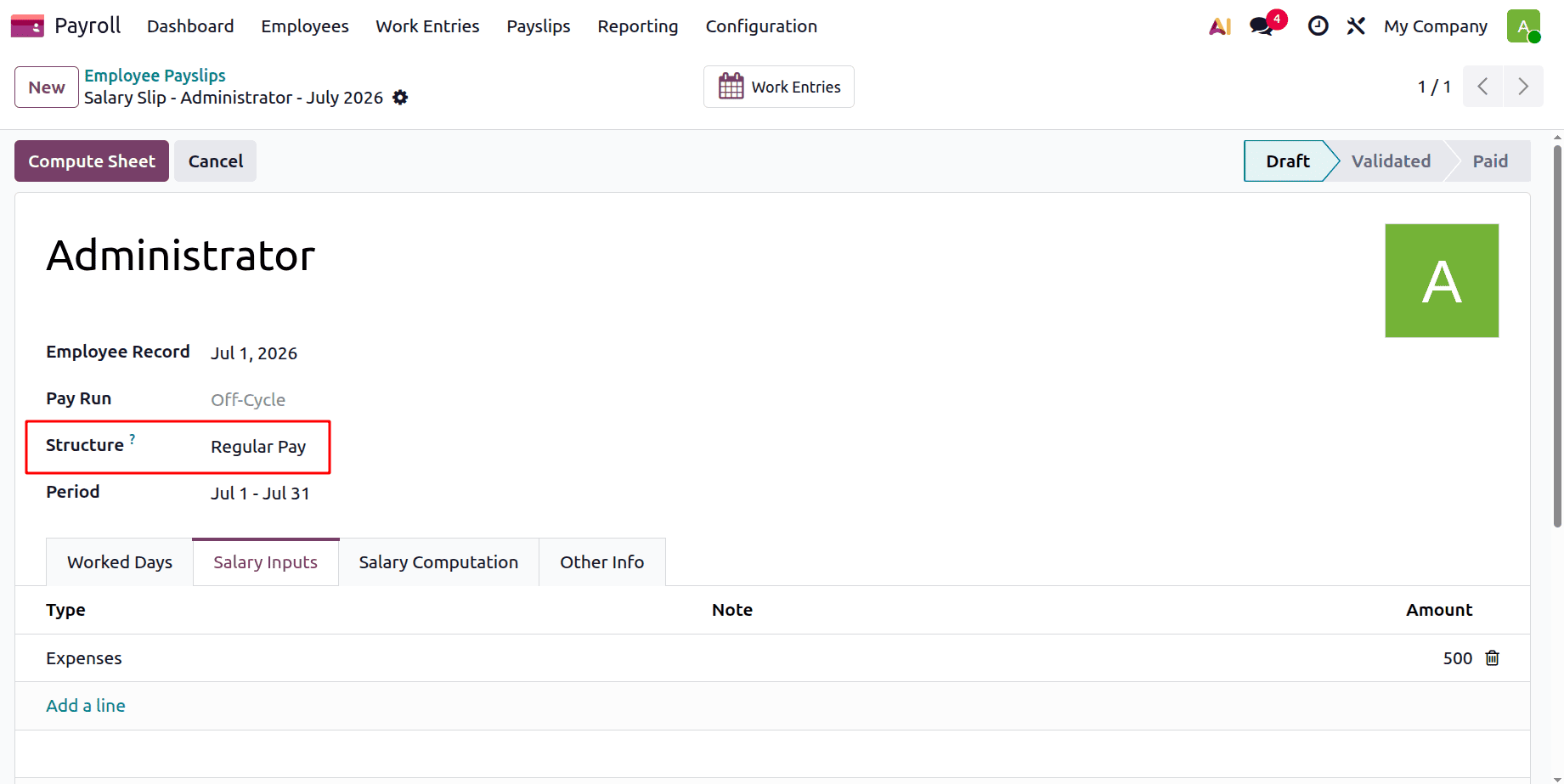
Make a fresh payslip for the worker. Put the employee's name on the payslip form. The Structure and Period will be added in accordance with the additional contract, which will be automatically filled in from the employee form.
Additionally, the employee's expense will be entered in the Salary Inputs area.
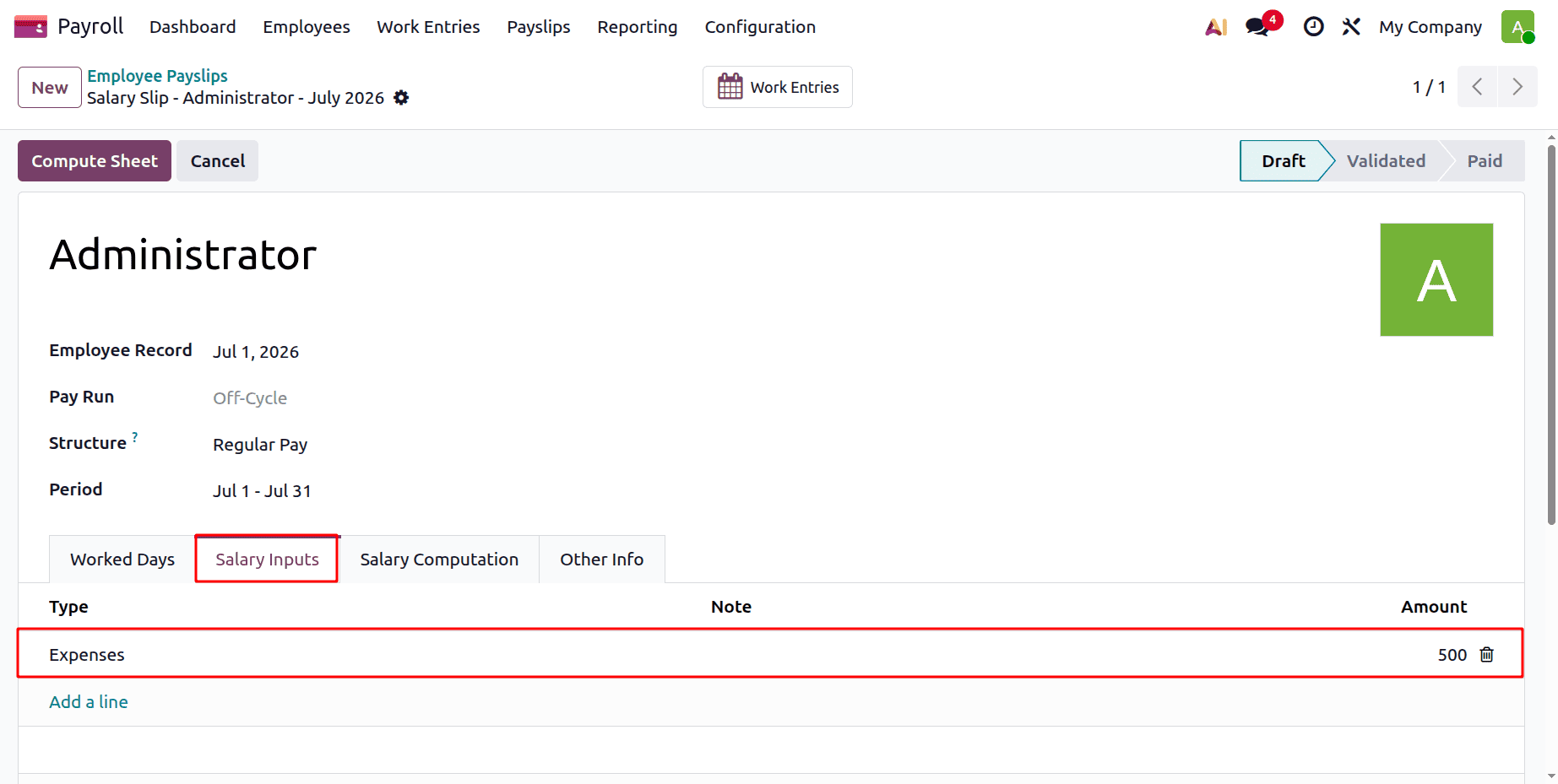
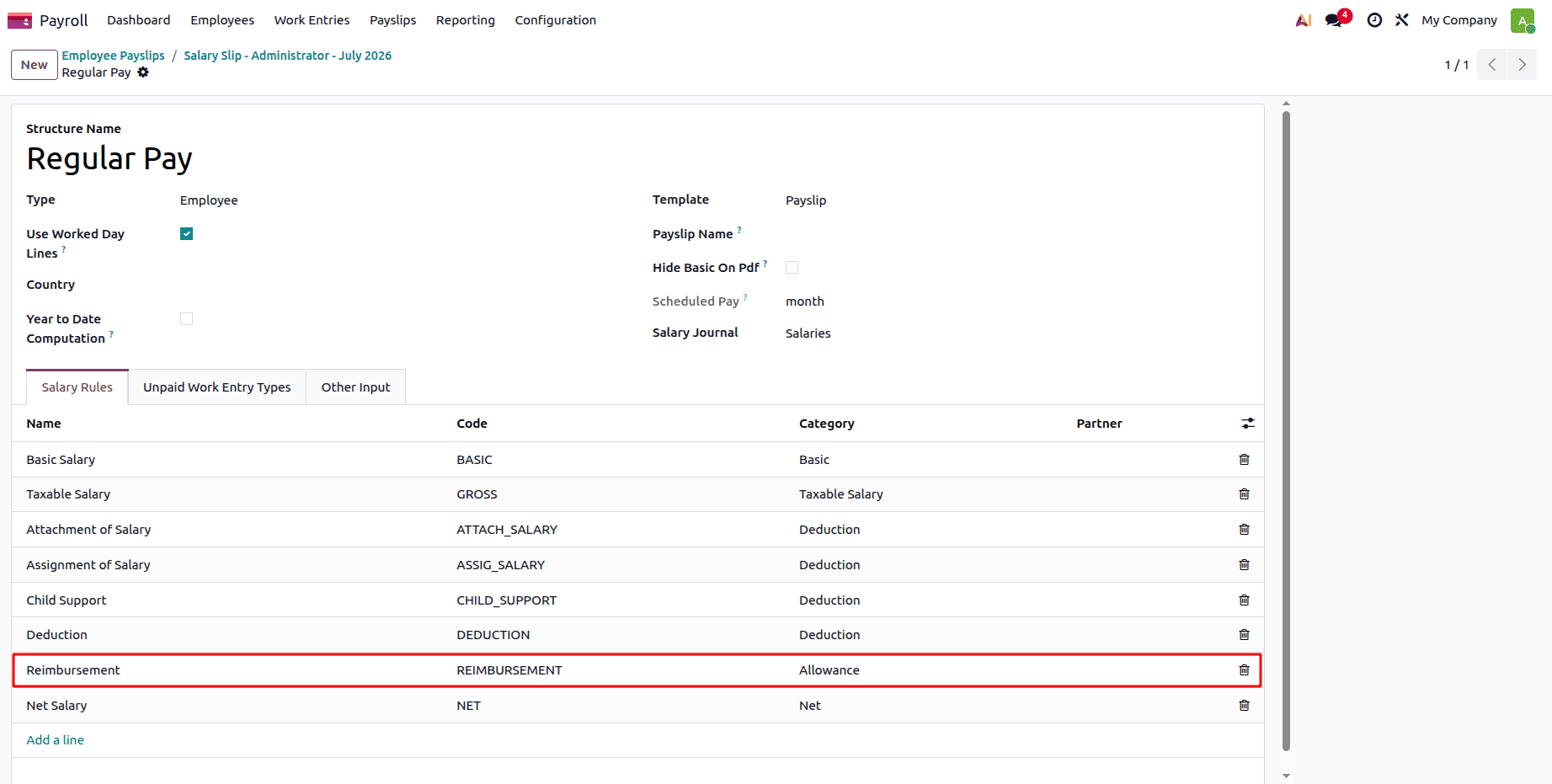
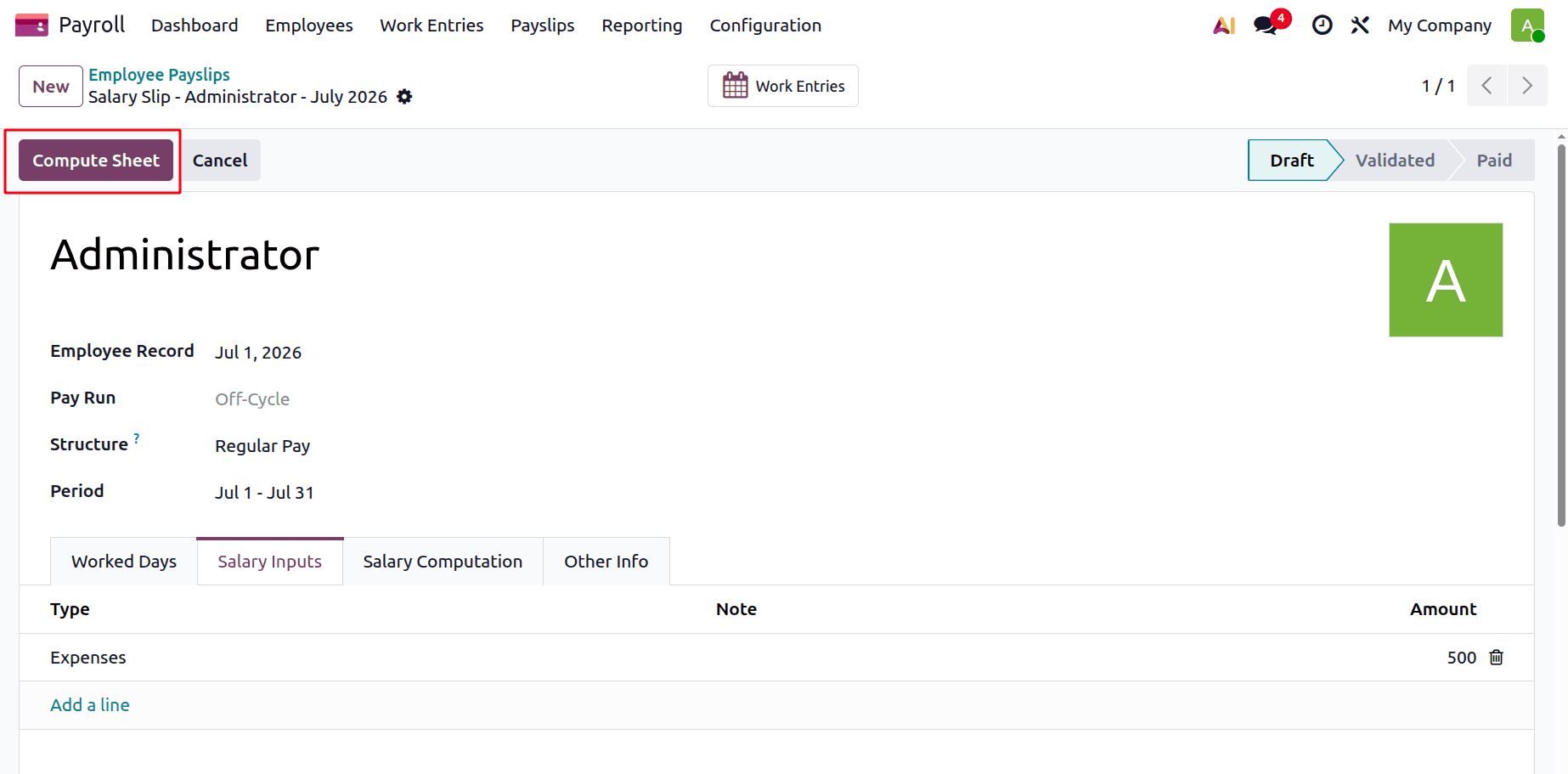
The expenditure reimbursement will be calculated in the payslip since the rule has been added to the wage structure. Click on the Compute Sheet to calculate the payslip. Visit the additional Salary Structure Regular Pay internal link.
In the salary structure, all the rules that have been added can be viewed under the Salary Rules.
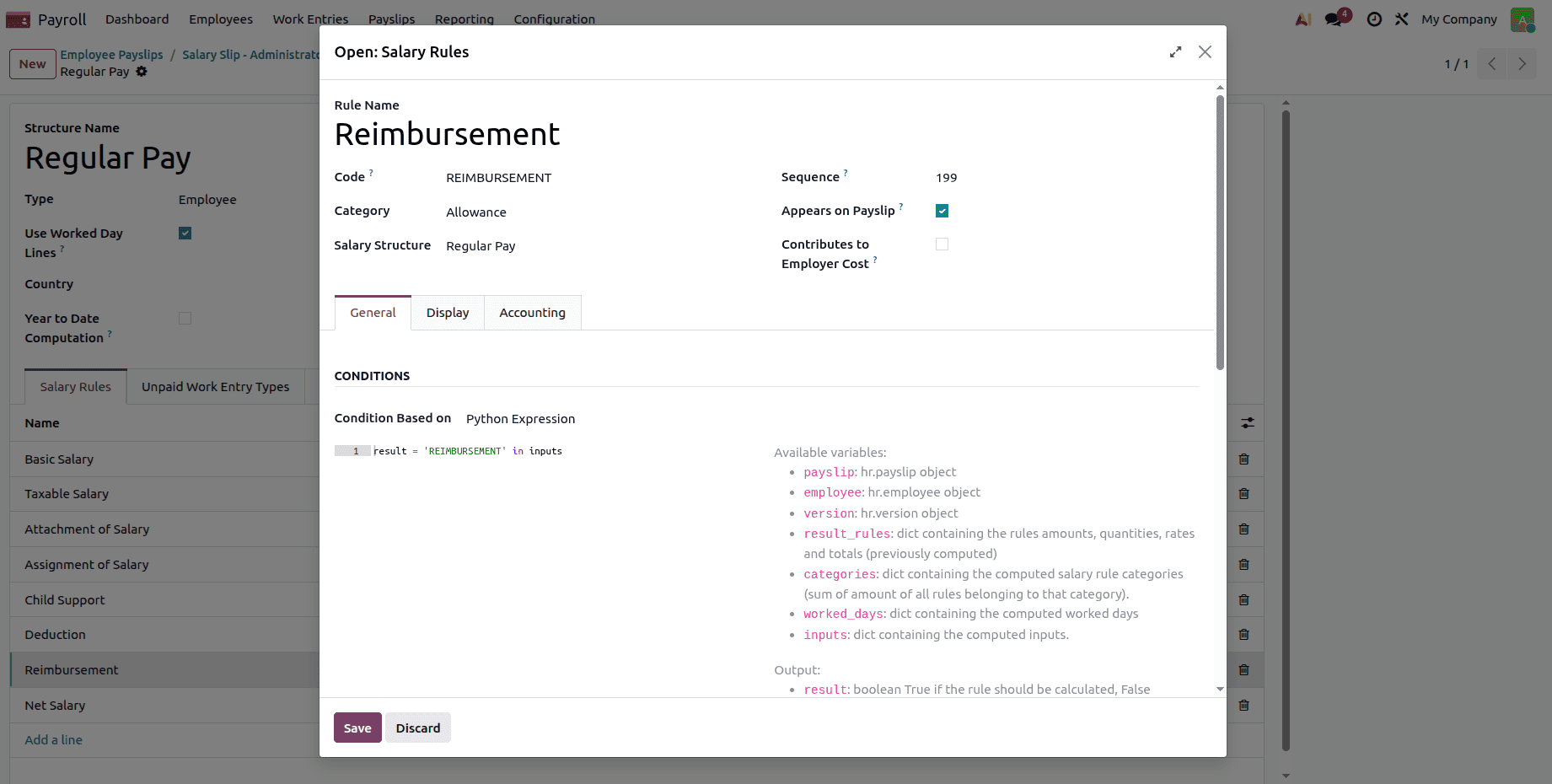
When the expense reimbursement rule is clicked, the circumstances and computations can be read.
Next, go back to the Payslip and click on the Compute Sheet option to compute the payslip.
Go to the Salary Computation tab; the Expense Reimbursement rule and the Amount that is to be reimbursed can be viewed there.
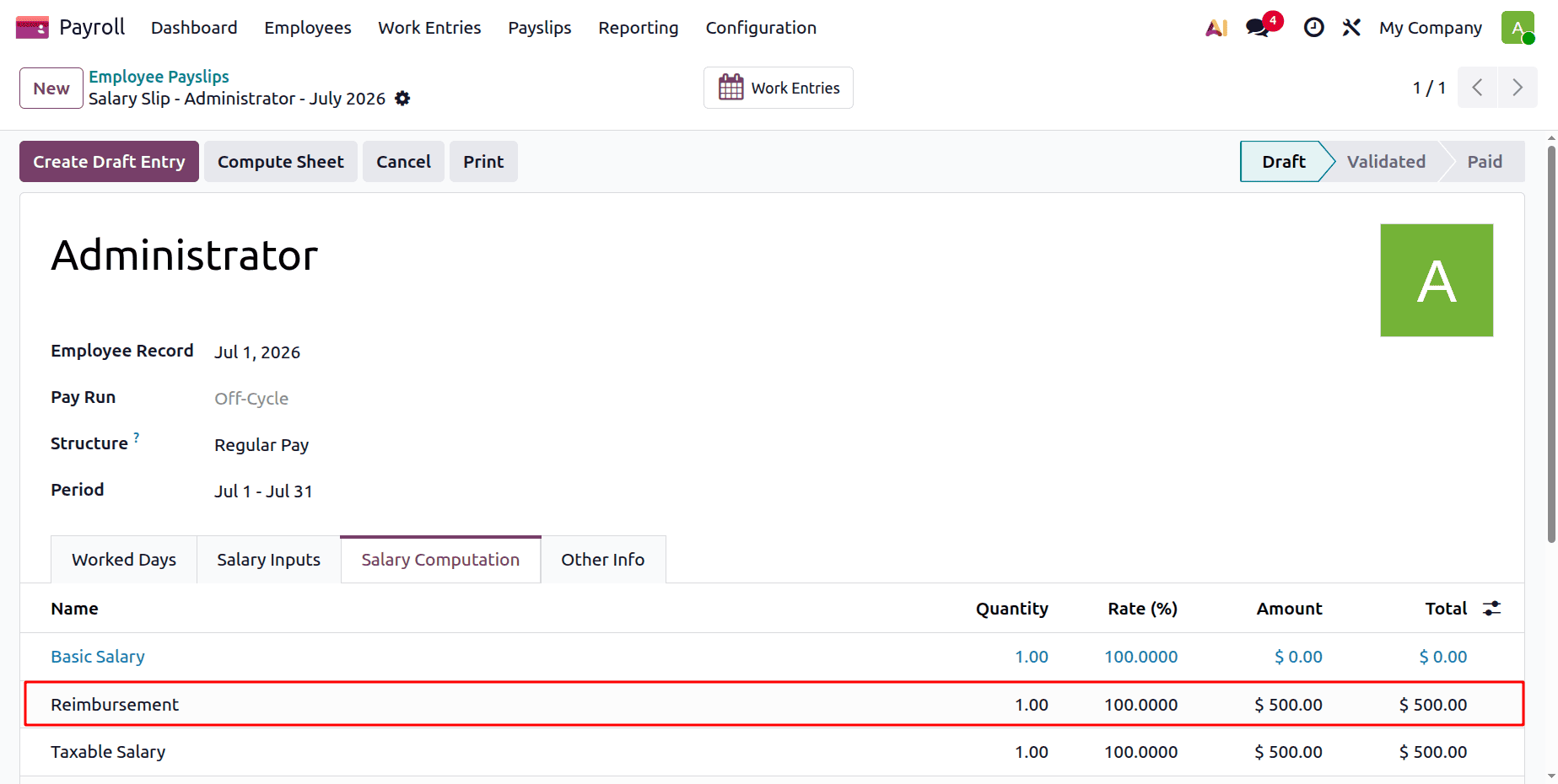
To generate the Payslip's draft entry, click the Generate Draft Entry button.
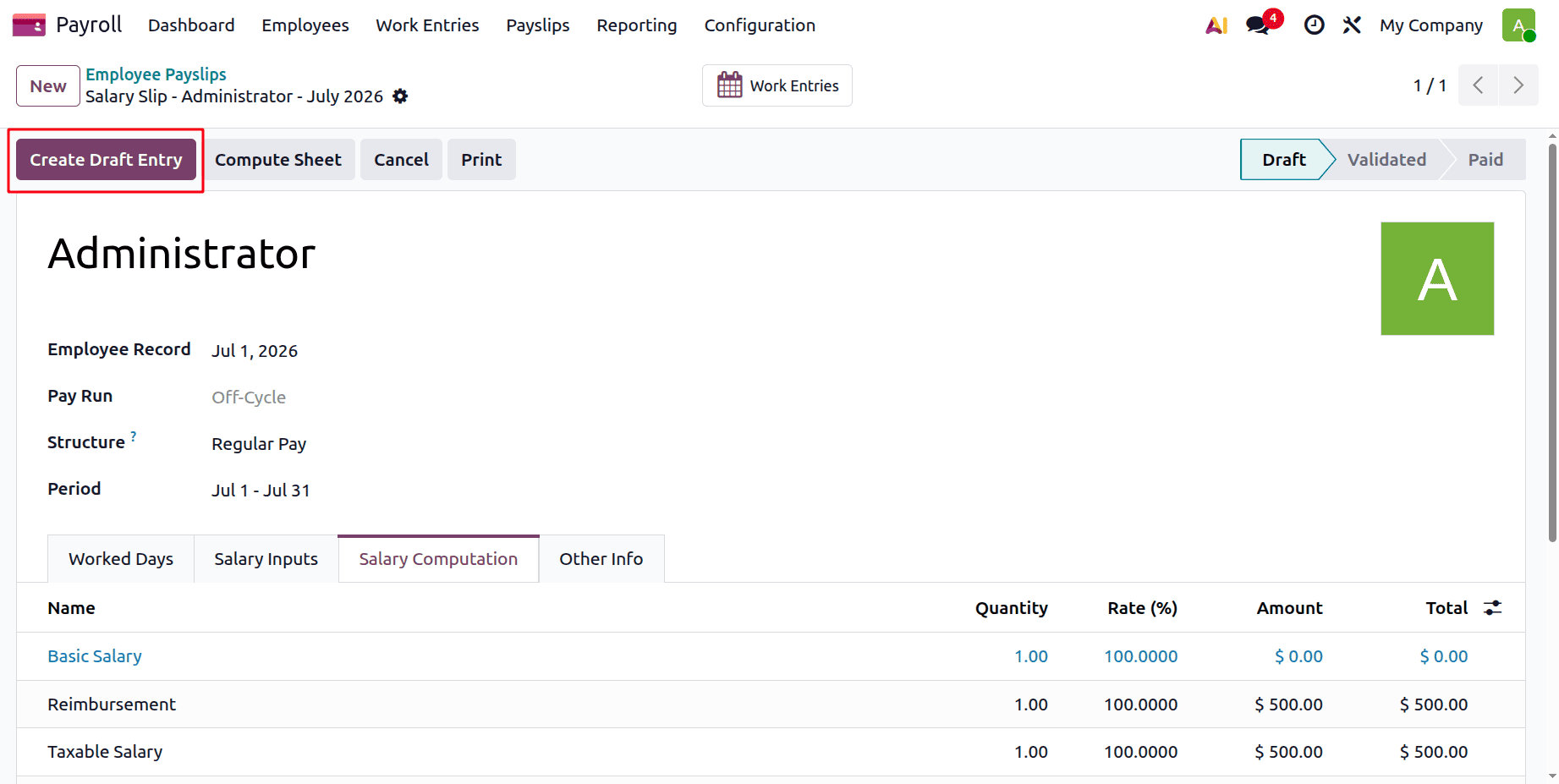
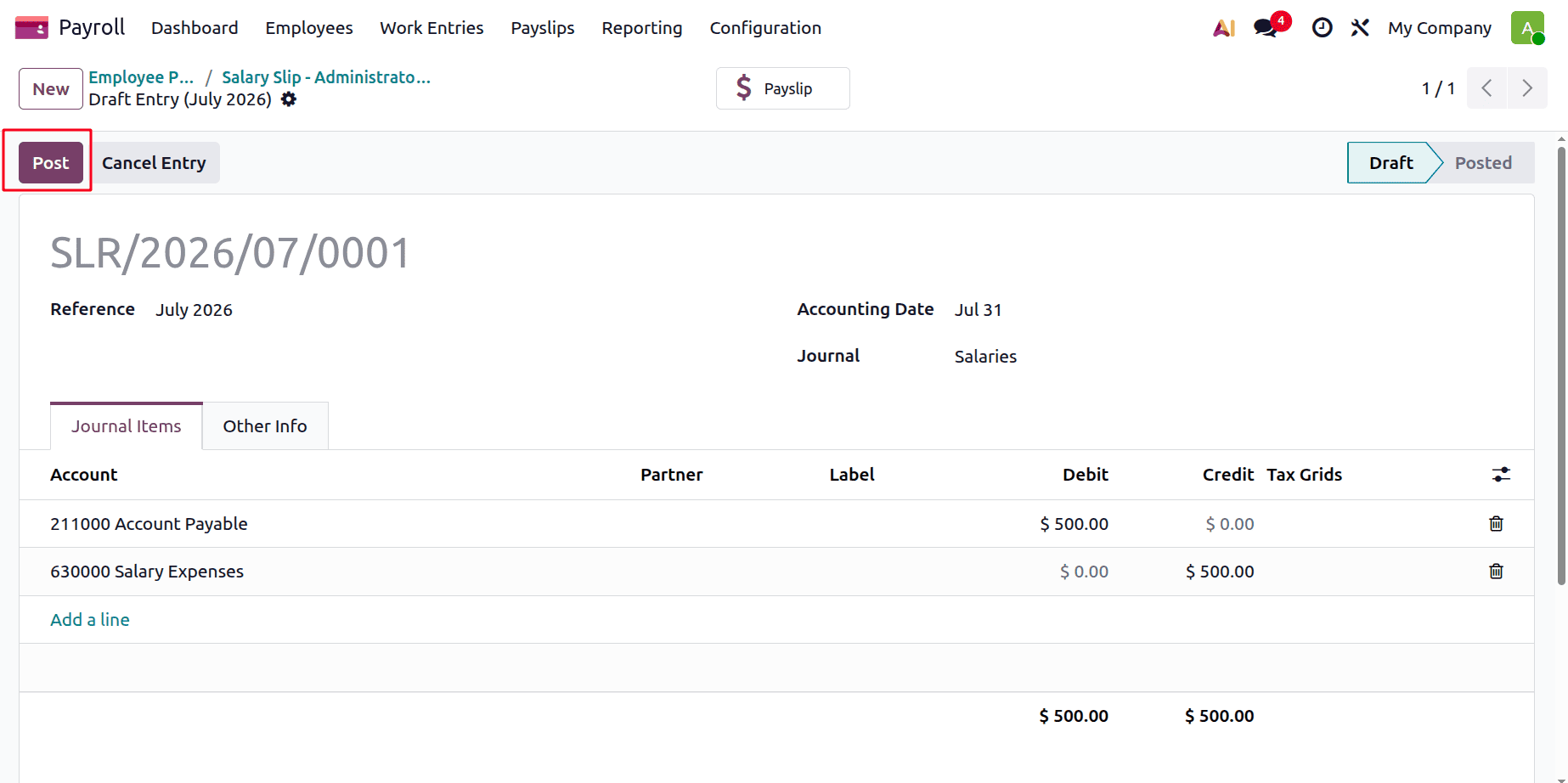
To publish the journal entry, click the Post button. Additionally, the journal entry will be published.
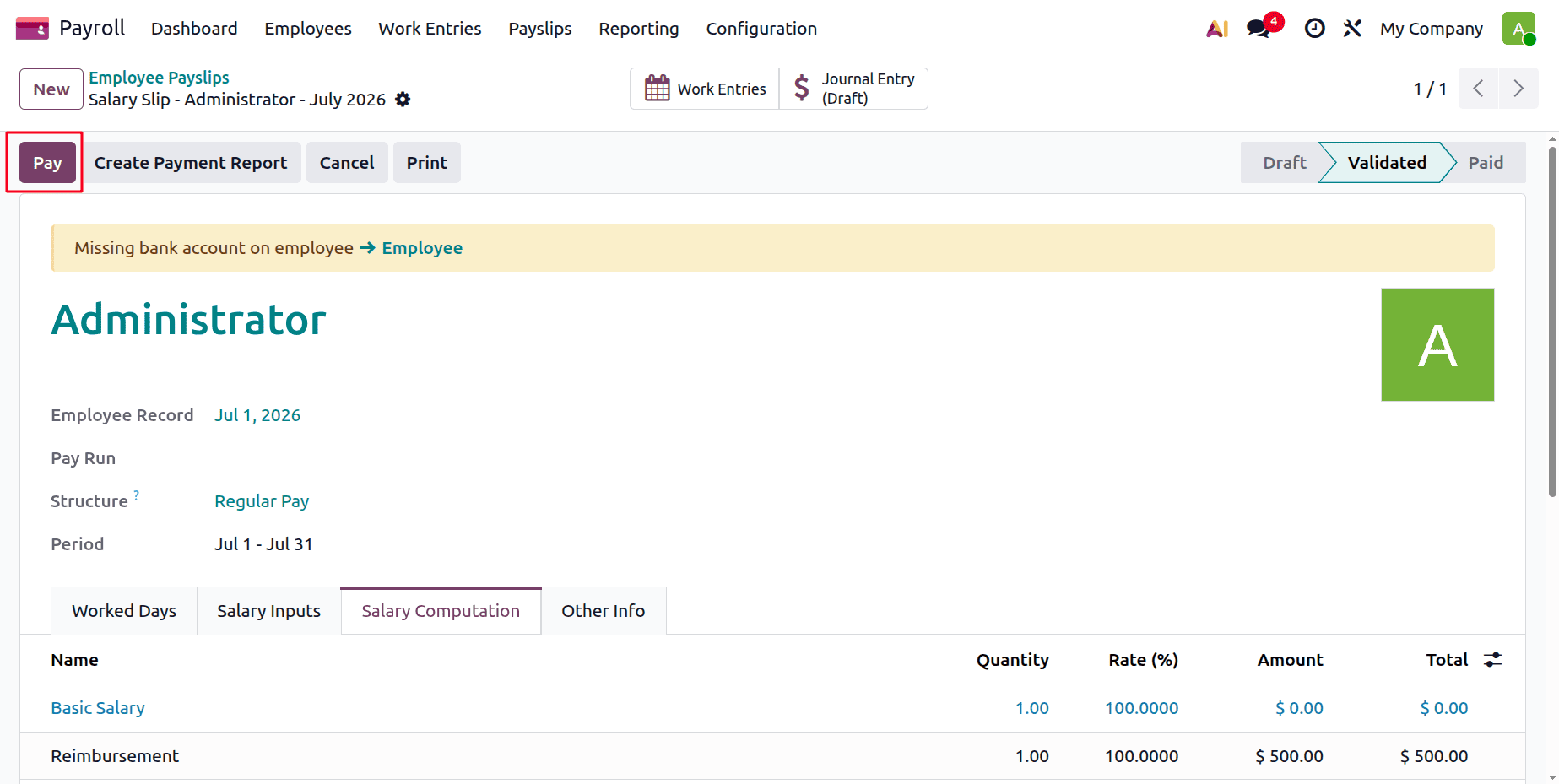
To register the payment and pay the employee, return to Payslip and click the Pay button. Alternatively, you can designate the payslip as paid by clicking the Marked as paid option if it has already been paid.
As may be observed, Odoo 19's employee expenditure reimbursement procedure is efficient and well-organised. With only a few clicks, finance teams can record and repay the amount, employees can submit their claims with receipts, and managers may examine and approve them. Odoo helps businesses save time, cut down on errors, and keep accurate financial records by combining all processes into a single system. It guarantees prompt employee reimbursement and gives companies complete control over their cost management process.
To read more about How to Track and Reimburse Employee Expenses in Odoo 19 Accounting, refer to our blog How to Track and Reimburse Employee Expenses in Odoo 19 Accounting.