In manufacturing environments, production delays are important to manage. This may be due to machine workdowns, maintenance issues, or overloaded work centers. To overcome these issues in Odoo 19, we have Alternative Workcenters.
The Alternative Workcenter feature allows you to assign backup machines or work areas that can take over when your main workcenter is busy or unavailable. This ensures that manufacturing operations continue smoothly without waiting for a specific machine to become free. By effectively utilizing all available resources, businesses can reduce downtime and improve production efficiency.
Here in this blog, let's see how we can effectively use the Alternative Work Centers in Odoo 19 to manage production delays.
First, users need to enable the Work Orders from the manufacturing settings.
Configuration > Settings > Work Orders > Save
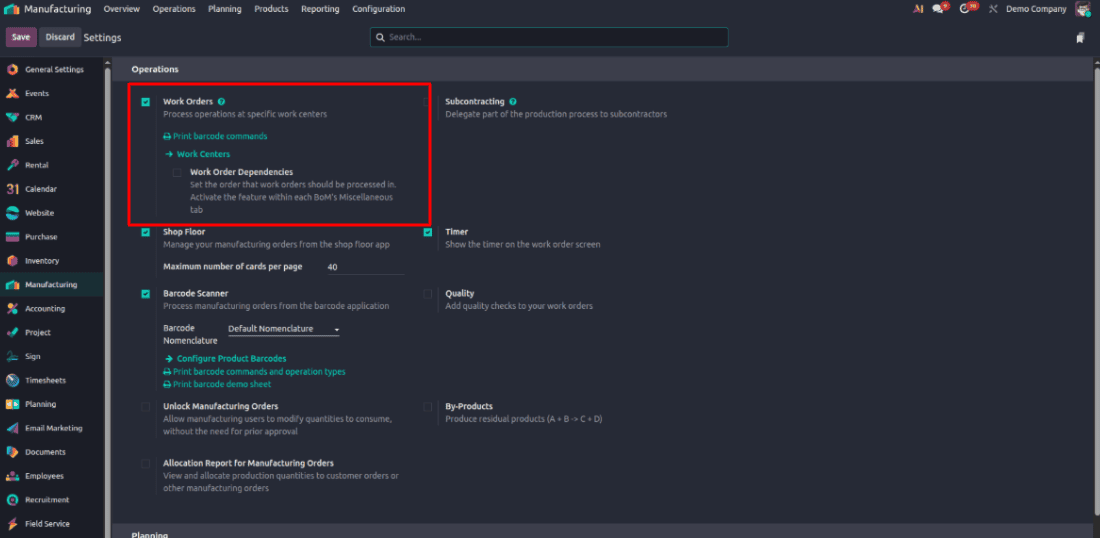
Work Center Configurations
Let’s create two Work Centers for our demo.
Configuration > Work Centers
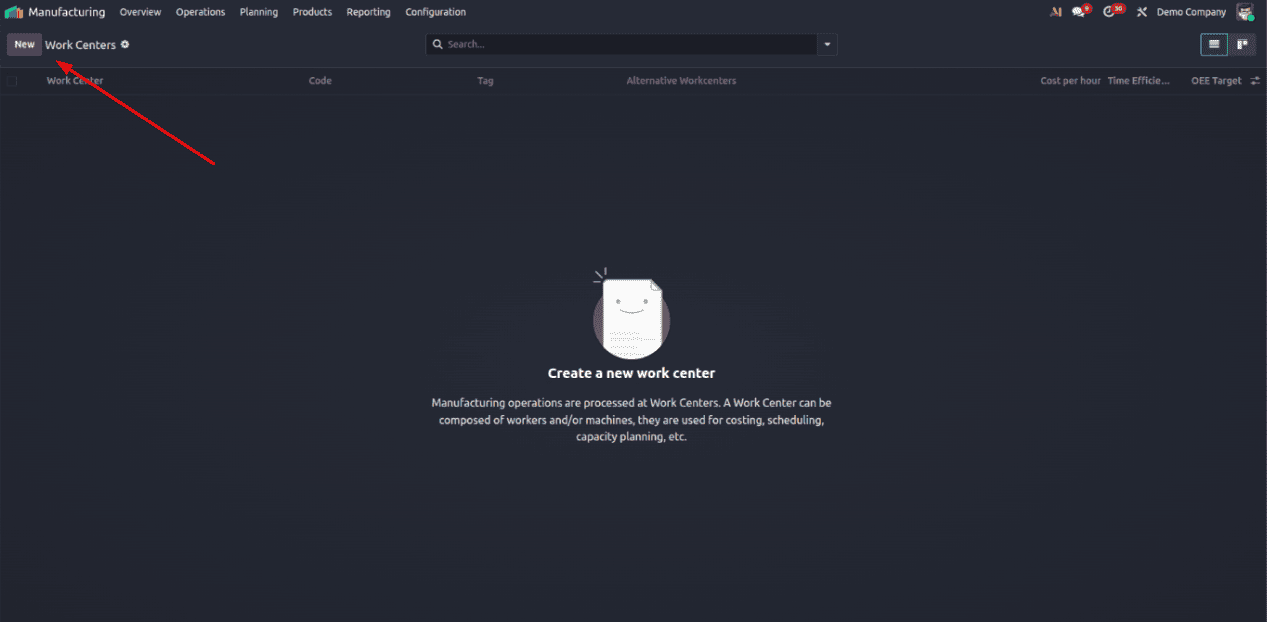
Once you click Work Centers, you’ll see the list view of all existing work centers.
Click the New button to open the form view and create a new work center.
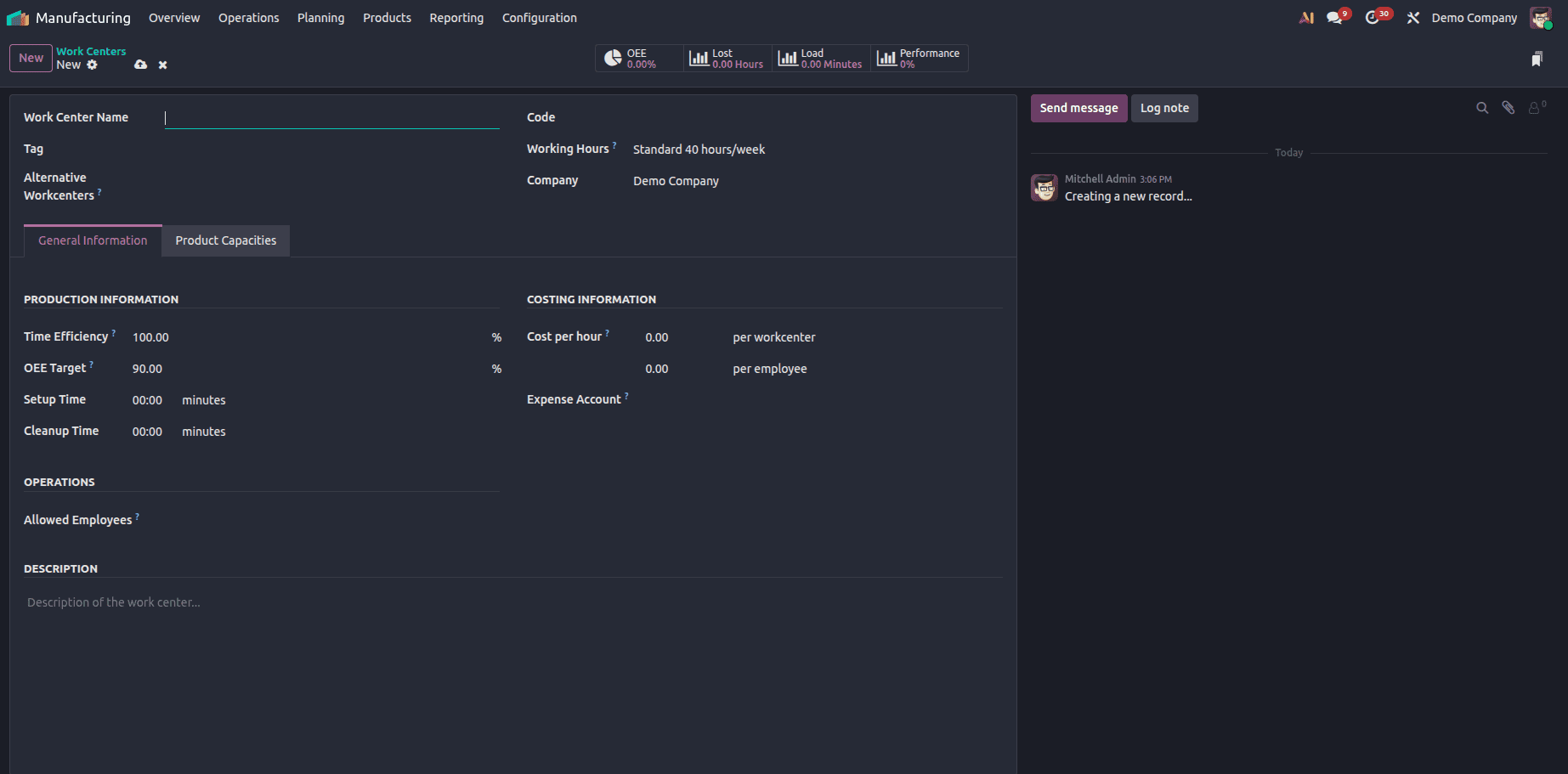
Once you click New, you’ll see a form with the following fields to configure:
- Work Center Name: Enter a specific name for your work center (e.g., CNC Machine 1).
- Tag: You can add a tag to identify workcenters easily.
- Alternative Work Center: Select another work center that we can use when it is unavailable.
- Code: Provide a short internal reference (for example, WC01). This helps us to identify the work center simply in reports or when assigning this work center.
- Working Hours: Choose the working hours or shift schedule that applies to this work center. Left for a flexible working schedule
- Company: If you’re managing multiple companies in Odoo, select the company this work center belongs to.
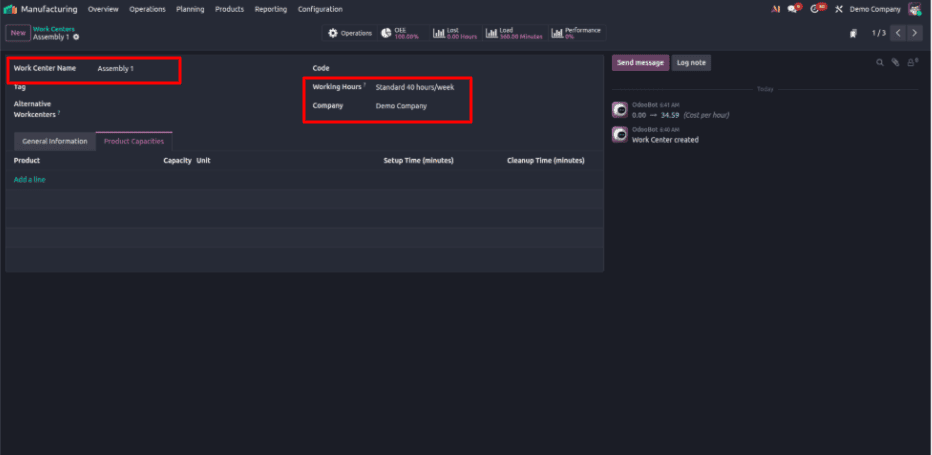
Here, I’ve set the Work Center Name as Assembly 1, along with the Working Hours and Company details.
Since this blog focuses on Managing Alternative Work Centers, let’s move to the Product Capacities page to demonstrate how it works.
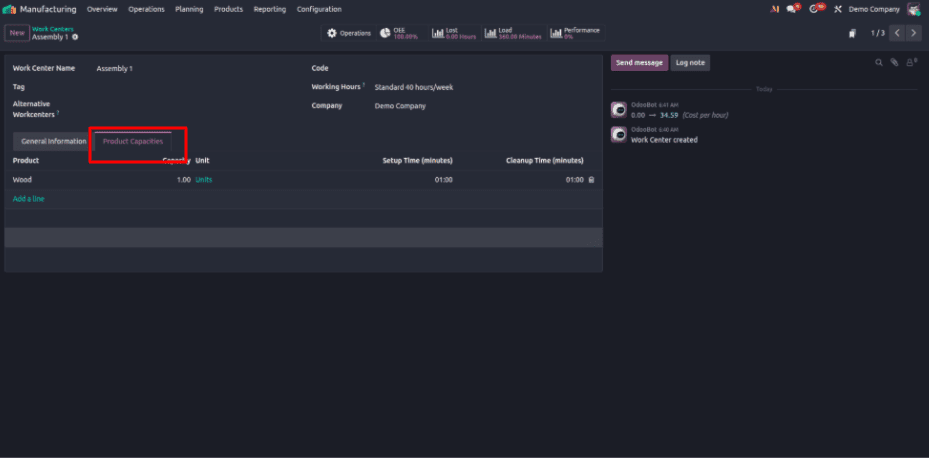
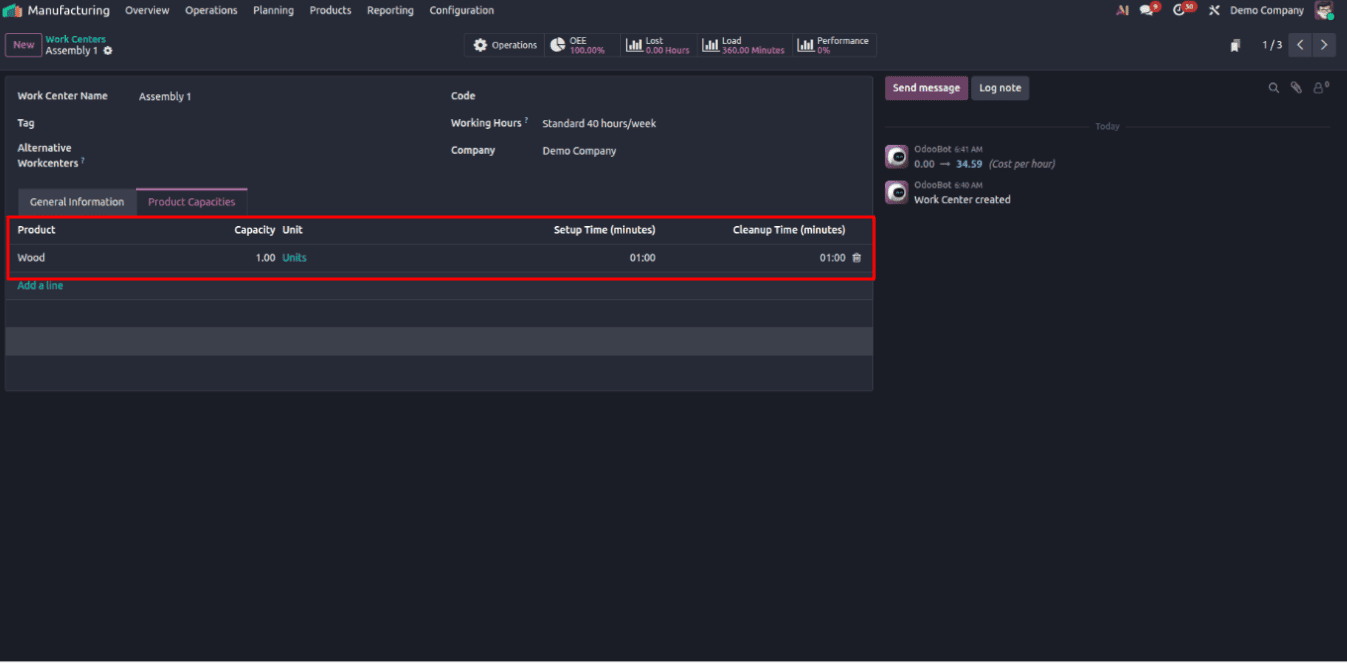
Here, I’ve added Wood as one unit under the product capacity.
I’ve also set both Setup Time and Cleanup Time to one minute.
- Setup Time: This is the time needed to prepare the work center before starting the operation - Eg, tools arranging, machines adjusting, or materials loading.
- Cleanup Time: The time required after the operation to clean, reset, or prepare the work center for the next task.
These values help Odoo calculate more accurate production lead times and improve scheduling efficiency.
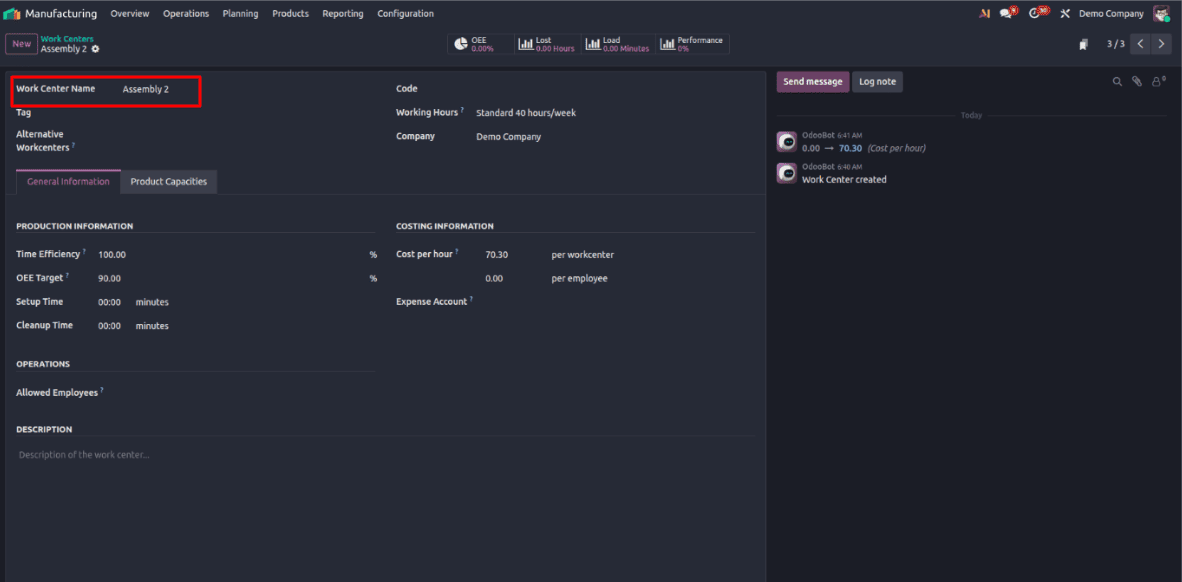
Just like we did earlier, create a second work center called Assembly 2.
This work center will be set as the Alternative Work Center for Assembly 1.
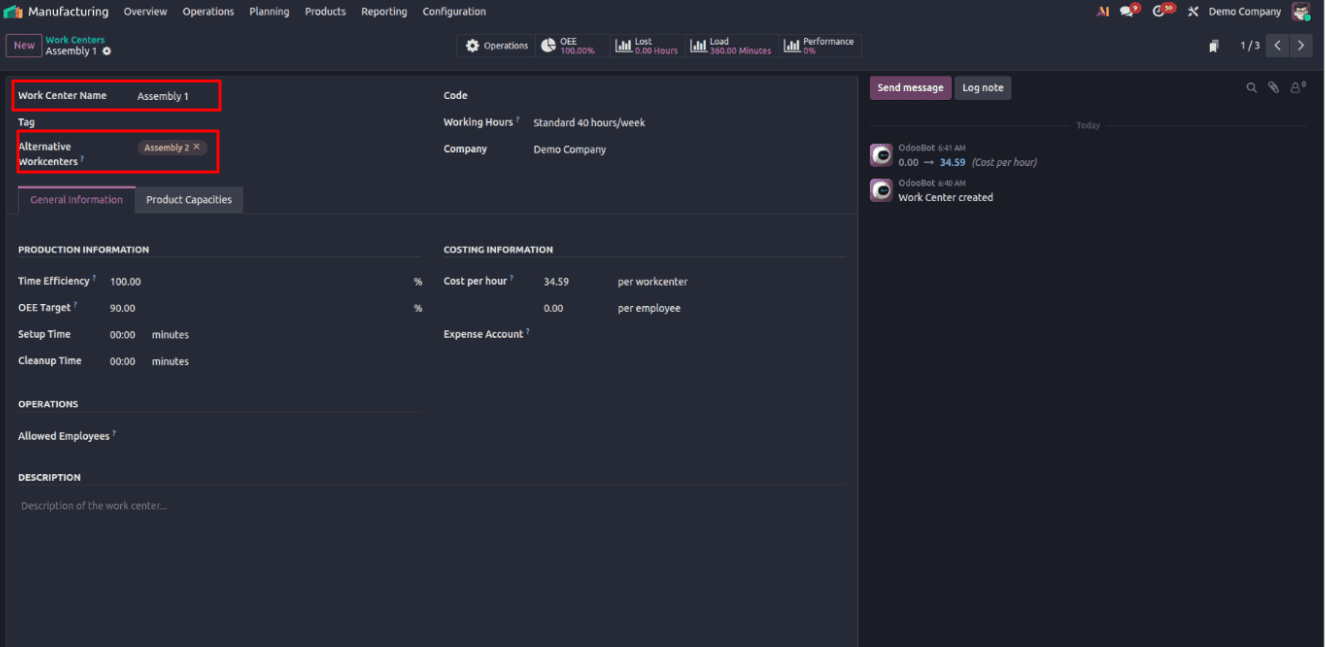
From the screenshot above, you can see that we’ve selected Assembly 2 as the Alternative Work Center for Assembly 1.
Now, when Assembly 1 is occupied or unavailable, the manufacturing order (MO) can be scheduled at Assembly 2 instead.
Operations > Manufacturing Orders
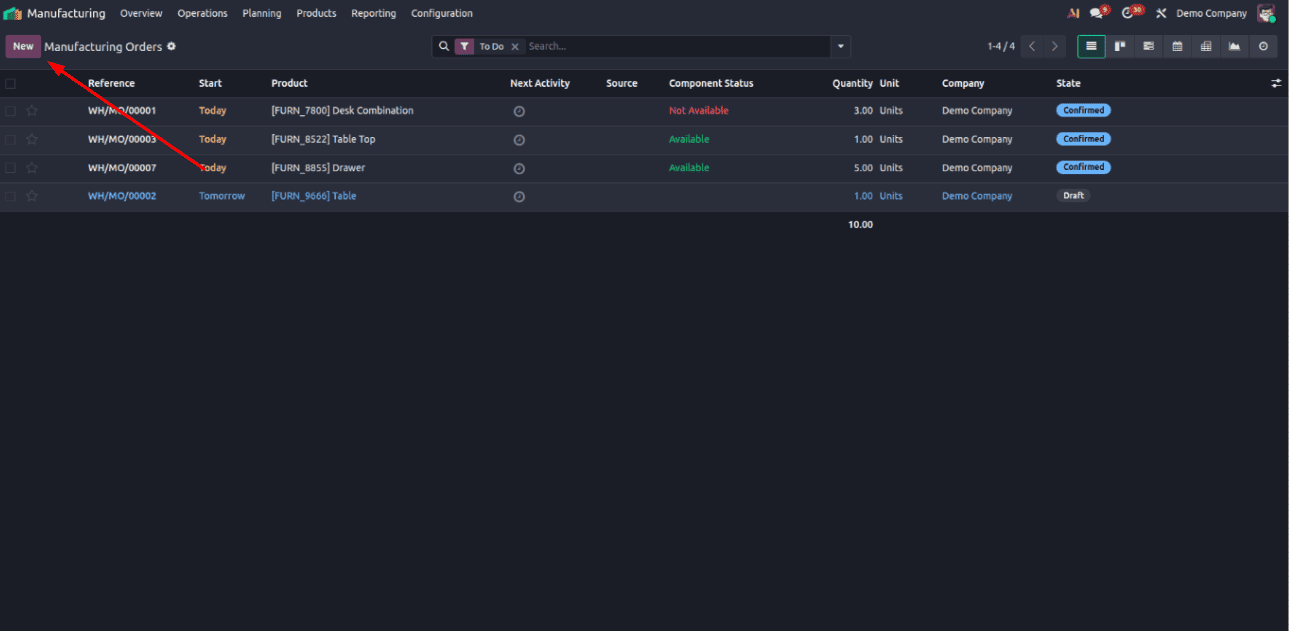
Now, let’s create a Manufacturing Order (MO).
Click the New button — this will open the Manufacturing Order form view.
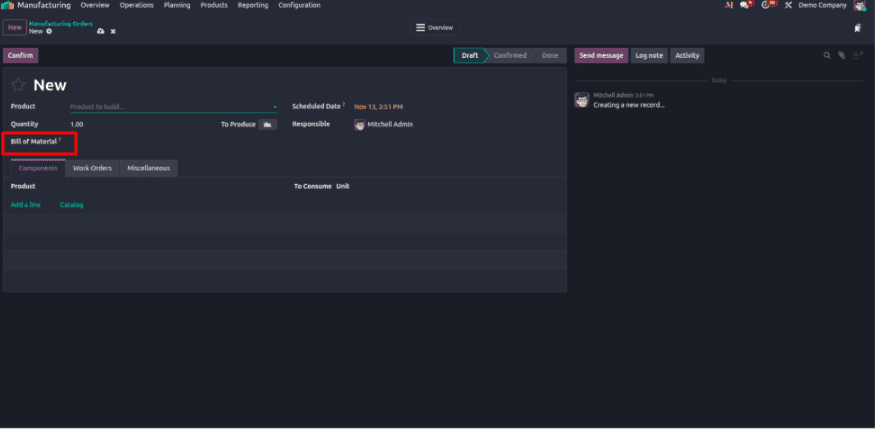
In this blog, we’re focusing on the Alternative Work Center feature. So, simply select a Bill of Materials BOM that includes Wood — the product we added to Assembly 1 with a capacity of one unit. (For this demo, we’ll use a BoM that contains this product.)
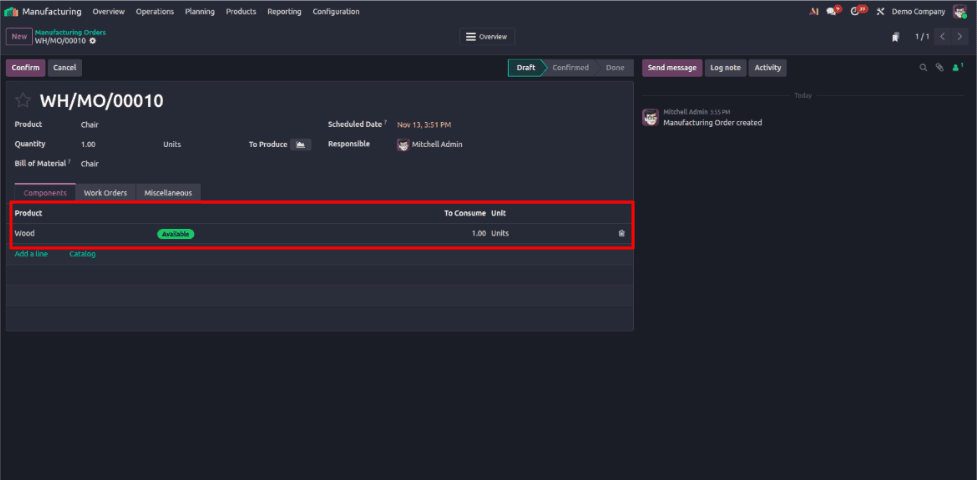
Now, you can see that the product has been added to the Components tab of the manufacturing order.
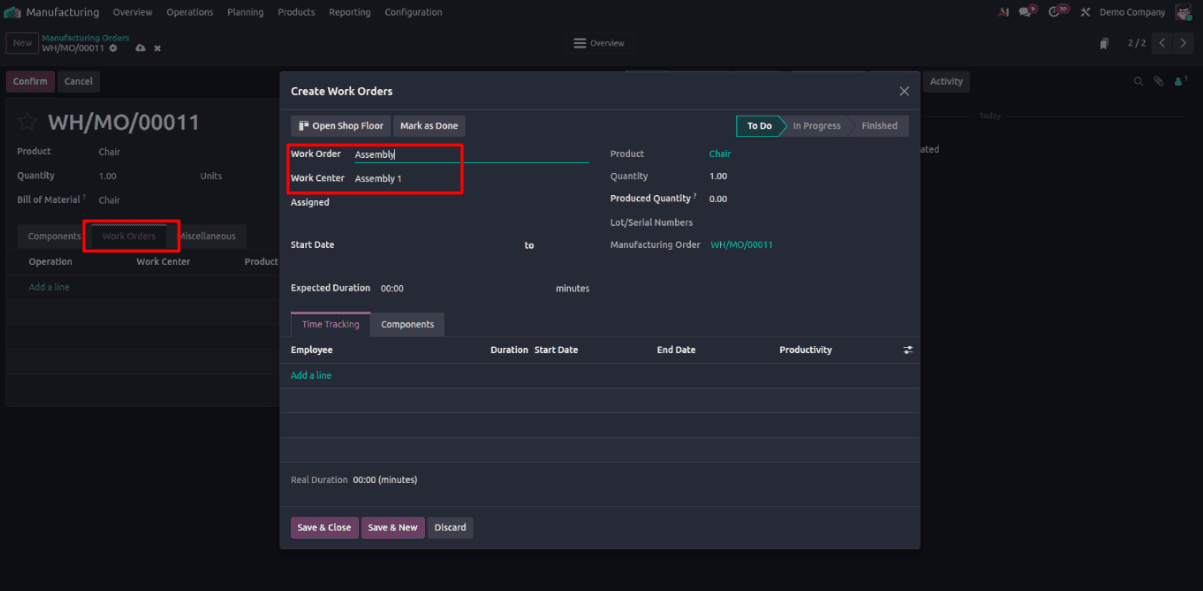
Now, click the “Work Orders” tab and then click “Add a line.”
A pop-up window will appear — here, select the Work Center as Assembly 1 and give a Work Order name.
Click Save & Close, and the work order will be added to the list.
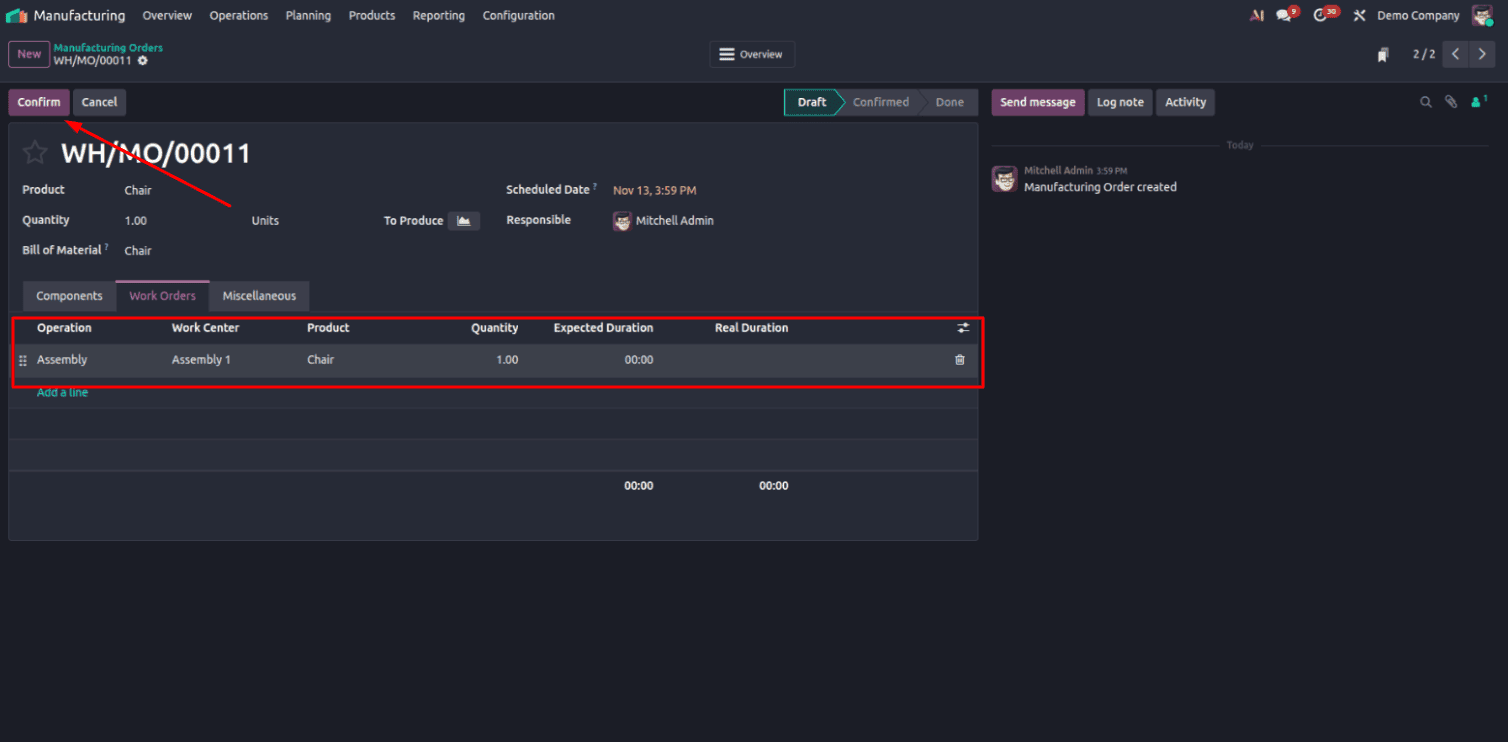
Click Confirm.
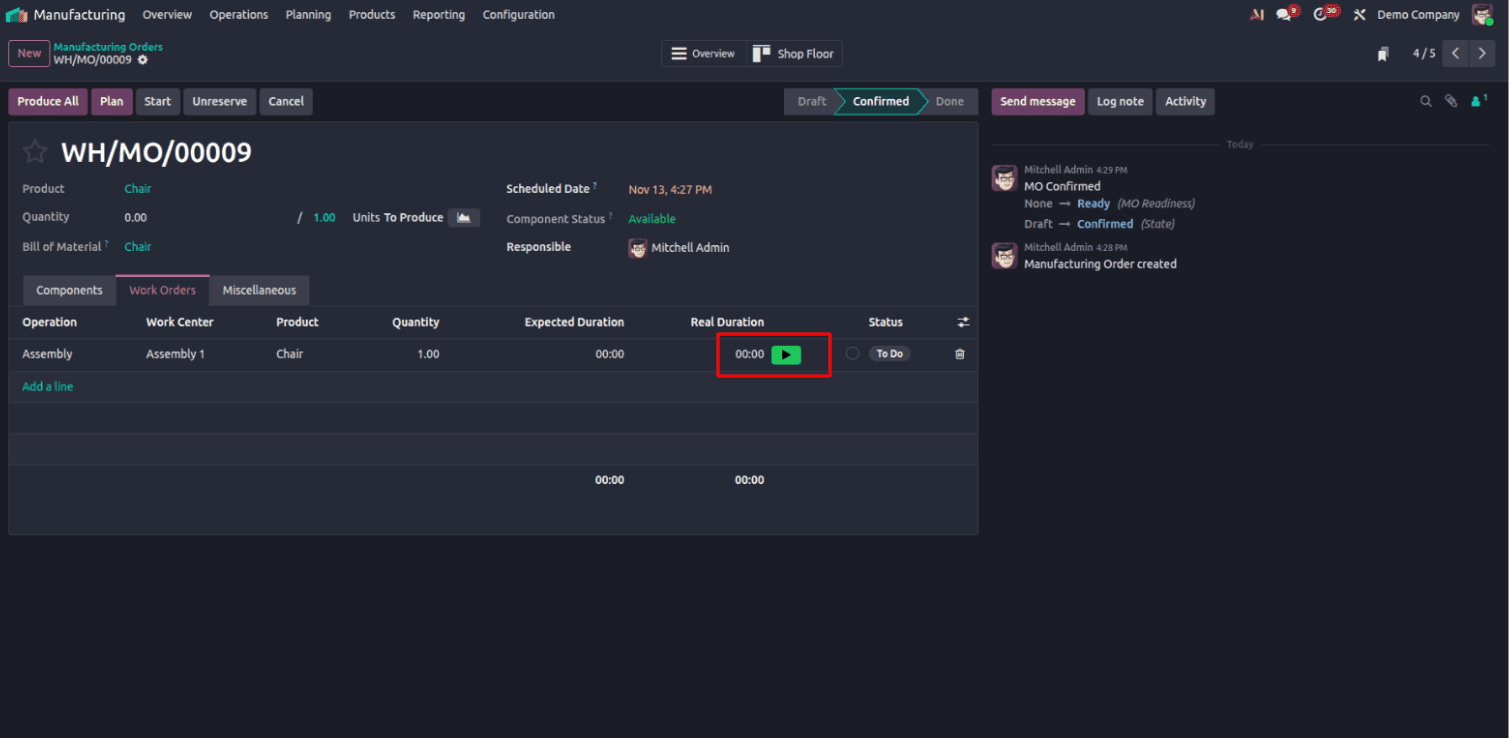
Once you click Save & Close, you’ll see the work order added to the list. A green “Start” button will appear next to it — click this button to begin the work.
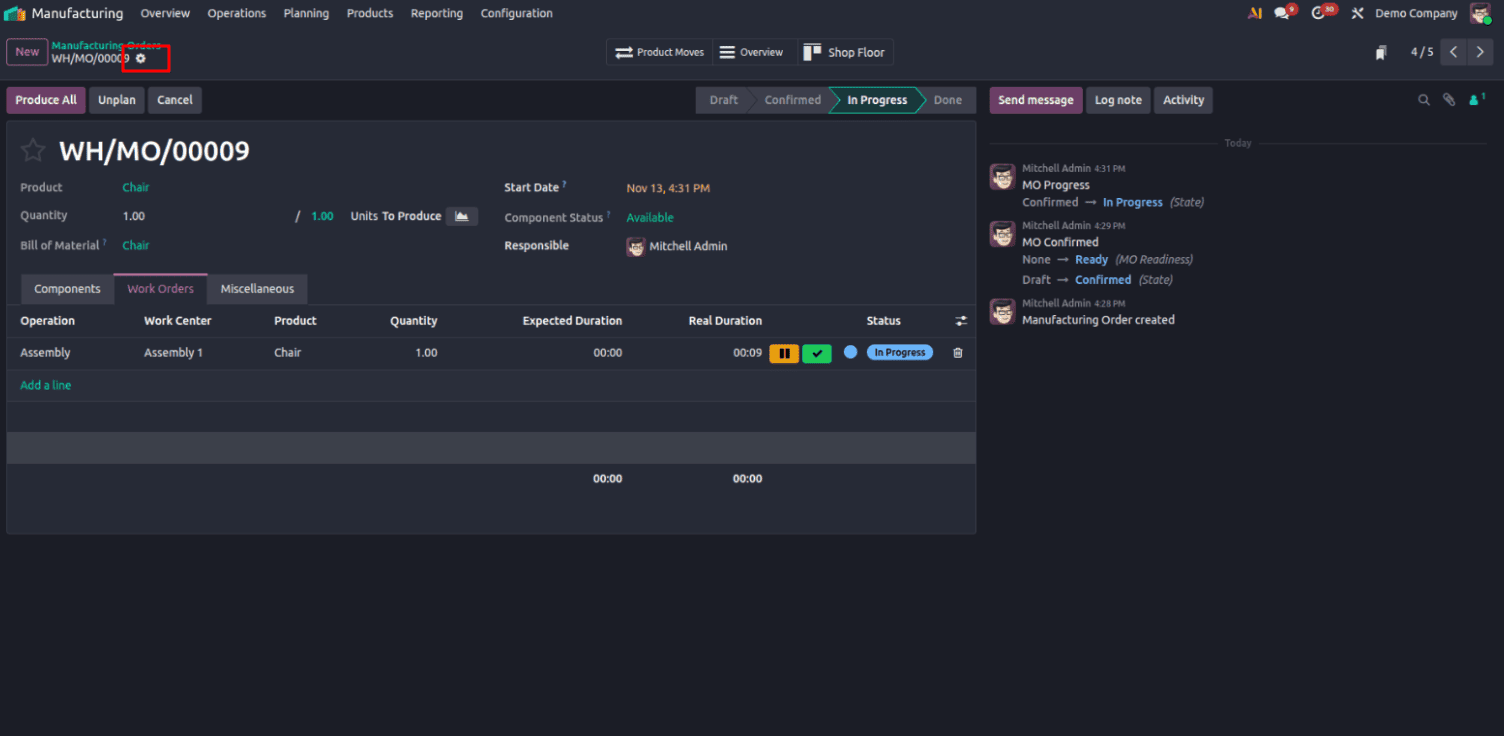
After starting the work, we’ll duplicate the same work order for demonstration purposes. When we try to assign it to the same work center (Assembly 1), the system will show that this work center is already busy.
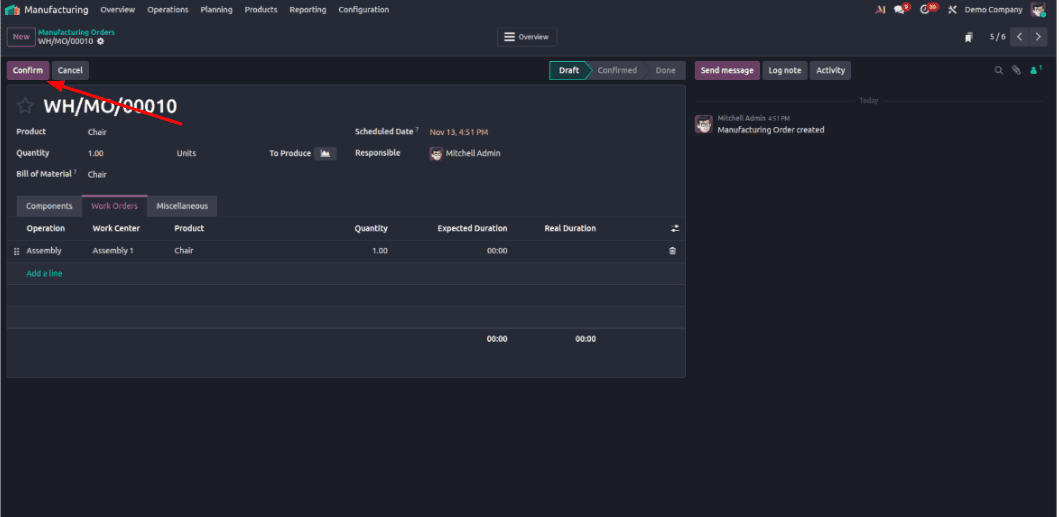
Again click confirm.
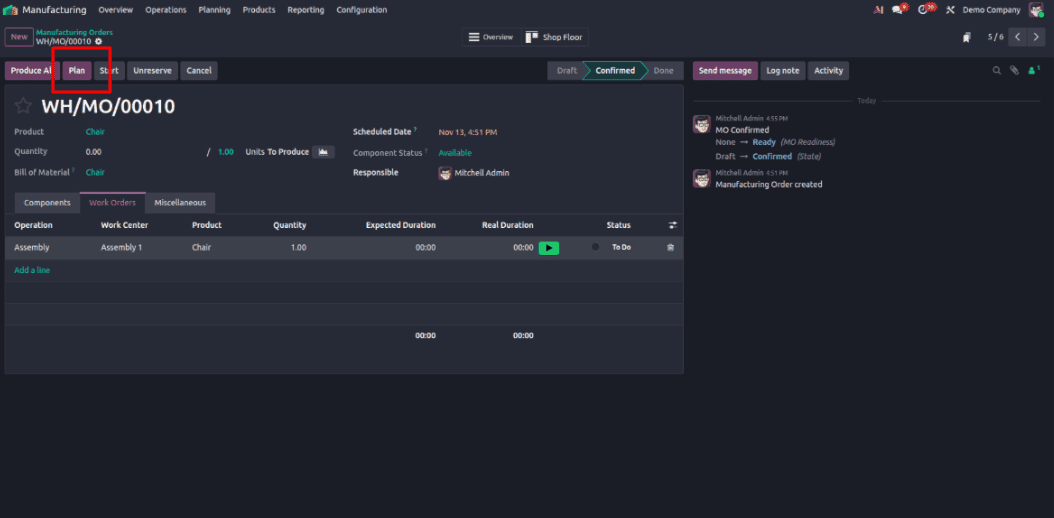
Here, you can see the Plan button — click on it to schedule the work order.
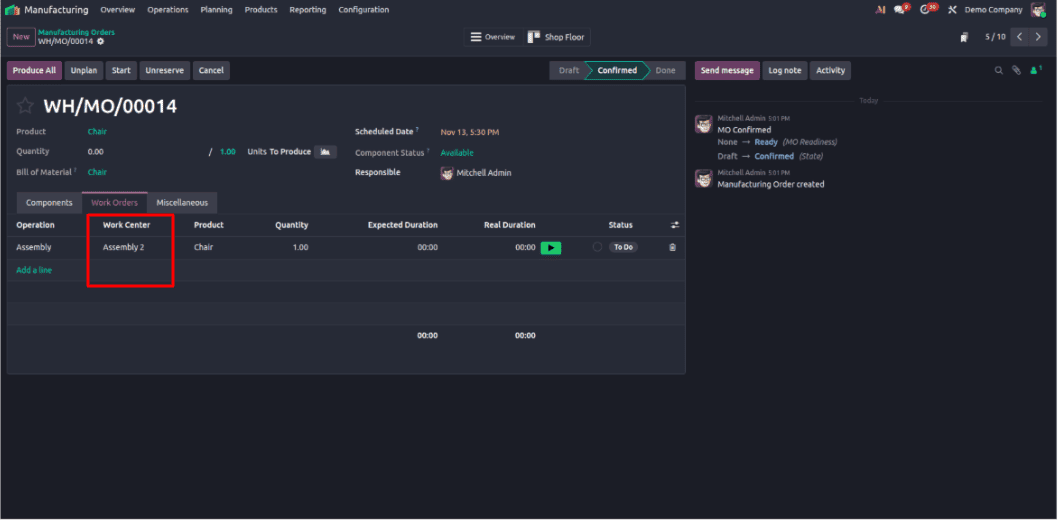
Now, you can see that the work center has automatically changed from Assembly 1 to Assembly 2.
Managing production efficiency is important for any manufacturing. With Odoo 19’s Alternative Workcenter feature, the manufacturing center can easily handle production delays and avoid downtime when a primary work center is busy or under maintenance. Setting up alternative work centers allows manufacturing orders to be automatically rescheduled to available resources, keeping production flow smooth.
This not only helps us optimize resources but also ensures the timely delivery of products and improved overall workflow efficiency. Odoo 19 makes managing production flexibility simple. — empowering businesses to stay productive and smart when unexpected delays come.
To read more about How Alternative Workcenters are Used in Odoo 18 Manufacturing, refer to our blog How Alternative Workcenters are Used in Odoo 18 Manufacturing.