Managing expected and recurring revenue within the CRM module of Odoo 19 is essential for improving sales forecasting and maintaining consistent business growth. Expected revenue is tracked through opportunities in the sales pipeline, where each lead is assigned a probability, estimated value, and expected closing date. This allows sales teams to prioritize deals and predict future income accurately. Recurring revenue is handled by integrating CRM with subscription-based sales, enabling businesses to convert opportunities into long-term customer contracts. Odoo 19 CRM provides visual pipeline views, automated follow-ups, and real-time analytics, making it easier to monitor deal progress and revenue expectations. By linking customer interactions with financial forecasts, businesses can better understand their revenue streams. This integration ensures better decision-making, improved sales efficiency, and a more structured approach to managing both short-term and long-term revenue. This blog explains how to handle expected and recurring revenue in Odoo 19.
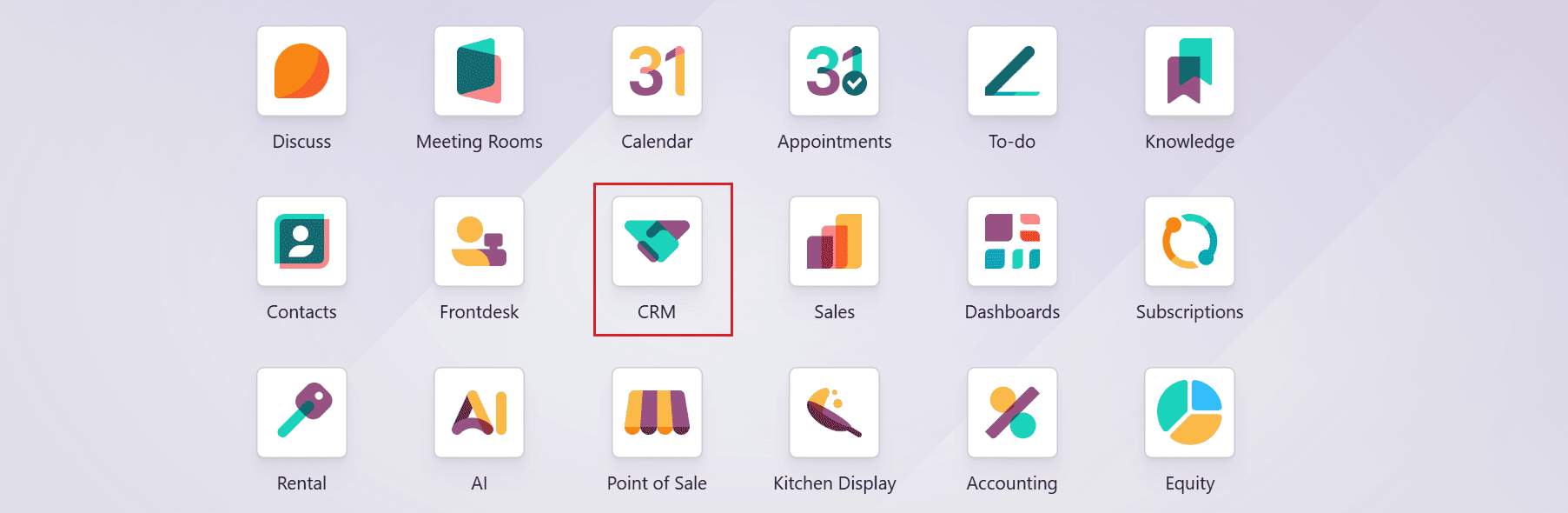
Begin by clicking on the CRM module in the Odoo 19 dashboard.
Expected Revenue:
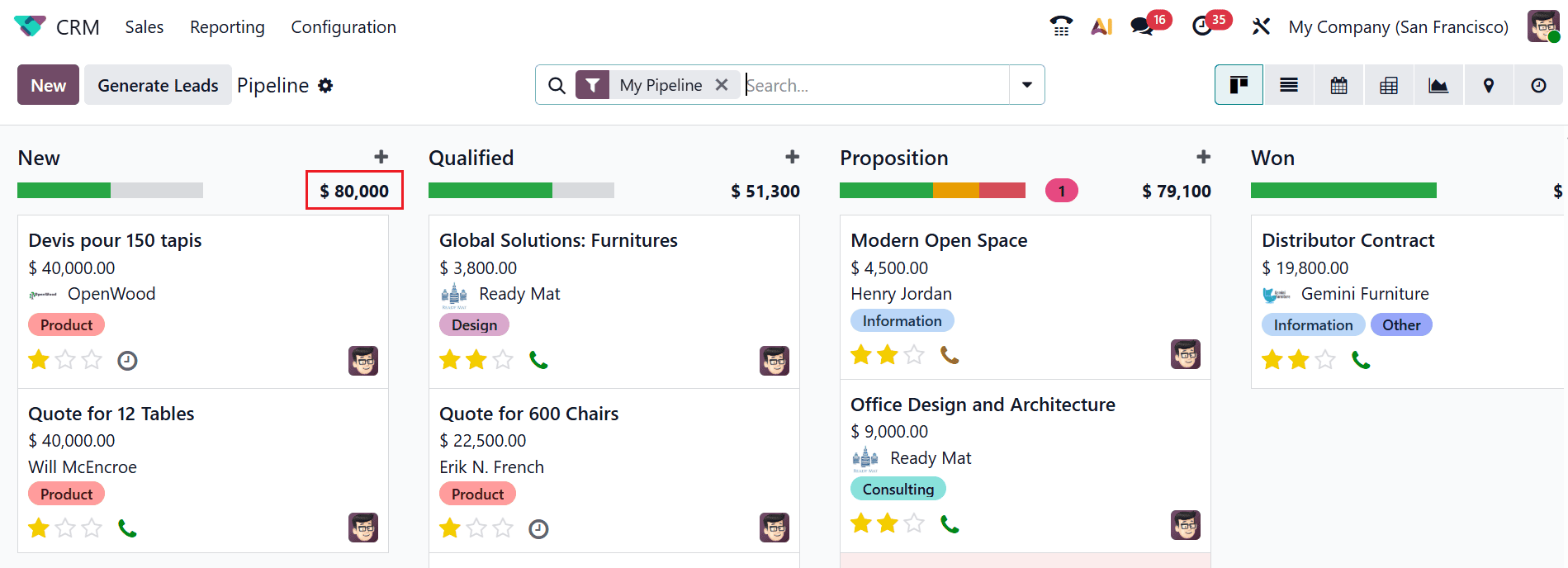
Here, you can see the pipeline window as the main dashboard of the CRM module. Each stage of the pipeline window is arranged as a kanban view.
In Odoo 19, Expected revenue is the estimated income a business expects to generate from its current sales pipeline, considering the probability of each deal being completed. The expected revenue for each stage is displayed at the bottom of the stage, as shown below.:
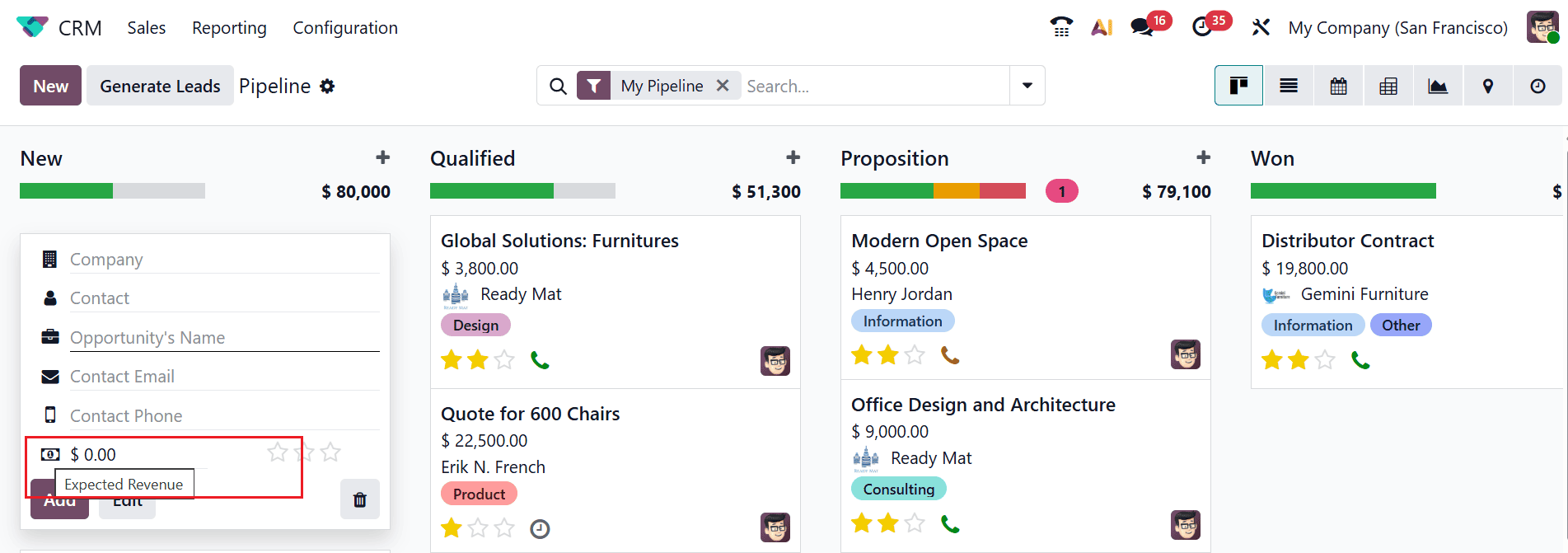
Let’s see how to manage expected revenue in a lead. In the pipeline window, click the New button or the ‘+’ button to create a new lead. A pop-up will open where you can enter the company, contact, opportunity name, contact email, phone number, and expected revenue. Once all details are filled in, click Add. The expected revenue will update automatically whenever a new lead or opportunity is created.
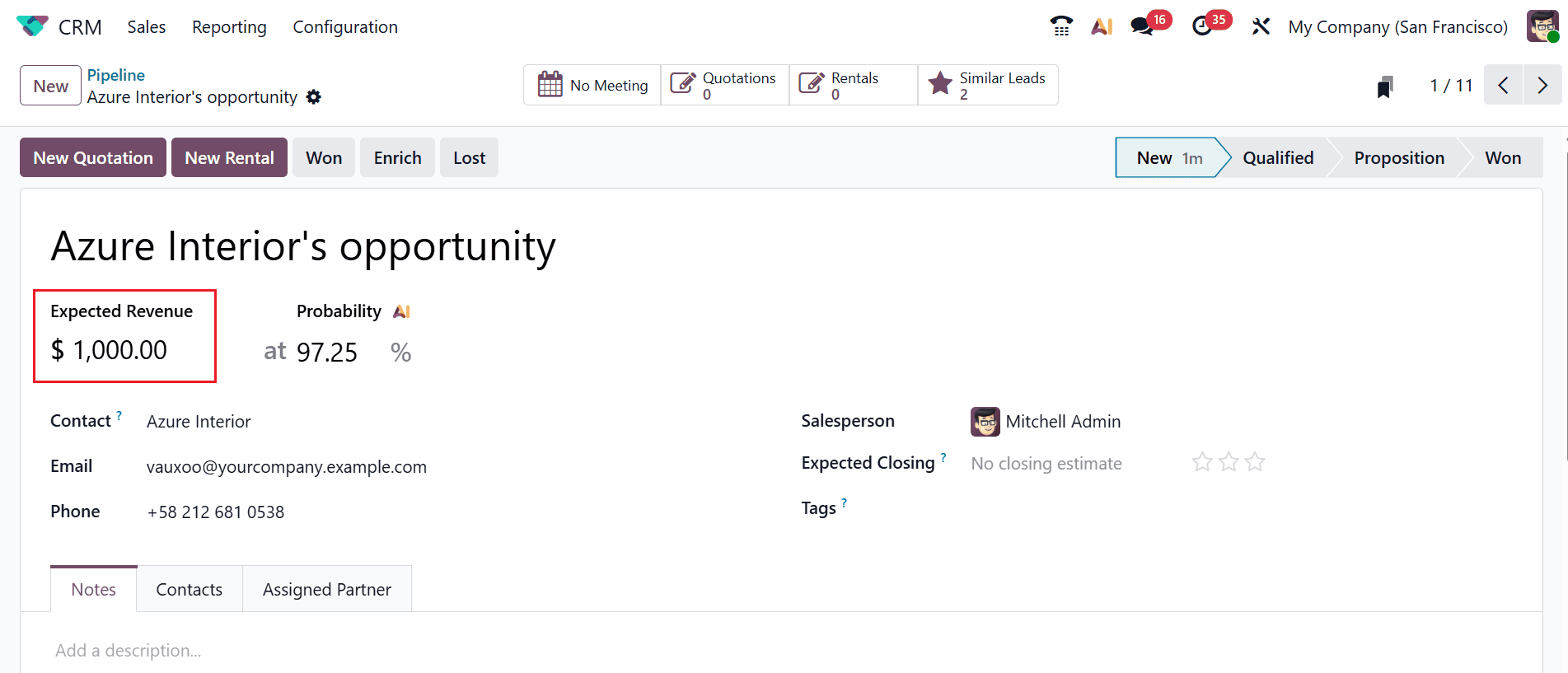
Clicking the Edit button opens a window where you can update the details of the opportunity. Here, you can see the expected revenue of the opportunity. You can also update the expected revenue here, if needed. Under the Probability AI field, you can see the percentage of successfully closing a lead or opportunity.
Recurring revenue:
Recurring revenue is the regular income a business generates over time. It usually comes from subscription-based products or services. Customers pay regularly—monthly or yearly—giving the business a steady and predictable income. It helps businesses plan budgets and future growth. Recurring revenue models improve customer retention over time. Examples include memberships, software subscriptions, and service contracts. It is an important metric for measuring long-term financial stability.
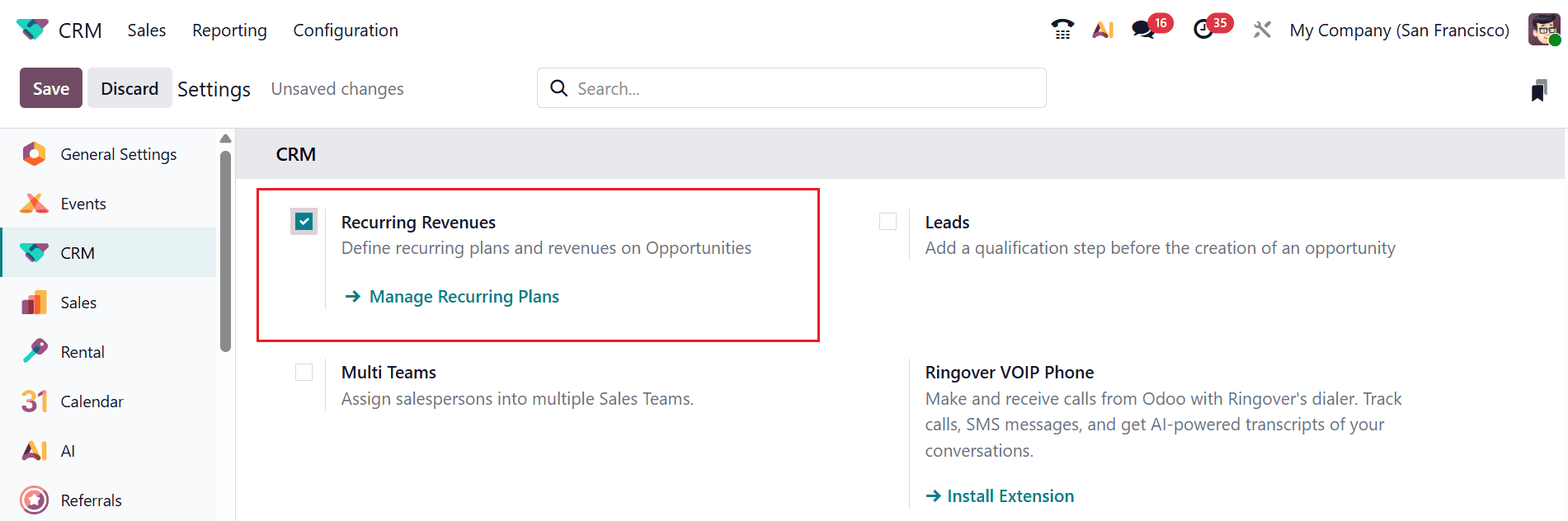
In the Odoo 19 CRM module, the Recurring Plan option is only available when you enable the option from the Settings. To enable the Recurring Revenue, navigate to the Configuration > Settings and enable the recurring revenue as shown below. Then, click the Save button to keep the changes. You can directly move to the Recurring Plans window by clicking on the Manage Recurring Plan arrow.
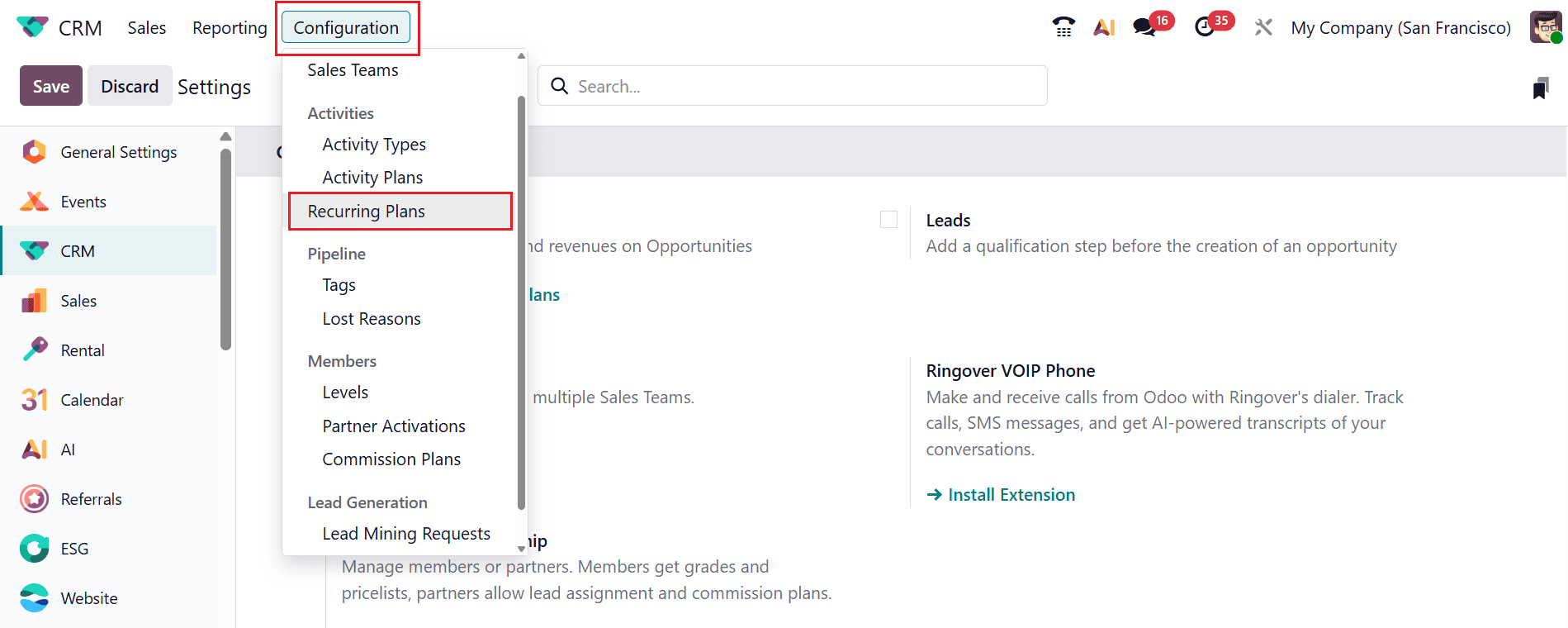
You can also open the Recurring Plan window by selecting the Recurring Plans option under the Configuration menu, as shown below:
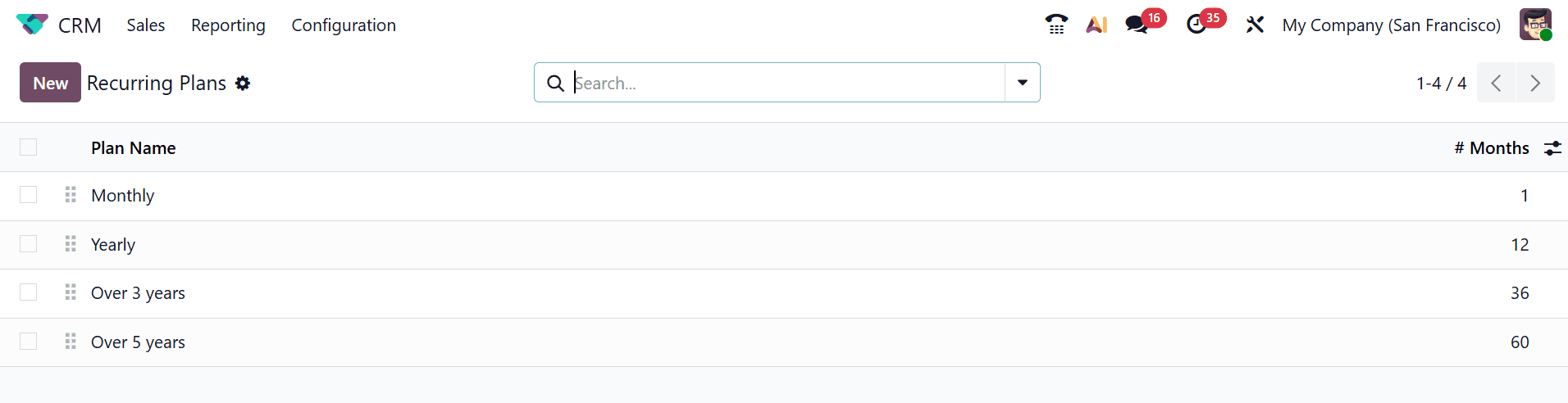
Here, you can see a list of Recurring Plans with details such as Plan Name and Months.
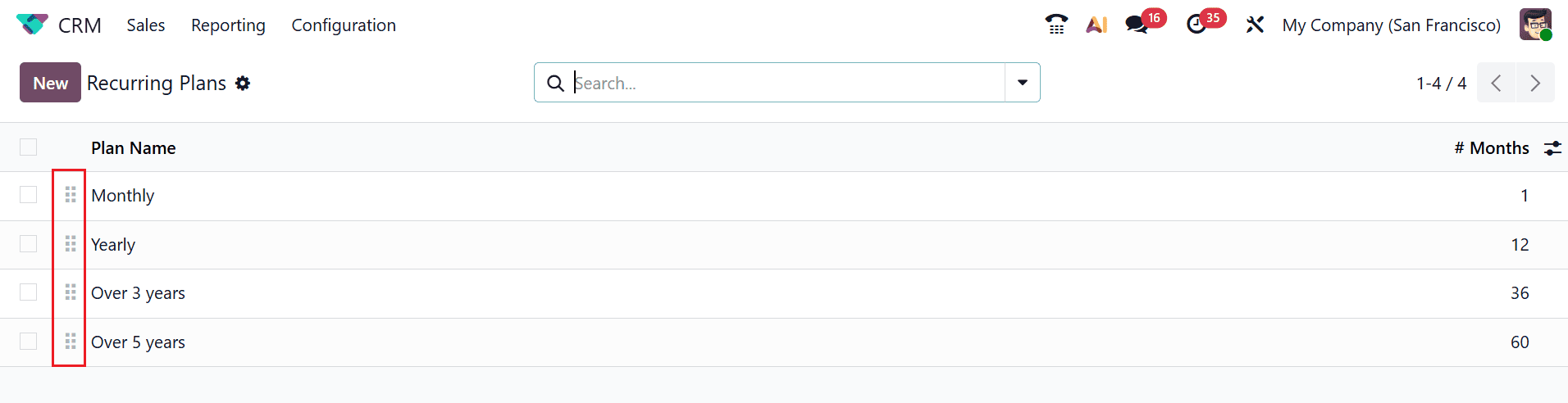
To rearrange the plans, simply click and hold the six-dot handle, then drag and drop them into your desired order as shown below.
You can easily select more than one record using the “Shift + Down” button and "Shift + Up" to deselect records.
To create a new recurring plan, click on the New button. A new row will appear, allowing you to add the plan name and the duration in months. Then, click on the Save button as shown below:
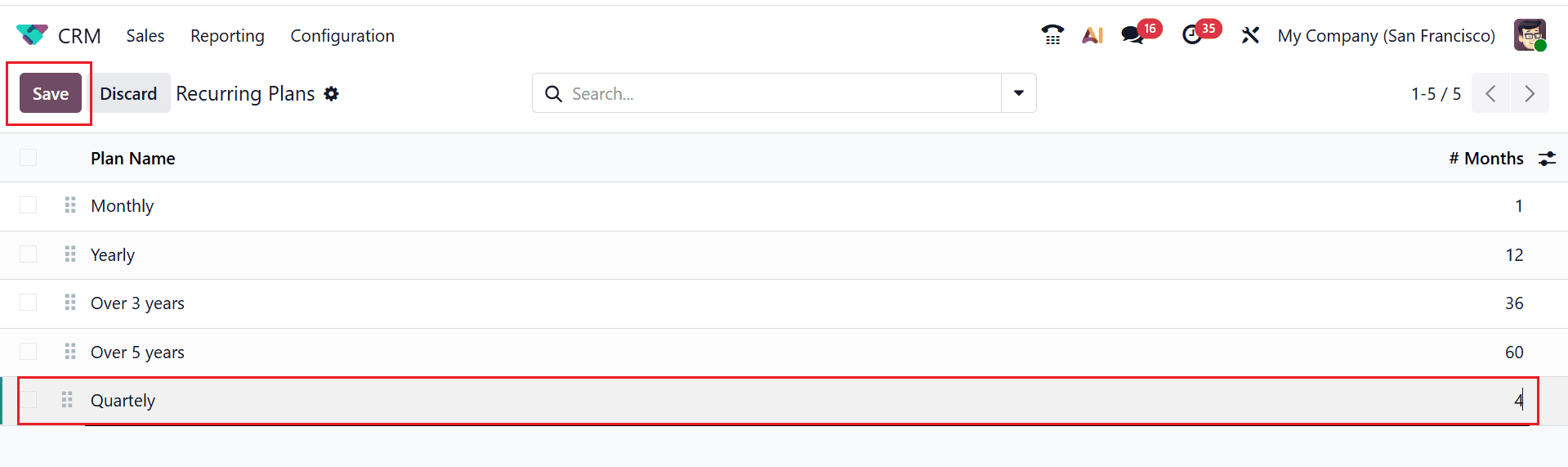
The newly created recurring plan can be used to generate more opportunities or leads in the pipeline window. This feature also lets you add additional plans, making it ideal for establishing recurring revenue streams and creating new income-generating opportunities.
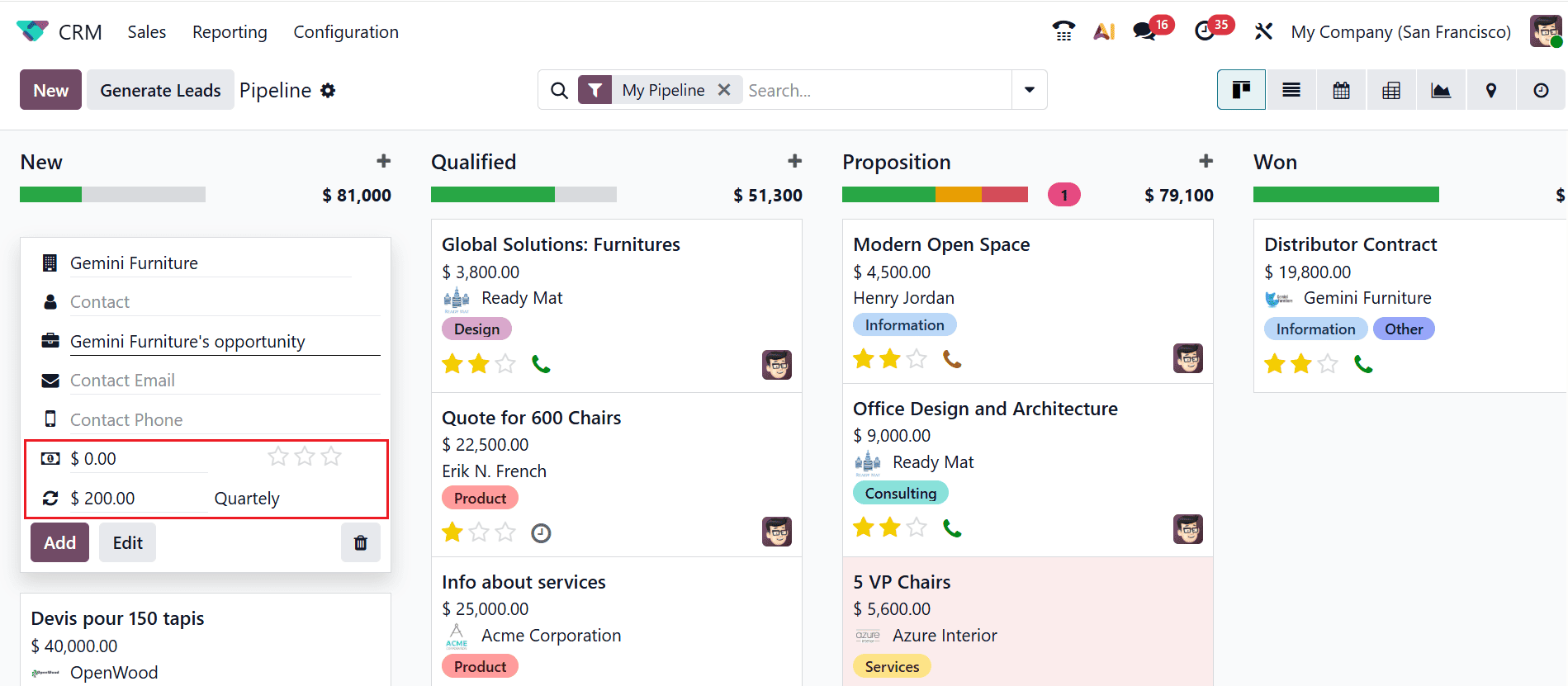
Let us see how the Recurring Plans are used in an opportunity. In the Pipeline window, click on the New button or + button to create a new opportunity. A new opportunity window will open, where you can enter details like the company, contact, opportunity name, contact email, phone number, expected revenue, and recurring revenue. Here, you can specify the recurring plan and recurring revenue of the opportunity as shown below:
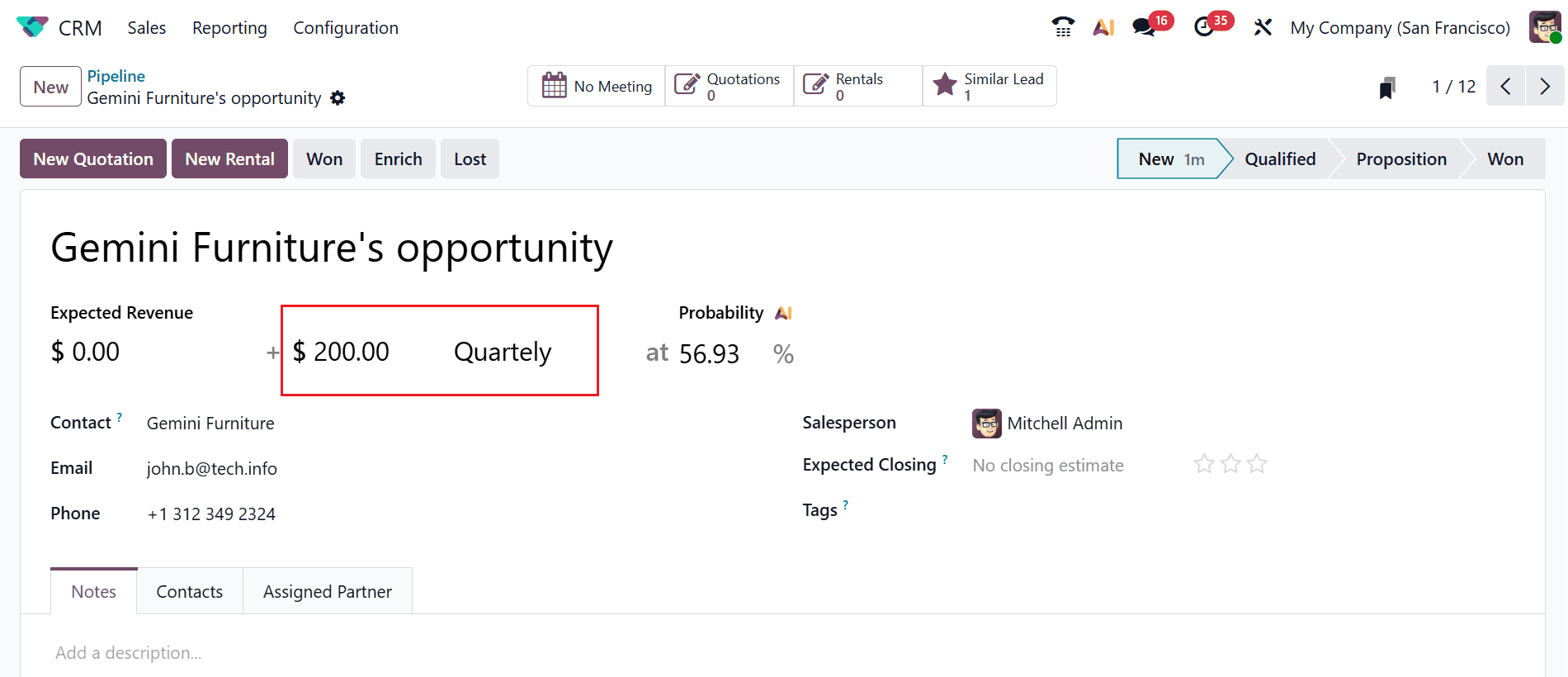
A new window will appear when you move through the newly created opportunity. Here, you can view the recurring revenue and revenue plan of the opportunity. If needed, you can modify it from the form.
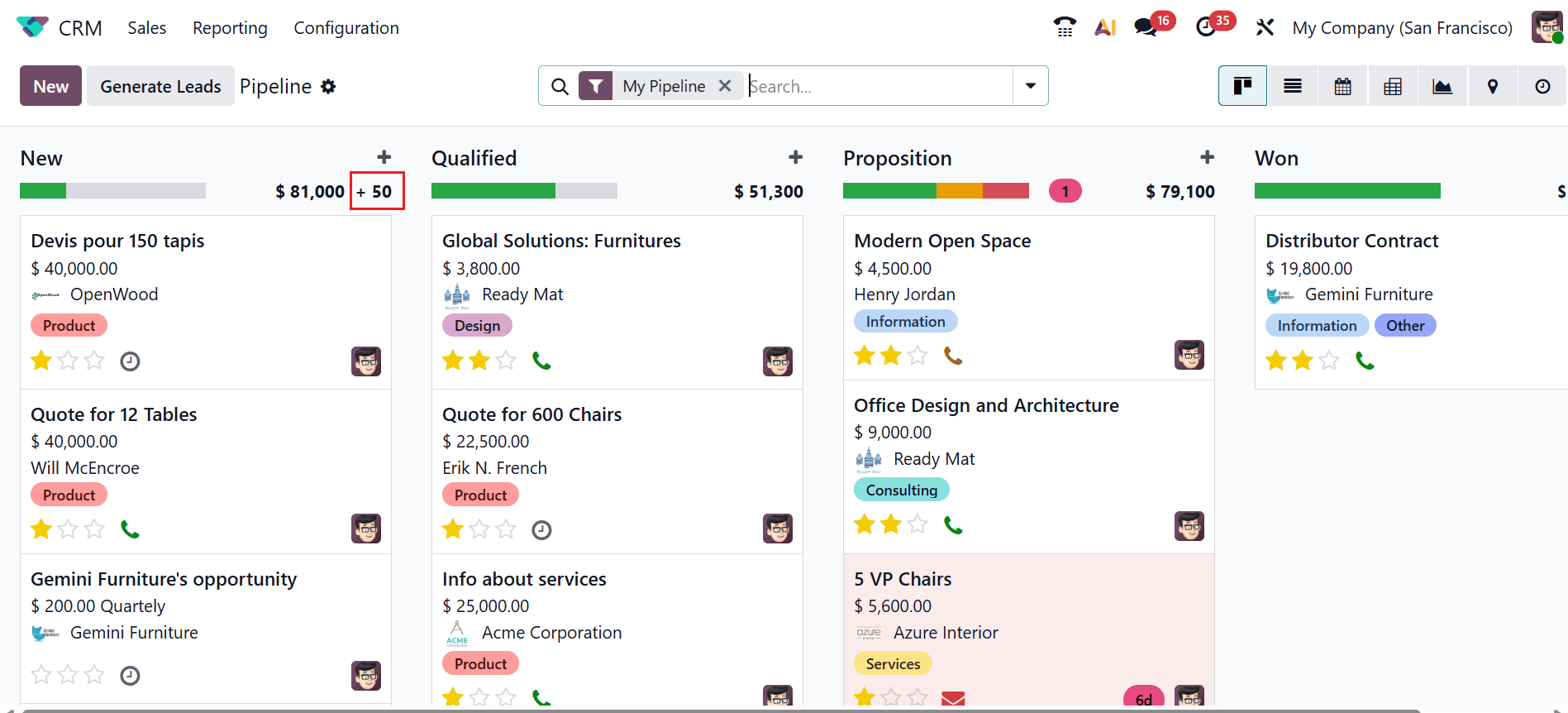
You can view the total recurring revenue for each stage directly in the pipeline. As shown below, the total recurring revenue is displayed alongside the stage name and expected revenue.
In conclusion, effectively managing expected and recurring revenue in Odoo 19 CRM enables businesses to enhance forecasting accuracy and build sustainable income streams. The CRM pipeline helps teams visualize expected revenue by organizing opportunities based on probability and stage, while integration with subscription management ensures steady recurring revenue from retained customers. Automation features such as reminders, activity scheduling, and reporting reduce manual work and improve consistency in sales processes. Real-time dashboards show how things are performing, helping managers find problems and improve their plans. When CRM activities match revenue goals, companies can engage customers better and get more conversions. Overall, Odoo 19 CRM offers a comprehensive solution that simplifies revenue management, supports data-driven decisions, and strengthens long-term customer relationships, allowing businesses to achieve greater financial stability and continuous growth in a competitive market environment.
To read more about Overview of Expected & Recurring Revenue of an Opportunity in Odoo 18, refer to our blog Overview of Expected & Recurring Revenue of an Opportunity in Odoo 18.