Effective time management is essential for any organization, and Odoo 18 ERP provides powerful tools to improve productivity and streamline operations. One of these tools is the Timesheet module, which allows businesses to track the time employees spend on tasks, projects, meetings, or client work. By recording accurate work hours, organizations can improve productivity and ensure precise billing for client projects. The module is integrated with other Odoo applications such as Projects, Employees, and HR, creating a streamlined system for managing work hours, project timelines, and payroll.
A key part of this system is the timesheet validation process, which ensures that logged hours are reviewed and approved before being used for payroll or invoicing. In Odoo 18, the timesheet validation workflow is more structured, allowing managers to review and validate employee timesheets efficiently.
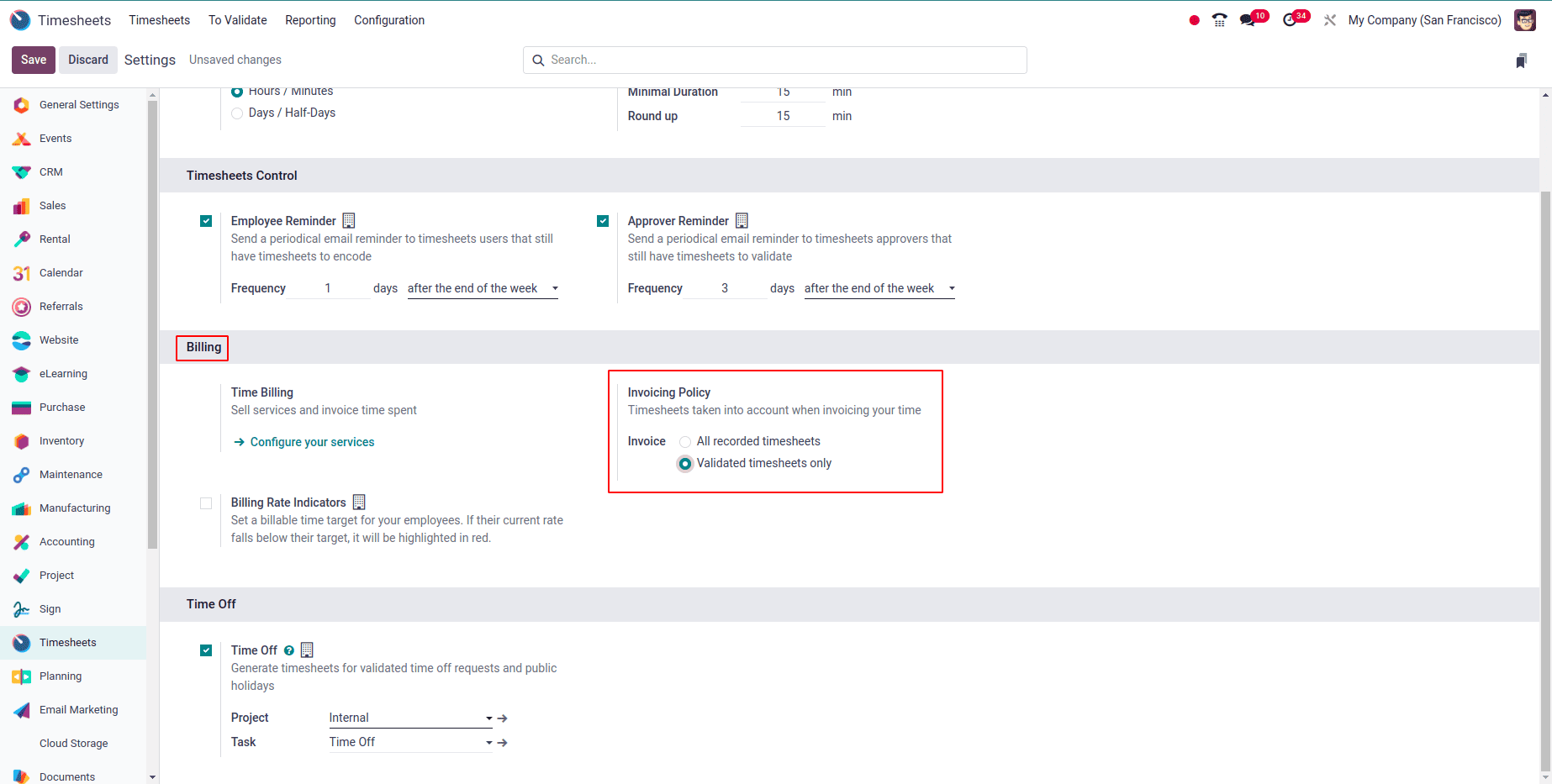
Before employees begin logging hours, it is recommended to configure Odoo so invoices are generated only from validated timesheets. To enable this, go to Settings > Timesheets, locate the Invoicing Policy, and select “Validated Timesheets Only.” This ensures that only manager-approved timesheets are used for invoicing, preventing incorrect or unapproved entries from affecting client billing.
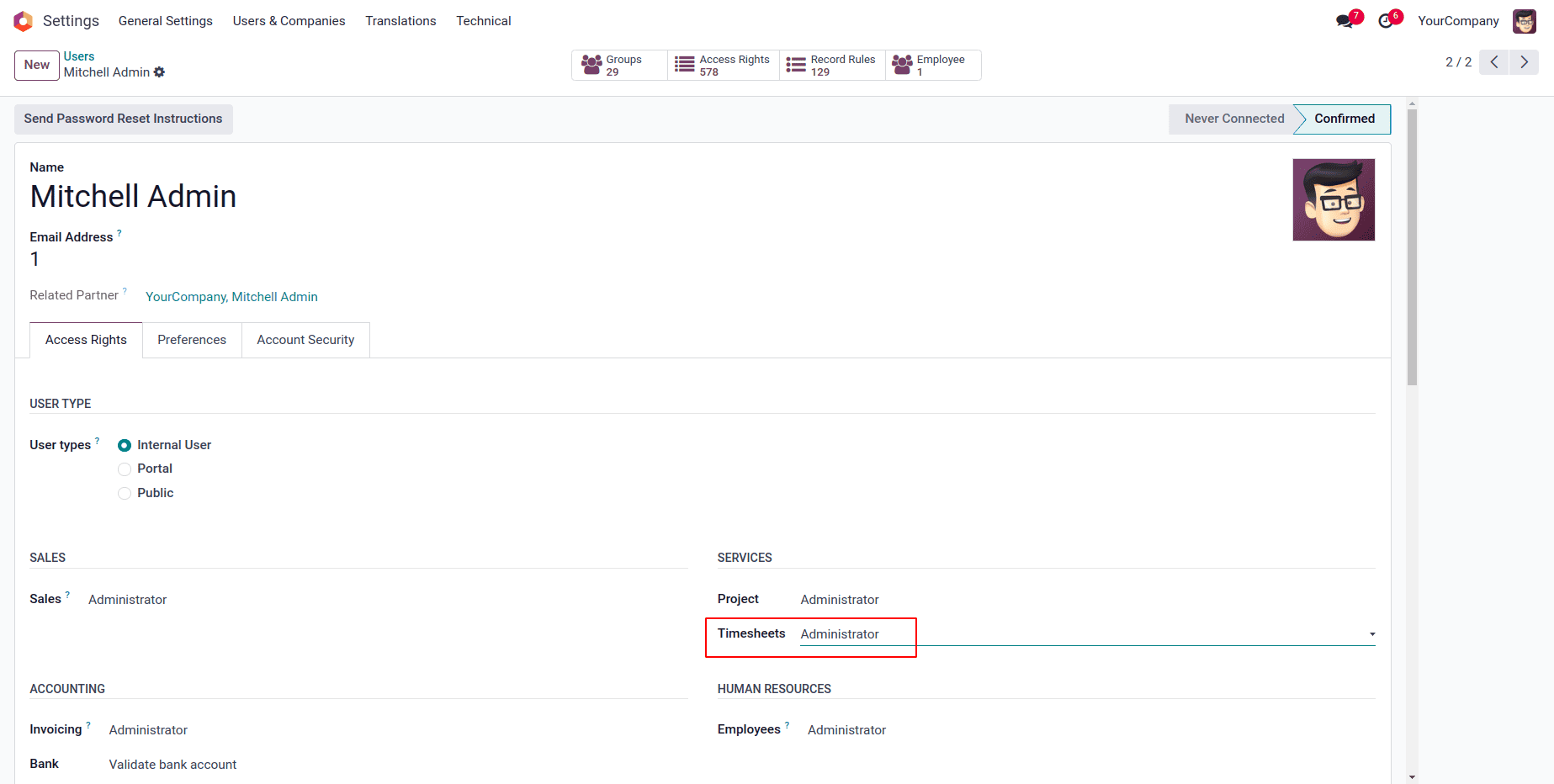
In Odoo 18, timesheet validation is performed by users with managerial access, such as team leaders, project managers, or department heads. These managers can review, approve, or reject timesheets submitted by their team members.
To enable this, users must belong to the “Timesheet Manager” group, which can be configured in Settings > Users & Companies > Users. This role-based access ensures that only authorized users can validate timesheets, maintaining accuracy and accountability.
After employees submit their timesheets, managers can validate them through the "To Validate" section in the Odoo 18 Timesheet module. This feature helps managers keep track of hours worked by their team and ensures that all entries are accurate before they are processed further, such as for payroll or invoicing.
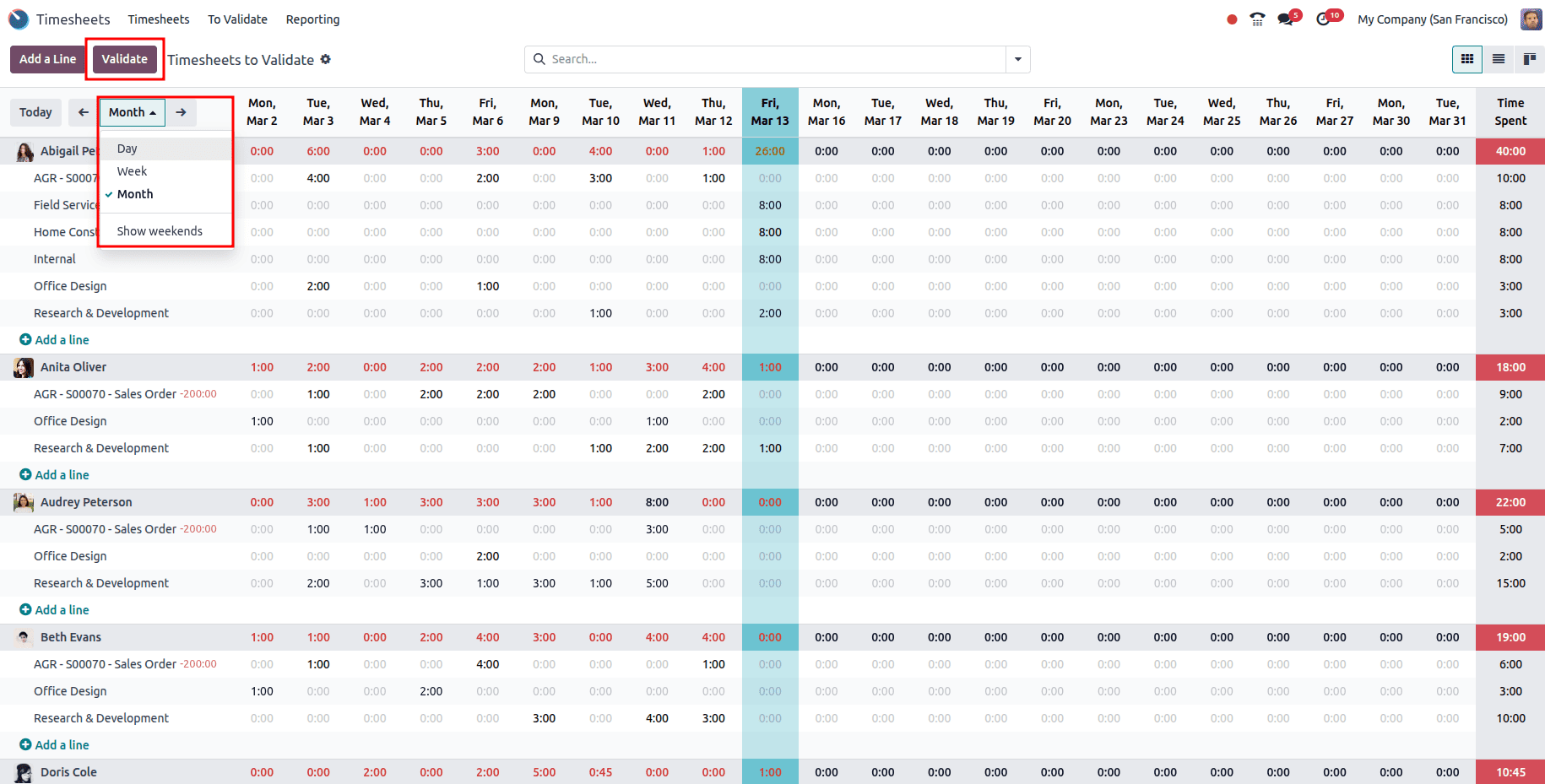
To begin validation, the manager navigates to Timesheets > To Validate, which displays a filtered view of all timesheets awaiting approval.
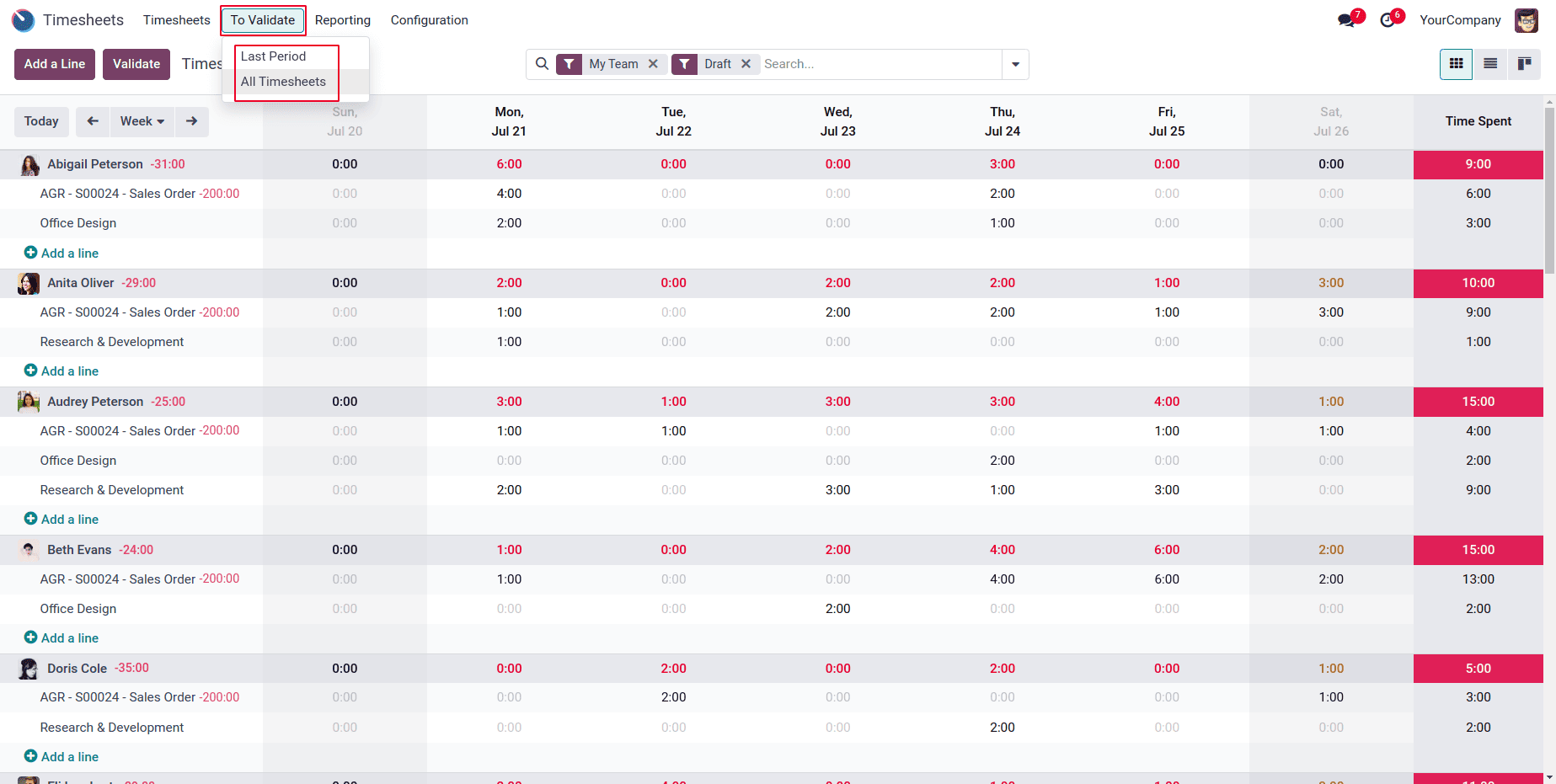
The ‘To Validate’ menu allows managers to quickly access timesheets that are pending approval.”
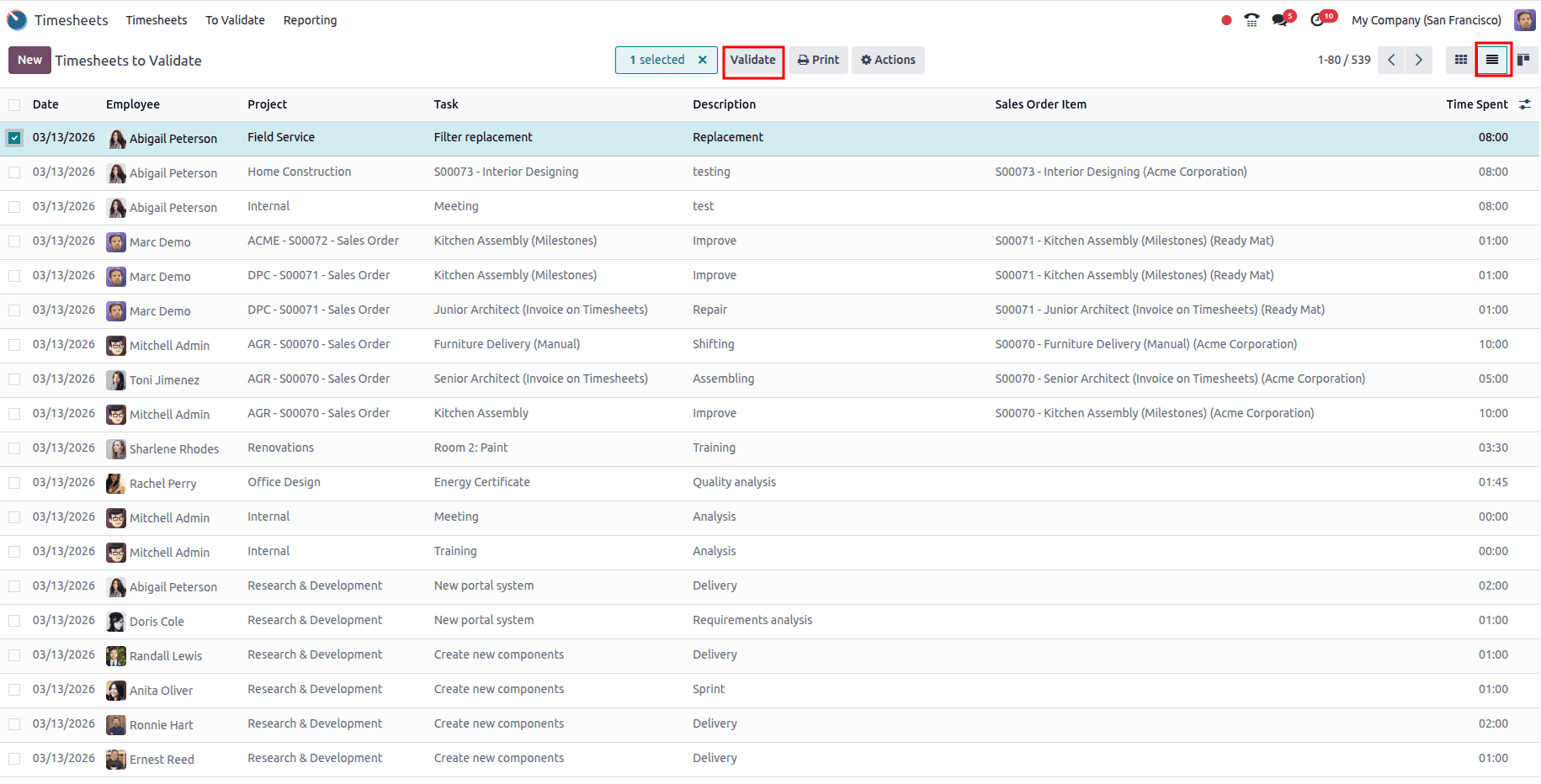
Here, managers can view timesheets grouped by week and user. They can click into any record to inspect time entries in more detail. Information such as project name, task description, hours logged, and notes helps the manager verify the authenticity of the logged work.
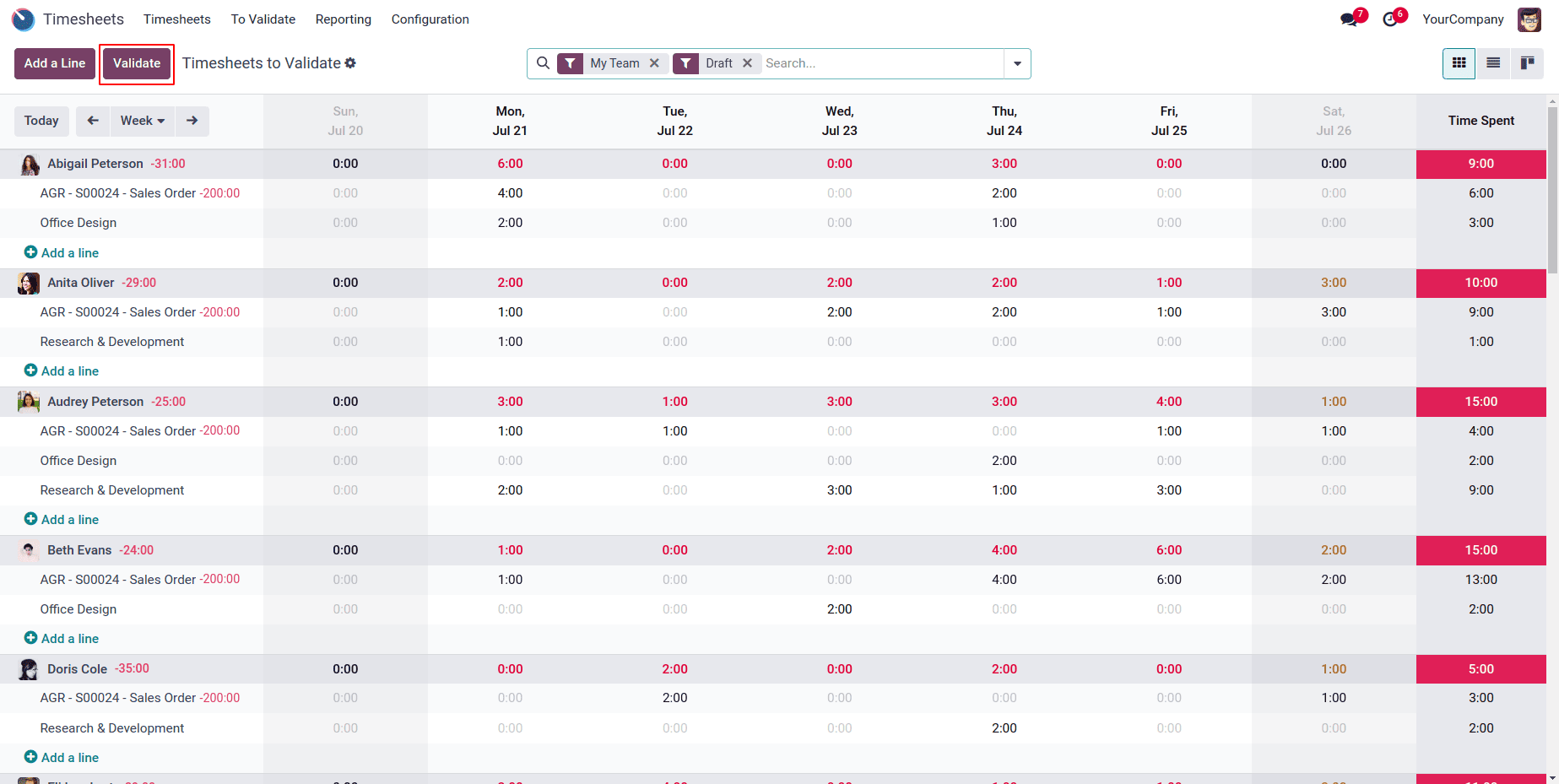
The “Validate” button allows managers to approve all visible timesheets at once, saving valuable time, especially when overseeing large teams. If any entry is incorrect or incomplete, the manager can reject it or send it back with comments for revision.
This validation process ensures accurate data for downstream processes like payroll, project billing, and productivity reporting.
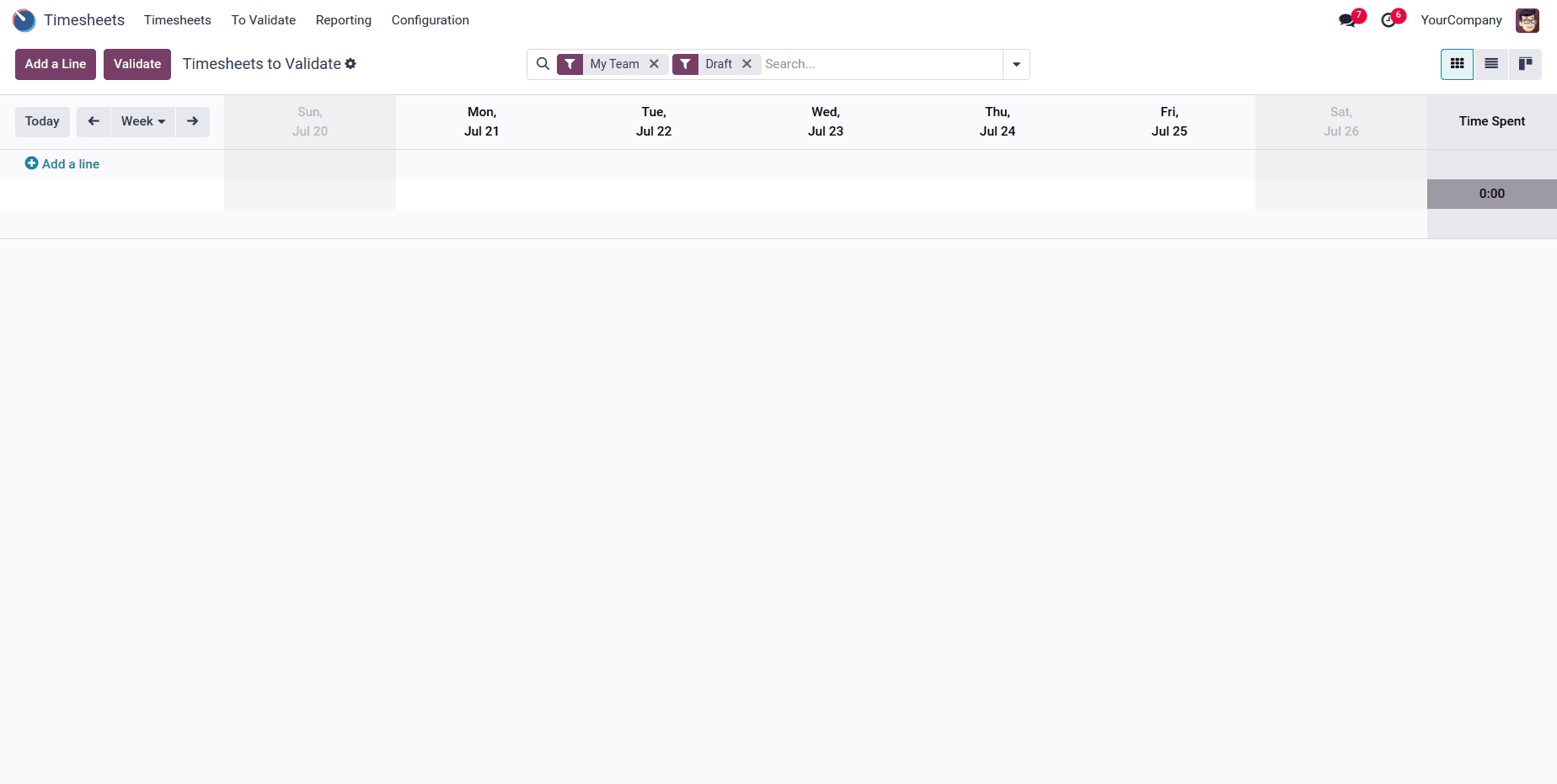
Once all timesheets are validated, the list becomes empty, indicating no pending approvals.”
This final screen confirms that the manager has reviewed and approved all submitted timesheets. The approved records are then ready for use in payroll, invoicing, or project analysis.
With validated timesheets, Odoo 18 enables accurate invoicing. To create an invoice, open the relevant Project, click Create Invoice, and choose Generate Invoice from Timesheets. The system automatically includes only approved entries, ensuring correct billing and improved transparency.
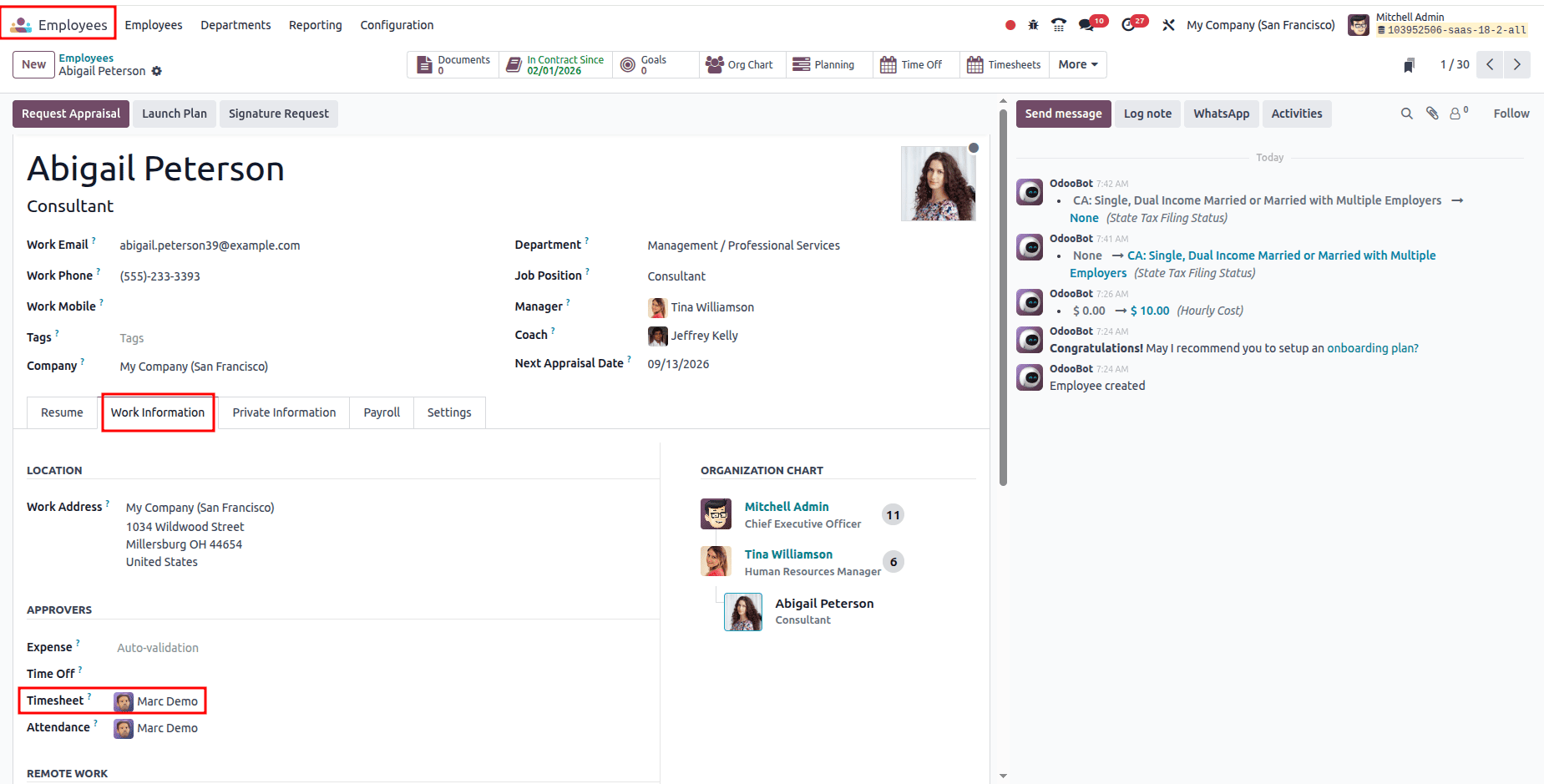
Setting a Timesheet Approver for an Employee
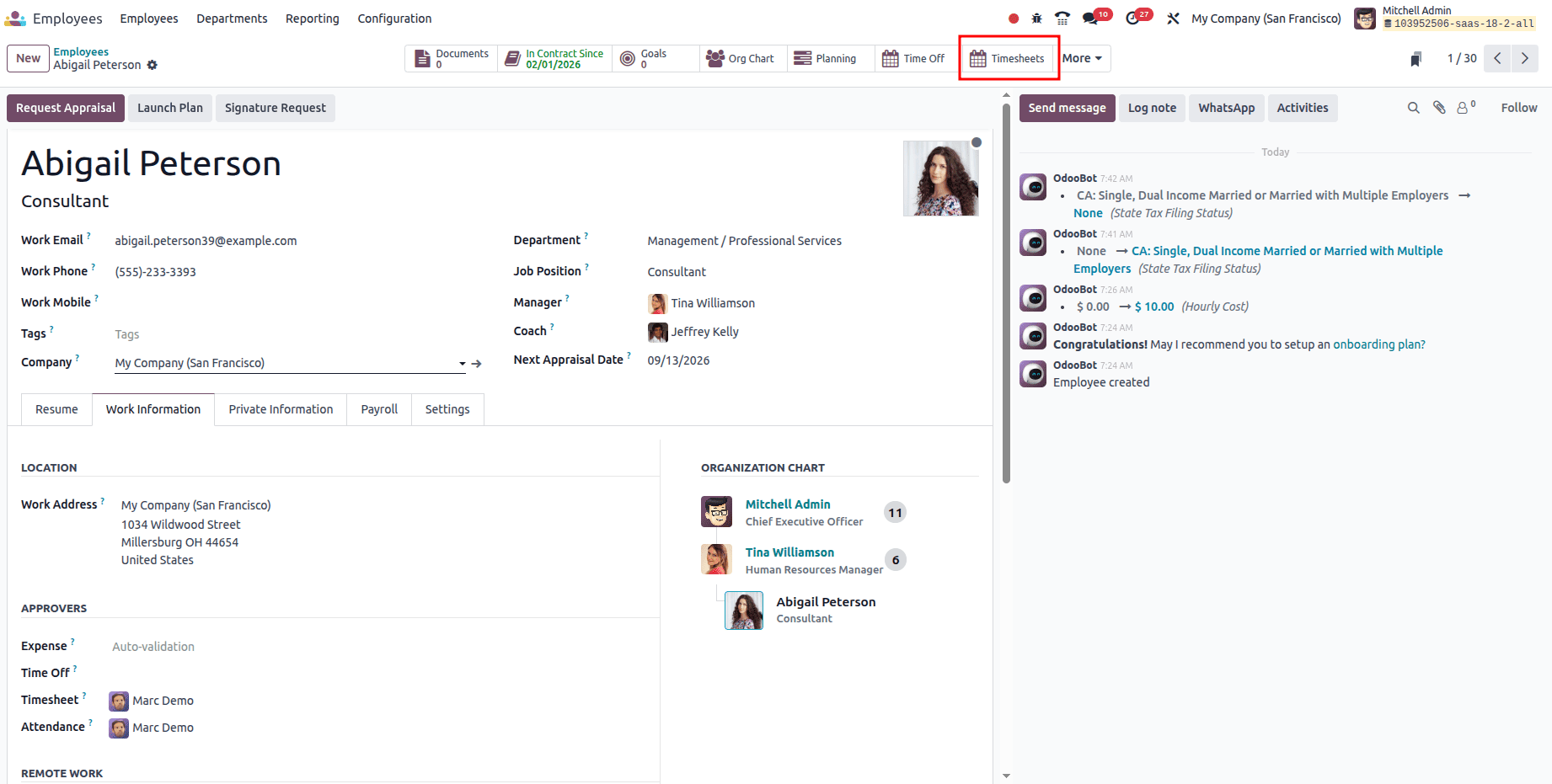
Navigate to the Employees module, open the employee record, go to the Work Information tab, and in the Approvers section, select the user in the Timesheet field who will be responsible for validating the employee’s timesheets. The assigned approver should have the "Timesheet Manager" or "Administrator" access rights to perform validation.
How Employees Log Their Timesheets
Odoo 18 offers several user-friendly ways for employees to record their work hours:
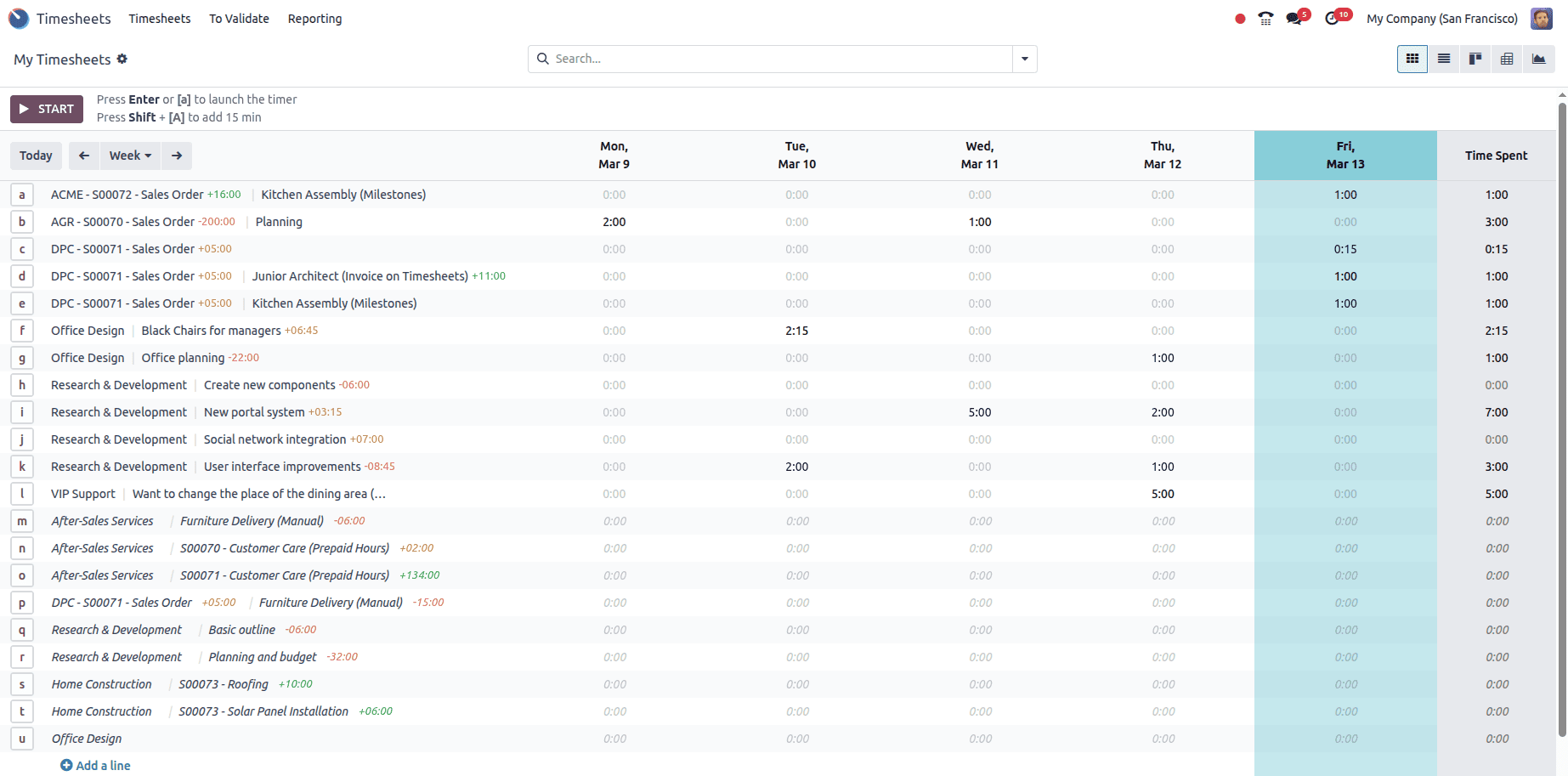
In the Timesheets module, employees can go to My Timesheets and click Start, then select the Project and Task they worked on.
Employees can log time directly on the tasks they are working on through the Timesheets tab on the task form.
The Grid view provides a weekly or monthly grid where employees can quickly enter hours for each day.
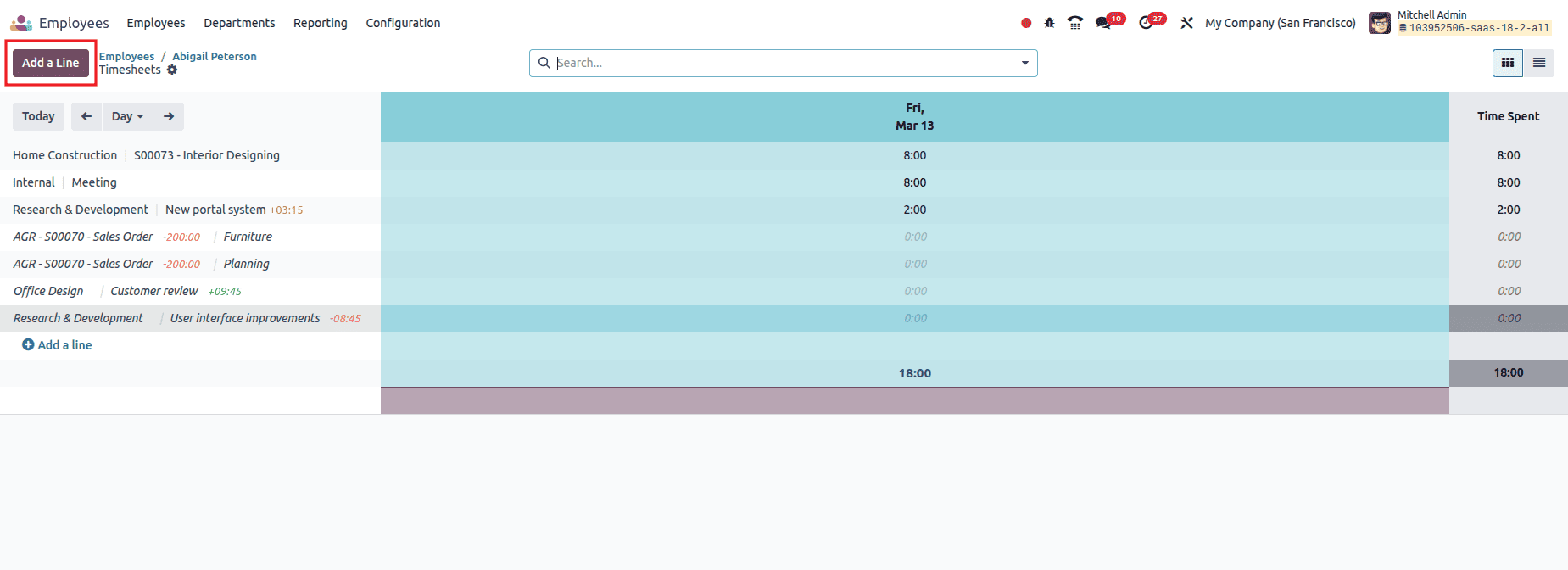
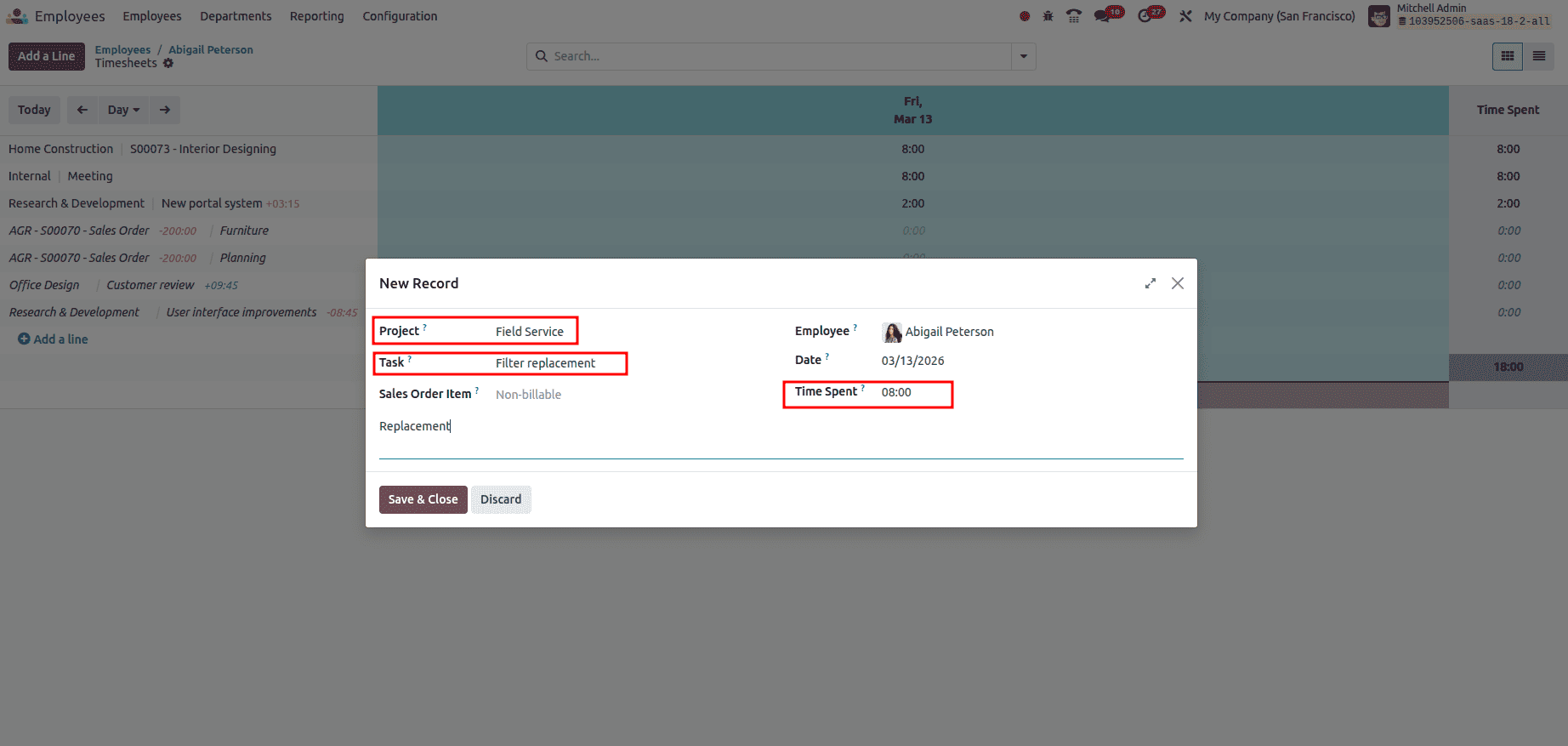
Once the project, task, and timesheet are added, employees can Save and Close.
To access pending timesheets, the manager navigates to Timesheets > To Validate, which displays a filtered view of all timesheets awaiting approval, and managers can view them grouped by day, week, or month.
Managers review details such as the project, task, logged hours, and notes to verify the entries. They can use the Validate button to approve timesheets. Once all entries are validated, no pending timesheets remain.
Seamless Invoicing from Validated Timesheets:
With validated timesheets in place, Odoo 18 enables accurate and seamless invoicing.
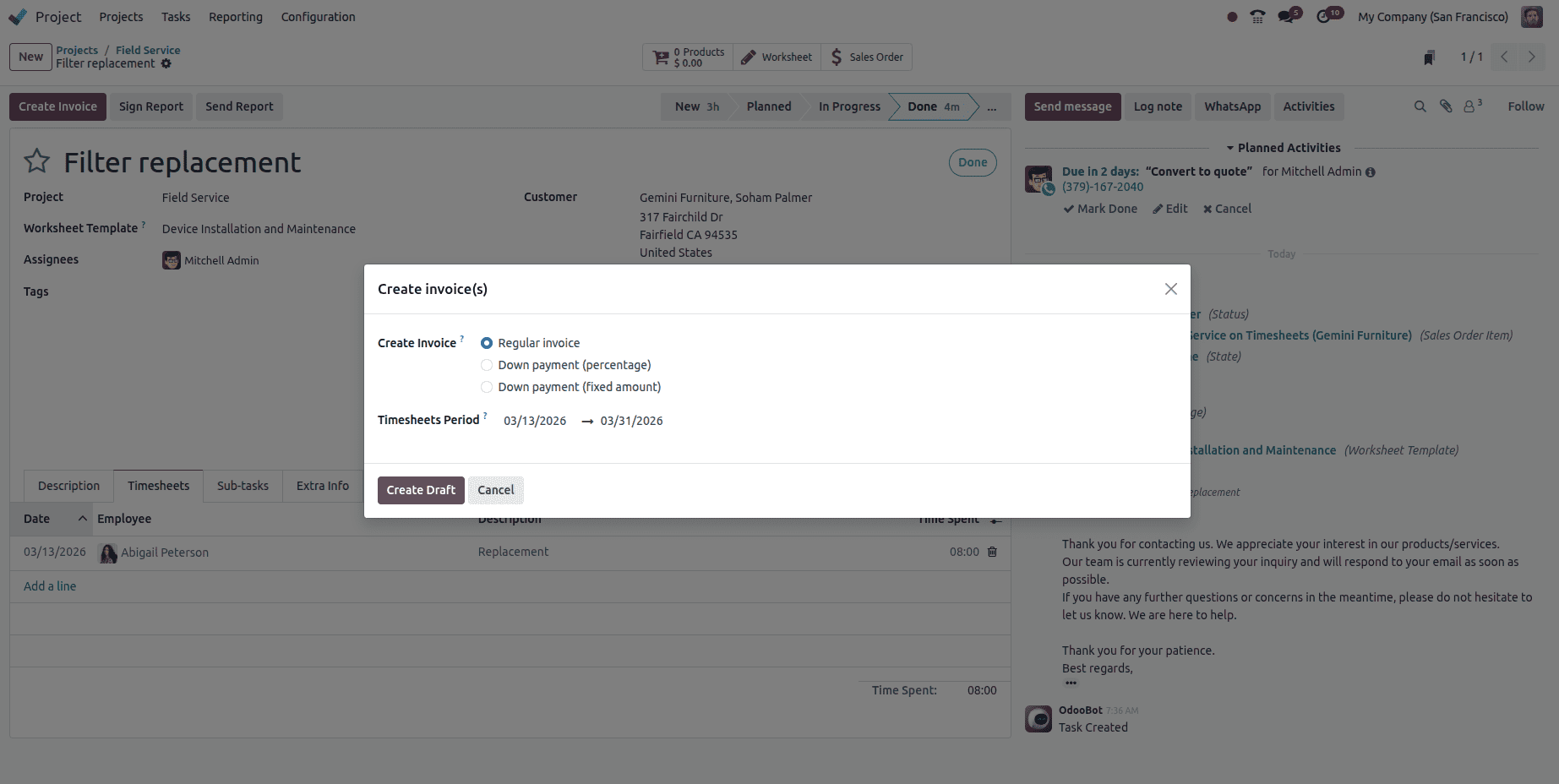
To generate an invoice, navigate to the relevant Project or the Sales Order linked to that project. Click Create Invoice. If the Invoicing Policy is set to “Validated Timesheets Only,” Odoo will automatically pull only the timesheet entries that have been approved by the manager for the selected period.
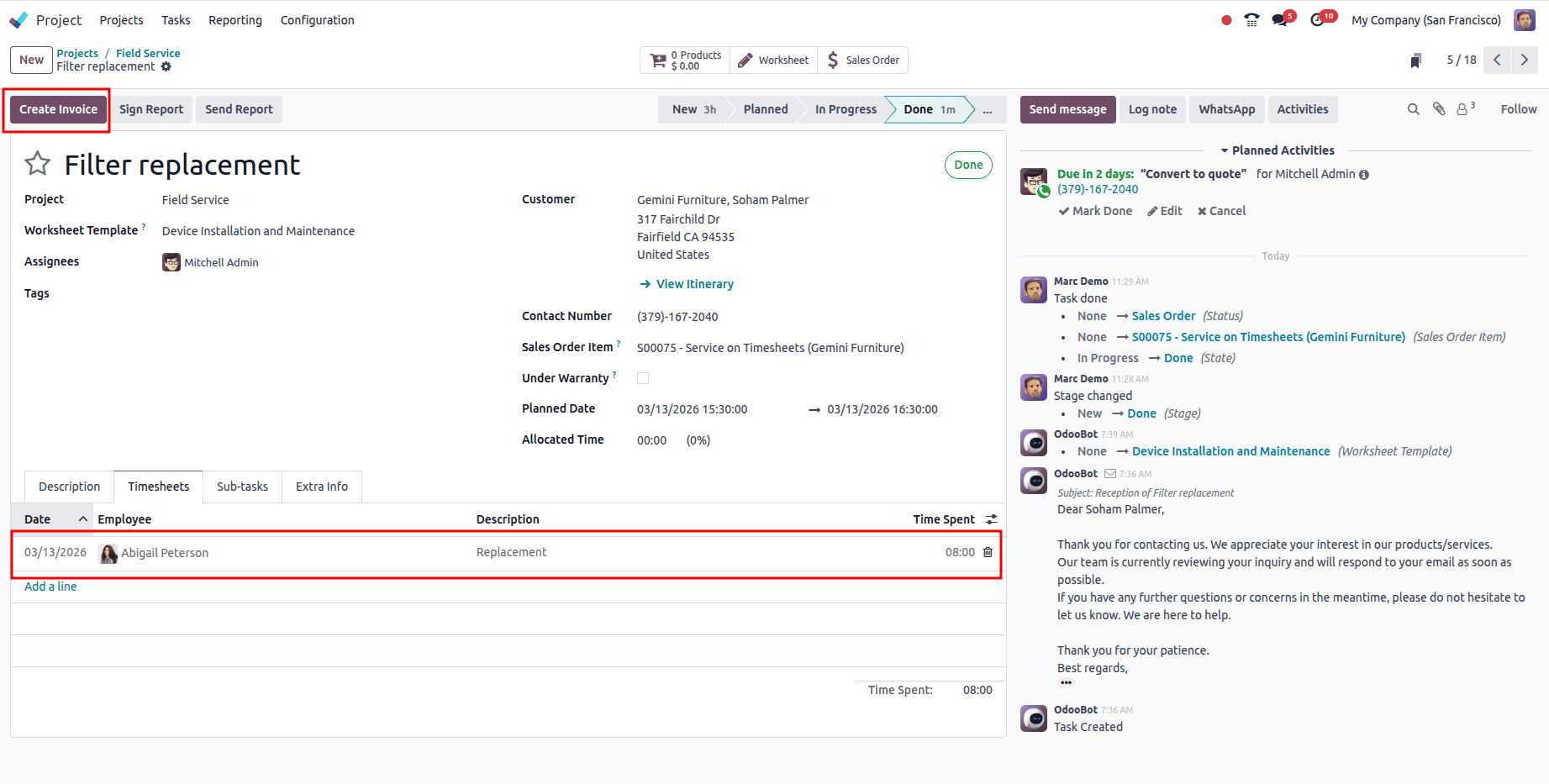
The system generates a draft invoice.
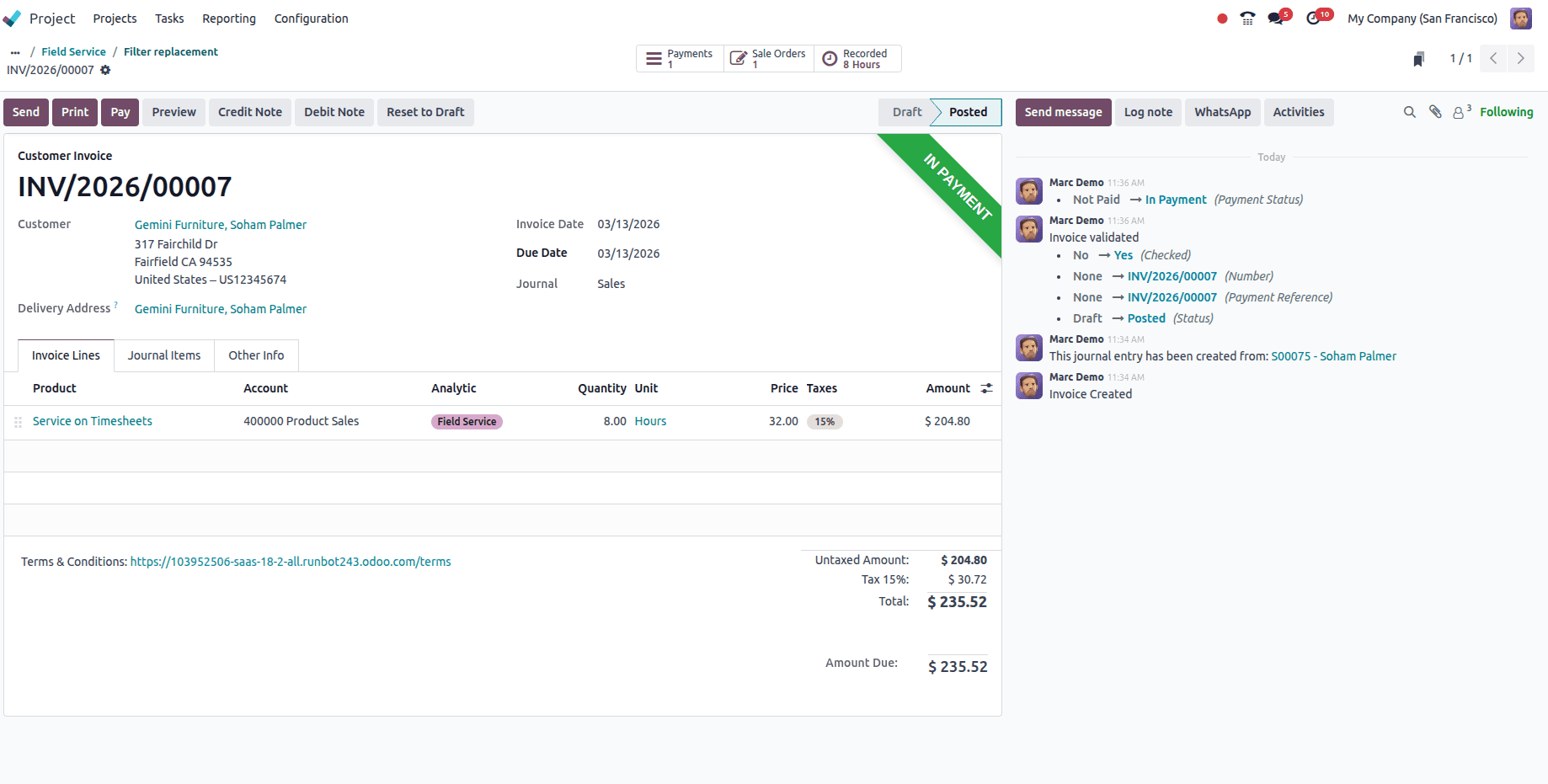
The manager can review the invoice, confirm the hours and rates, and finalize the billing process.
In conclusion, Odoo 18 transforms timesheet management into a transparent, efficient, and highly integrated process. Configuring the system to invoice only validated timesheets, assigning appropriate approvers, and enabling employees to log detailed timesheet entries ensures accurate billing, reliable payroll calculations, and enhanced project tracking. Managers benefit from a structured workflow that saves time while maintaining control and accountability. Overall, the combination of validated timesheet policies, employee entries, manager approvals, and automated invoicing positions Odoo 18 as a powerful tool for effective time management and business efficiency.
To read more about How to Manage Timesheet Reporting in Odoo 18, refer to our blog How to Manage Timesheet Reporting in Odoo 18.