Users frequently require more than just an email template to send; they also need to be able to reuse the email's dynamic content within a form. Copying and pasting template material by hand is ineffective and prone to errors, whether it's for a proposal draft in CRM, a structured answer in Helpdesk, or a customized communication in a bespoke module.
Email templates may be dynamically rendered with Odoo 19 and loaded straight into an HTML field in any model. This gives users the freedom to change and personalize the information before sending or saving it, while also enabling organizations to reuse predetermined templates. For instance, a salesperson can quickly load a proposal or follow-up template into an opportunity's editable HTML field in the CRM module (crm.lead). To ensure correctness and consistency, the system automatically renders all dynamic variables, including salesperson data, estimated revenue, and customer name.
In order to make your workflows more efficient, quicker, and polished, we'll look at how to programmatically render an email template in Odoo 19 and load it immediately into an HTML field.
Step 1: Python Model Code
We extend the crm.lead model before altering the view. The lead model will support template rendering. This customization includes a template selection field, an HTML field to hold rendered content, and a button method for dynamically processing and loading the template.
Python code:
from odoo import models, fields

class CrmLead(models.Model):
    _inherit = 'crm.lead'
    template_id = fields.Many2one(
        'mail.template',
        string="Email Template",
        domain="[('model', '=', 'crm.lead')]"
    )
    proposal_body = fields.Html(
        string="Proposal Content"
    )
    def action_load_template(self):
        self.ensure_one()
        if not self.template_id:
            return
        rendered_body = self.template_id._render_field(
            'body_html',
            self.ids
        )
        self.proposal_body = rendered_body.get(self.id)
In this customization, the proposal_body HTML element holds the displayed information, while the template_id field lets users choose an email template for the CRM record. The template is dynamically processed by the _render_field('body_html', self.ids) method, which substitutes real record values for placeholders. Users can then edit the content directly within the form by loading the rendered result into the HTML field after it has been fetched using rendered_body.get(self.id).
Step 2: XML View Code
The next step after expanding the crm.lead model with the needed fields and button technique is to change the form view. In this customization, we create a new notebook tab within the CRM Opportunity form view to cleanly organize the email template picker, the load button, and the produced HTML text. This keeps the interface tidy and guarantees that the new capability does not conflict with current CRM data.
Xml code:
<?xml version="1.0" encoding="utf-8"?>
<odoo>
        <record id="view_crm_lead_form_inherit_template_tab" model="ir.ui.view">
            <field name="name">crm.lead.form.template.tab</field>
            <field name="model">crm.lead</field>
            <field name="inherit_id" ref="crm.crm_lead_view_form"/>
            <field name="arch" type="xml">
                <!-- Insert inside existing notebook -->
                <xpath expr="//notebook" position="inside">
                    <page string="Email Content">
                        <group>
                            <field name="template_id"/>
                            <button name="action_load_template"
                                    type="object"
                                    string="Load Template"
                                    class="btn-primary"/>
                        </group>
                        <group>
                            <field name="proposal_body" widget="html"/>
                        </group>
                    </page>
                </xpath>
            </field>
        </record>
</odoo>
By inheriting the current form view and utilizing XPath to add a new tab inside the notebook, this customisation expands the CRM Opportunity form (crm.lead). Users can choose an email template (template_id) on the new "Email Content" page, then click a button (action_load_template) to dynamically render the template content by calling a Python method. Users can check and update the content before sending it by using the widget="html" editor to load the rendered result into an HTML field (proposal_body). This method offers a clean way to incorporate dynamic email drafting directly within CRM in Odoo 19, is upgrade-safe, and does not need to change core views.
Workflow:
The Email Template integration within the CRM Opportunity form in Odoo 19 is demonstrated in the following procedure. Before delivering the created material to the customer, users can choose from a predetermined email template, load it dynamically, and edit the content.
Image 1:
A new "Email material" item has been added to the CRM Opportunity form, offering a specific area for organizing proposal materials and email templates.
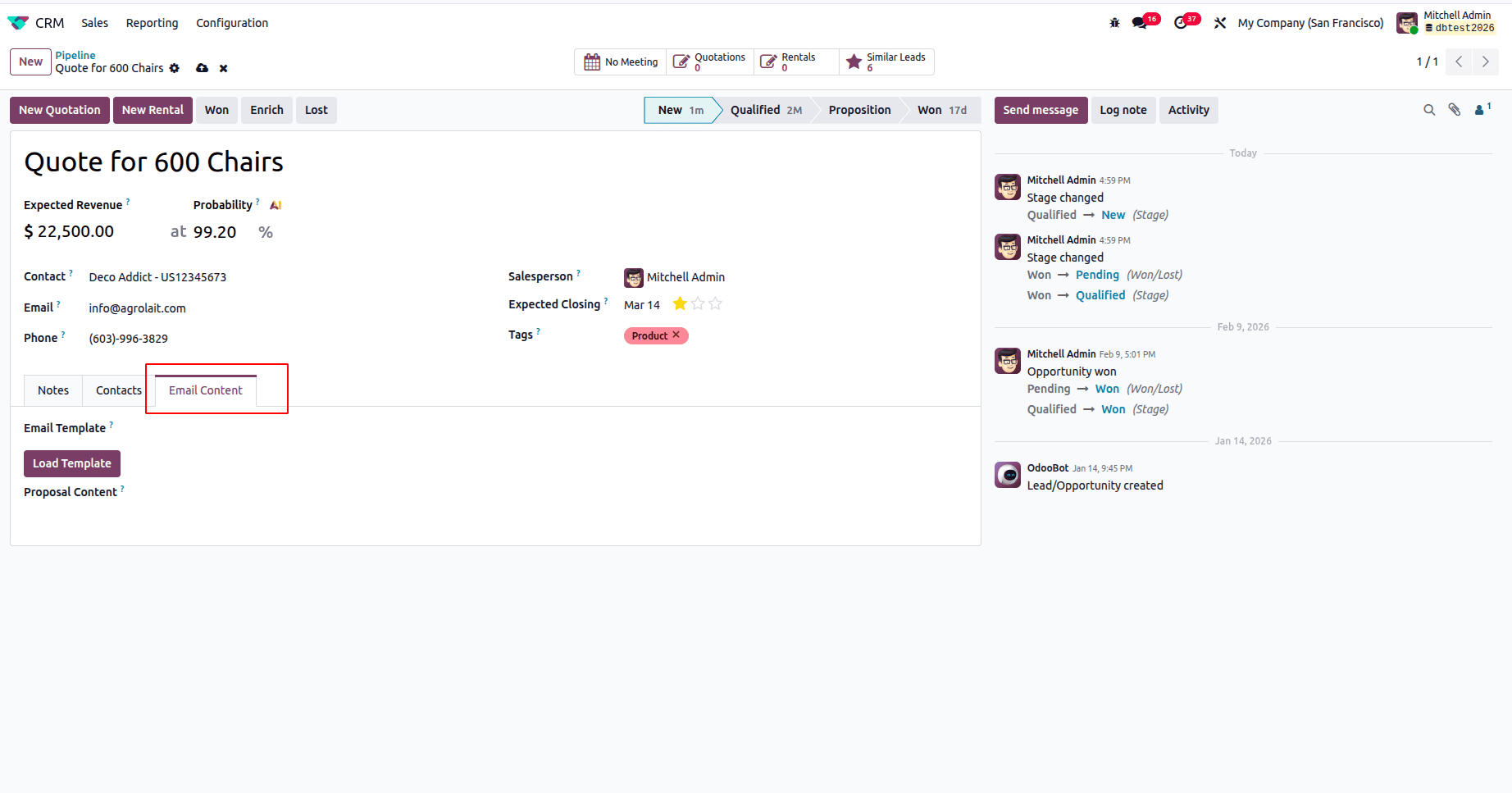
Image 2:
Users can select the required email template using the dropdown field, which shows all preset templates linked to the CRM model.
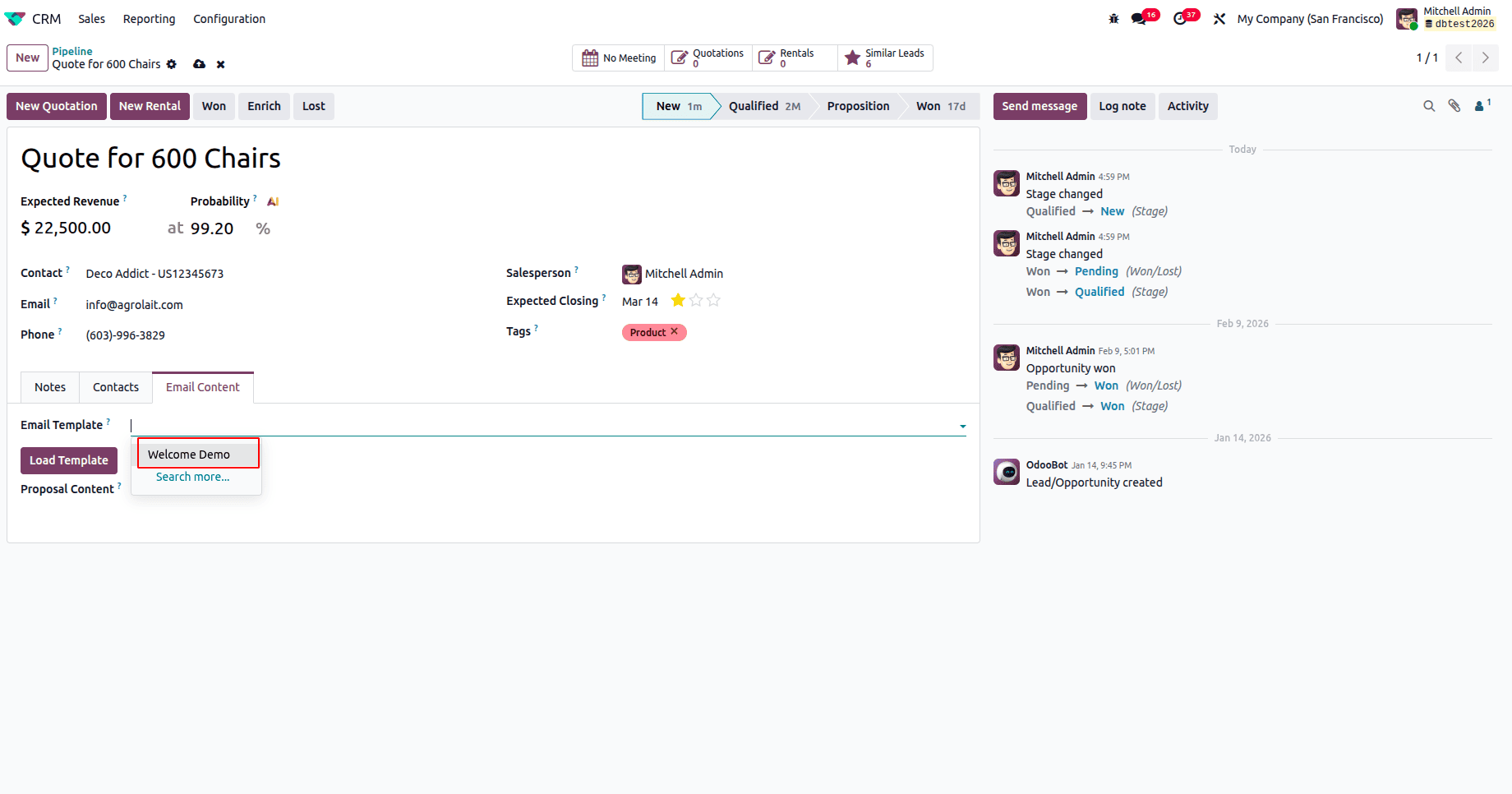
Image 3:
When you click the "Load Template" button, the system initiates a backend procedure that renders the selected template dynamically.
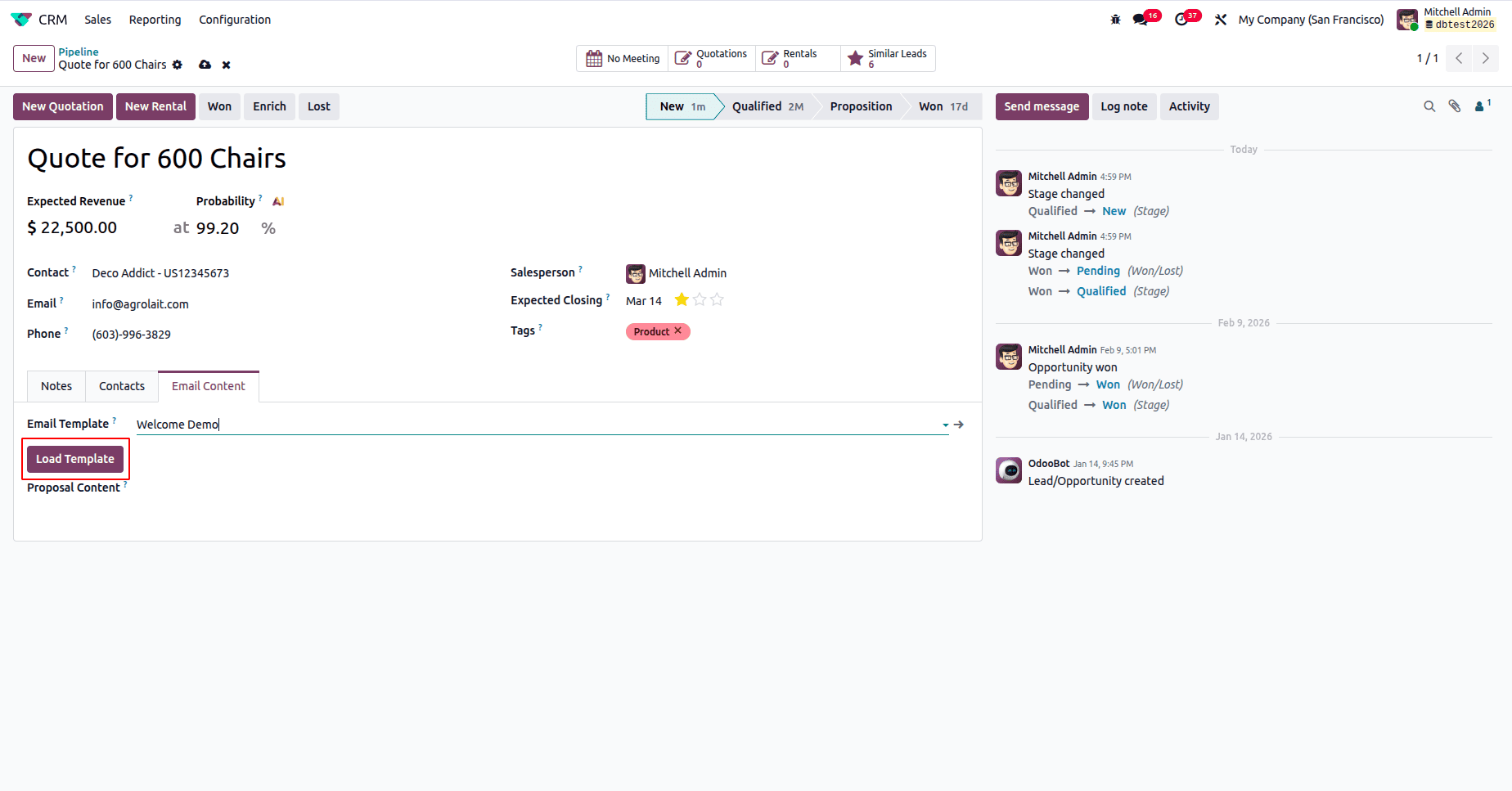
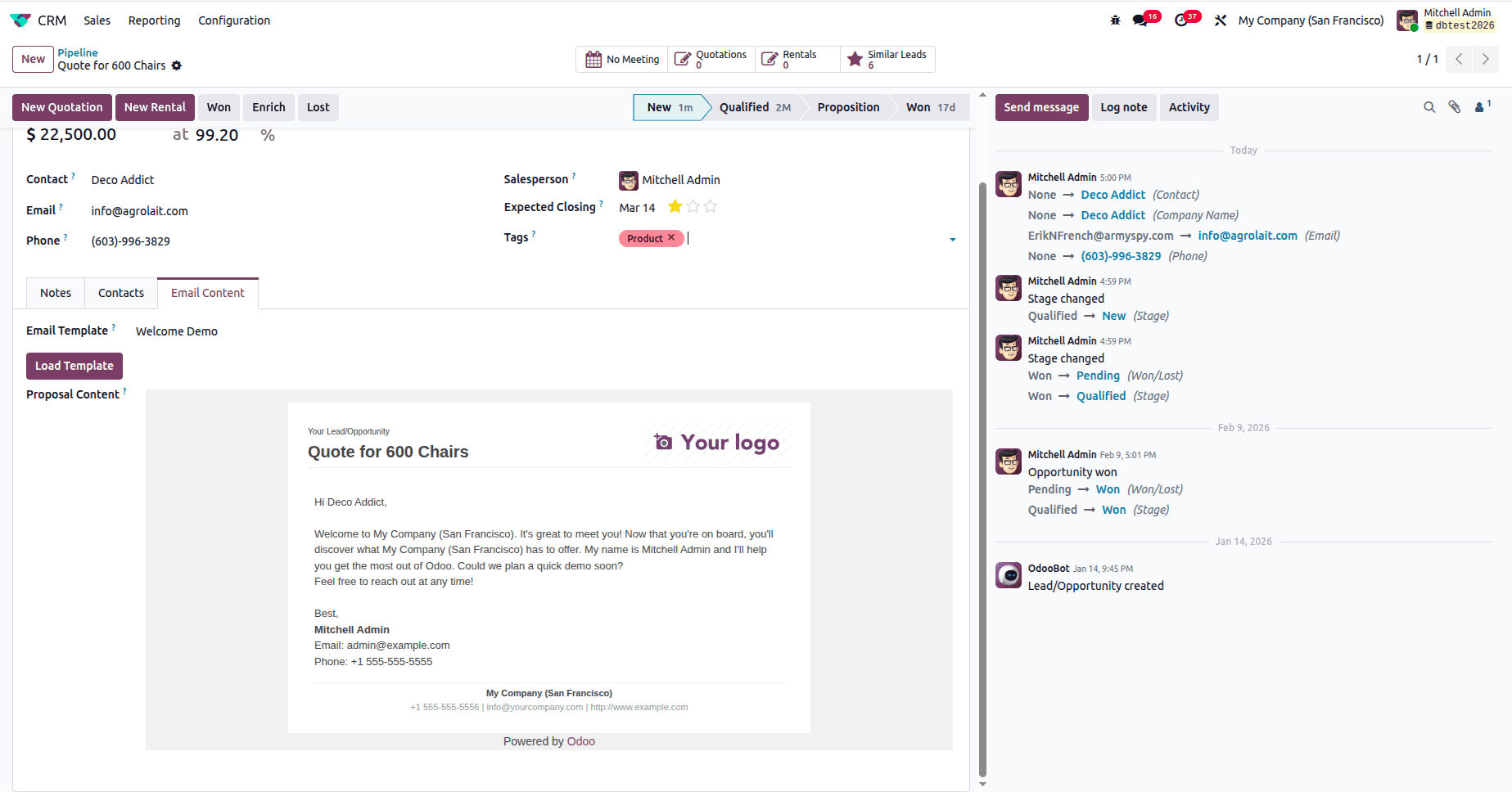
Image 4:
Since the HTML editor loads the generated email message automatically, users can see and change the proposal before final communication.
When dynamic email template rendering is immediately incorporated into an Odoo 19 form view, daily tasks become more effective and reliable. By allowing users to quickly load and modify template text within an HTML field, businesses may standardize their communication while still having the freedom to modify messages as needed. This approach makes use of Odoo's powerful mail rendering engine, remains clean, and works with key features.
The same concept can easily be adopted by other business models, such as sales (sale.order), buy (purchase.order), or any custom model that requires structured communication or proposal writing. By enhancing the form view and using a backend rendering technique, organizations may speed up procedures like issuing quotations, verifying purchases, and generating contracts, all within the Odoo interface.
To read more about How to Create Email Template in Odoo 18, refer to our blog How to Create Email Template in Odoo 18.