Clear, accurate, and timely reporting is essential to any retail organization. Being able to monitor daily sales and transaction summaries is essential, regardless of whether you manage a single store or a chain of locations. This procedure is more organized and effective with Odoo 19 thanks to the Point of Sale (PoS) module's Session Report functionality.
In this article, we'll examine in more detail how Odoo 19's Session Report functions and how it can help with daily sales tracking and financial accuracy.
Session report in Odoo 19 POS
A comprehensive overview of all the financial transactions and activities that occurred during a particular PoS session is given by the Session Report. Every session records every sales movement that occurs throughout a working period, such as a cashier shift or business day.
This report is crucial for:
- Cashiers should confirm daily totals.
- Store managers should verify cash control and payments.
- Owners of businesses should guarantee accurate sales tracking and openness
Important Data Recorded in the Session Report
The Odoo 19 Session Report generates a summary document that may be downloaded and includes:
- Sales breakdown: Quantities, totals, and an itemized summary of the products sold
- Sales taxes: total taxable and non-taxable amounts and the applicable tax rates
- Payments received: Session-wise mapping of payment mechanisms
- Discount summary: Total number of applicable discounts and their value
- Session control report: transaction count, opening and closing balances, and expected versus counted cash.
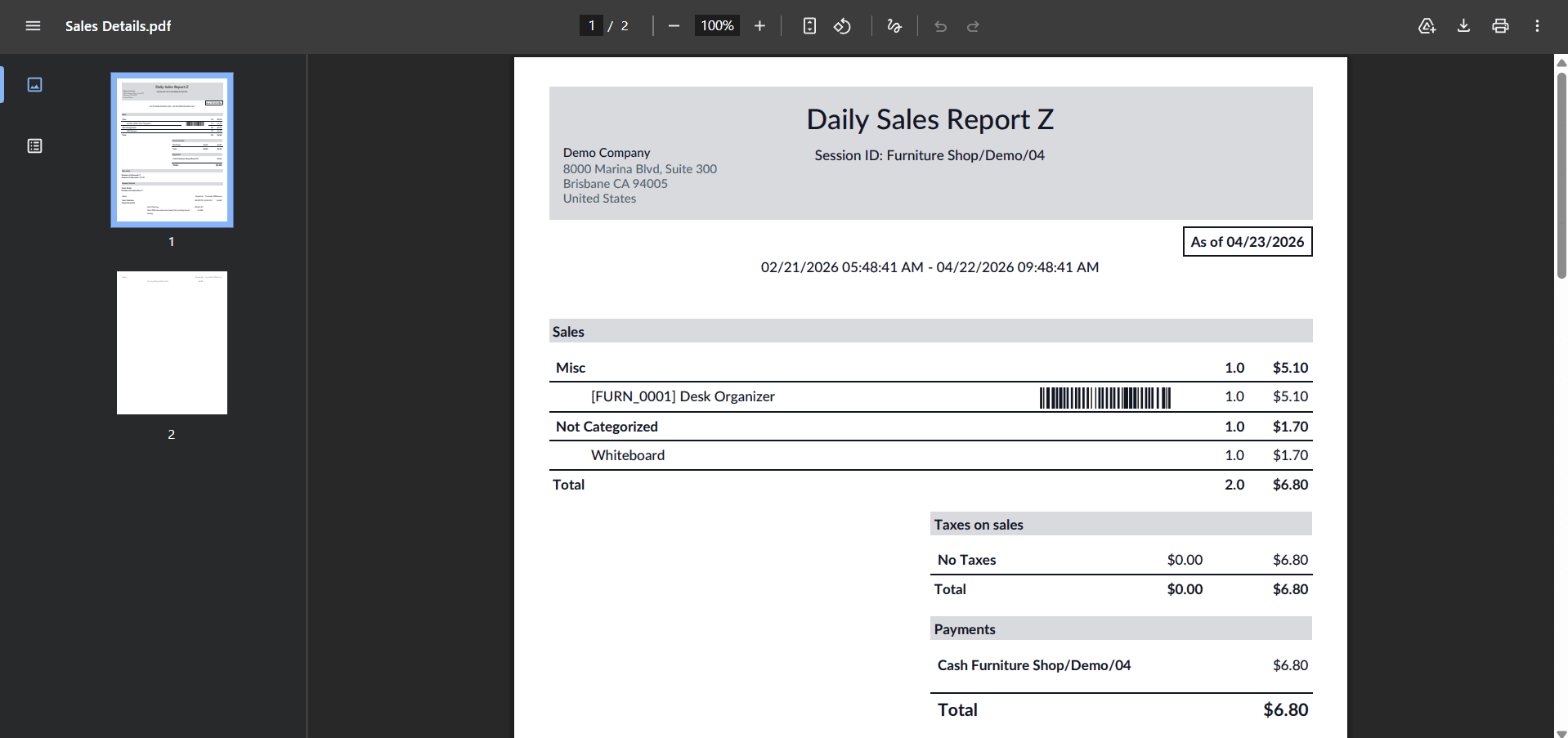
Everything required for precise daily reconciliation and open session management is included in this report.
How to generate Session Report
In Odoo 19, creating a session report is easy and just requires a few steps:
- Select Point of Sale > Reporting > Session Report
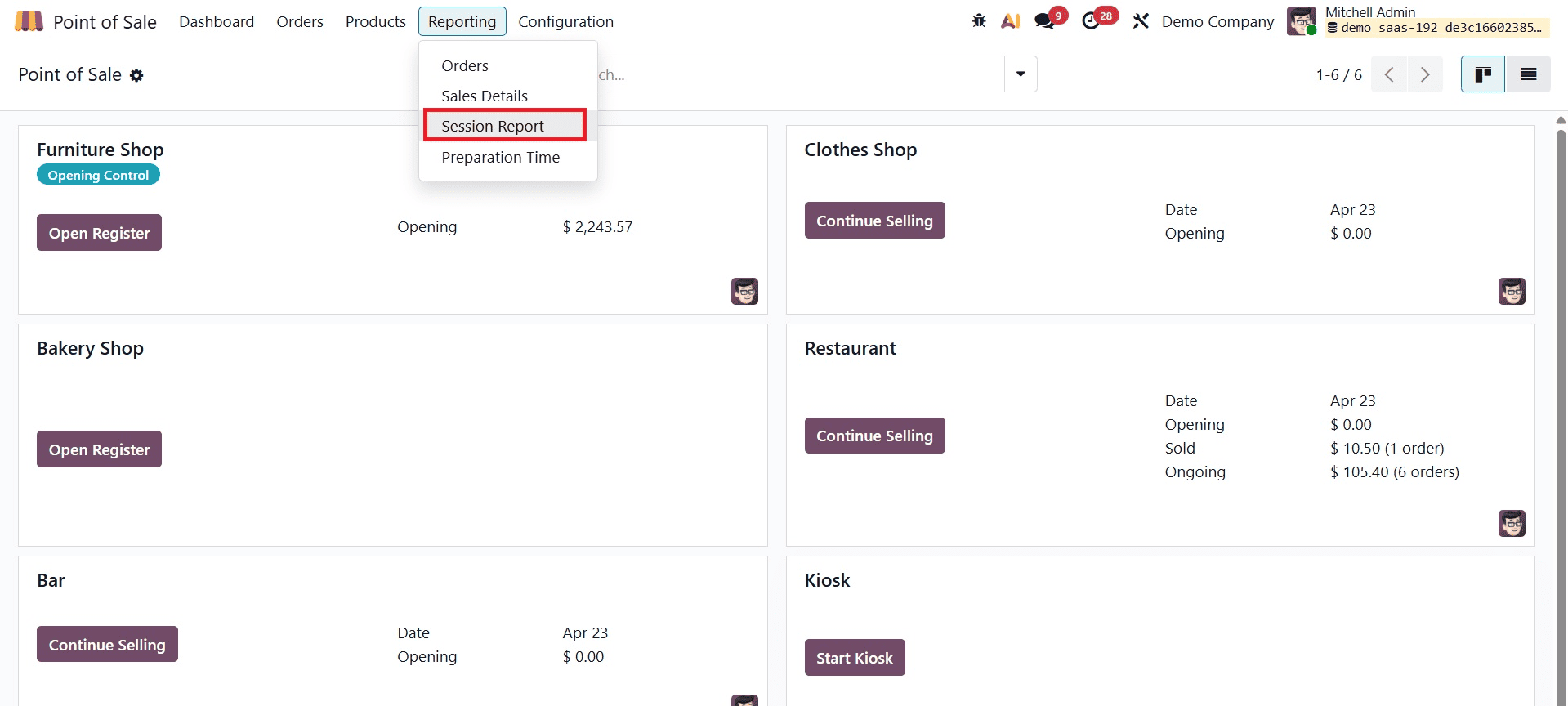
- The PoS Session ID will be requested in a pop-up window
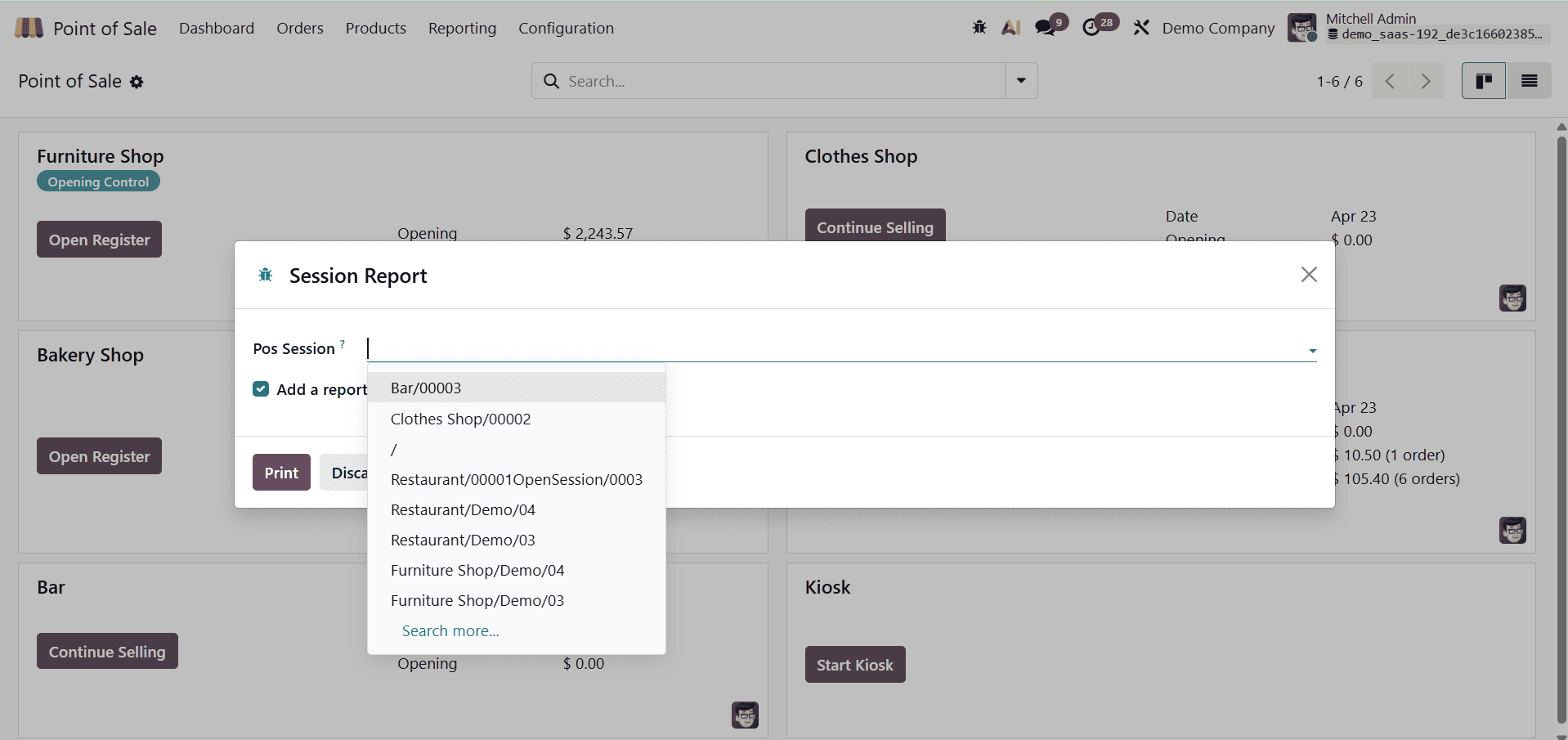
- Decide which session you want to go over.
- Select "Print."
For auditing and accounting purposes, a comprehensive session report will be created and downloaded, which can be examined or shared.
Note: To guarantee that all data is accurately recorded, the session must be closed.
Purpose of Session Report
More than merely a printout, the Session Report is an essential resource for:
- Preserving openness in retail activities
- Assisting with internal audits
- Making cash register reconciliation easier
- Quickly spotting irregularities or disparities
- Adhering to requirements for financial documentation
It is particularly useful in high-volume, multi-user settings where accurate transaction tracking is required.
Odoo 19 Point of Sale's Session Report gives organizations an organized, transparent snapshot of every sales session. Odoo makes sure all transactions, payments, and adjustments are meticulously recorded, which makes organizations run more effectively and accountably.
This feature provides the transparency required for efficient daily operations, whether you're a manager supervising several locations or a cashier wrapping up a shift.
Other than session reports, we'll examine the three main components of PoS reporting in Odoo 19, such as orders, preparation time, and sales details. Every kind of report is essential for enhancing accountability, facilitating well-informed decision-making, and maintaining the daily smooth functioning of your retail business.
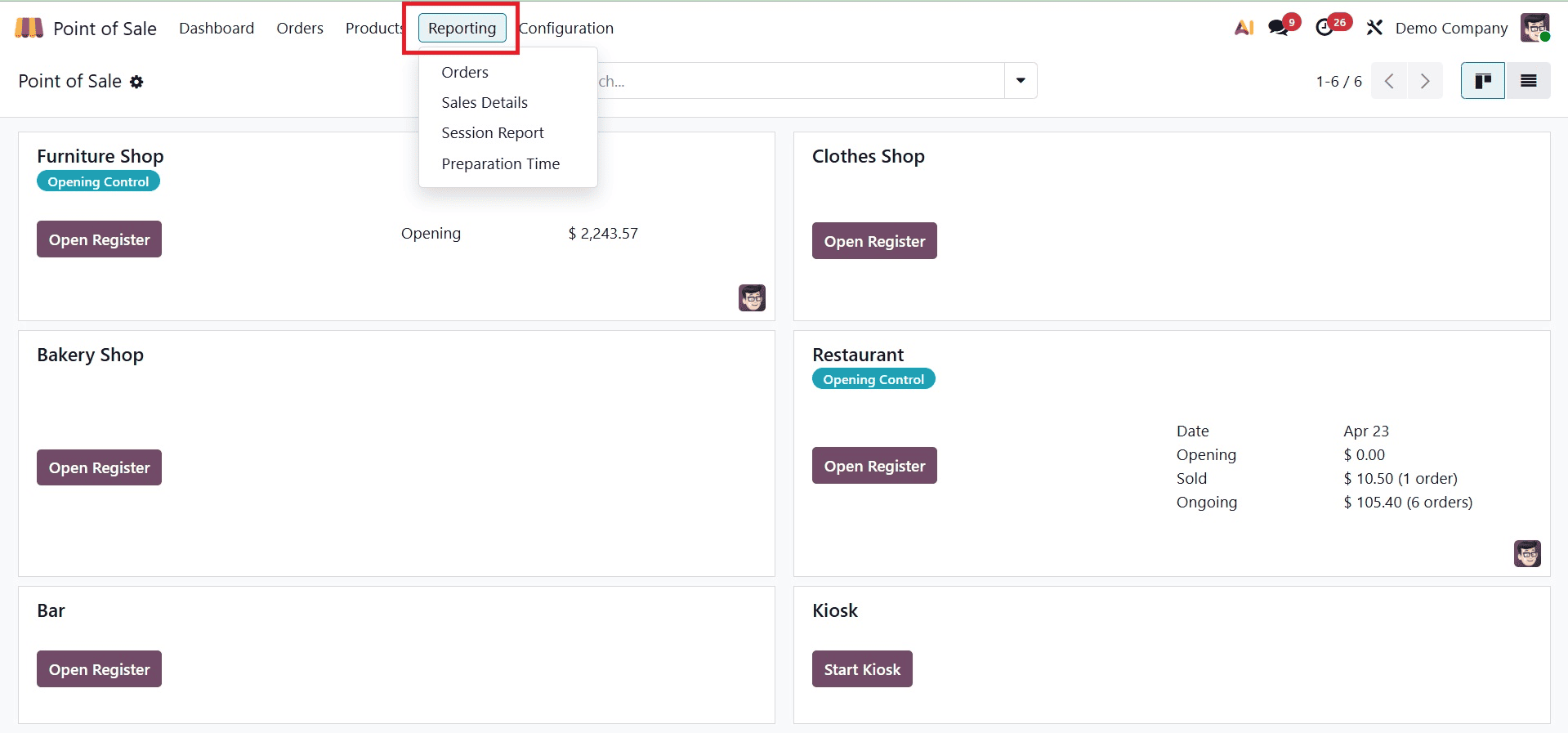
Orders
A comprehensive summary of each transaction handled by the PoS system is given in the Orders Report. It facilitates consumers' rapid comprehension of sales activities across various time periods, items, and personnel. You can examine this data using both graphical and pivot table views in Odoo 19, providing you the freedom to study data however you see fit.
Orders can be shown using Line, Bar, or Pie charts in the graphical view. These choices facilitate the quick identification of patterns, comparison of product performance, and comprehension of peak sales periods. The Orders Report provides you with precise and useful information whether you're monitoring daily orders or examining long-term sales trends.
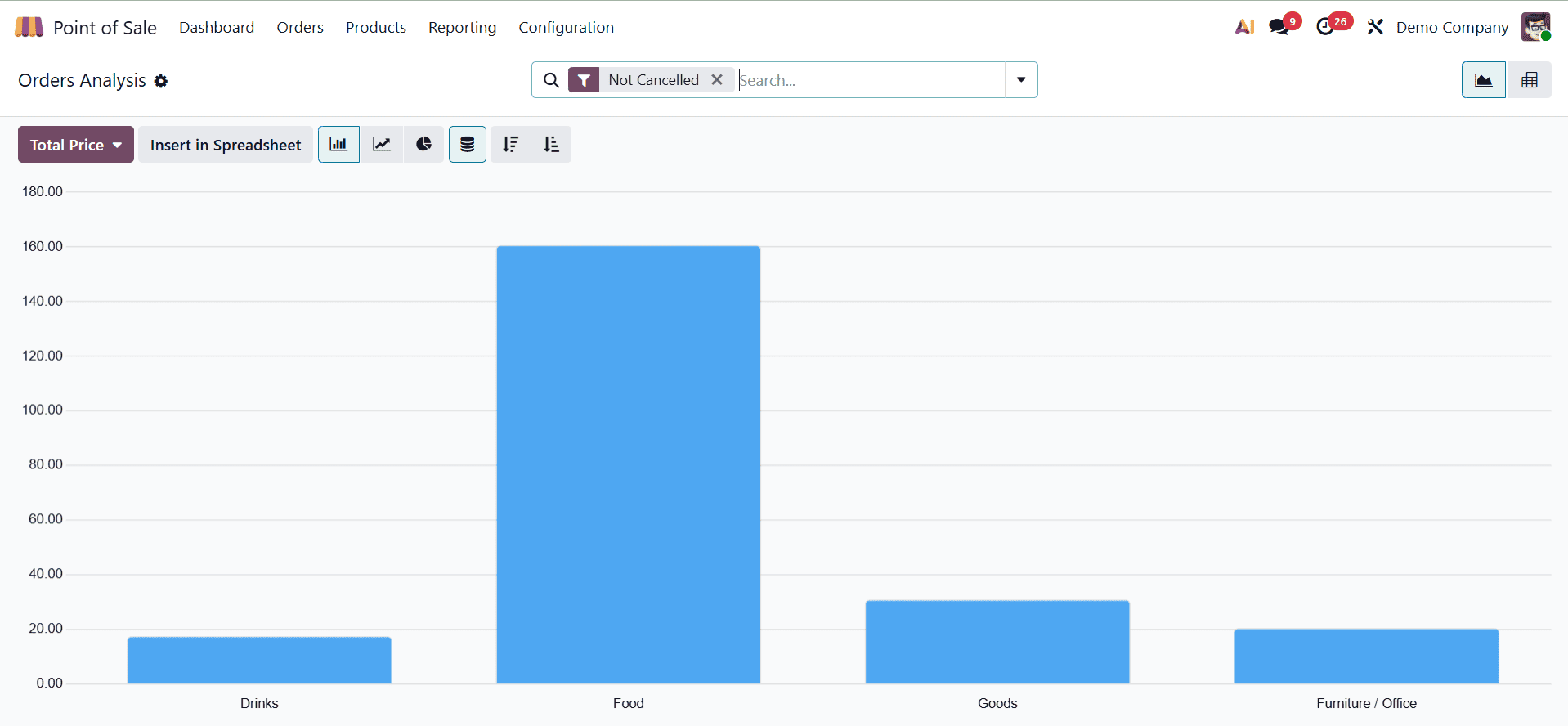
To improve your analysis and provide the precise report insights you require, use the relevant Group By, Filters, and Measures. You can focus on the most pertinent information for your company by using these options to break down orders by date, product, client, employee, or location.
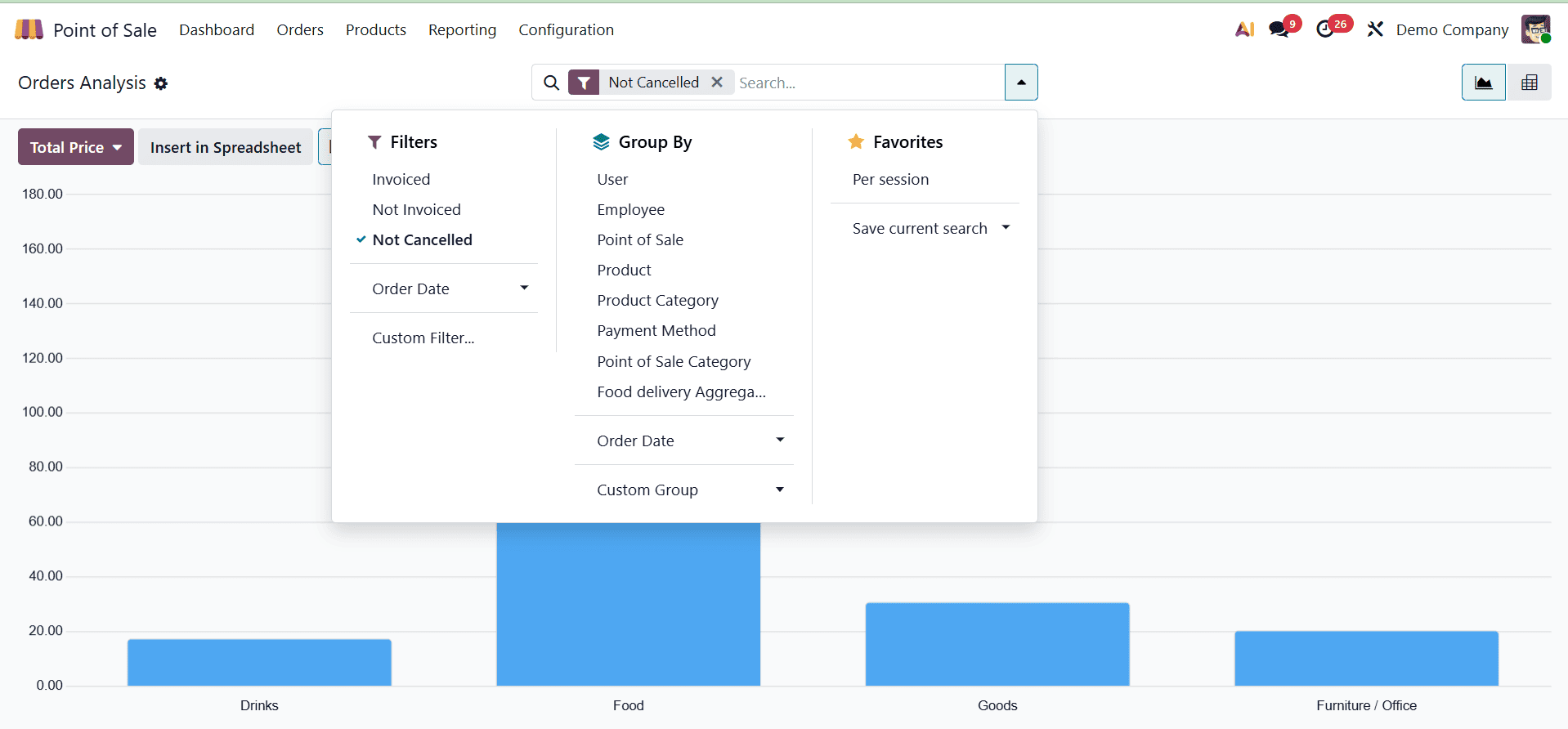
With built-in filters like Invoiced, Not Invoiced, and Order Date, creating helpful Order Reports is simple. Group By choices like User, Employee, POS, Product, Product Category, or Order Date can be used to arrange your data. You can also utilize the Custom option to make your own filters and groupings according to your company needs if you require more specialized views. This enables you to customize the report to concentrate on the precise data you wish to keep an eye on.
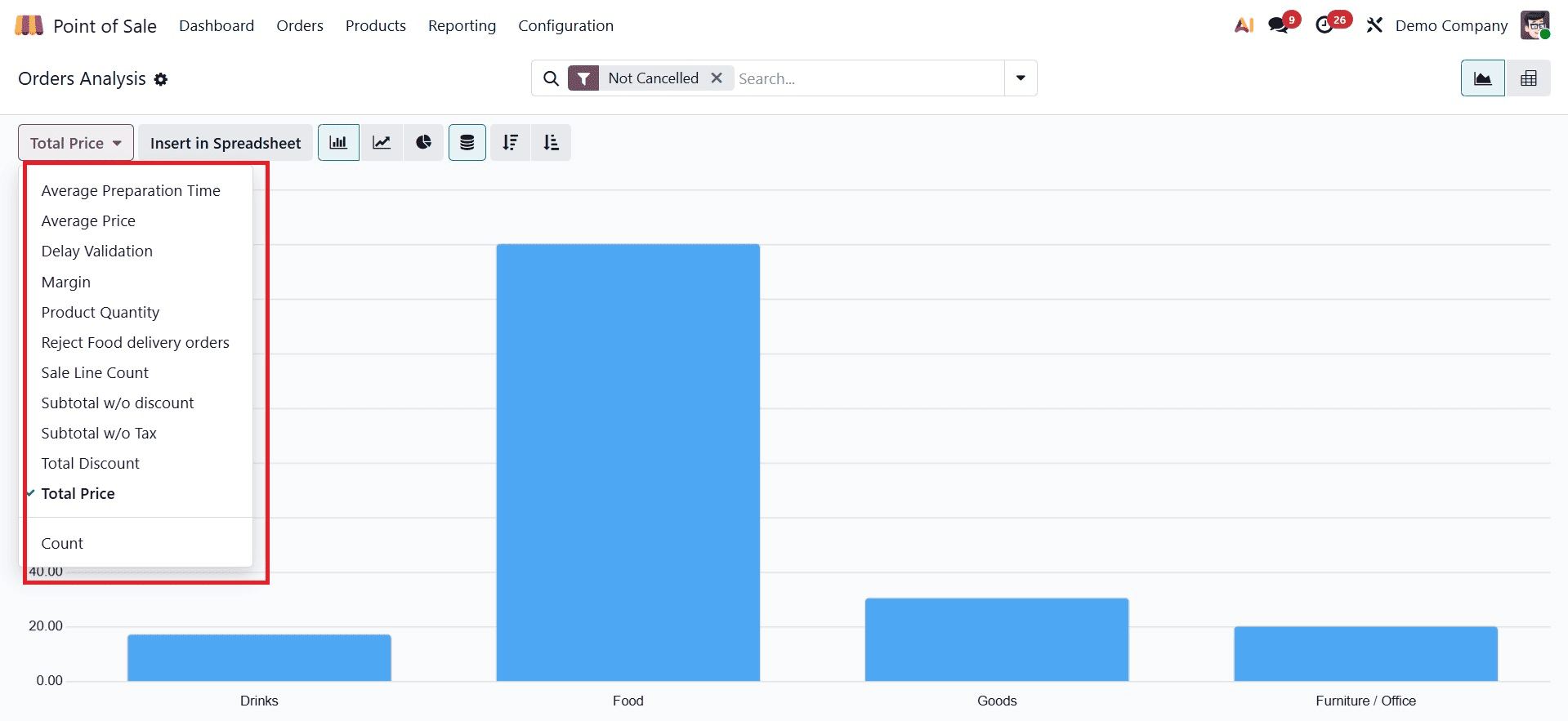
You can use metrics like Total Orders, Discounts, Total Prices, and Average Rates to assess your sales performance. You can use these data to track the performance of your sales teams and goods over time.
You can also monitor important information like Product Quantity, Profit Margin, Sale Lines, and Validation Delay for more in-depth understanding. You can see operational effectiveness and overall business performance more clearly thanks to these extra metrics.
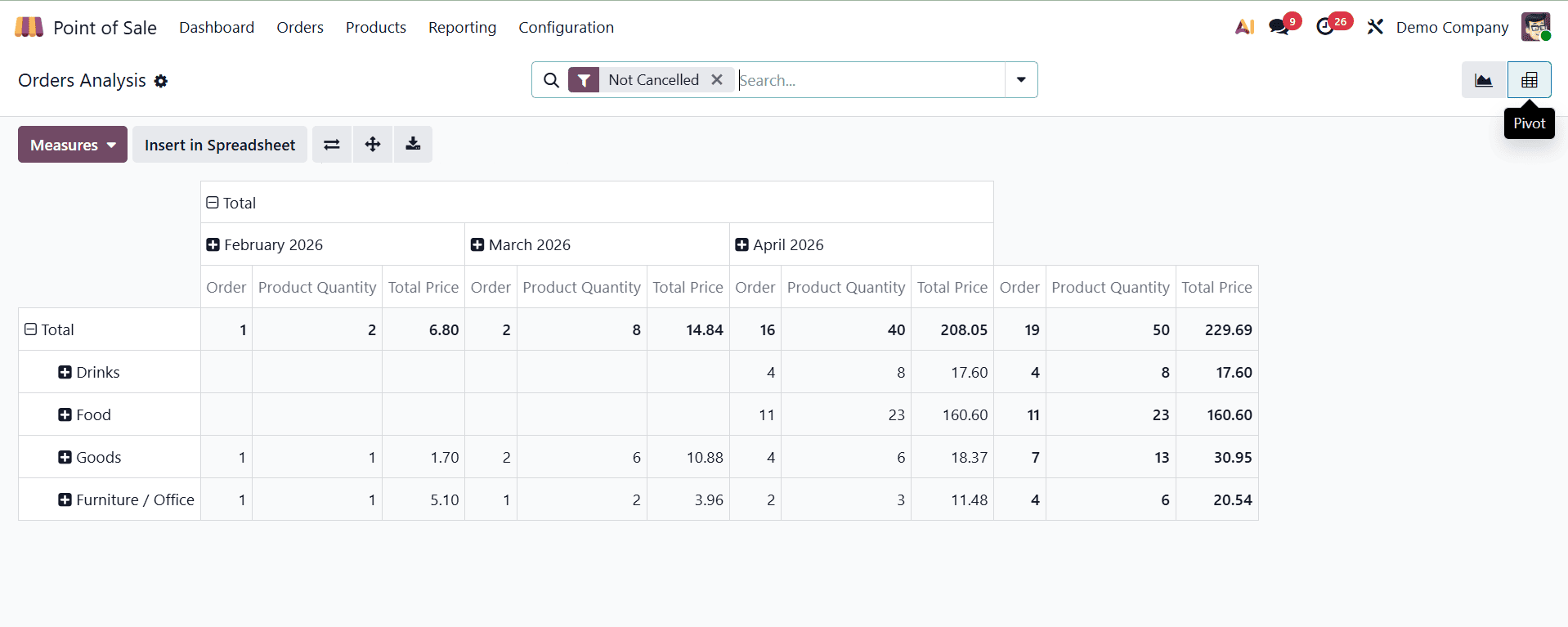
As seen in the screenshot, the Orders Report can also be viewed as a pivot table. To enter the data straight into a spreadsheet for further in-depth reporting or comparison, just click the Insert in Spreadsheet button.
Sales Details
You can examine all sales activity within a given time frame by using the Sales Details report. Go to the Sales Details section of the Reporting menu to obtain it. The Start Date and End Date can be entered in the pop-up window that appears after it is selected. Odoo creates a thorough account of every sale completed during that time after the dates are applied.
This report is particularly helpful for tracking product-wise revenue, evaluating staff-wise sales contributions, and comprehending daily or monthly performance. It enables managers to compare performance over various time periods and swiftly verify sales totals.
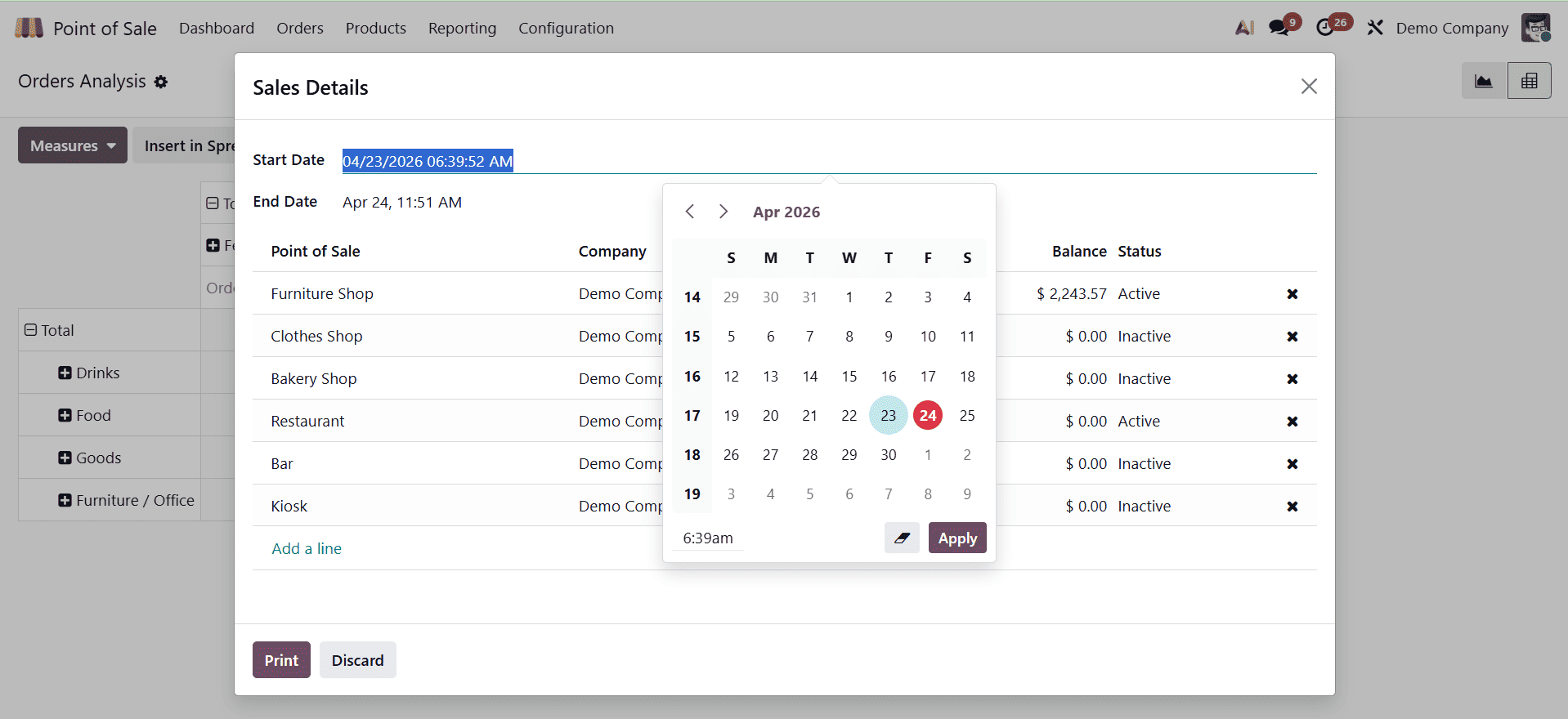
Before creating the report, you can manually choose the necessary Point of Sale to view sales information for that particular POS. To create the report with the chosen data, just click Add a Line, select the POS you wish to examine, and then click Print.
Preparation Time
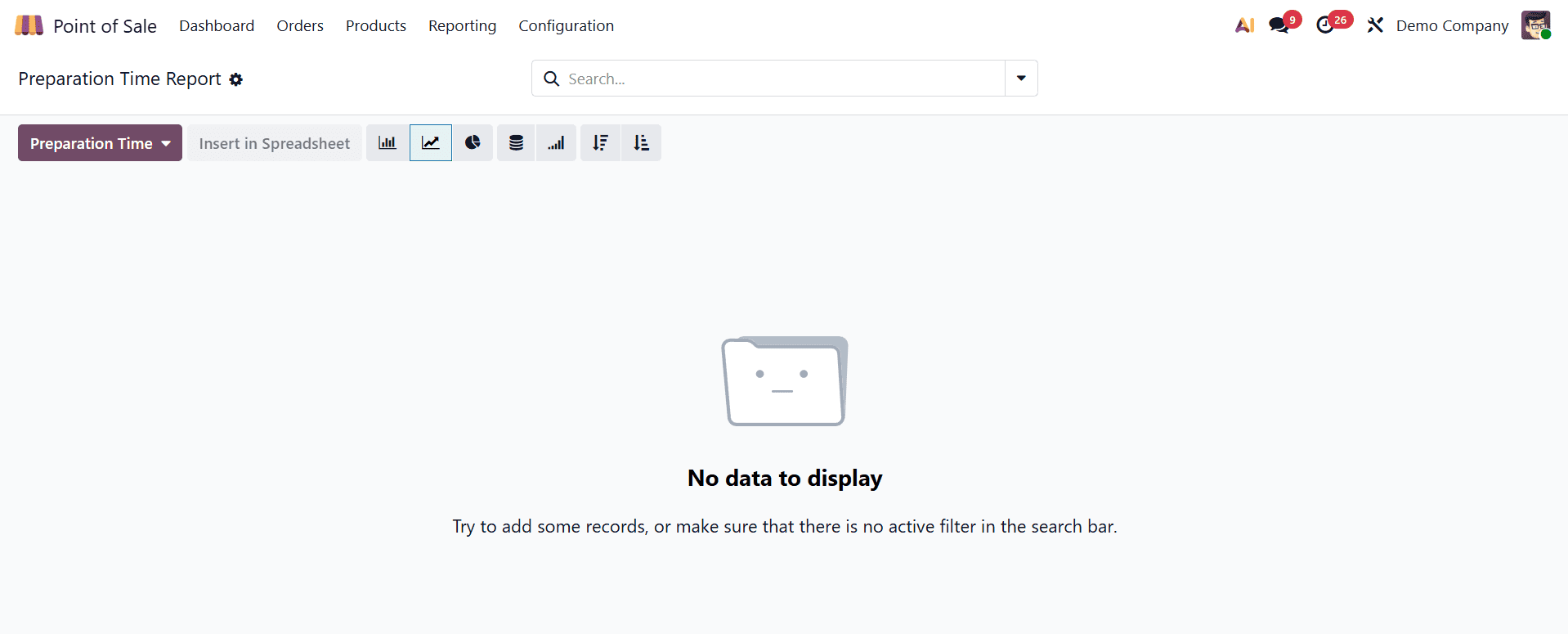
To track how long it takes to finish orders, especially for restaurants, Odoo 19 Point of Sale (POS) offers integrated preparation time reporting. With the use of graphical charts (bar, line, pie) and pivot tables that are available through the POS reporting menu, this feature makes it possible to monitor average preparation times, spot delays, and increase productivity.
Businesses may make quicker and more informed decisions by using Odoo 19 POS reporting features to monitor daily sales and gain real-time performance visibility. Businesses may easily monitor revenue trends, discover high-performing products, and assess cashier or session efficiency by utilizing comprehensive dashboards, sales summaries, and analytical reports. These insights promote improved inventory planning and financial control in addition to helping to maintain operational correctness. In the end, Odoo 19 POS reporting turns unprocessed transactional data into actionable intelligence, enabling companies to enhance customer service, streamline everyday operations, and promote long-term growth.
To read more about Overview of Daily Sales Report in Odoo 18 Point of Sales (POS), refer to our blog Overview of Daily Sales Report in Odoo 18 Point of Sales (POS).