Think of the Executive Summary as your financial “snapshot”—a quick overview that brings your most important business metrics into a single screen. Instead of digging through multiple reports, this summary gives you an immediate sense of your liquidity, profitability, and overall financial standing.
In short, it answers the fundamental questions every business owner asks:
- Do we have cash available?
- Are we generating profit?
- What is our financial position right now?
How to Access the Executive Summary in Odoo 18
In Odoo, you can access the executive summary report by following the steps below:
- Open the Accounting application.
- Navigate to the Reporting menu.
- Under Statement Reports, select Executive Summary.
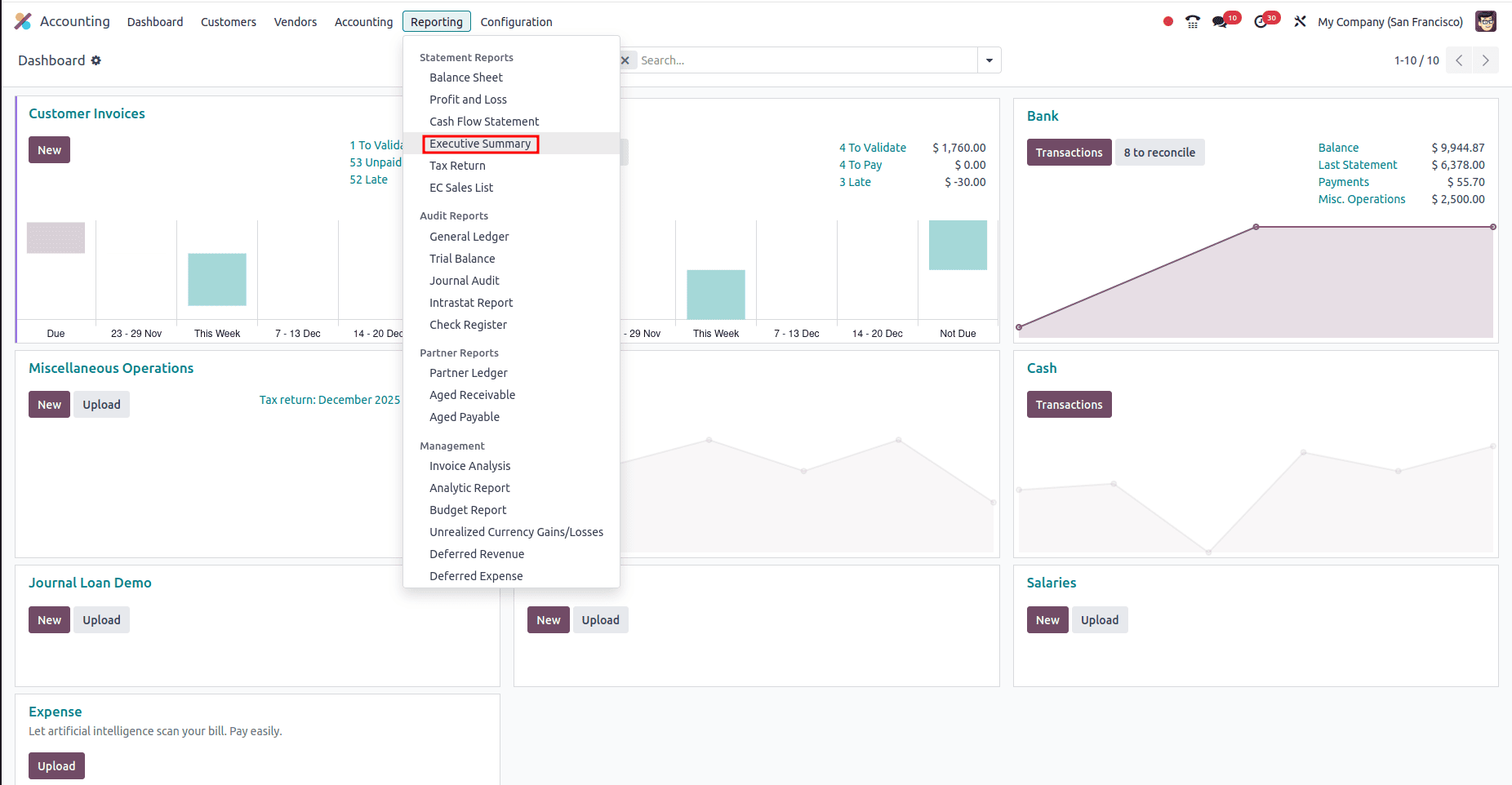
Once opened, you’ll see a clean layout divided into multiple sections—each revealing key financial indicators.
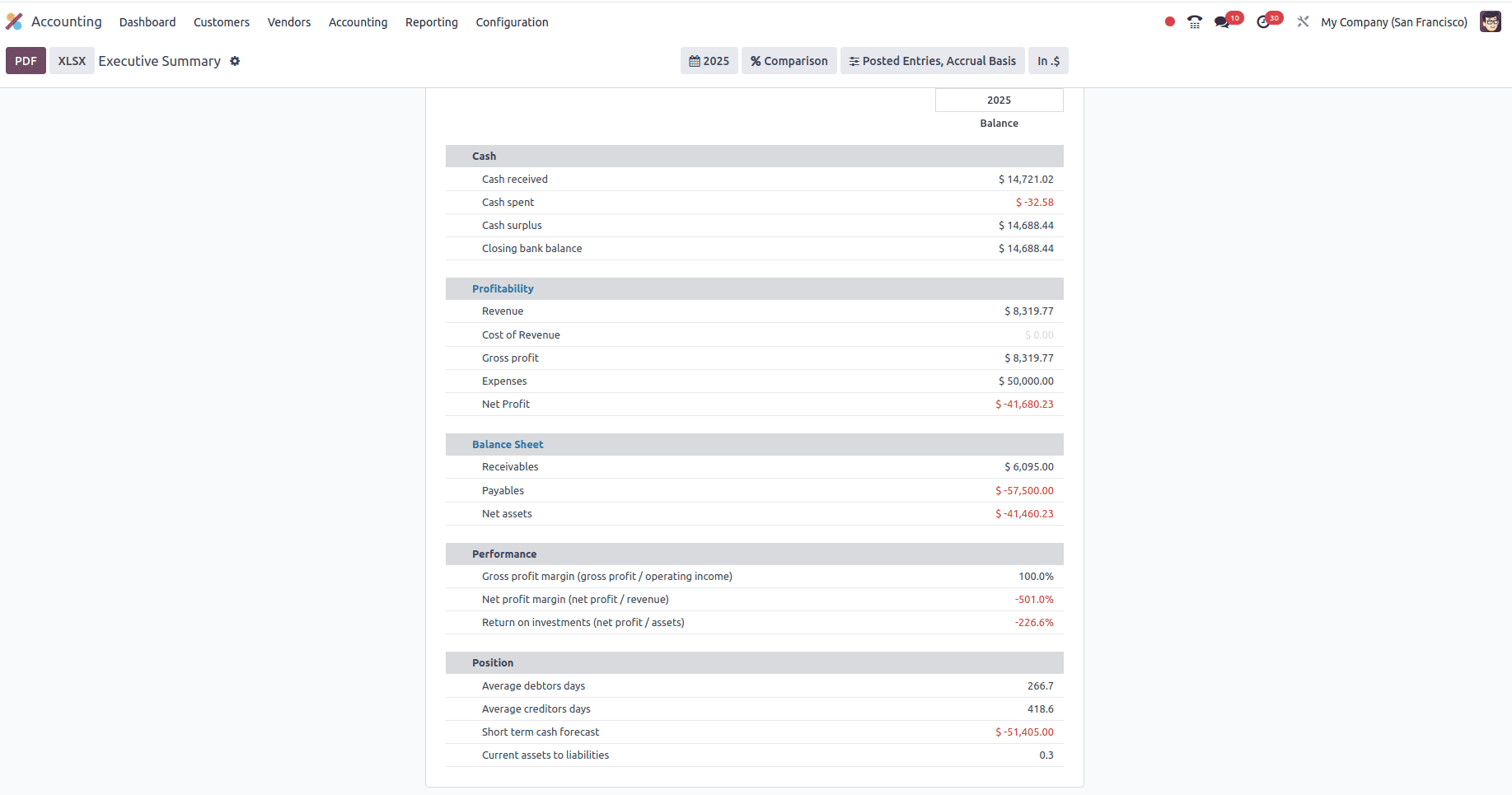
1. Cash: Your Business Lifeline
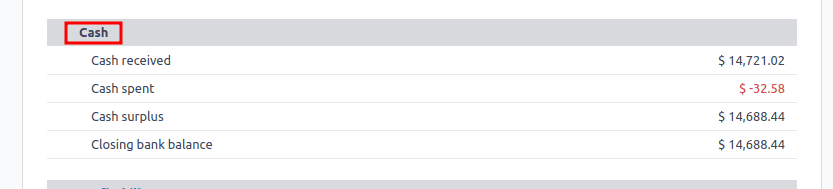
The first block of the report focuses on cash movement, answering one essential question:
“How much cash is actually available?”
You’ll see:
- Cash Received – Total incoming payments.
- Cash Spent – Total outgoing payments.
- Cash Surplus – Net cash flow.
- Closing Bank Balance – The current amount available in your financial accounts.
Why It Matters
A company can be profitable on paper yet still face financial trouble if it lacks cash flow. This section provides a real-time understanding of your liquidity—vital for day-to-day operations.
2. Profitability: Measuring True Performance
While the Cash section shows movement, the Profitability section reveals how well your business is performing.
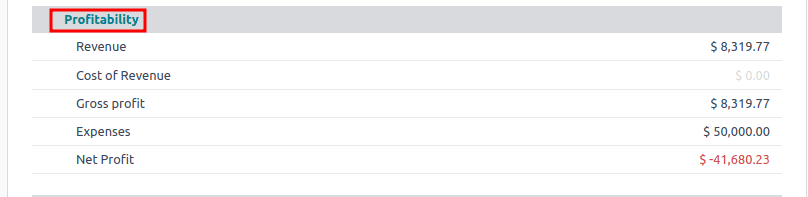
It includes:
- Revenue: total income from sales.
- Cost of Revenue: Direct costs tied to products or services.
- Gross Profit: Revenue minus direct costs.
- Expenses: Operational costs such as salaries, utilities, marketing, etc.
- Net Profit: What remains after all expenses are accounted for.
Why It Matters
Ratios help answer questions like:
This section tells you if your business model is sustainable. High revenue doesn’t matter if expenses are eating your profits—this is where you spot inefficiencies and overspending.
3. Balance Sheet: A Quick Financial Position Check
The Balance Sheet portion condenses your assets and liabilities into a digestible summary.

You’ll find:
- Receivables: Customer invoices awaiting payment.
- Payables: Your outstanding supplier bills.
- Net Assets: The total value of assets minus liabilities.
Why It Matters
It highlights your financial strength, credit health, and potential risks. High receivables might indicate slow-paying customers, while high payables might suggest upcoming cash pressure.
4. Performance: Converting Numbers Into Insightful Ratios
The Performance section analyzes your profits in terms of efficiency and returns.

It includes:
- Gross Profit Margin: Profitability after direct costs.
- Net Profit Margin: Actual profit as a percentage of total revenue.
- Return on Investment (ROI): Net profit relative to total assets.
Why It Matters
Ratios help answer questions like:
- Are we pricing correctly?
- Are our costs under control?
- Are our assets generating meaningful returns?
They’re crucial indicators of long-term business health.
5. Position: Understanding Financial Timing
The Position section looks beyond raw numbers and analyzes the timing of cash flow.
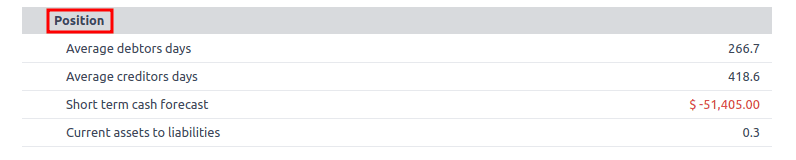
It shows:
- Average Debtor Days: How long customers take to pay.
- Average Creditor Days: How quickly you pay suppliers.
- Short-Term Cash Forecast: A near-future liquidity prediction.
Why It Matters
Balancing how fast money comes in versus how fast it goes out is essential. A mismatch can lead to cash shortages—even when sales are strong.
Additional Tools in Odoo 18 Executive Summary
Odoo 18 enriches the Executive Summary with several helpful utilities:
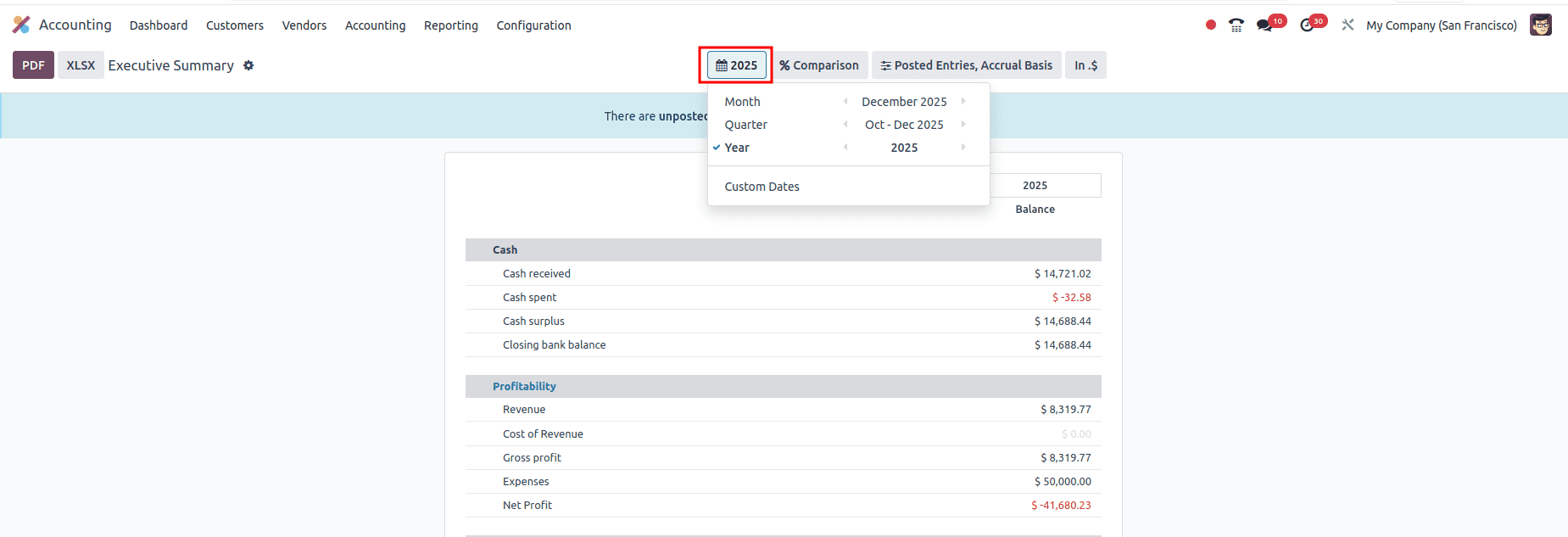
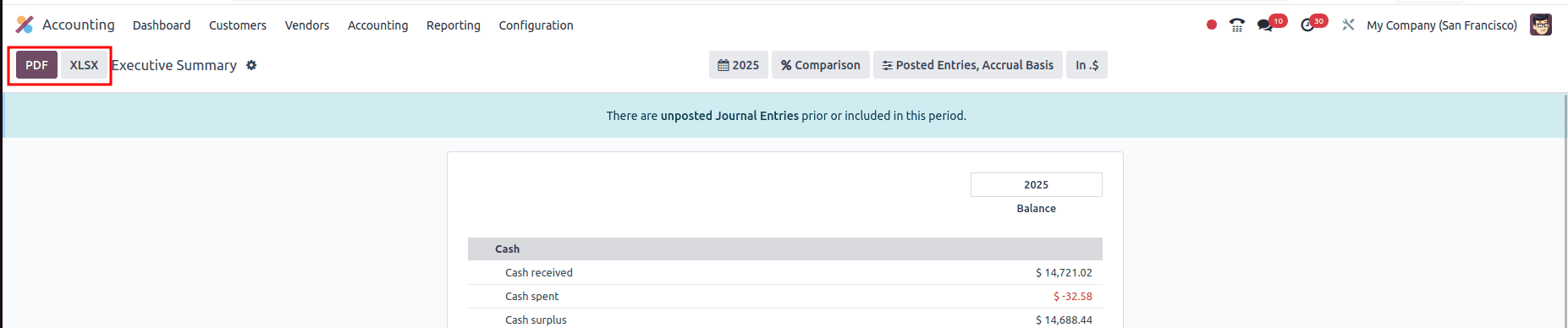
- Year View: allows you to generate the report by filtering for a specific year, quarter, or any custom period.
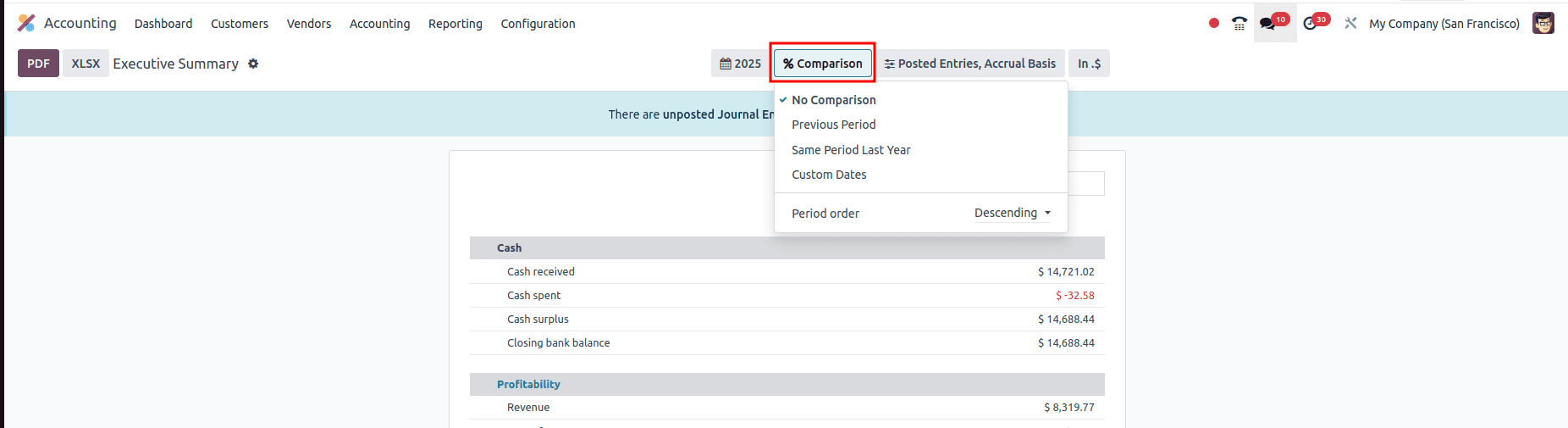
- Comparison View: Compare performance across periods (e.g., 2025 vs. 2026).
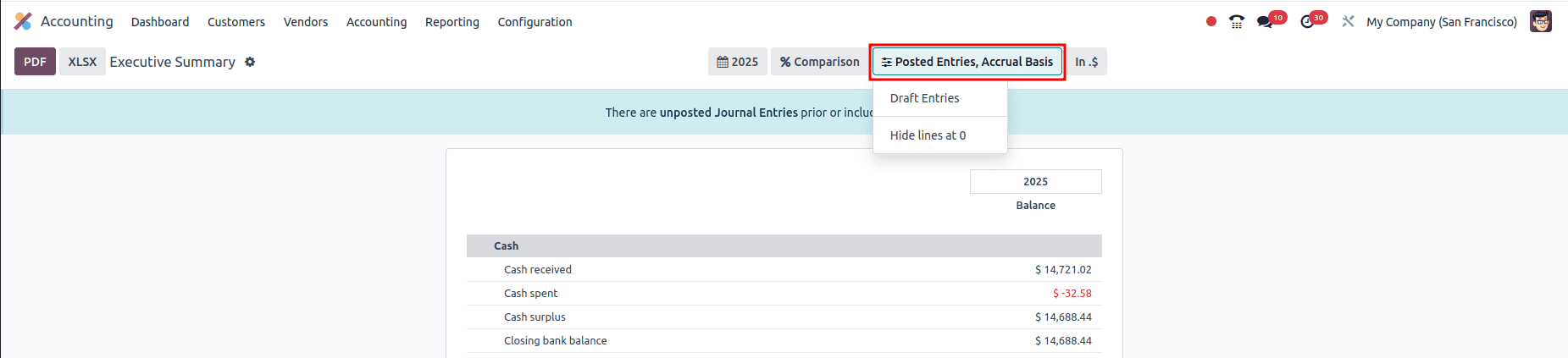
- Filters: Choose to include only Posted entries or Draft entries as well.
- Export Options: Generate quick PDF or Excel versions for board meetings or reporting presentations.
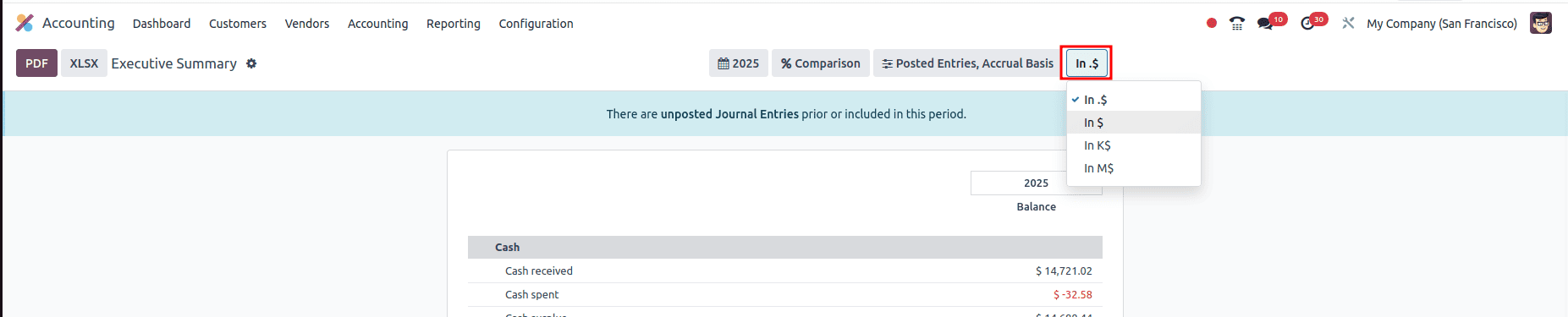
- Currency display: lets users switch between standard values ($), thousands (K$), and millions (M$) with a single click. This doesn’t change the underlying currency—it simply scales the numbers for clearer, more digestible financial insights, making high-level reporting faster and easier for decision-makers.
Conclusion
The Executive Summary in Odoo 18 is like a quick summary on the financial health of your business. It gathers your most important financial information—your cash, profits, assets, performance, and payment timelines—into one easy-to-read report. By reviewing these five sections regularly, you can quickly see how your business is doing, spot problems early, and make smarter decisions with confidence.
To read more about An Overview of Odoo 18 Accounting Reports, refer to our blog An Overview of Odoo 18 Accounting Reports.