In Odoo 19 Sales, the Quote Calculator plays a vital role in accelerating and refining the quotation process. It enables sales teams to generate quotations quickly while ensuring high accuracy by automatically considering pricing rules, discounts, taxes, logistics costs, and service charges. By eliminating manual calculations, the Quote Calculator significantly reduces the risk of human error and ensures consistency across all quotations. This transparency not only improves internal efficiency but also builds greater trust and confidence among customers.
One of the key advantages of the Quote Calculator in Odoo 19 is its seamless integration with the Sales module. From quotation creation to sales order confirmation and invoicing, the entire workflow remains smooth and uninterrupted. Sales representatives save valuable time, allowing them to focus more on customer interaction, negotiations, and closing deals rather than spending hours recalculating costs. The result is higher productivity, faster turnaround times, and an improved customer experience.
To further enhance quotation management, Quotation Templates in Odoo 19 allow businesses to predefine products, pricing structures, and standard terms. These templates help maintain consistency across quotations and ensure a professional presentation. The Quote Calculator is now tightly integrated into quotation templates, making it easier to compute dynamic costs such as delivery, assembly, and transportation. Let’s explore how the Quote Calculator works in Odoo 19 Sales.
Configuring Quotation Templates with Quote Calculator
To begin, navigate to Configuration > Quotation Templates within the Sales module. This section displays a list of all existing quotation templates along with their respective template names and associated companies.
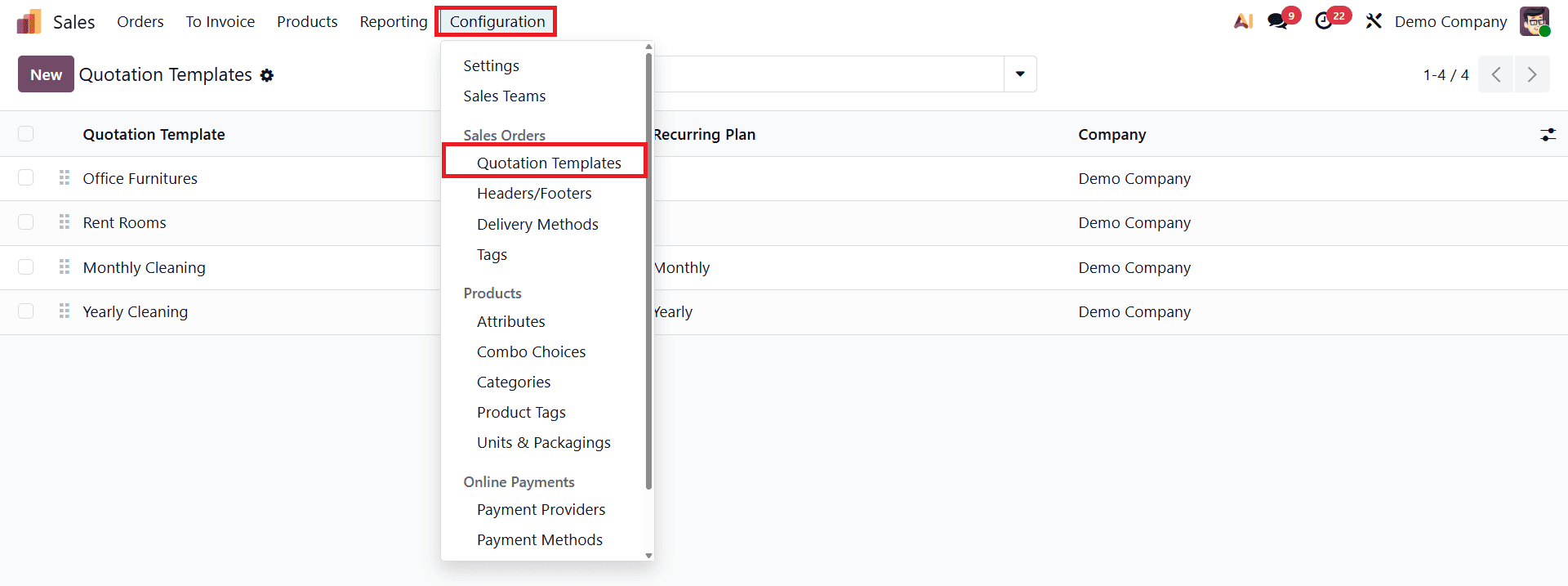
To create a new template, click on the New button. In this example, an existing template named “Office Furniture” is used to demonstrate the functionality.
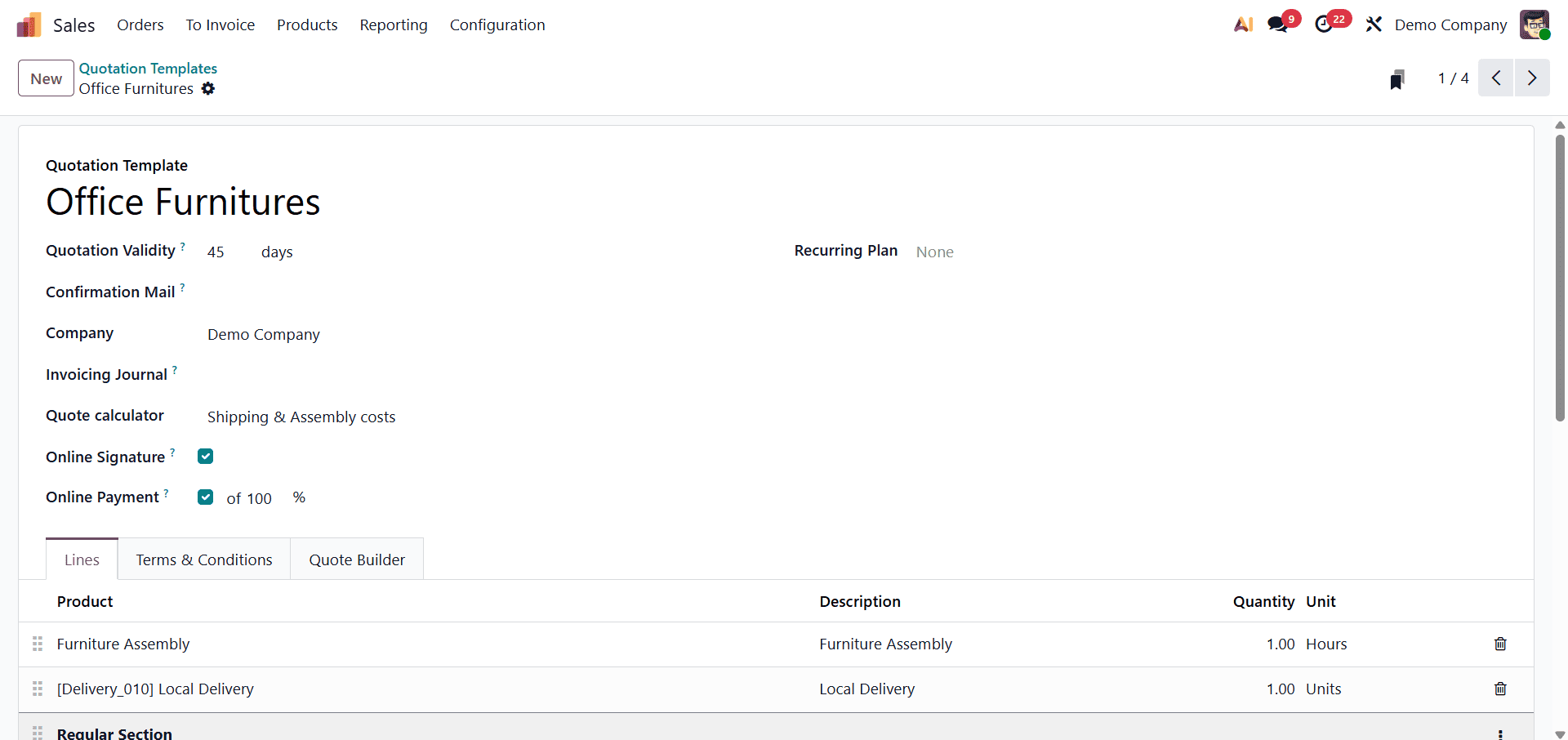
Each quotation template requires a Template Name for identification. After assigning the name, users can configure key settings such as Quotation Validity, Confirmation Mail, Company, Invoice Journal, Quote Calculator, Online Signature, and Online Payment options. The quotation validity defines the number of days for which the quotation remains valid, while the confirmation mail determines whether an email is automatically sent when the quotation is confirmed.
If an Invoice Journal is specified, all sales orders generated from this template will use that journal; otherwise, Odoo selects the default sales journal with the lowest sequence. When Online Signature and Online Payment options are enabled, customers are prompted to sign and pay online, allowing automatic order confirmation and faster processing.
Within the Lines tab of the quotation template, users can add products and organize them into multiple sections.
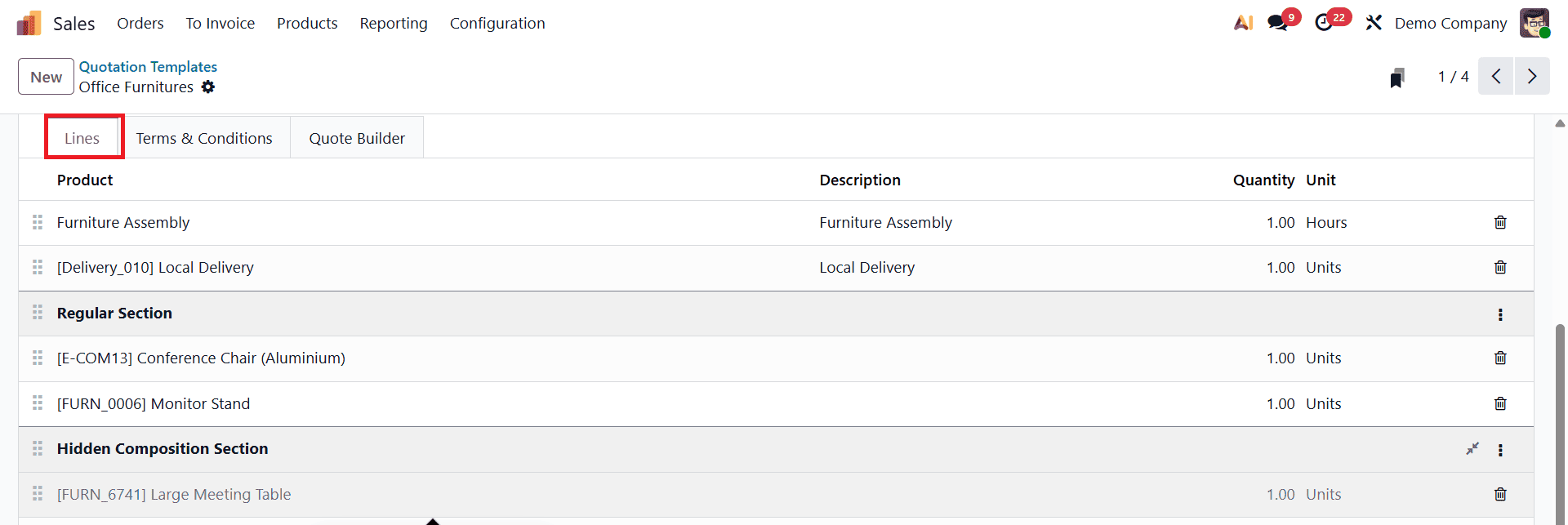
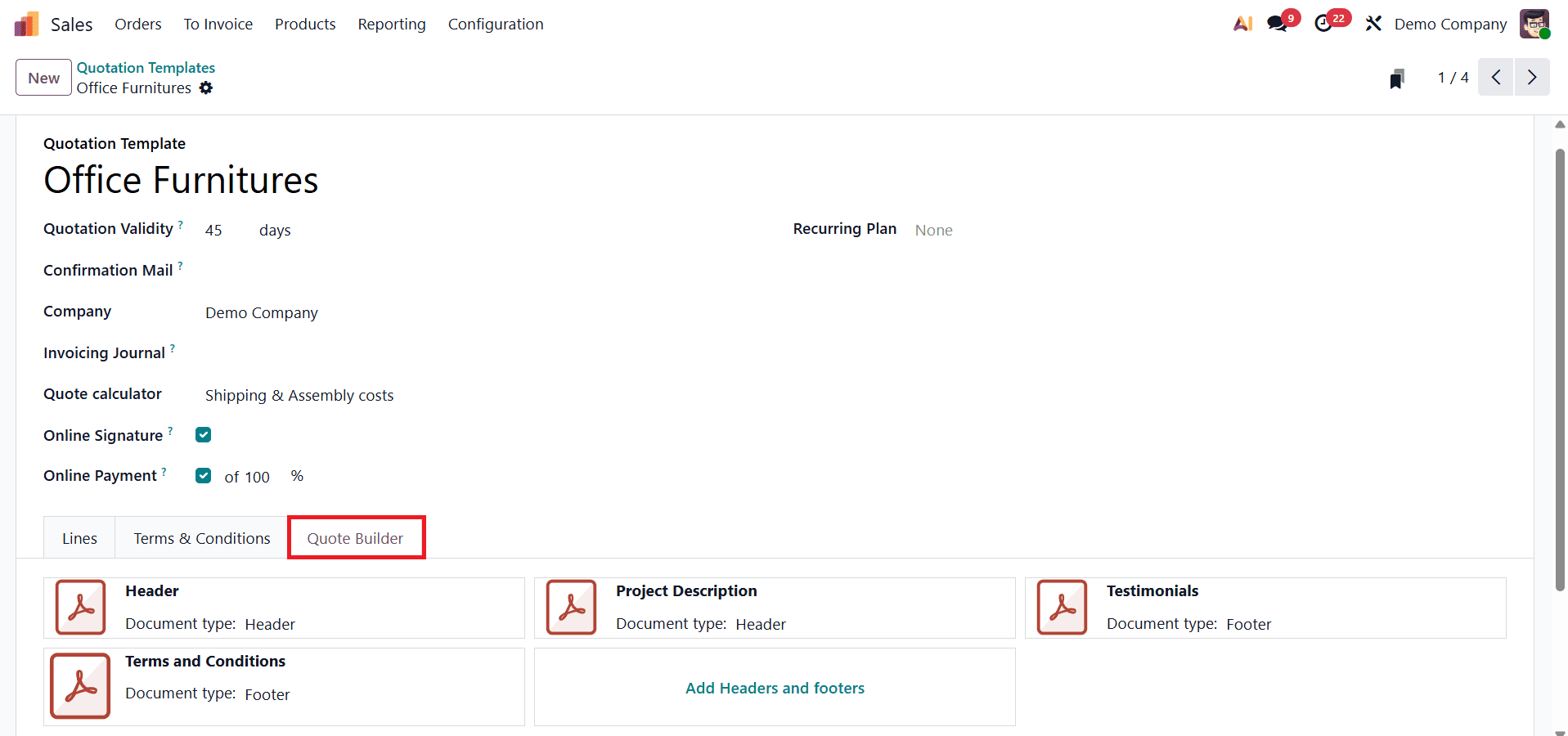
Additionally, the Terms & Conditions tab enables businesses to define default contractual terms, while the Quote Builder tab allows uploading customized headers and footers to enhance the quotation’s visual presentation.
Once all configurations are complete, the quotation template can be saved and reused.
Creating a Quotation Using the Template
To generate a quotation, navigate to Orders > Quotations and click New. After selecting the customer, choose the previously created quotation template. Once the template is selected, Odoo 19 automatically populates the quotation with predefined order lines, expiration date, services, and pricing rules.
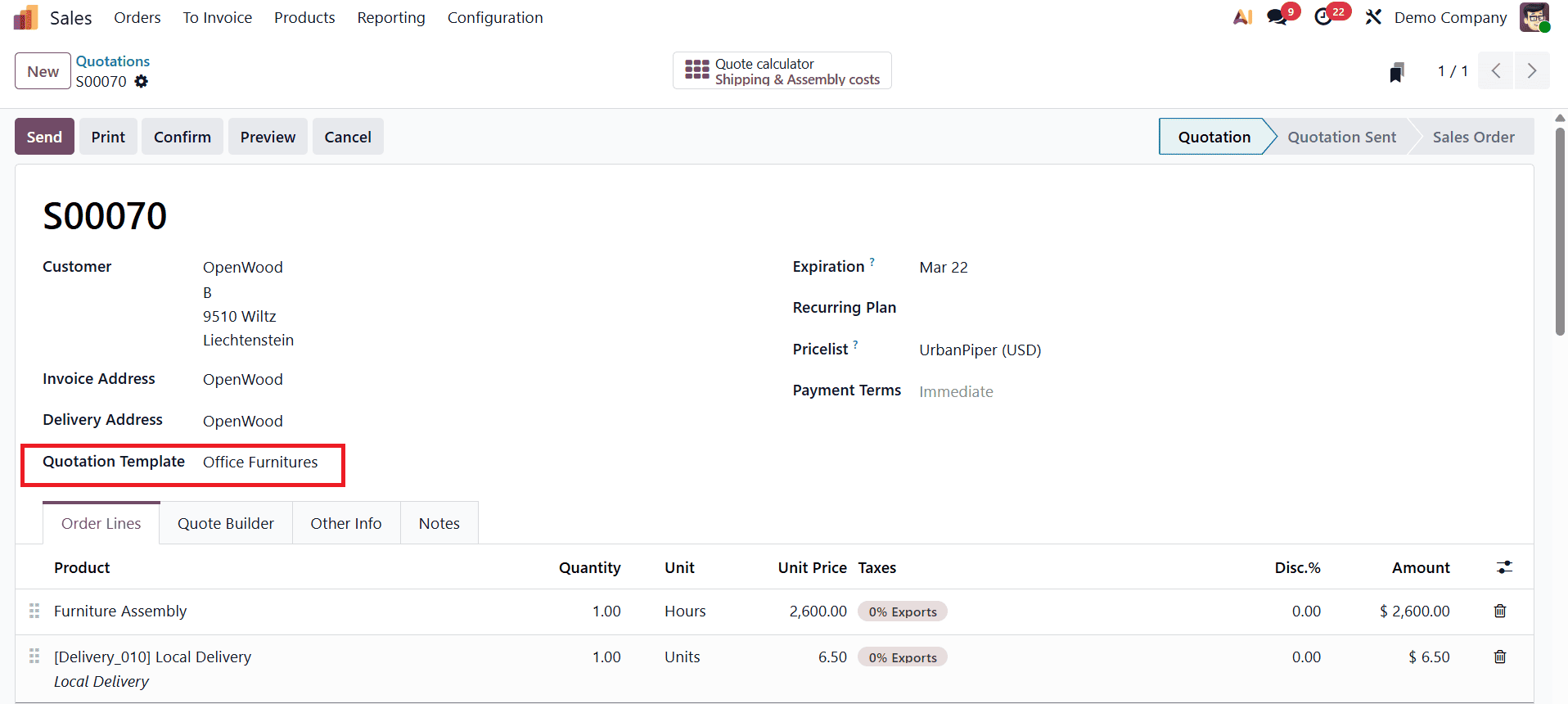
At this stage, delivery charges and assembly costs are calculated automatically based on the Quote Calculator configuration within the template.
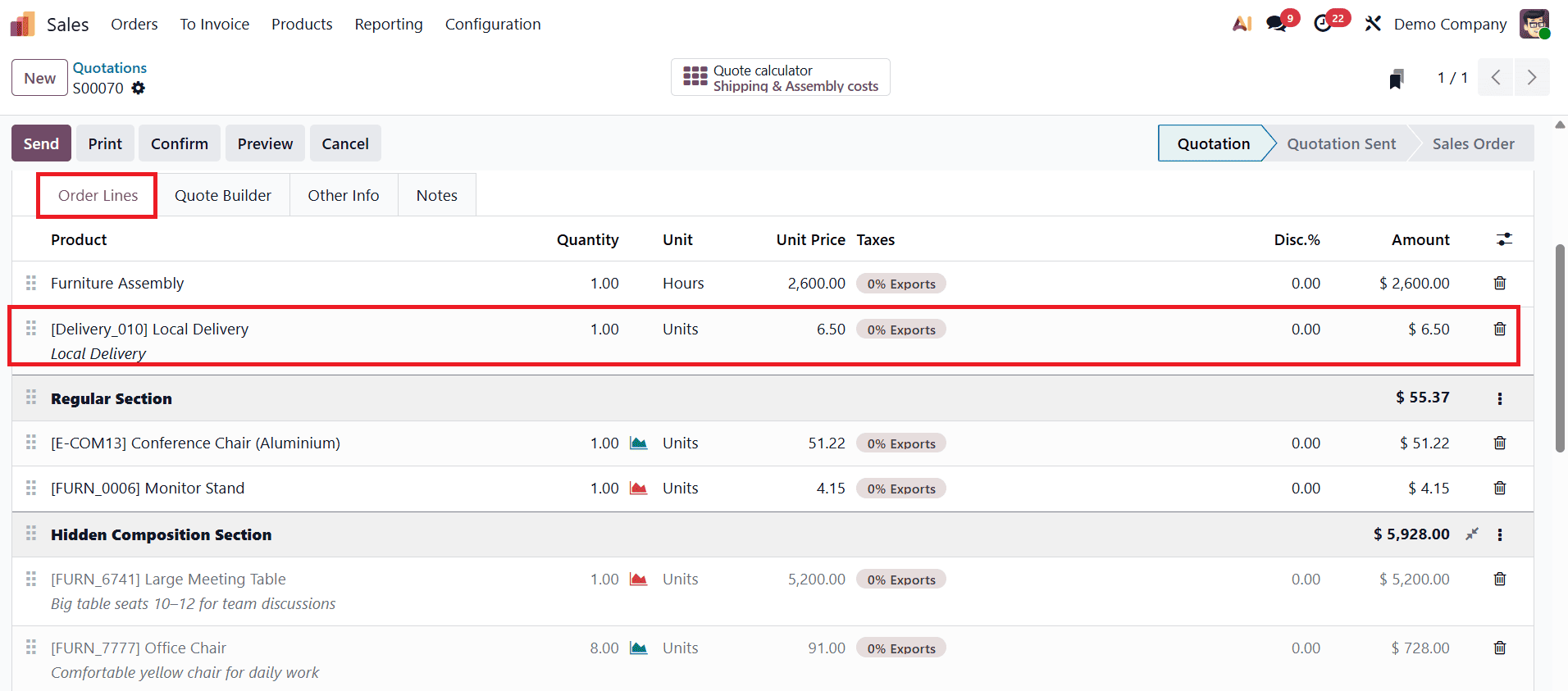
A new smart tab named “Quote Calculator” appears on the quotation form, offering deeper insights into cost calculations.
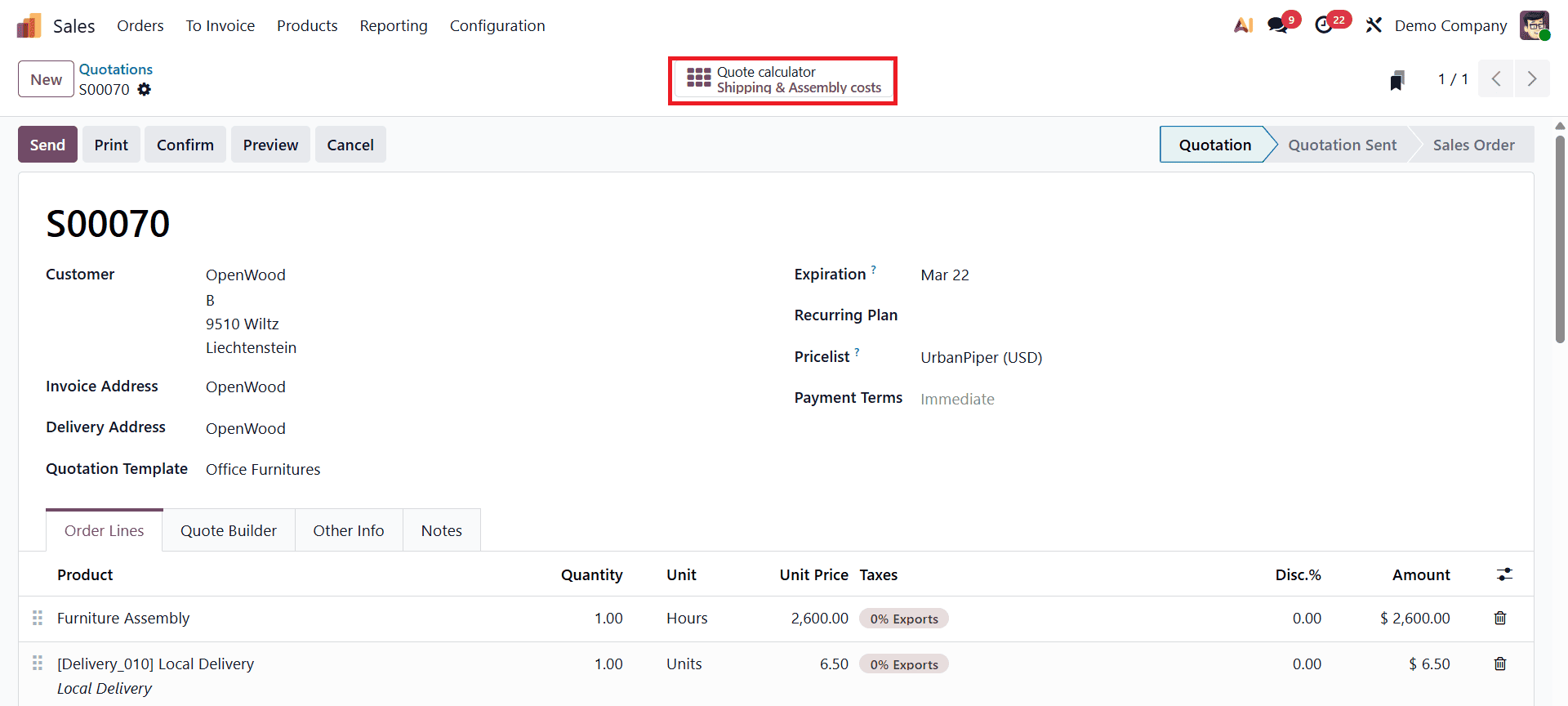
Using the Quote Calculator Smart Tab
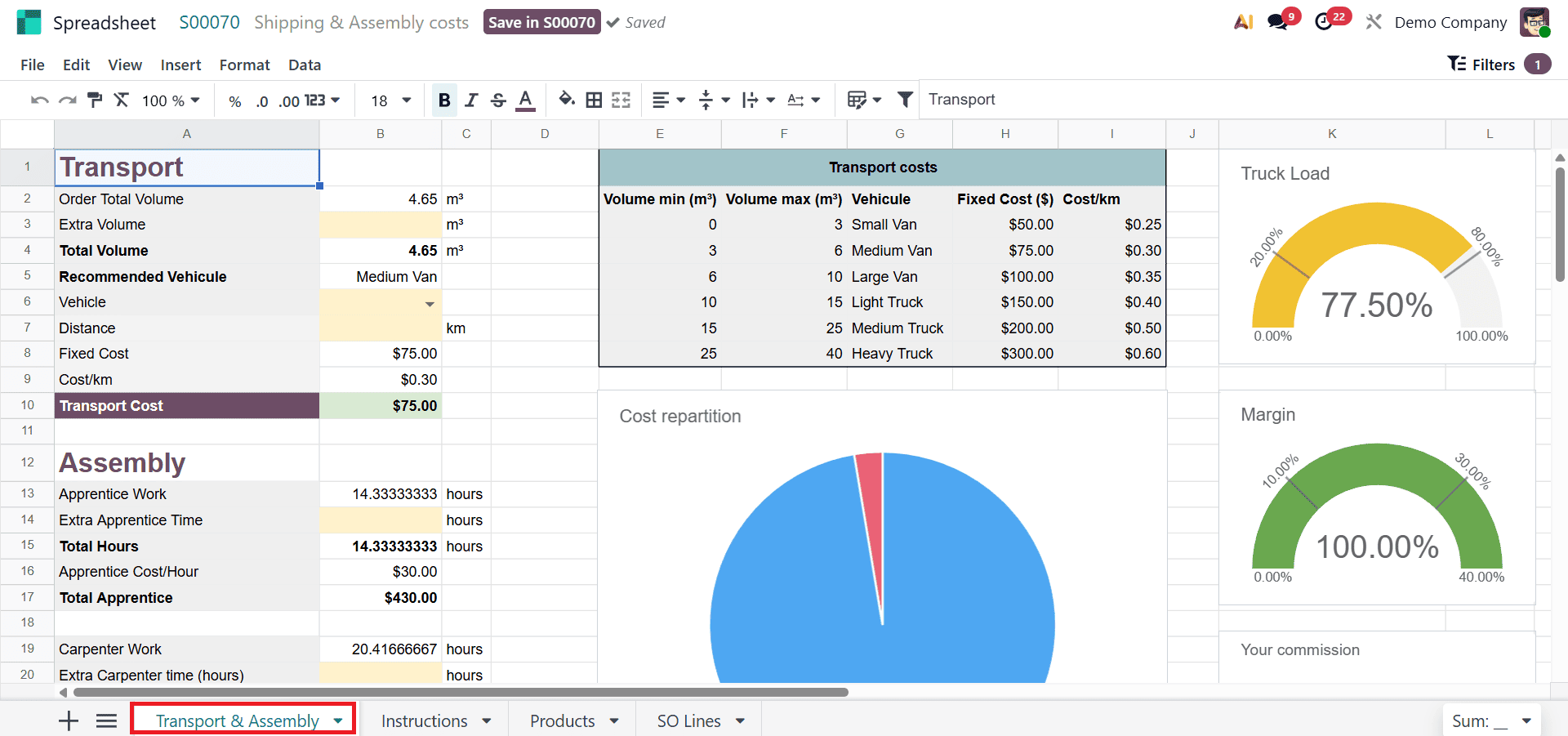
Clicking on the Quote Calculator smart tab opens a detailed cost breakdown. The first sheet, Shipping & Assembly Costs, displays transportation fees, assembly charges, additional expenses, truck details, and total logistics costs.
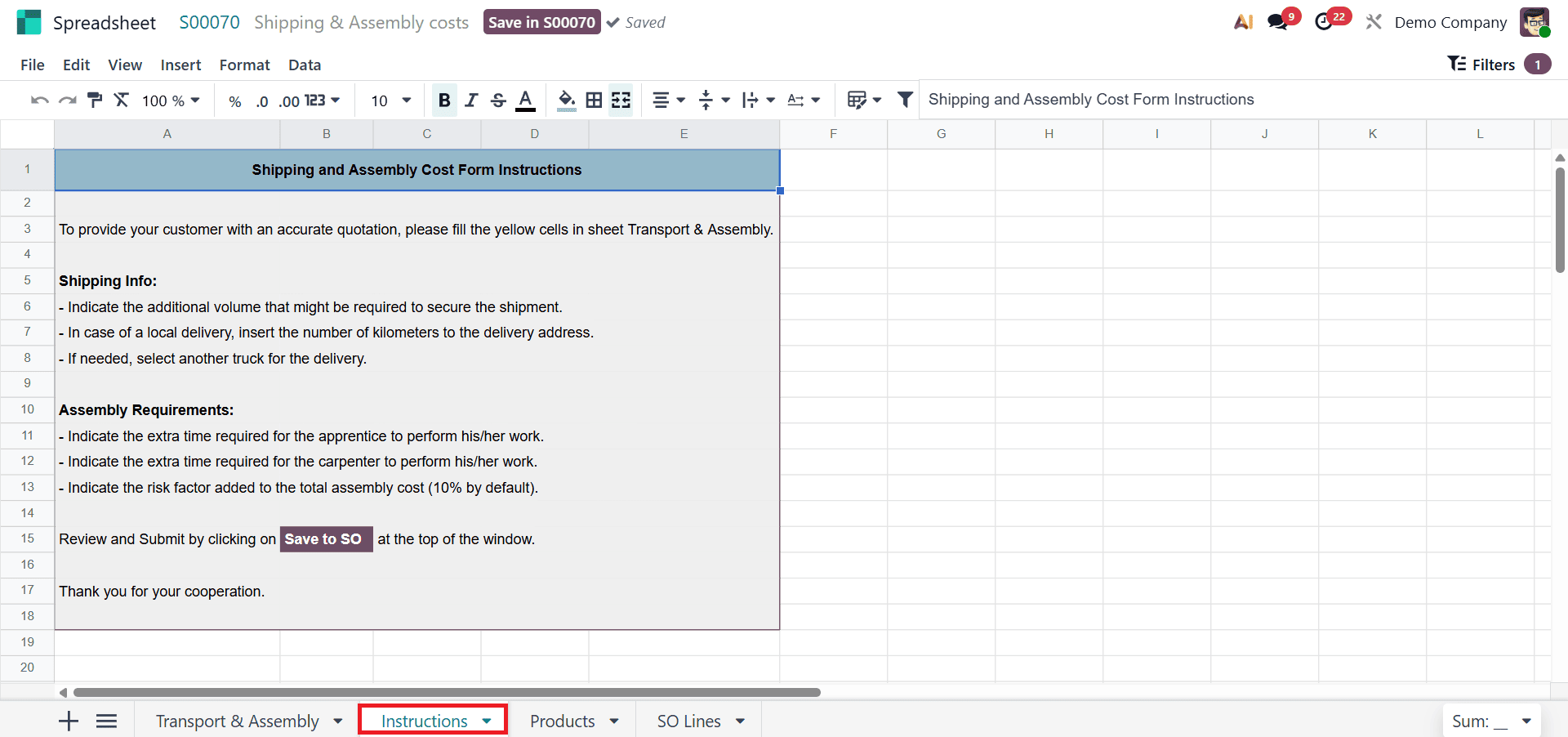
Users can also update shipping and assembly instructions directly from this view in the Instructions sheet.
The Products sheet lists all products included in the quotation along with their sales prices, units of measure, volume, and assembly time.
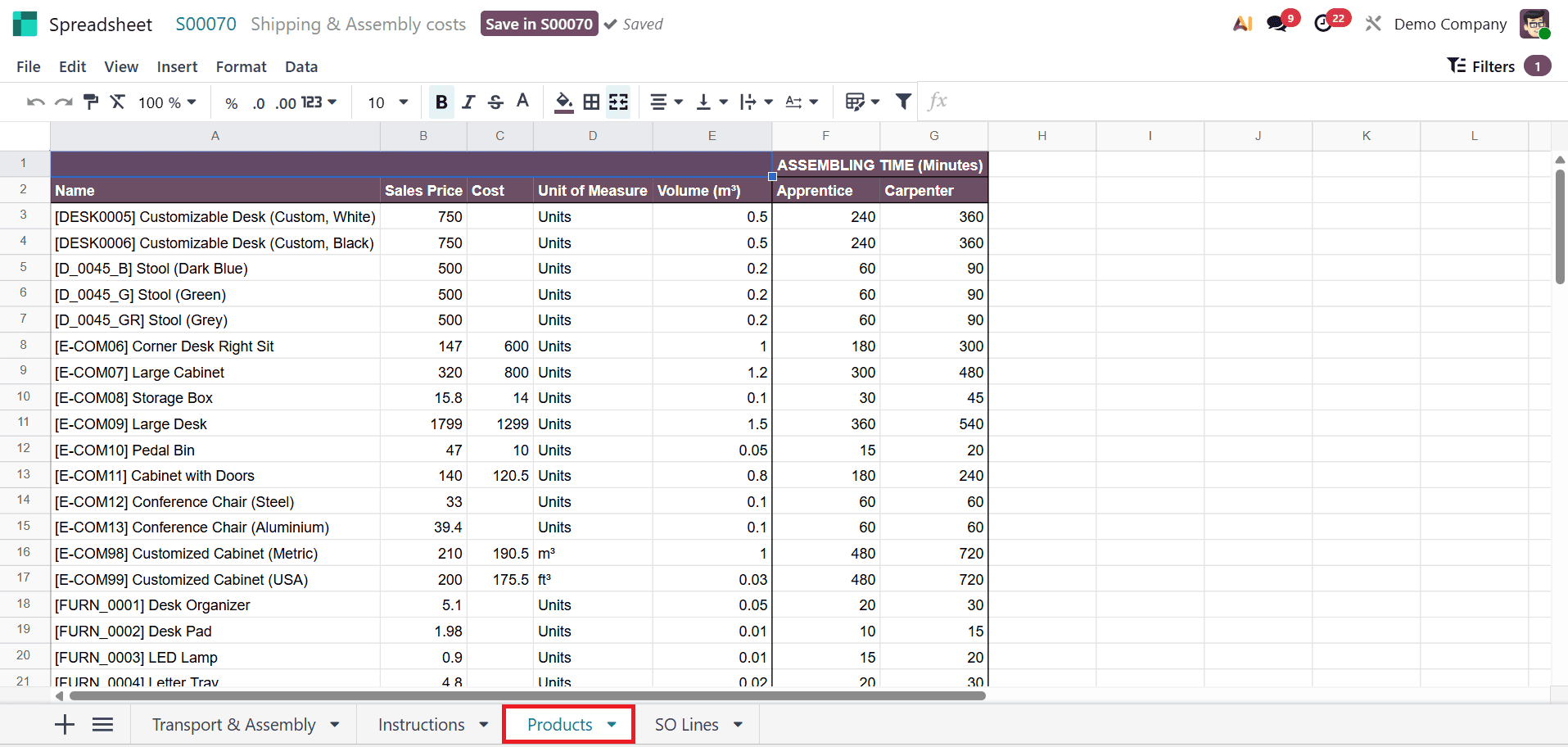
Assembly time is further divided between Apprentice and Carpenter, providing precise labor cost estimation.
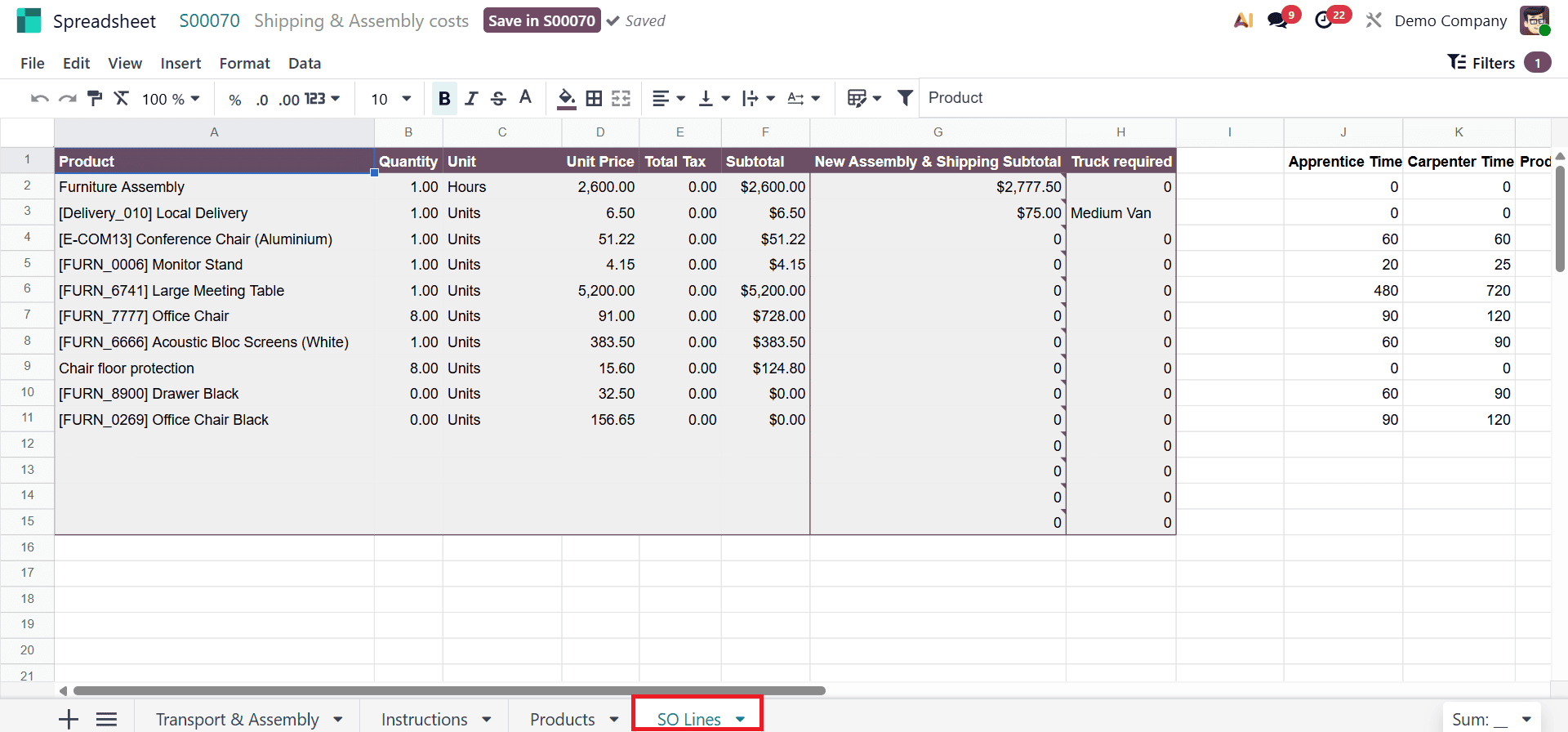
The final sheet, SO Lines, shows a comprehensive breakdown of each order line, including quantities, unit prices, taxes, subtotals, assembly and shipping costs, and required transportation details for each product.
Odoo 19 allows users to dynamically adjust parameters such as extra volume, vehicle type, transport distance, and additional labor time. For example, users can change the recommended vehicle from a Medium Van to a Light Truck, update distance values, or add extra apprentice and carpenter hours. As these values are modified, Odoo recalculates costs in real time.
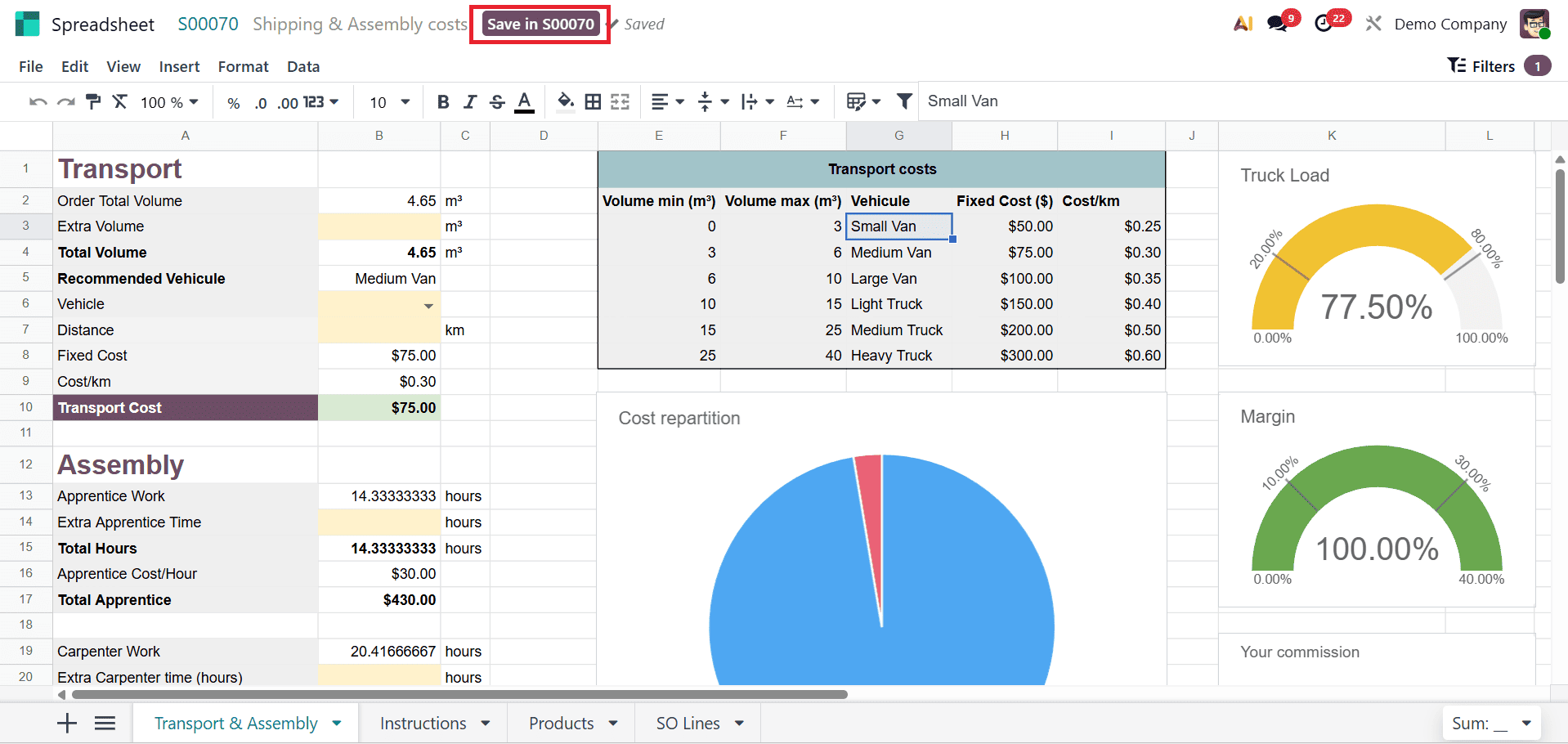
On the right side of the screen, graphical indicators display truck load, total margin, and employee commission. These visual insights update instantly, helping sales teams evaluate profitability and logistics feasibility before confirming the quotation. To apply these changes to the quotation, users simply click Save, after which updated delivery and assembly charges are reflected directly in the order lines.
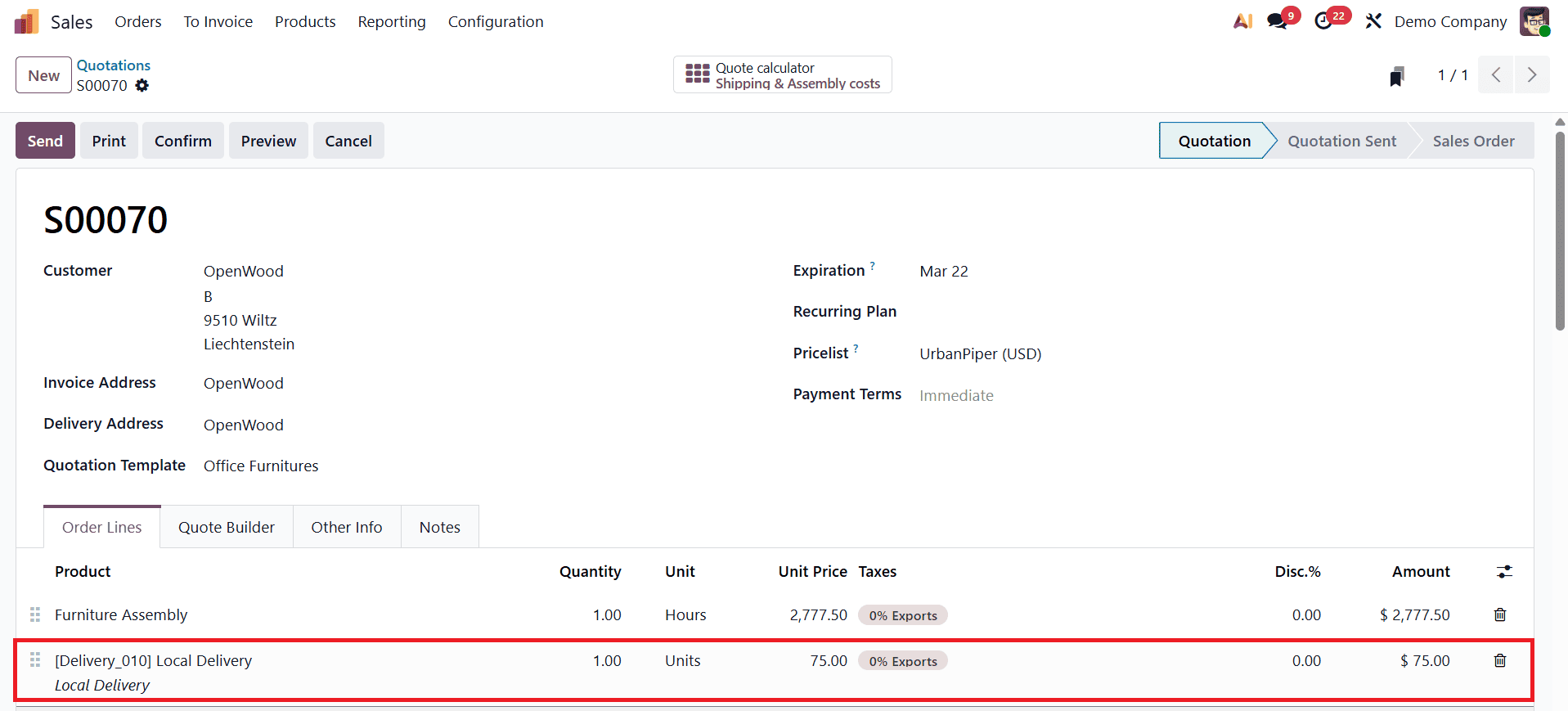
Once the customer approves the quotation, it can be confirmed, converting it into a Sales Order.
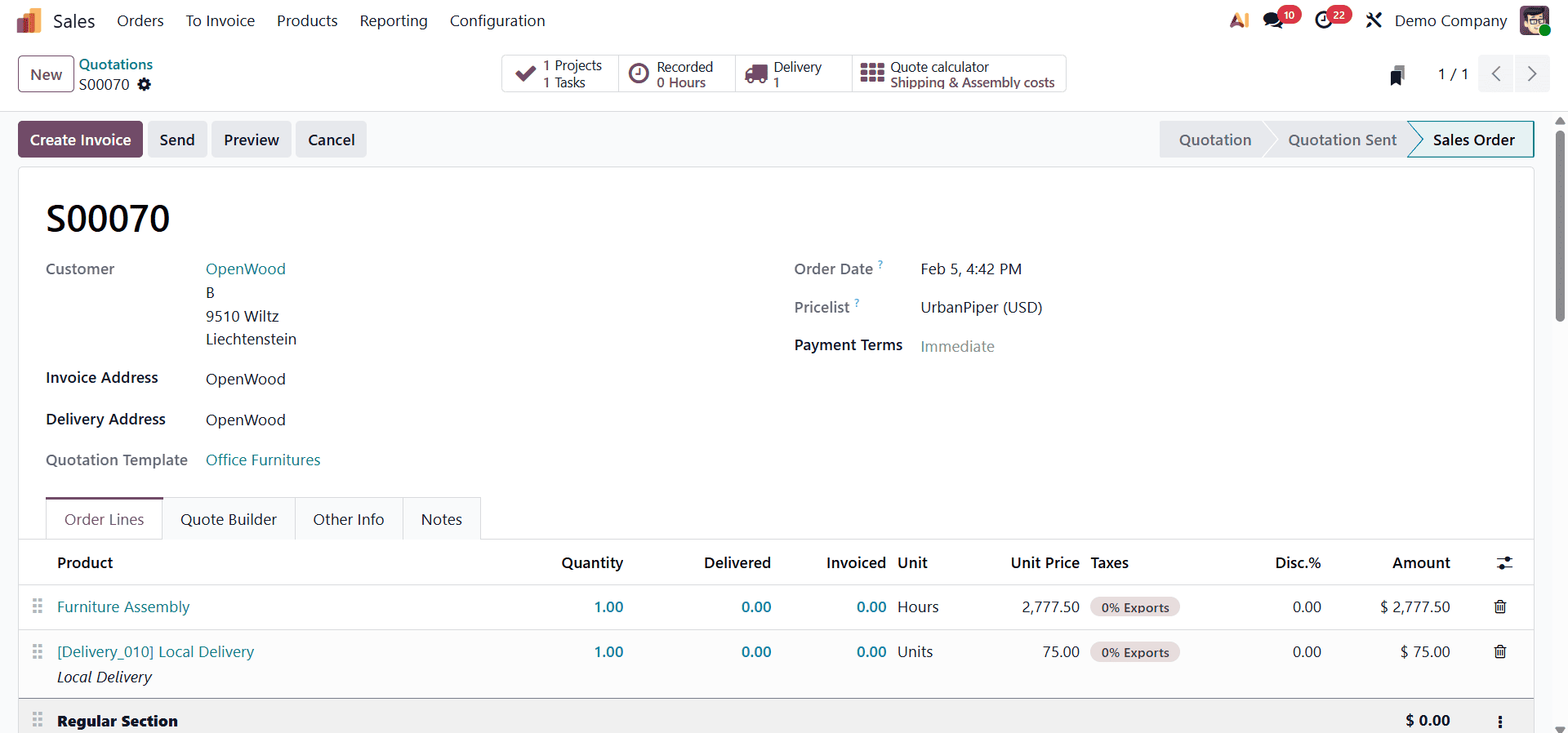
The delivery process can then be completed by validating the delivery transfer. This end-to-end integration ensures that all cost calculations remain consistent from quotation to fulfillment.
The Quote Calculator in Odoo 19 Sales is a powerful enhancement that enables businesses to generate fast, accurate, and transparent quotations tailored to customer needs. By automating complex pricing logic, logistics costs, and service calculations, it minimizes errors while improving efficiency and professionalism. With real-time cost visualization, dynamic adjustments, and seamless integration with quotation templates and sales orders, the Quote Calculator significantly enhances sales performance, customer satisfaction, and decision-making in Odoo 19.
To read more about How Quote Calculator Works in Odoo 18 Sales Order, refer to our blog How Quote Calculator Works in Odoo 18 Sales Order.