The e-invoicing solution in all countries is now shifting from PDF invoices via email to a government-controlled, real-time digital pipeline. With ZATCA in Saudi Arabia, the e-invoicing site in Egypt, and Fawtara in Oman, it is now the turn of the UAE with its mandatory e-invoicing scheme through the Federal Tax Authority (FTA). You must ensure that you are registered in the UAE and using Odoo to meet the new requirement.
Though you have to pay for your account at the FTA-accredited provider, Odoo frees you from the tedious task of re-entering data into another web portal. We’ll explore why an Accredited Service Provider (ASP) is necessary under the UAE e-invoicing system and how the Aigentrix Odoo connector facilitates this process.
Why Does Your Business Need a Third-Party ASP Provider for UAE E-Invoicing?
There are various approaches to e-invoicing in various countries, which include connection to the tax authority and transferring the structured electronic invoice data via authorised service providers. The e-invoicing solution in the UAE operates under a decentralised five-corner model according to Peppol standards (PINT AE).
- Corner 1: The supplier, who issues the invoice through the ERP system like Odoo.
- Corner 2: The Accredited Service Provider of the supplier that verifies and sends the electronic invoice.
- Corner 3: The Accredited Service Provider of the buyer, receiving and processing the electronic invoice.
- Corner 4: The buyer of the invoice that receives it from the Accredited Service Provider.
- Corner 5: UAE Federal Tax Authority (FTA), which receives the tax data via the prescribed reporting method.
According to this model, electronic invoices are transferred between suppliers and buyers via their Accredited Service Providers, whereas the relevant tax data is reported to the FTA. This way, Odoo connects with the ASP instead of sending the electronic invoices to the FTA.
Cybrosys has created the UAE E-Invoicing - Aigentrix connector to integrate Odoo with the Aigentrix service provider's platform.
UAE E-Invoicing - Aigentrix
Consider the module as a medium that is going to transport your invoice generated in Odoo into an envelope that meets the standards of Aigentrix and PINT-AE. Aigentrix will take care of the Peppol and tax authority side of things.
What it does for you:
- For both Invoices and Credit Notes, not just one. Credit Notes will automatically contain the number of the original Invoices along with their dates and the mandatory UAE reason codes.
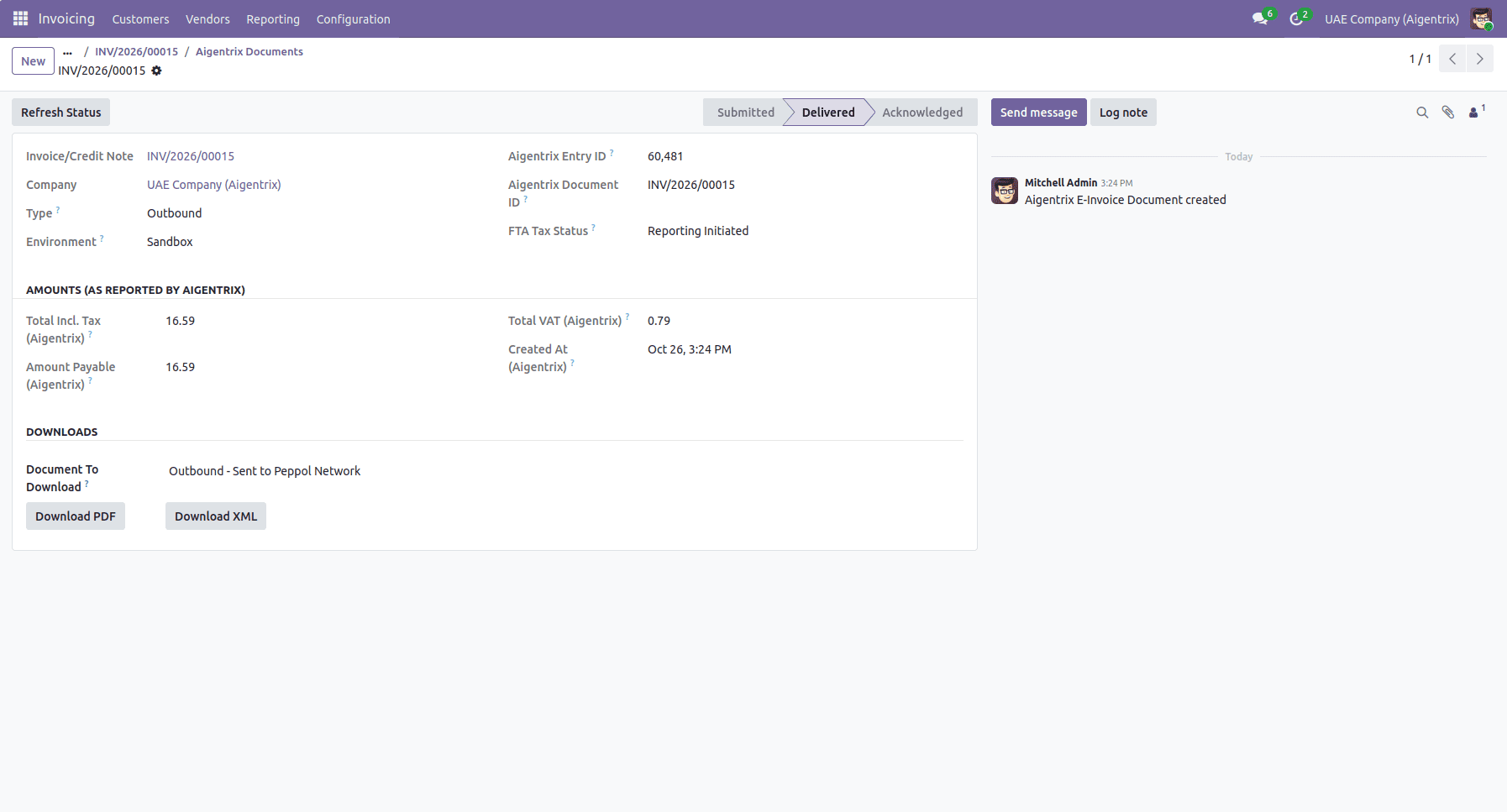
- It shows exactly at what stage the invoice is: Submitted > Delivered > Acknowledged (Rejection and Failure are highlighted separately if there is an error).
- Automatically checks the status of the Aigentrix in the background, so the status of your invoice is up-to-date every 30 minutes without any need to update manually because of scheduled actions.
- The smart button and a separate Aigentrix Document in the invoice show Remote Entry ID, Remote Document ID, FTA Reporting status (taxStatus) and verified by Aigentrix amount of tax-inclusive values.
- Downloads and attaches the official PDF document and raw XML of every submitted Invoice from the gateway right into the invoice in Odoo.
- Checks the entered data during saving: 15-digit TRN, 10-digit Corporate Tax TIN, Peppol participant ID, legal registration, invoice and transaction types, data for Credit Notes and Tax Categories.
Before you use this module, you should register your company in Aigentrix through their portal and obtain the API Key, Base URL, and Company ID that Odoo will ask for.
Setting It Up
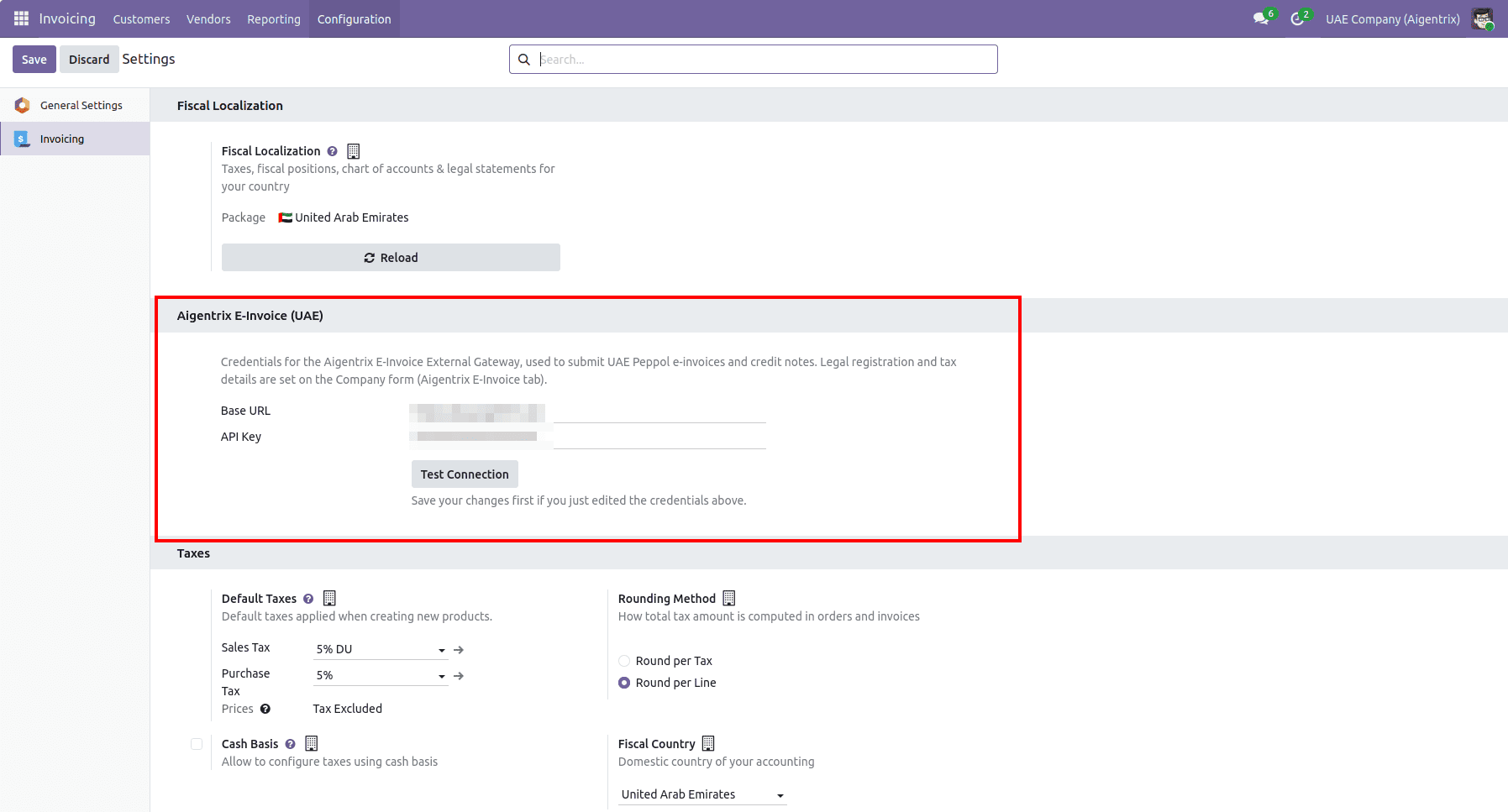
Invoicing & Gateway Settings
- Go to Settings > Invoicing / Accounting > Aigentrix E-Invoice (UAE)
- Enter your details:
- API Key - the key Aigentrix gave you.
- Click Test Connection. Odoo checks with Aigentrix right away and tells you if the details are correct.
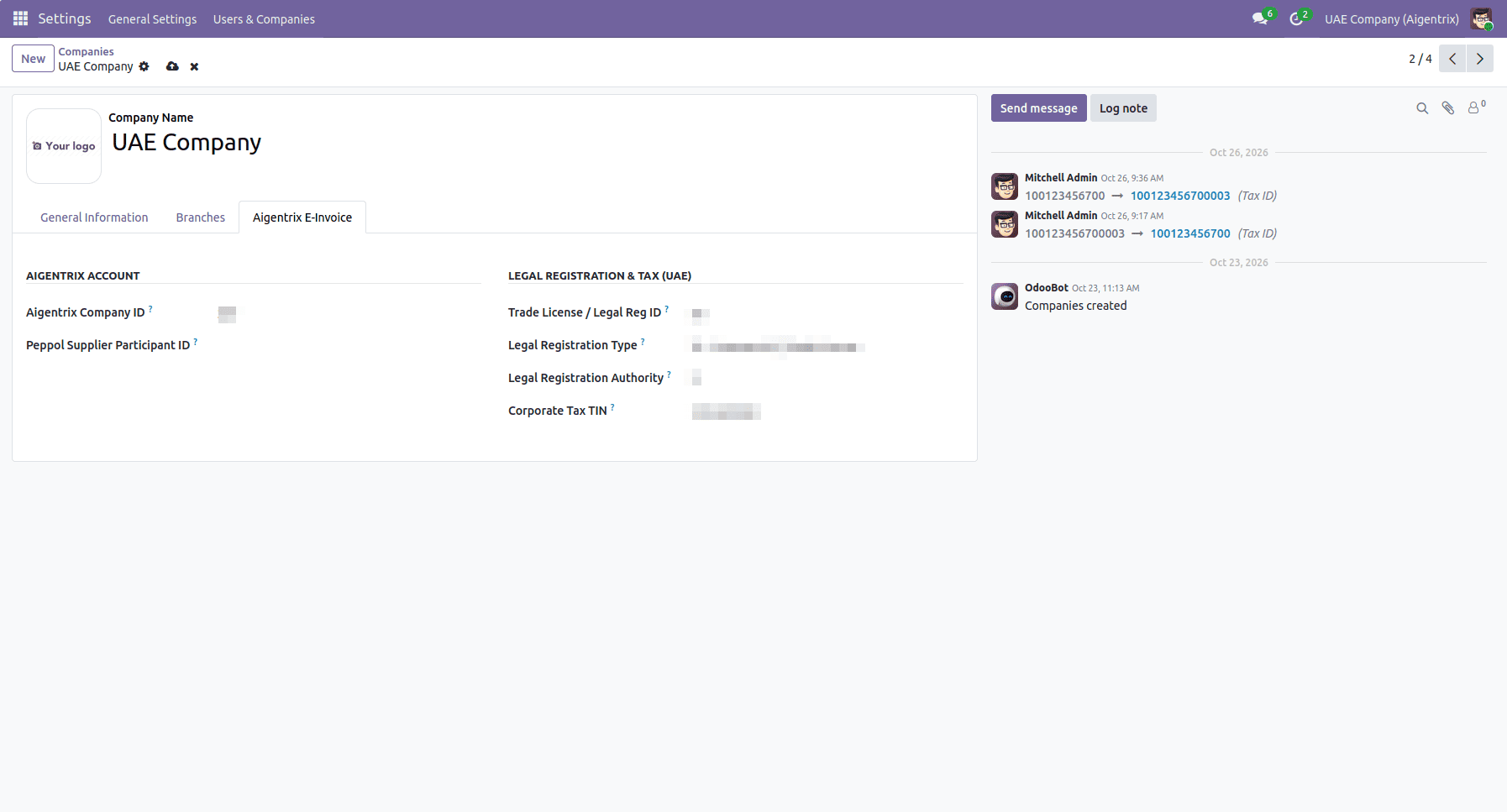
Company Details
- Open your company via Settings > Users & Companies > Companies and open the Aigentrix E-Invoice tab.
- Enter your company registration details:
Submitting an Invoice
Once setup is complete, submitting an invoice requires just a single click:
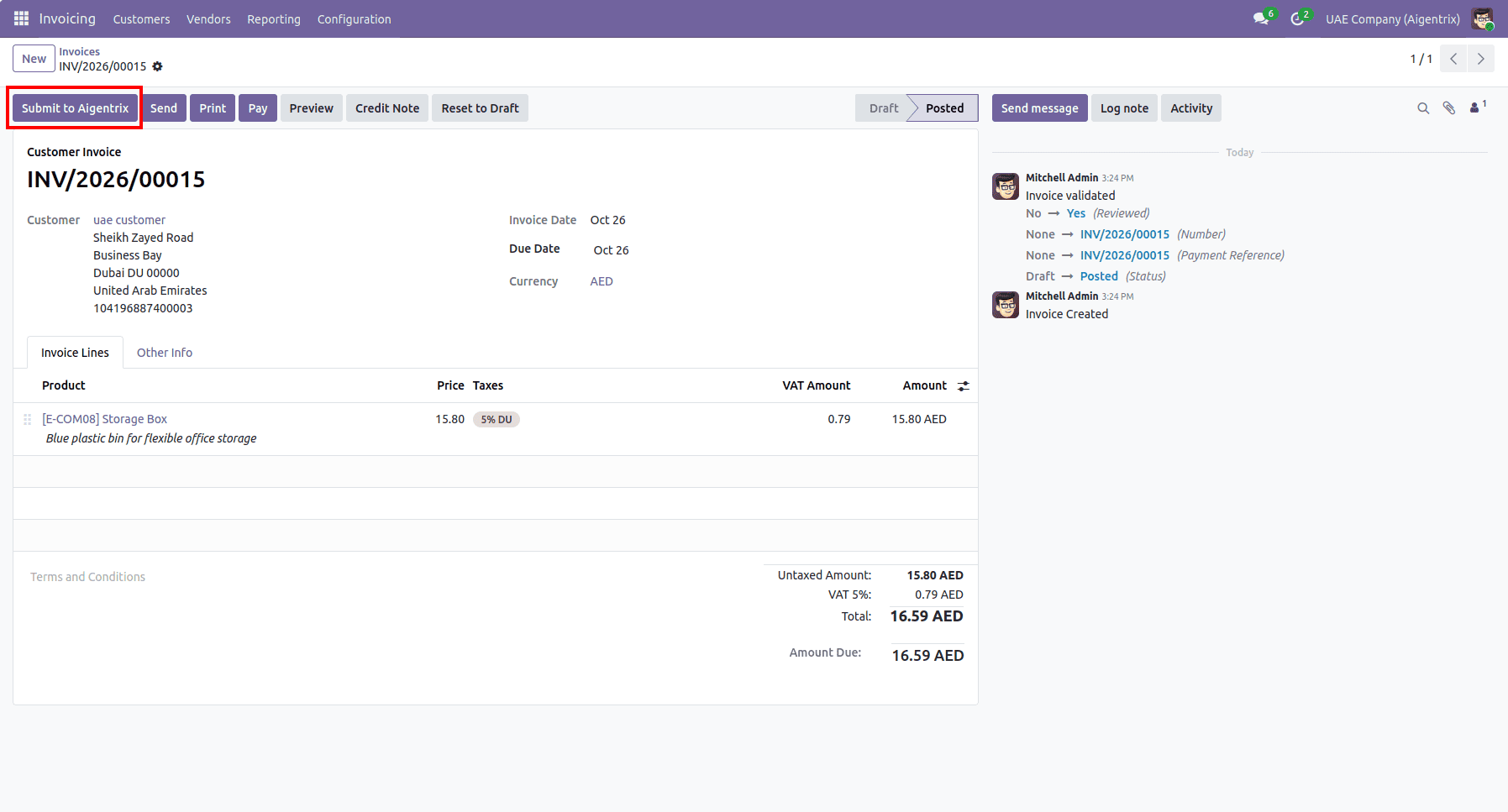
- Open any confirmed customer invoice or credit note. You will see the Submit to Aigentrix button in the top action bar.
- Click Submit to Aigentrix.
- Odoo packages the invoice lines, taxes, and customer details, validates the fields, and submits the document to the gateway.
- The status immediately shifts to Submitted, and Odoo tracks the entry automatically until the network marks it Delivered and Acknowledged.
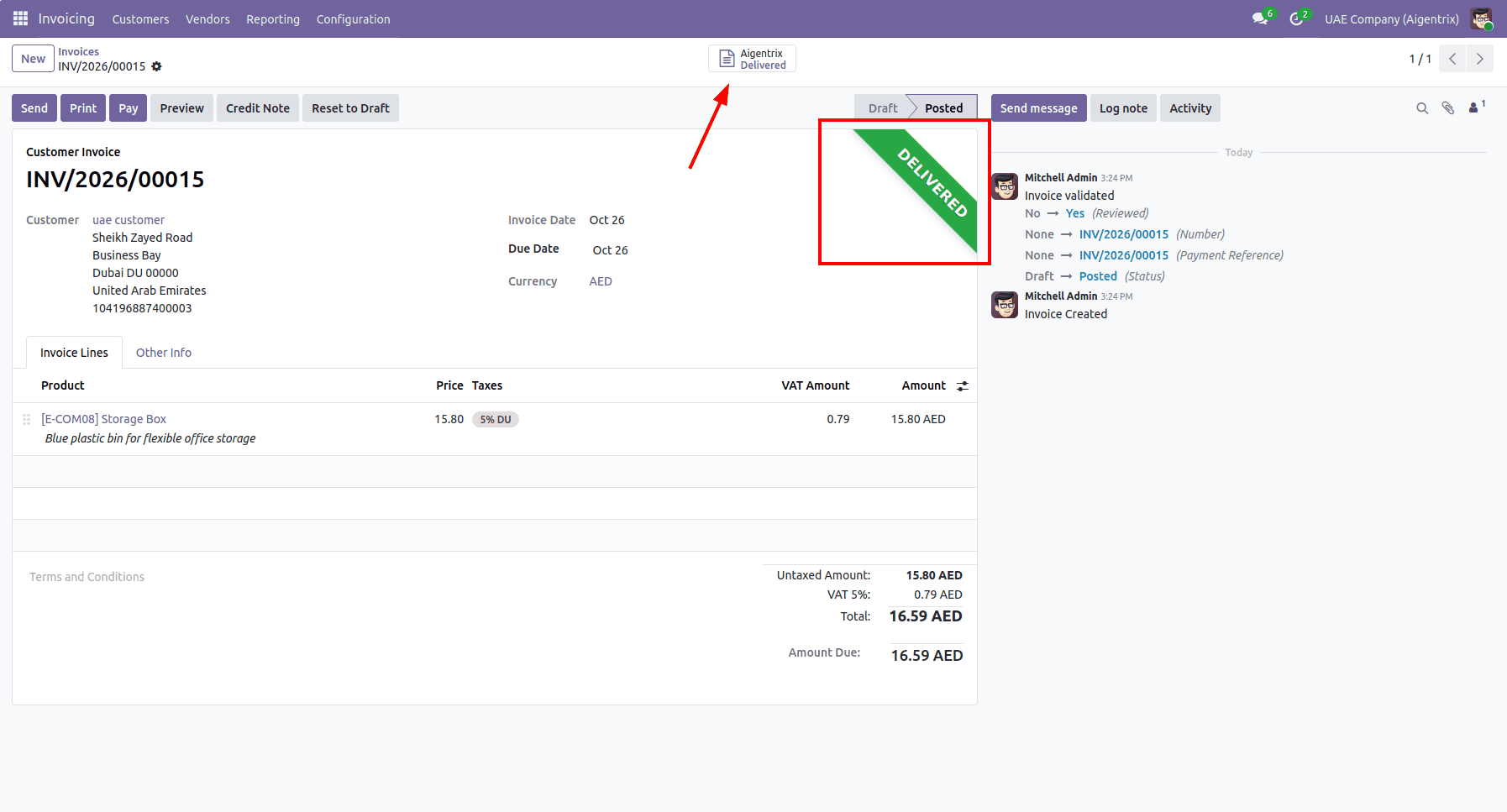
- Click the Aigentrix smart button on the invoice to view the document record, monitor the FTA Tax Status, or download official Peppol PDF and XML files.
Handling Rejections and Corrections
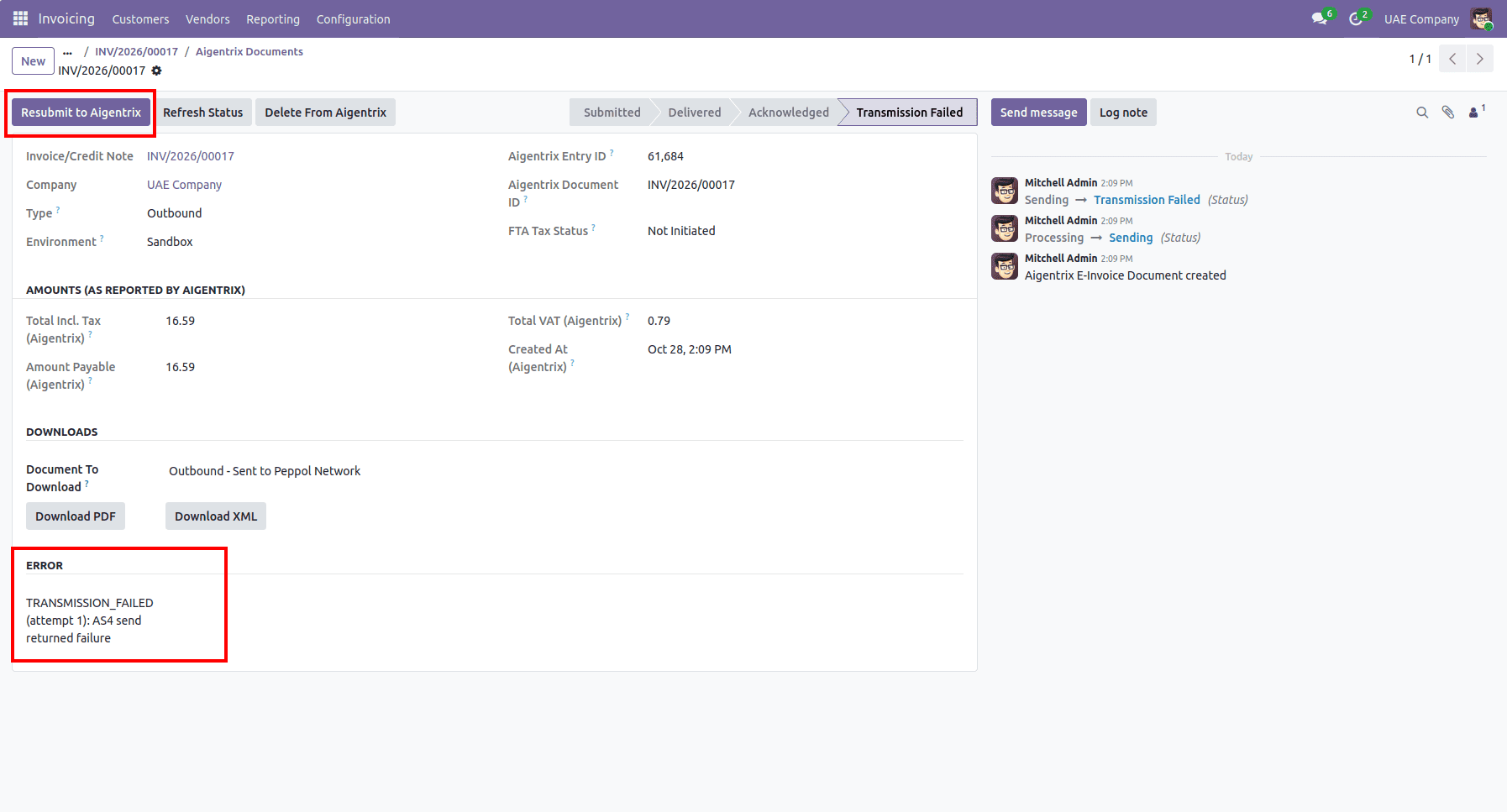
If a submission fails validation at the gateway (for example, due to an inactive customer Peppol ID or missing address field):
- The invoice ribbon immediately updates to Failed or Rejected.
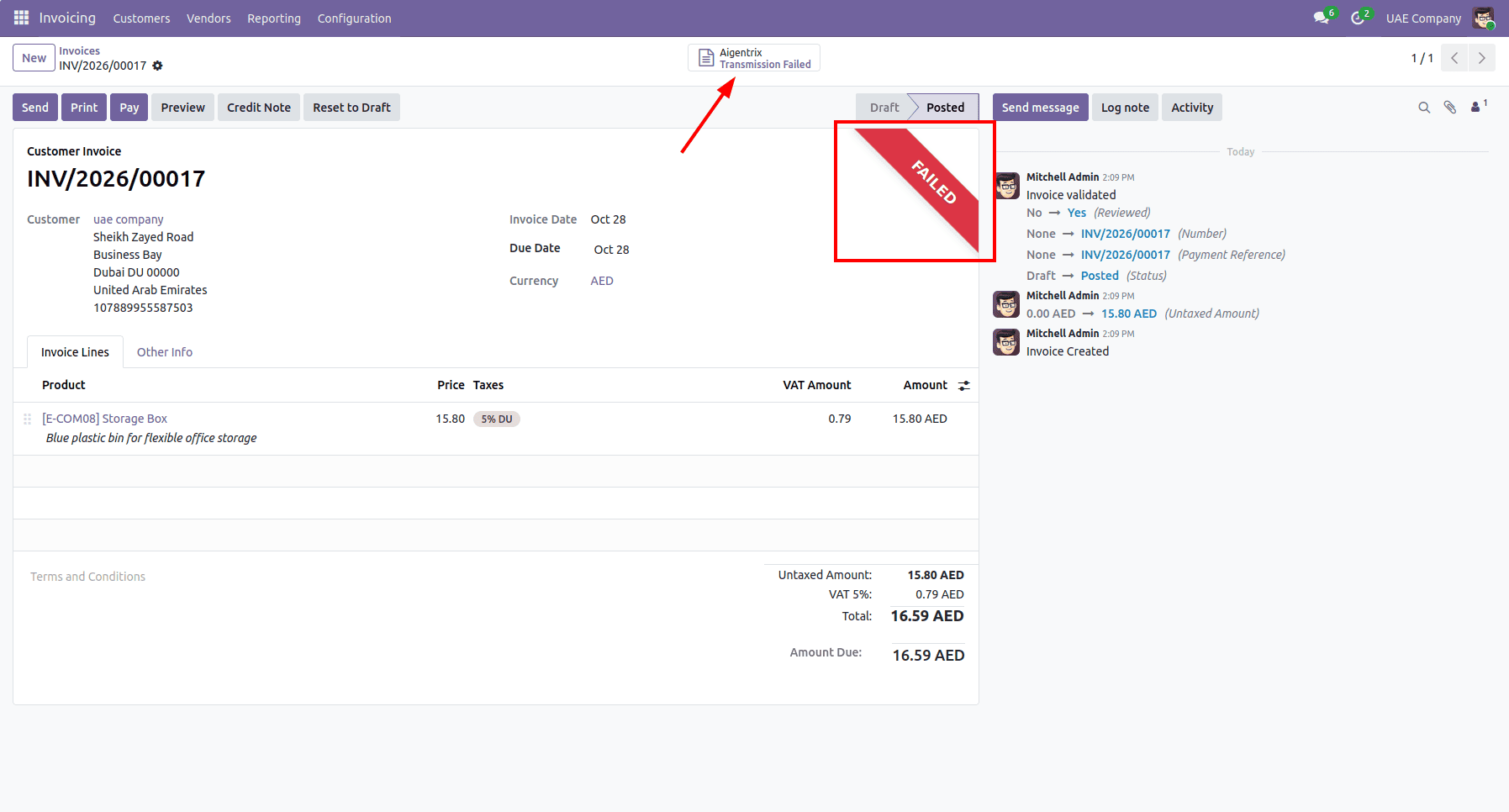
- Open the Aigentrix smart button to read the exact error message logged from the gateway.
- Once the record or customer details are corrected in Odoo, click Resubmit to Aigentrix directly on the document form to re-transmit the invoice cleanly without duplicating entries.
The new UAE mandatory e-invoicing regulation by the Federal Tax Authority demands that all invoices and credit notes must pass through an accredited service provider in the Peppol network.
This Odoo connector takes care of this whole process for you in the background: provide your service provider information just once, and Odoo will validate and send your documents automatically.
In case your business uses some other provider, or you want these connectors to perform some other actions, contact Cybrosys' Odoo team.
To read more about What are the Key Features of Odoo 19 Full Accounting Kit for Community, refer to our blog What are the Key Features of Odoo 19 Full Accounting Kit for Community.