The Recruitment module in Odoo 19 delivers advanced reporting capabilities that help organizations optimize hiring strategies through data-driven insights. With a centralized dashboard and customizable reports, HR teams can easily track key recruitment metrics, such as time-to-hire, source effectiveness, applicant pipeline status, and recruiter performance. These insights enable better planning, faster decision-making, and improved hiring strategies. Odoo 19 enhances reporting with real-time analytics, visual charts, and filtering options that allow users to drill down into specific job positions, departments, or recruitment stages. Moreover, connecting with other Odoo 19 modules allows for smooth data synchronization, resulting in more precise and complete recruitment reporting. Whether for small businesses or large enterprises, the reporting tools provide clarity and transparency throughout the hiring process, helping organizations optimize recruitment efforts and align them with business goals.
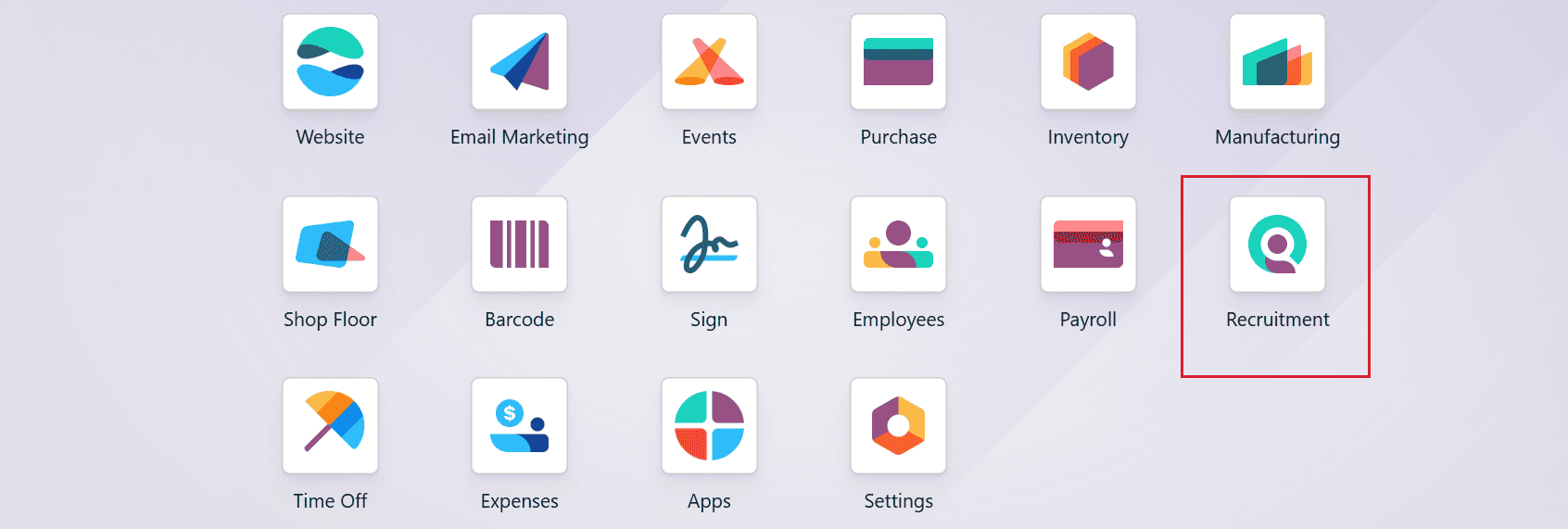
Firstly, move to the Recruitment module from the Odoo 19 dashboard.
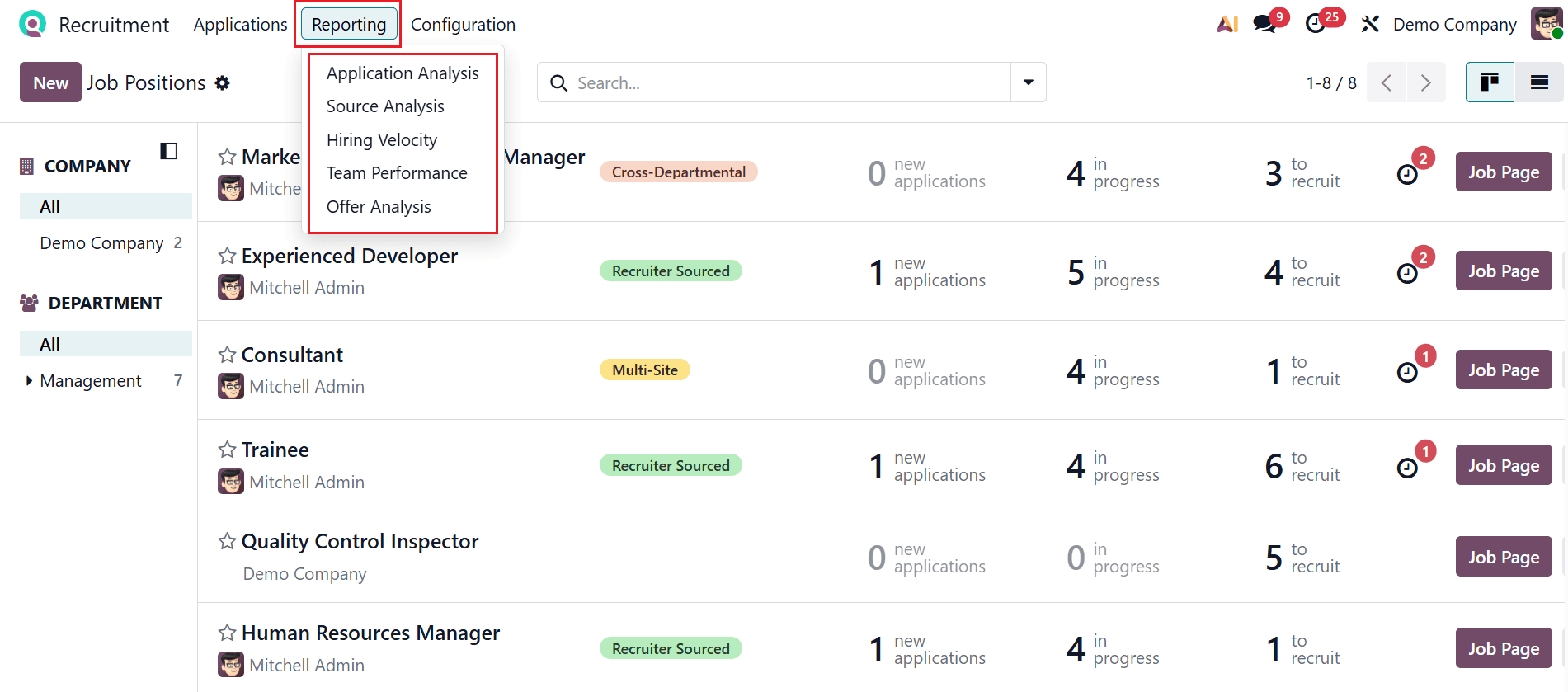
The Reporting menu provides access to five different types of reports: Application Analysis, Source Analysis, Hiring Velocity, Team Performance, and Offer Analysis.
1.1 Application Analysis:
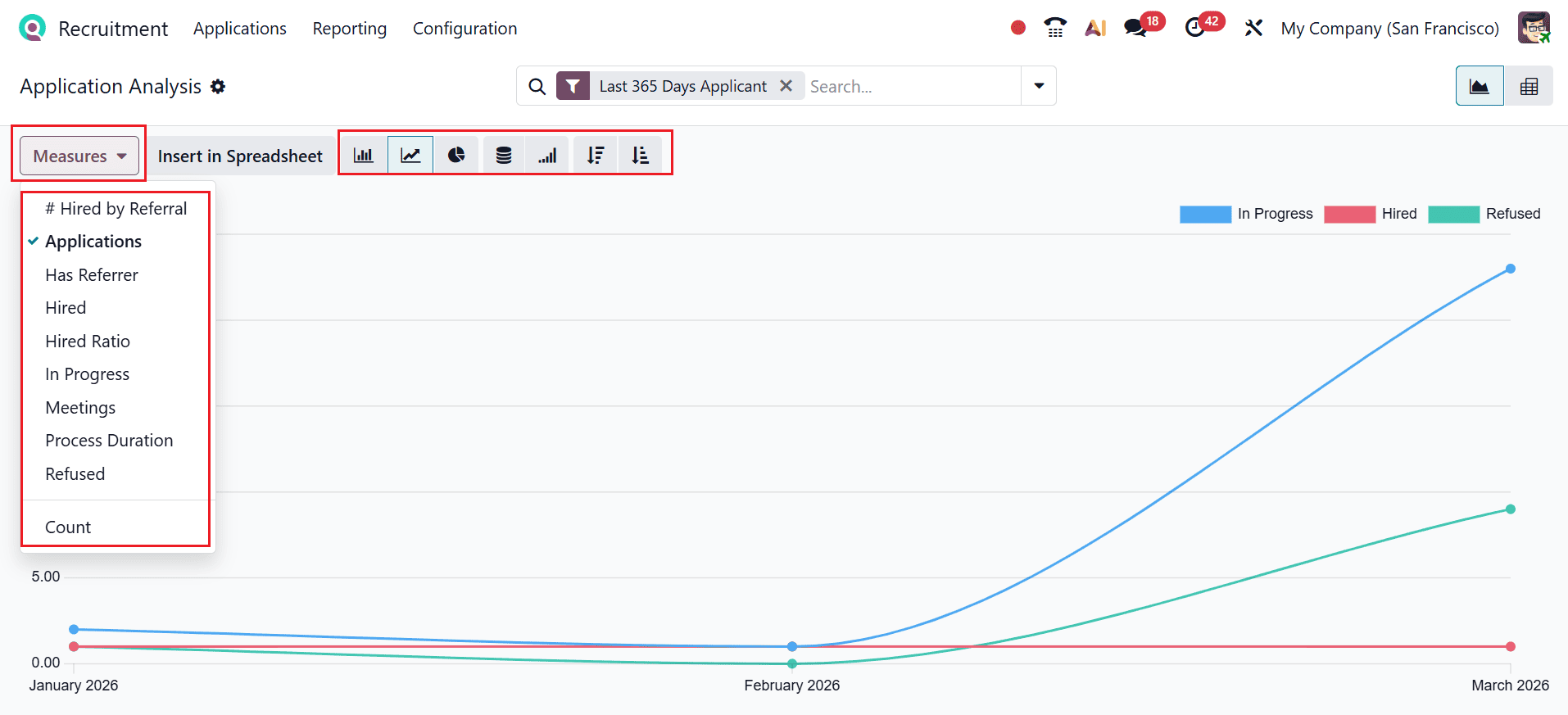
In Odoo 19 Recruitment, Application Analysis reporting helps HR teams quickly assess hiring performance by analyzing candidate flow, sources, and stage progression in a single dashboard. It uses customizable dashboards and filters to help HR teams evaluate performance and optimize the hiring process. The X-axis displays monthly application counts, and the Y-axis indicates the number of applicants. The graph can be switched between a bar chart, line chart, or pie chart view. You can also set it in stacked, cumulative, ascending, or descending order. Select the Measures button to update the graph metrics to: #Hired by Referral, Applications, Has Referrer, Hired, Hired Ratio, In Progress, Meetings, Process Duration, Refused, and Count.
You can also view the graph in Pivot mode, displaying job positions in a list.
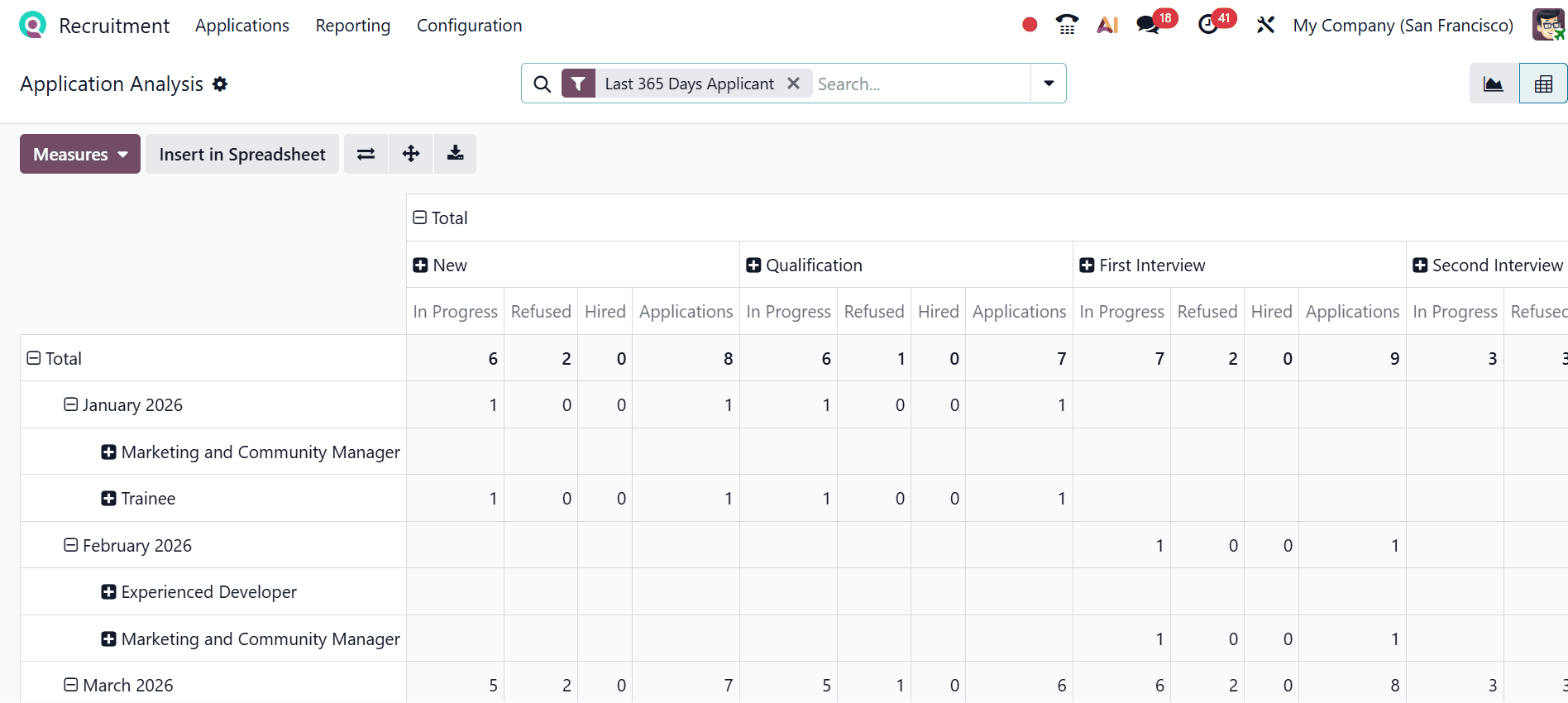
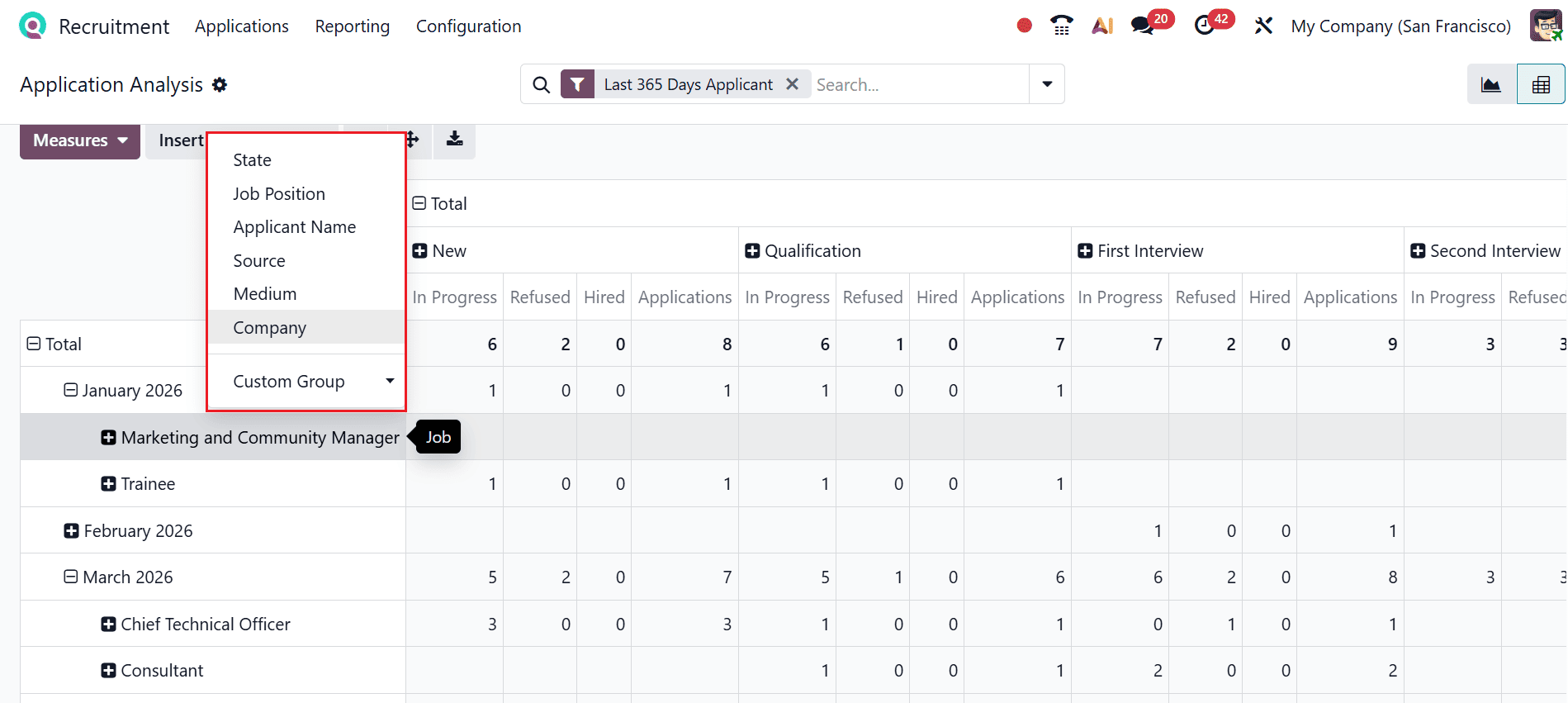
Selecting a job position lets you add fields such as State, Job Position, Applicant Name, Source, Medium, and Company. From these, select Applicant Name, as shown below.
Here, you can see the Applicant Analysis of the selected job position based on the Applicant Name option.
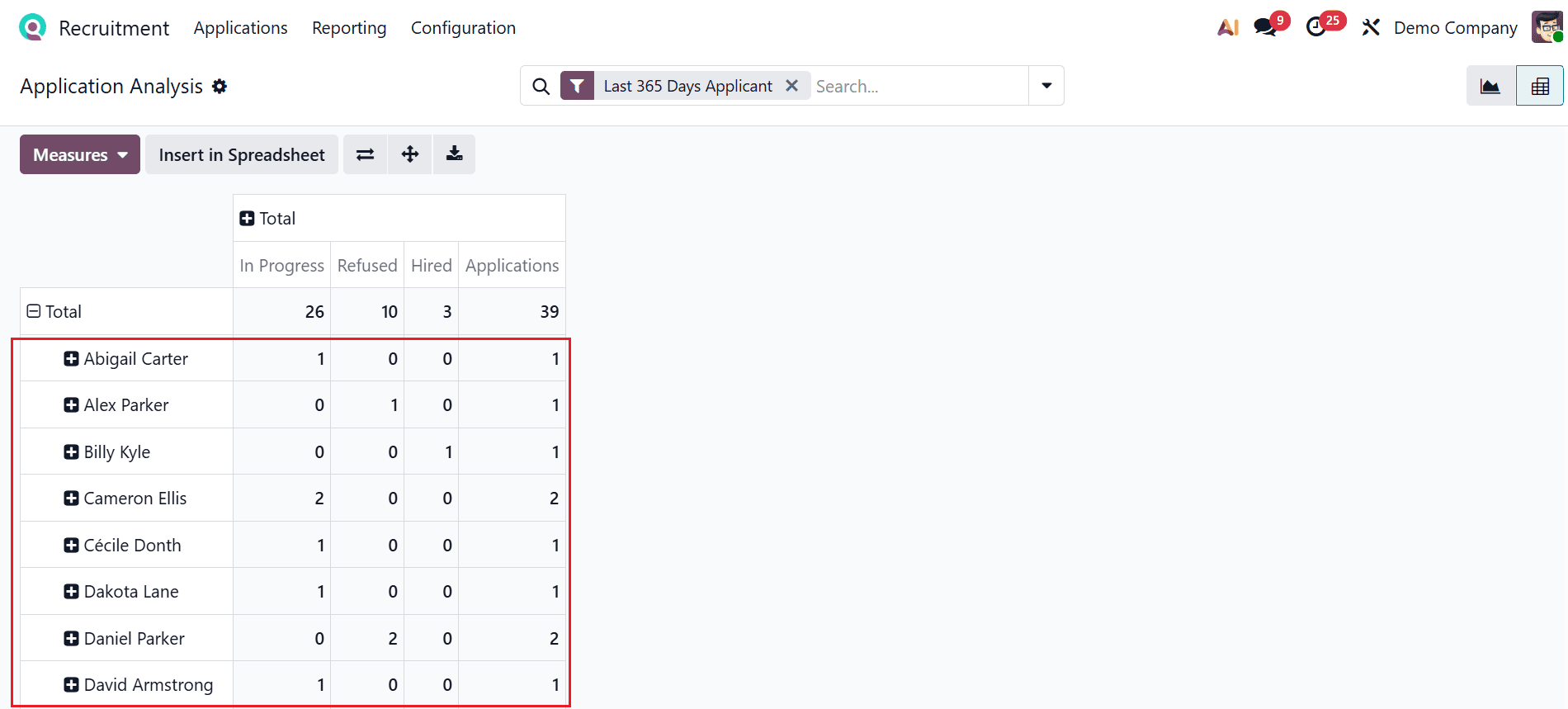
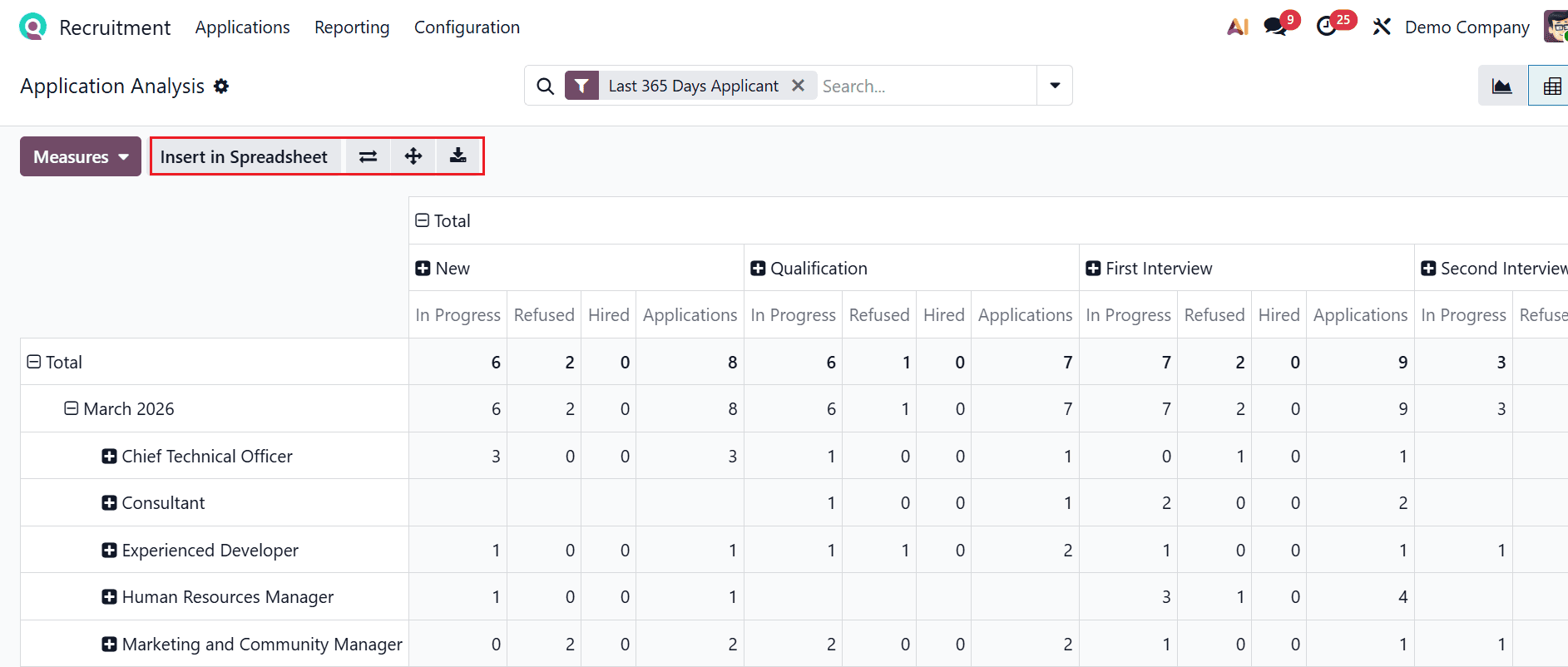
Applicants can be organized by job, stage, source, or other criteria, with measures applied for deeper analysis. The Pivot view delivers real-time insights and includes options to expand or flip the pivot axis, download data, and insert it into a spreadsheet—helping you spot limitations, assess recruiting channels, and refine hiring strategies.
1.2 Source Analysis:
In Odoo 19 Recruitment, Source Analysis refers to evaluating the effectiveness of different candidate sources (such as job boards, referrals, or social media) in generating qualified applicants. It helps recruiters identify which channels yield the best hires, enabling data-driven decisions to optimize recruitment strategies.
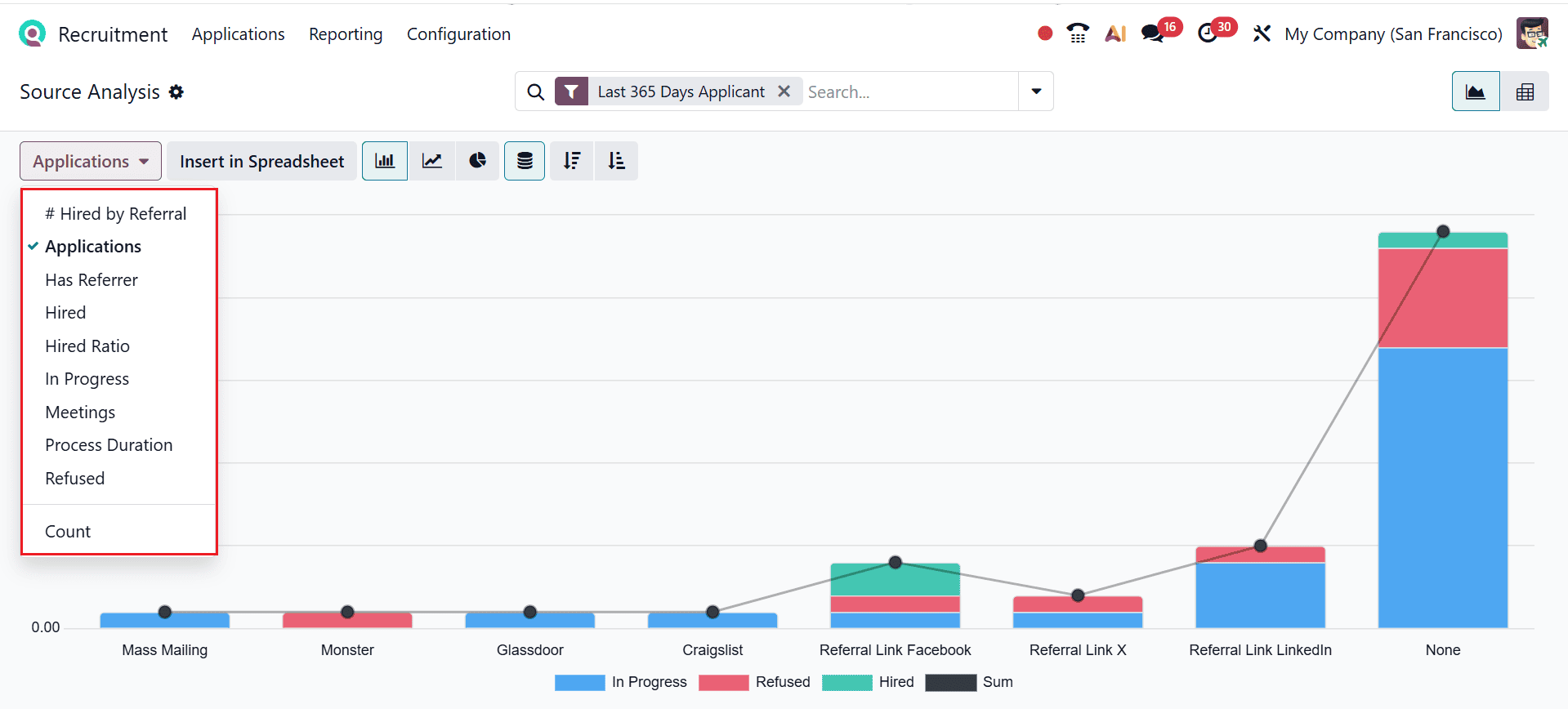
The X-axis displays the various source types, and the Y-axis represents the number of applicants. Use the Measures button to change the graph metrics, selecting from #Hired by Referral, Applications, Has Referrer, Hired, Hired Ratio, In Progress, Meetings, Process Duration, Refused, and Count.
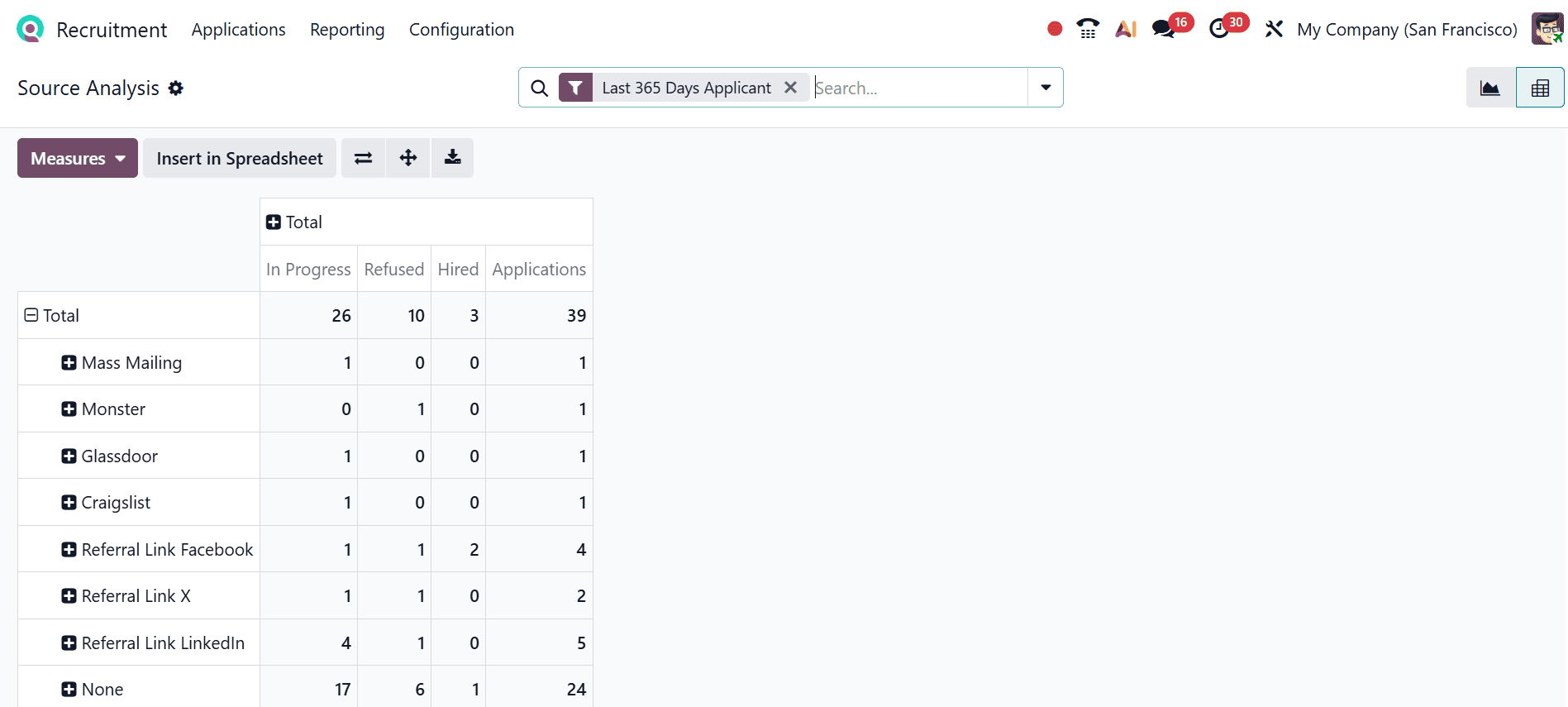
You can also change the Source Analysis to Pivot view as shown below. Here, you can see the sources are arranged with the number of applicants in each recruitment stage.
1.3 Hiring Velocity:
In Odoo 19 Recruitment, Hiring Velocity indicates how fast candidates advance through each stage of the recruitment process, from initial application to being hired. It helps recruiters evaluate process efficiency by tracking stage durations and overall time-to-hire, enabling faster and more effective hiring decisions.
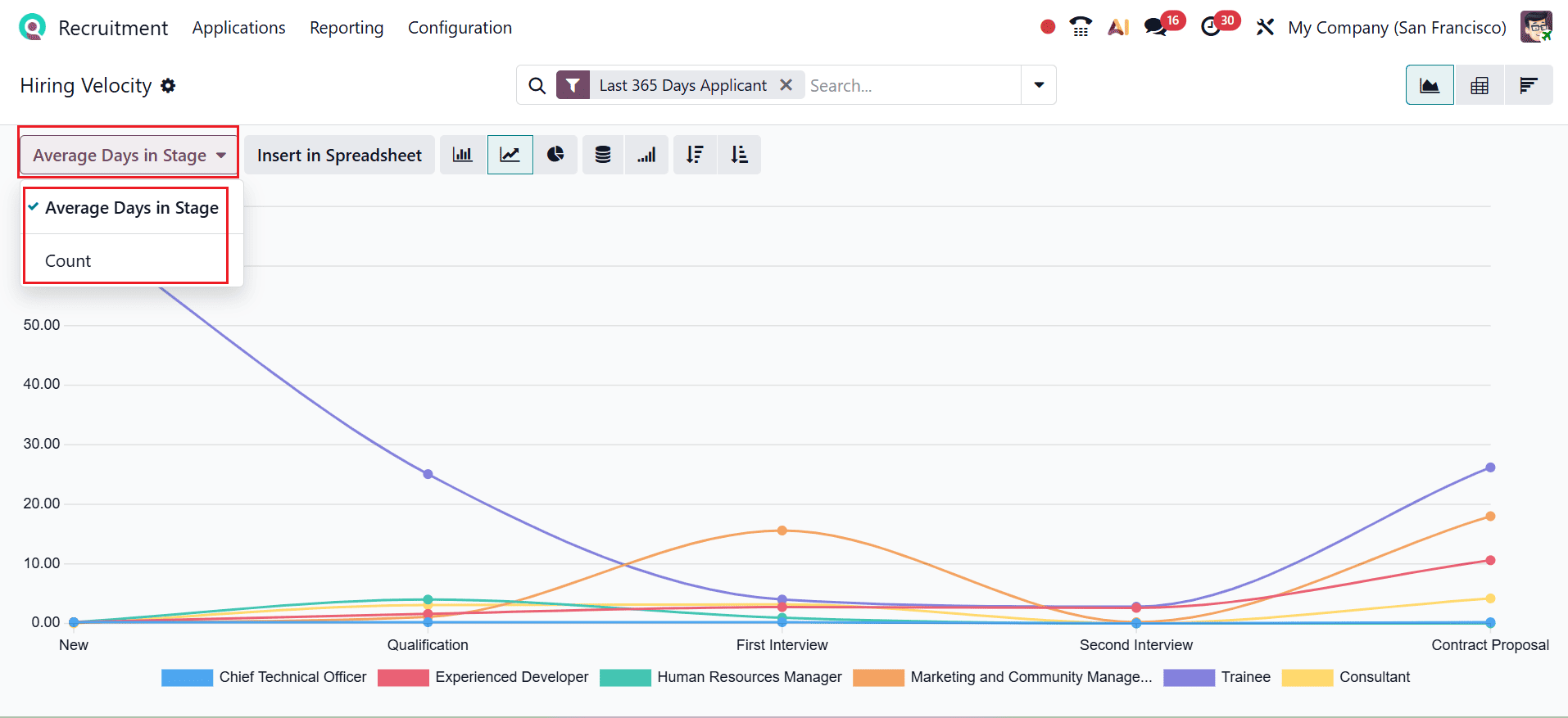
In this graph, the X-axis represents the various recruitment stages, while the Y-axis indicates the number of applicants. The Measures section allows you to adjust reporting metrics by selecting parameters such as Average Days in Stage and Count.
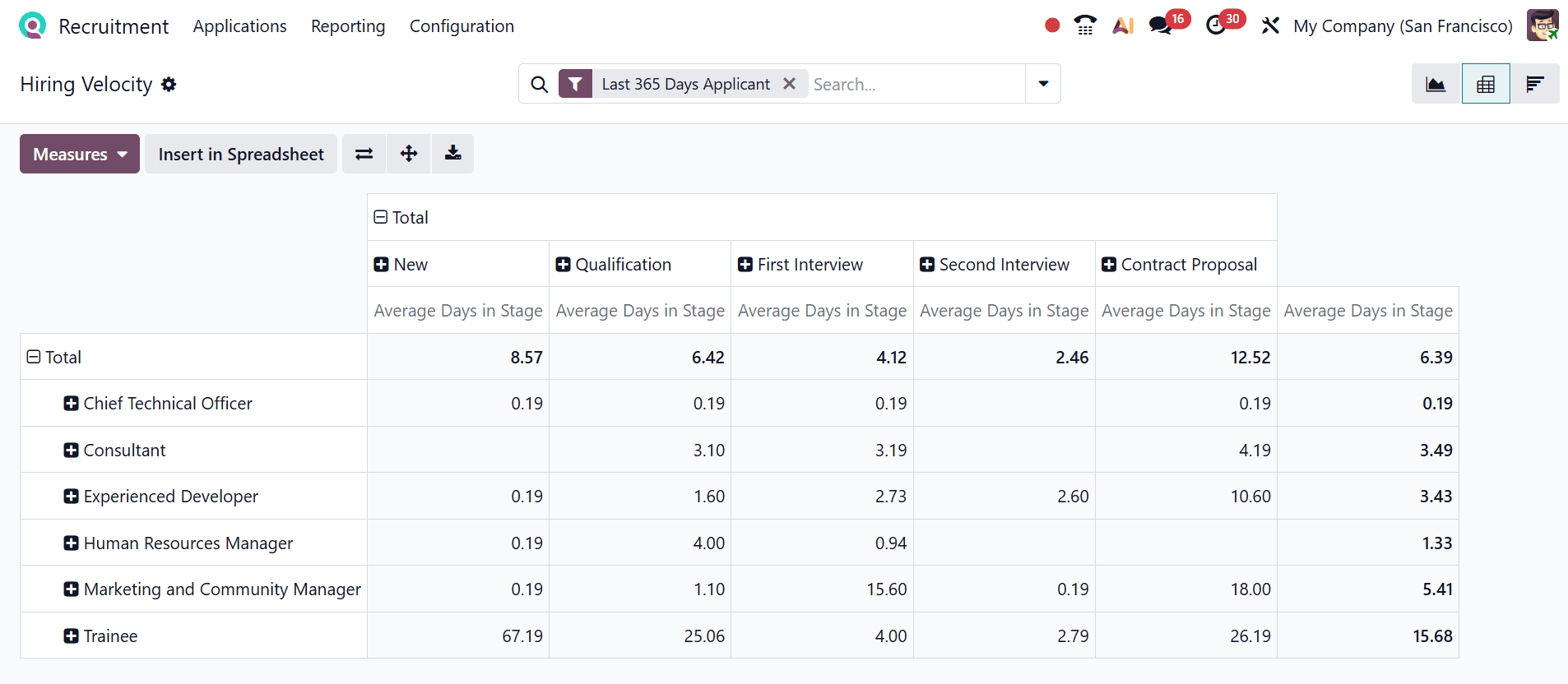
Click the Pivot icon in the top-right corner to switch the graph to Pivot view. In this view, rows display job positions, and columns represent the recruitment stages.
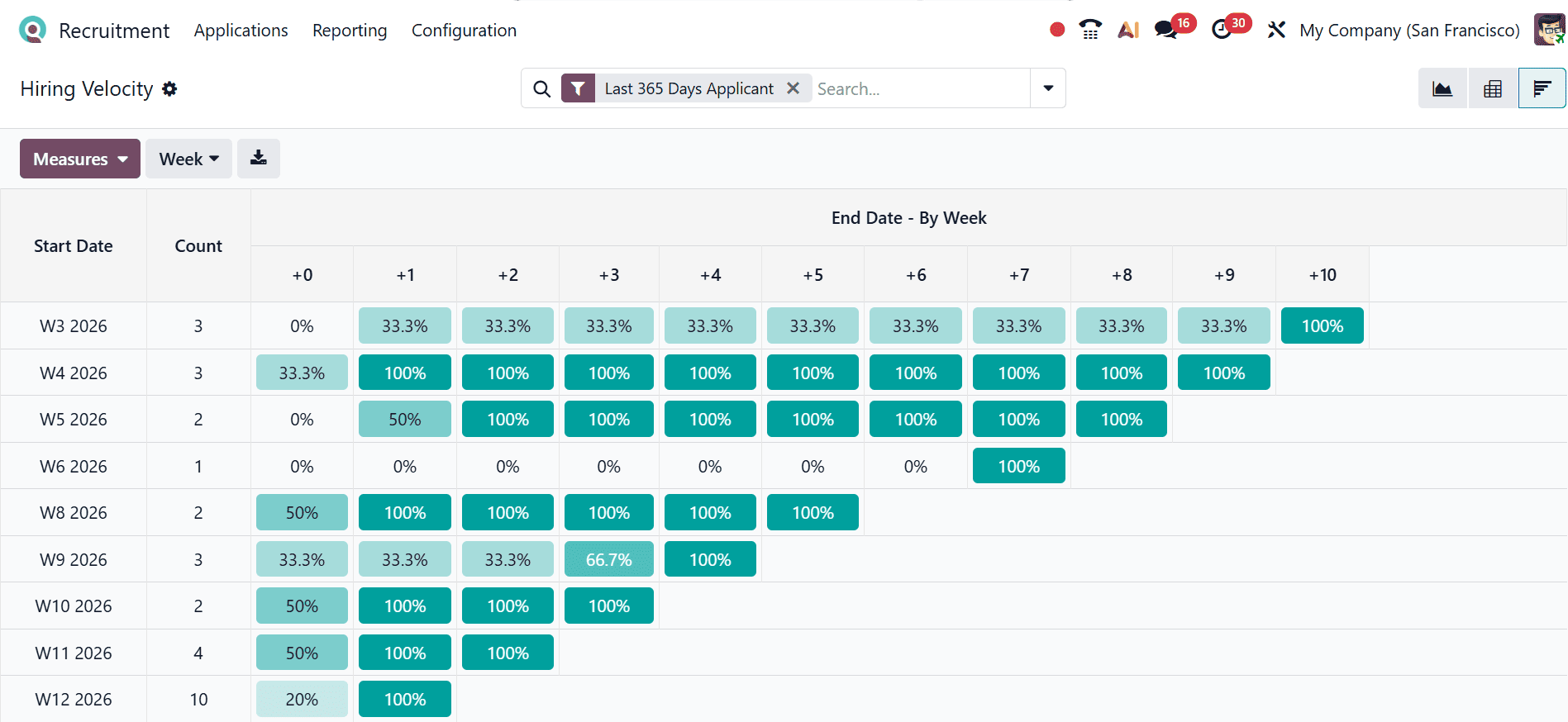
Select the Cohort icon in the top-right corner to open the Cohort view. This view displays how applicants progress through hiring stages week by week, with each percentage cell indicating the share of candidates from that cohort who reached the next stage after a certain number of days, helping you analyze and enhance hiring efficiency over time.
1.4 Team Performance:
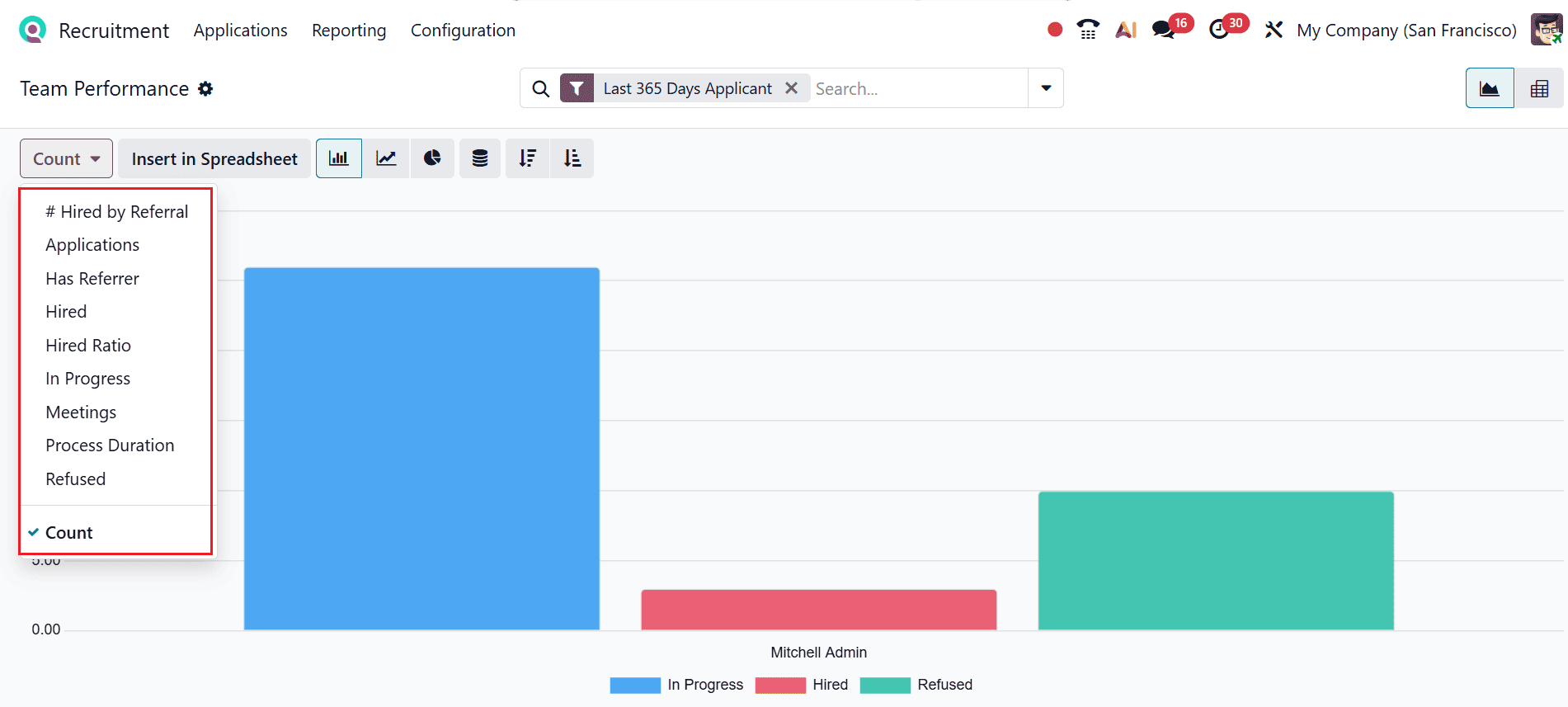
In Odoo 19 Recruitment, Team Performance tracks the productivity and effectiveness of recruitment teams by measuring metrics such as hires, interviews conducted, and stages completed. It helps managers identify high-performing recruiters, monitor workloads, and optimize overall recruitment efficiency.
In this graph, the X-axis represents team members, and the Y-axis shows the number of applicants. Click the Measures button to adjust the metrics, choosing from options like #Hired by Referral, Applications, Has Referrer, Hired, Hired Ratio, In Progress, Meetings, Process Duration, Refused, and Count.
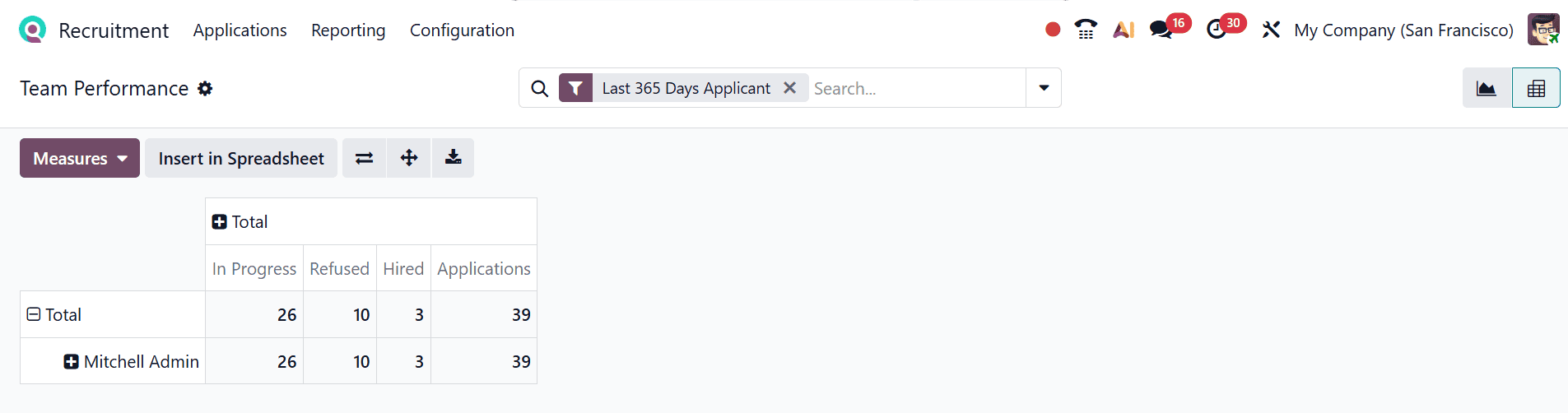
Click the Pivot icon in the top-right corner to change the graph to Pivot view, with rows showing recruiters and columns representing the hiring stages.
1.5 Offer Analysis:
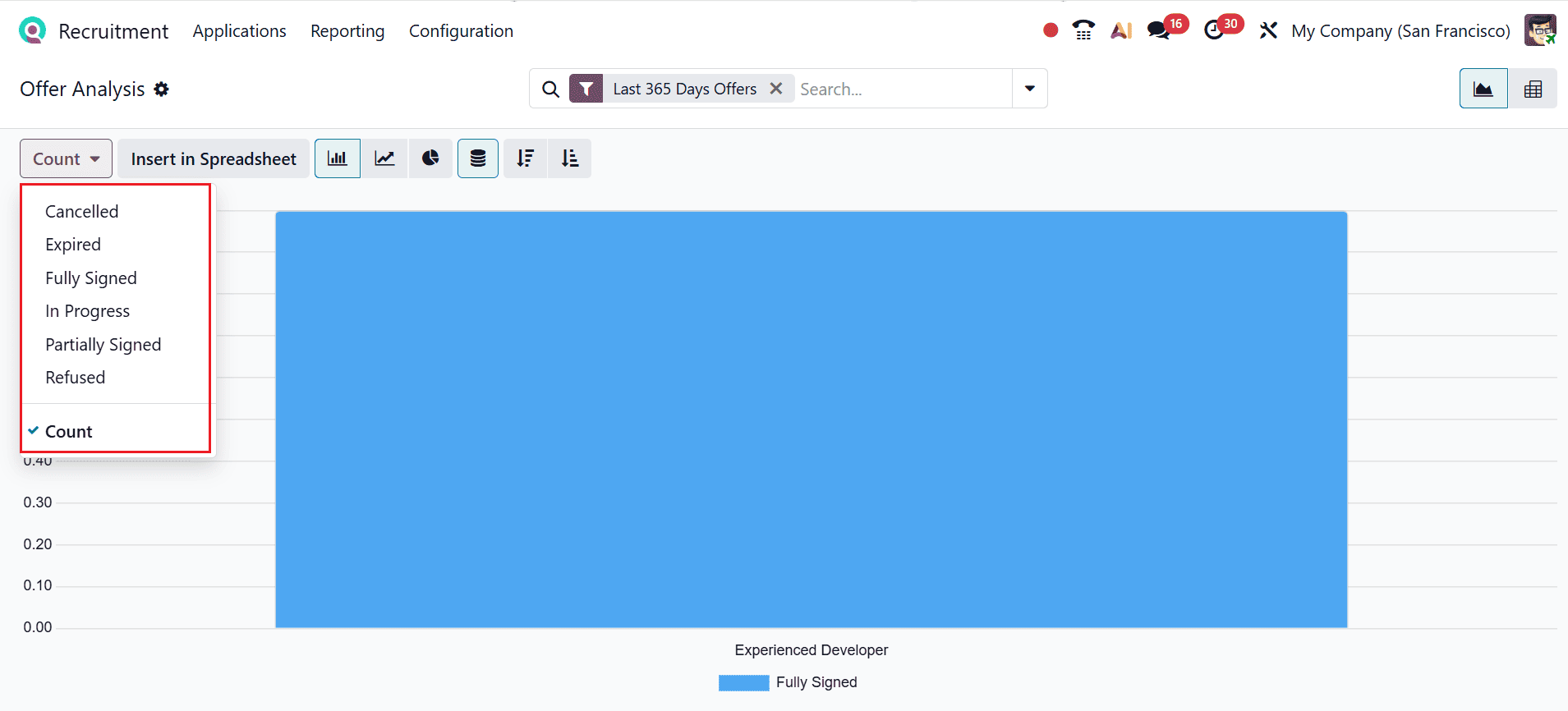
In Odoo 19 Recruitment, Offer Analysis allows you to track and evaluate job offers extended to candidates, including metrics like accepted, refused, and pending offers. It helps recruiters understand offer trends, identify limitations, and improve conversion from offer to hire.
In this graph, the X-axis represents job positions, and the Y-axis shows the number of applicants. Click the Measures button to adjust the metrics, selecting from Cancelled, Expired, Fully Signed, In Progress, Partially Signed, Refused, and Count.
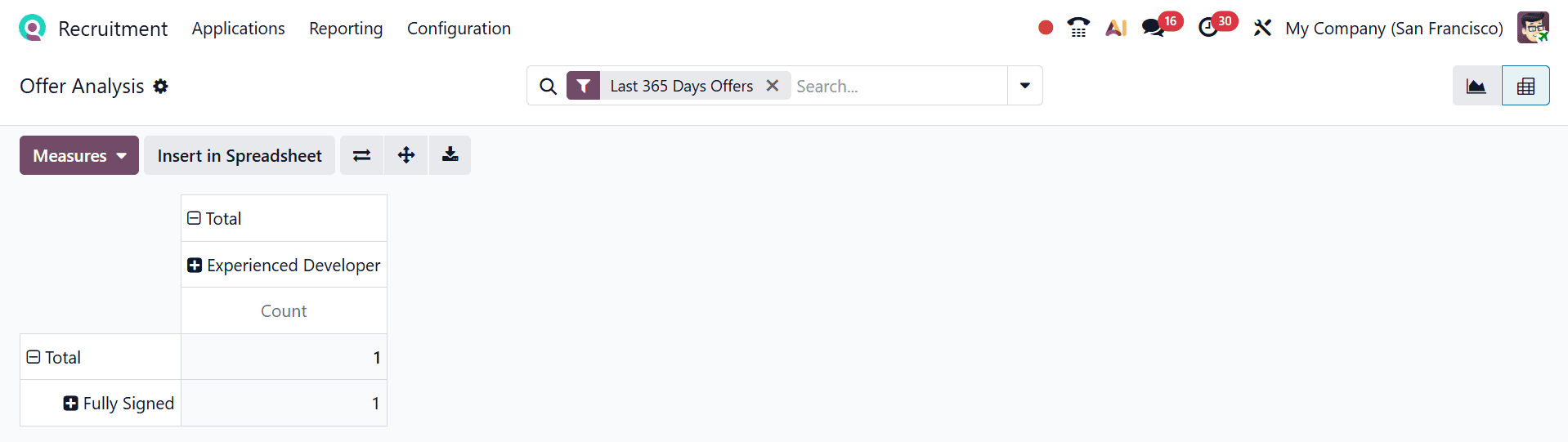
Select the Pivot icon in the top-right corner to view the graph in Pivot mode, where rows indicate job offer statuses and columns show job positions.
In conclusion, the reporting features in Odoo 19’s Recruitment module play a vital role in modern HR management by transforming raw hiring data into actionable insights. These tools not only simplify the tracking of recruitment activities but also enhance strategic decision-making through detailed analytics and visual representations. By identifying limitations, evaluating recruitment channels, and measuring performance, organizations can continuously improve their hiring processes. The flexibility to customize reports and access real-time data ensures that HR professionals stay informed and responsive to changing workforce needs. Furthermore, the integration with other business functions strengthens overall operational efficiency. Ultimately, Odoo 19 empowers organizations to build smarter recruitment strategies, reduce hiring costs, and attract the right talent more effectively, making it an essential solution for data-driven human resource management.
To read more about An Overview of Reporting Features in Odoo 18 Recruitment, refer to our blog An Overview of Reporting Features in Odoo 18 Recruitment.