Quality checks play an essential role in ensuring that products meet the standards expected before they reach customers. In manufacturing and warehouse environments, inspections help catch issues early so that goods don’t require later corrections or return handling. With Odoo 18, quality verification can be incorporated at different stages of stock movement, allowing teams to pinpoint where a problem occurred and take action quickly.
Odoo’s Quality module makes this process easy by letting companies build automated control points that trigger during transfers, receipts, production steps, and deliveries.
In this blog, we’ll look at how quality analysis works in Odoo 18 for transfers and how to configure it through the Quality module.
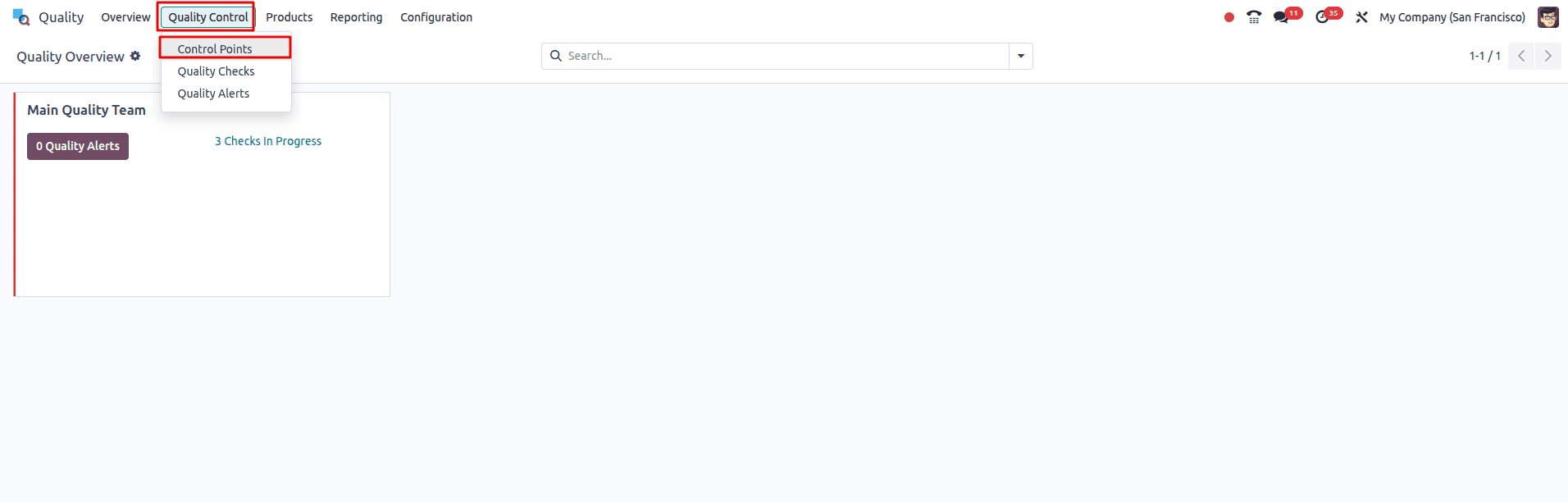
Open the Quality module, then navigate to the quality control menu, and then click on the quality control option from the menu.
From here, we can create control points for the quality check. The Quality Control Point form in Odoo 18 is where you set the rules for how a product should be checked during warehouse operations. You can give the check a simple title, choose the product or category it applies to, and decide during which operation—like receiving goods, moving them internally, or delivering them the check should pop up. You can also link it to a specific company and assign someone who will be responsible for it. Odoo lets you control how often the check should run and what kind of check it is, whether it’s a quick pass/fail, following a set of instructions, or taking a photo.
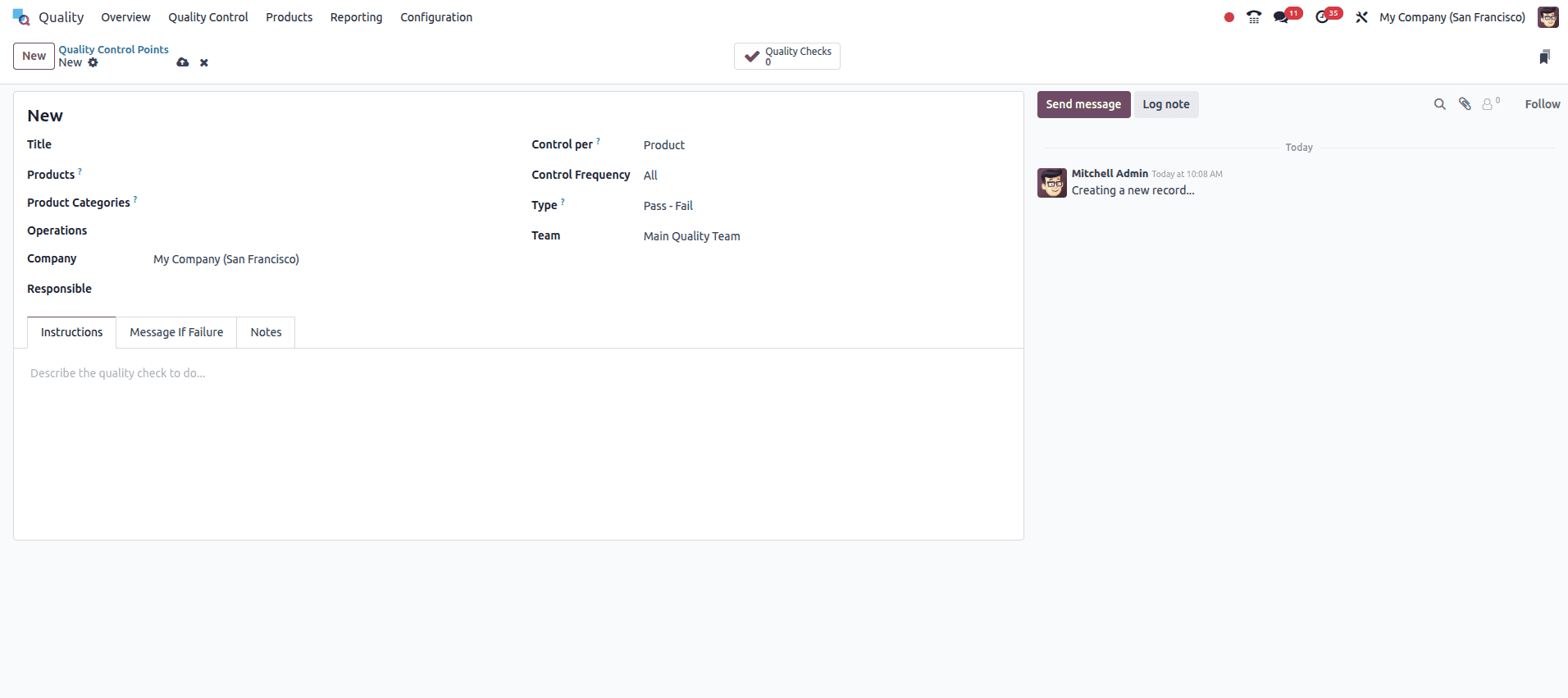
A quality team can also be assigned to review the results. At the bottom, you’ll find space to add clear instructions, what should happen if something goes wrong, and any extra notes the team might need. We can also add what message should come if the quality check is a failure in the ‘Message if failure’ tab.
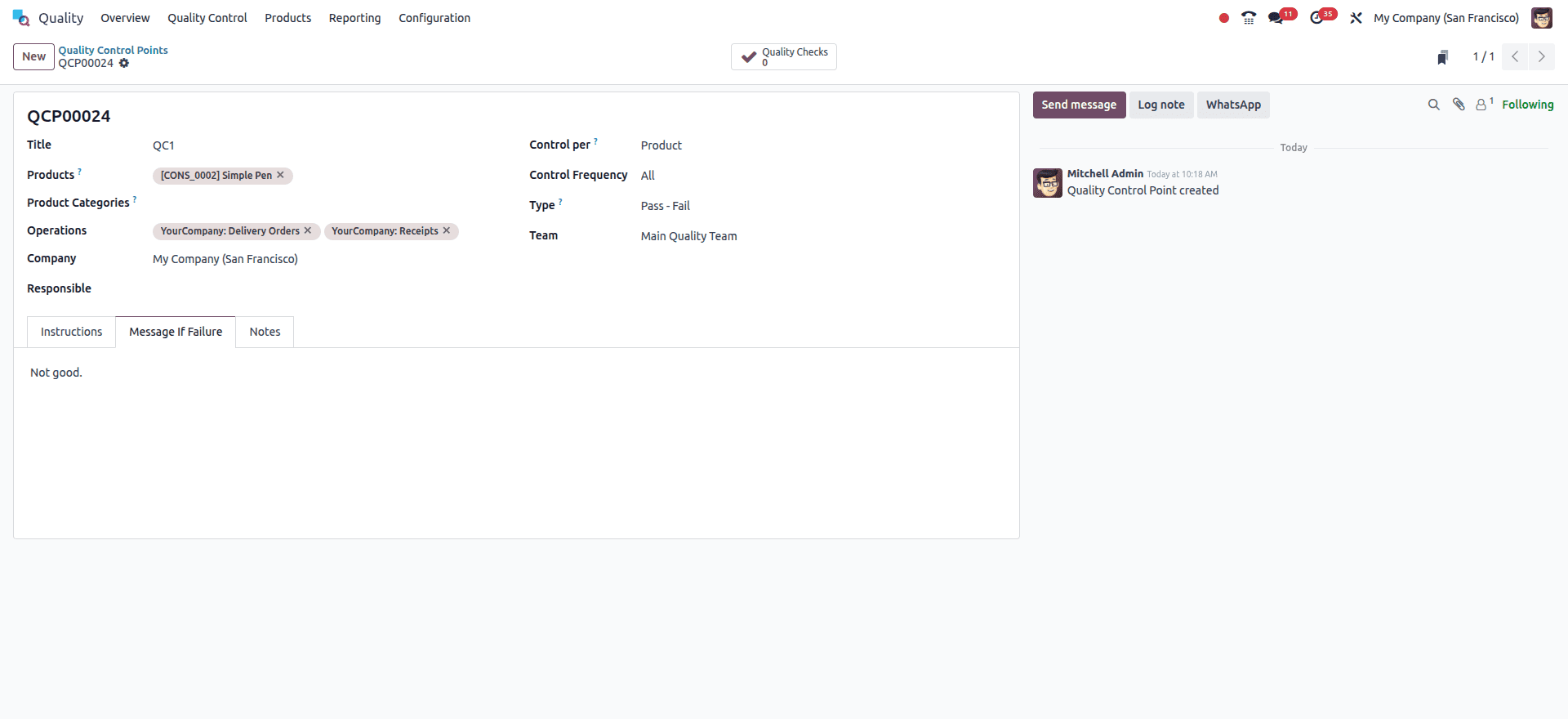
Now we can set up a quality control point for a product. Here I am choosing the product as ‘simple pen’ and the operations as ‘Delivery orders’ and ‘receipts’. Type as ‘pass-fail’, and I have also given a message in case of failure.
Now let’s save this and see the quality check in action. We can create a sale order for the simple pen product for which we have created a quality check. For that, open the sales module and create a quotation for the simple pen and validate it.
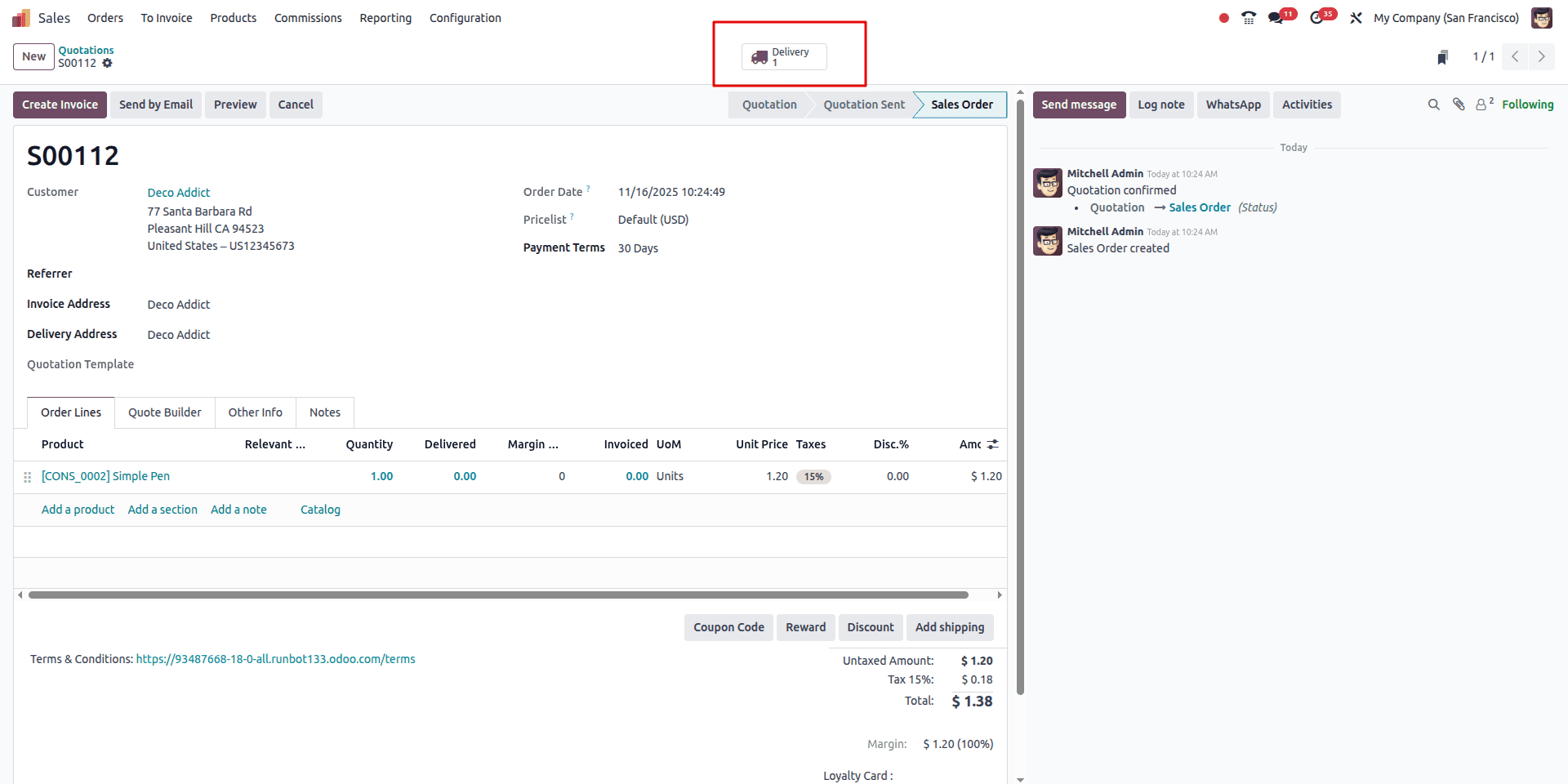
I have now created a sale order for the product ‘Simple Pen’ and confirmed and now we can see the delivery smart button appear in the above image. Clicking on it we can see the delivery created for the particular order.
Now, as seen below, we can see that a “Quality check” button is in the delivery operations page.
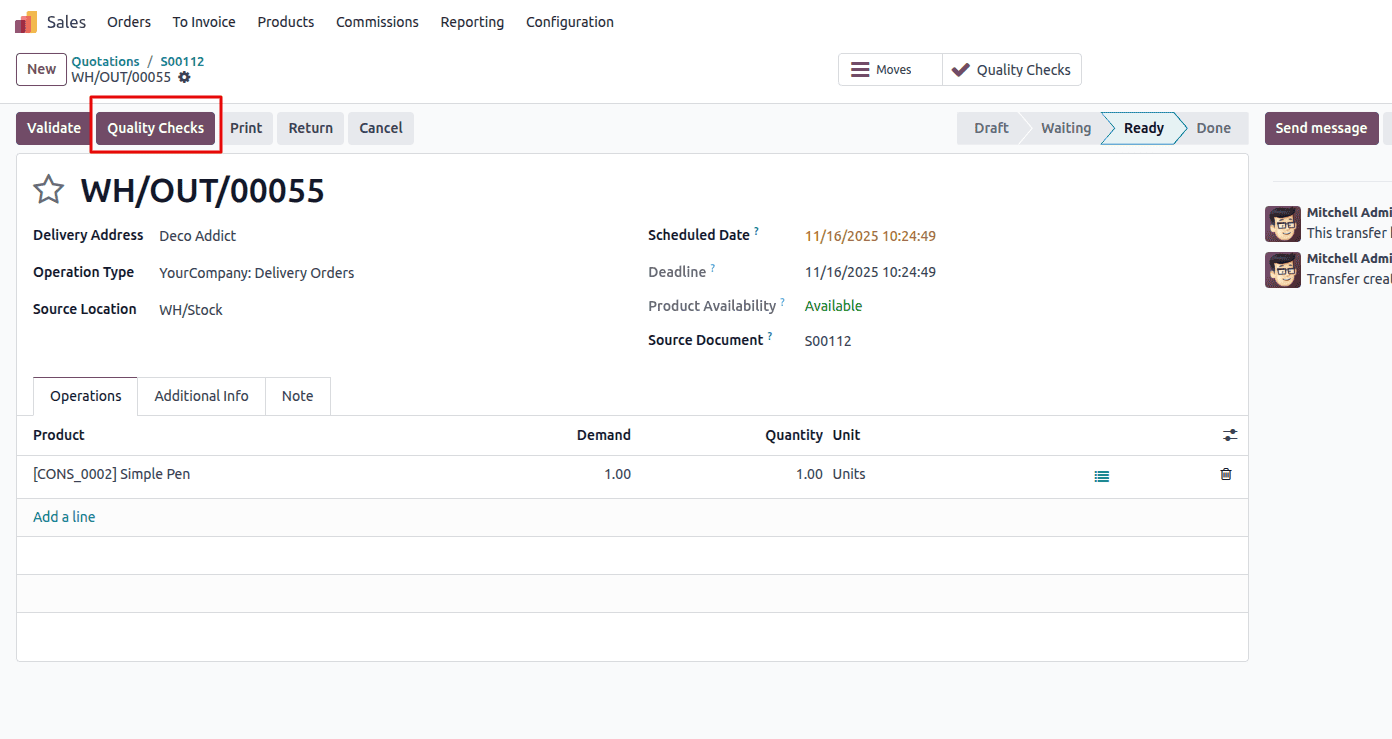
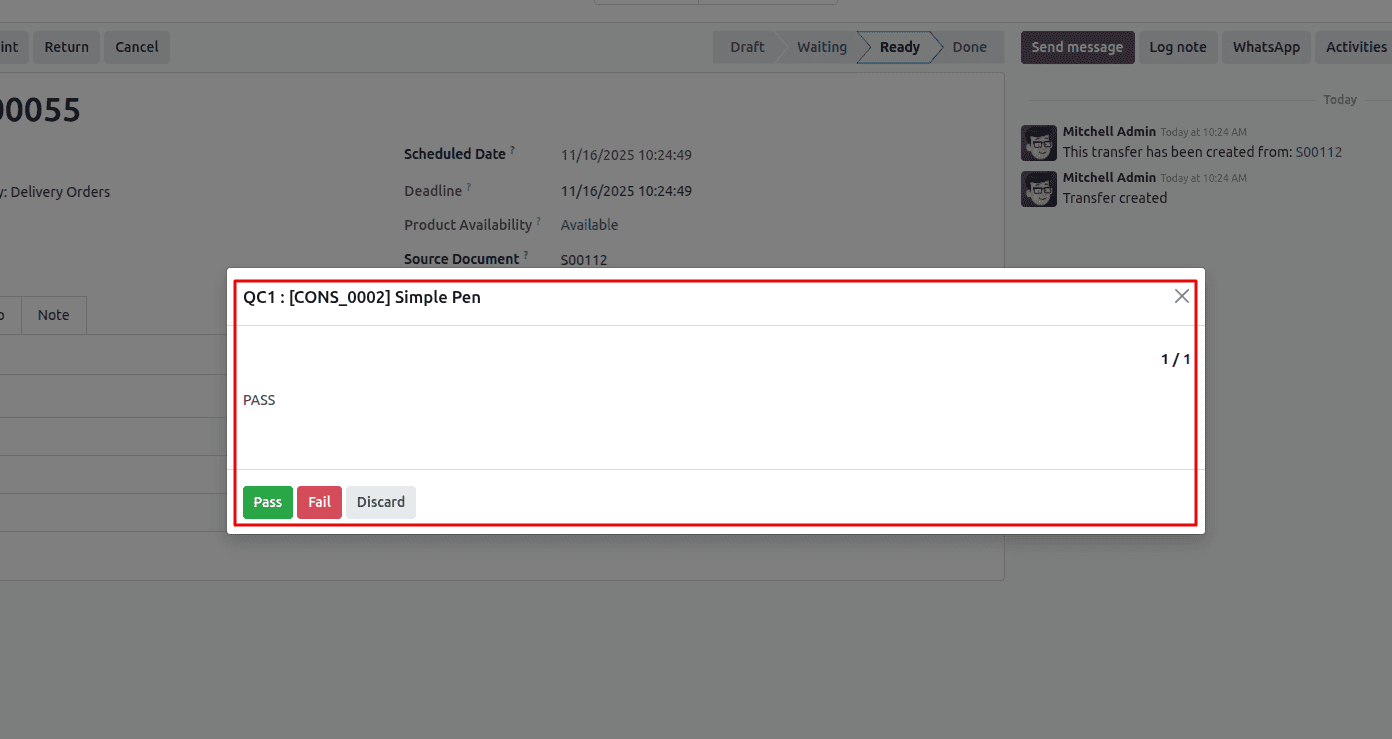
Which we can use to do a quality check during the delivery process. Now clicking on it will open a popup where we can enter the message of the quality check and choose “Pass” if it passed the quality check and “Fail” if the quality check is failed.
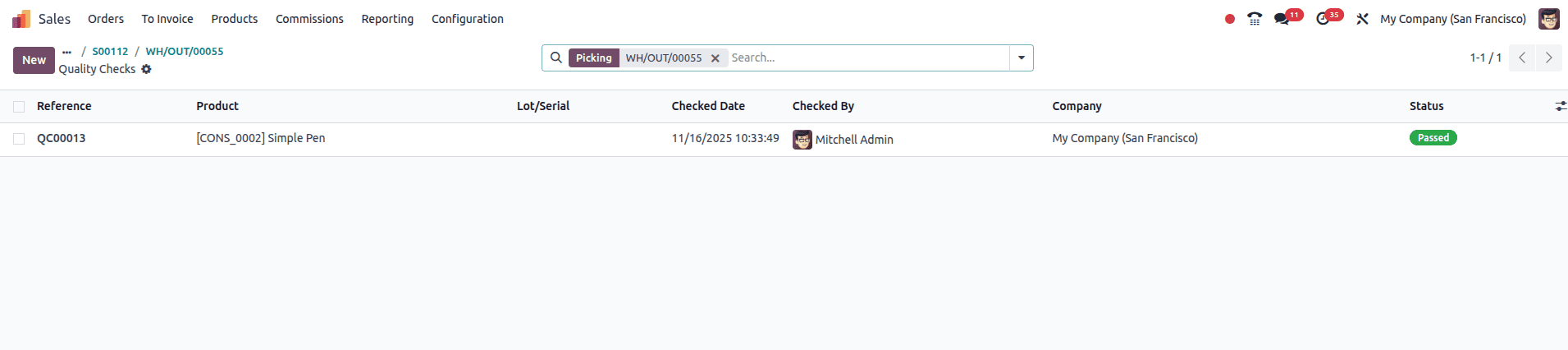
Then after the quality check, the user can view the status of the quality check from the smart button in the delivery orders form that appears above. As you can see in the image below.
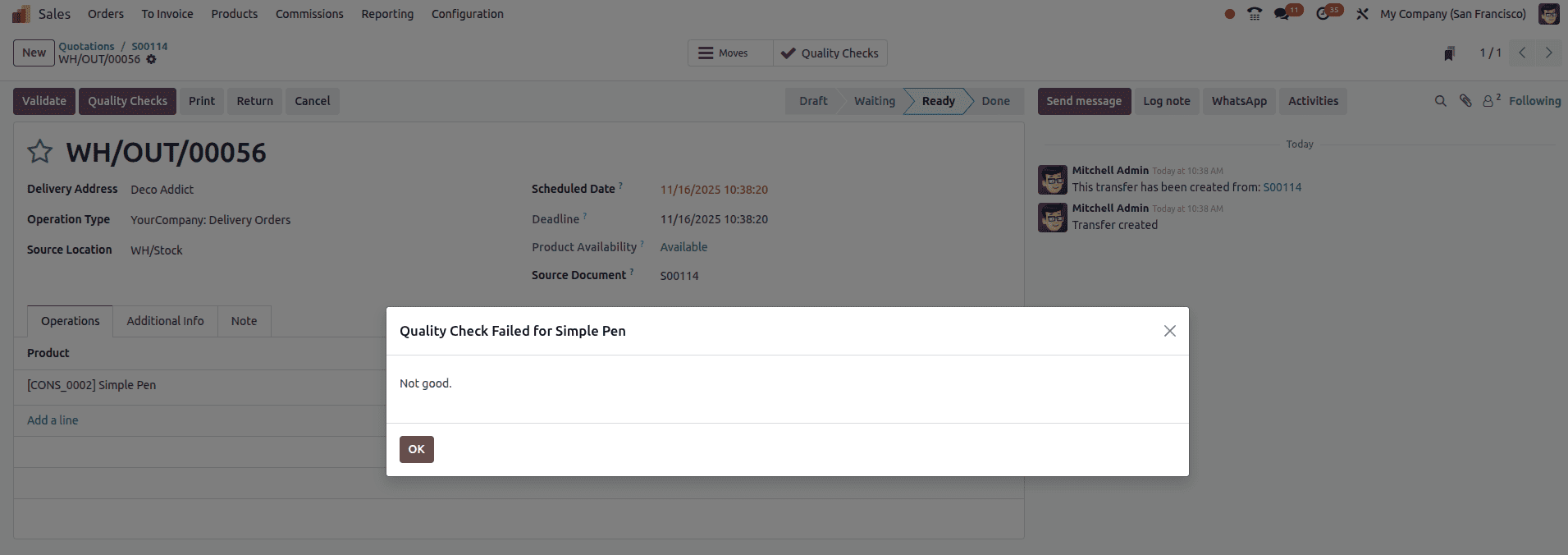
If the quality check fails, we can see the ‘Message if failure’ that we have configured in the control points.
Now we can also see the quality check in action for the return operation. For that, click on the return button as shown in the image below.
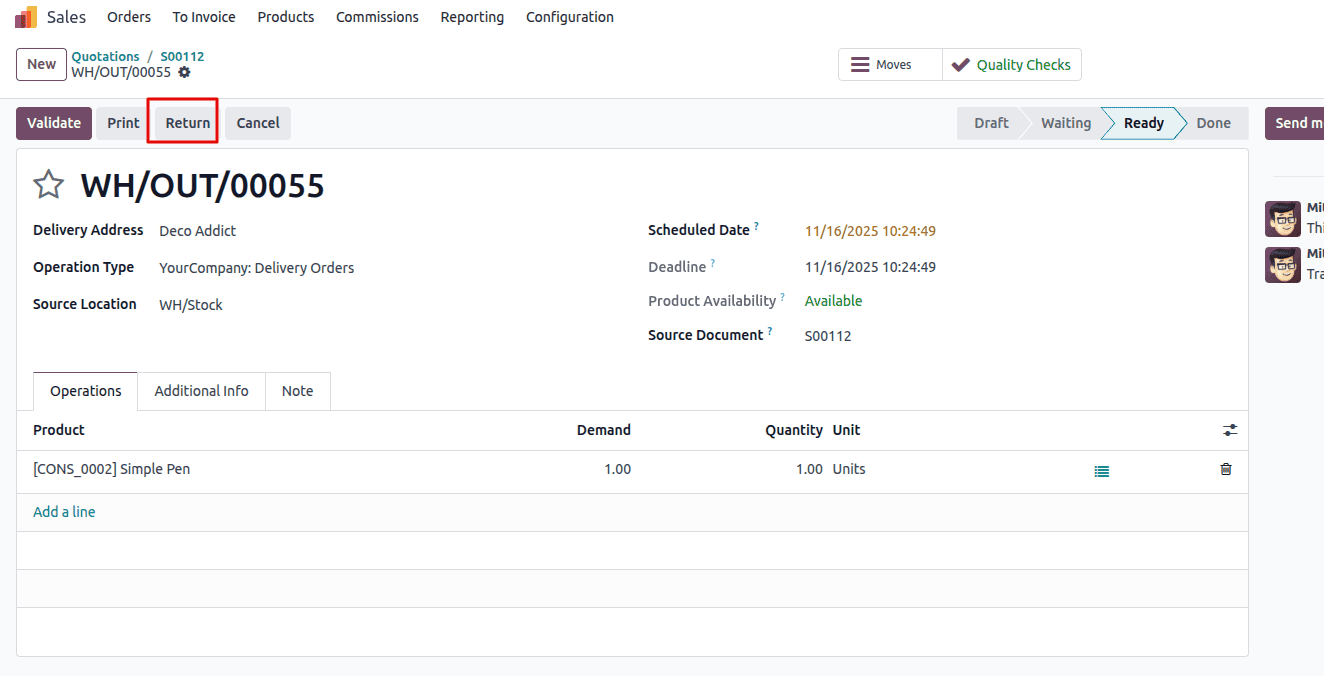
After the return button is clicked, it will ask for the number of quantities to return. Specify it and return, then we can see the quality check button appear for return operations also.
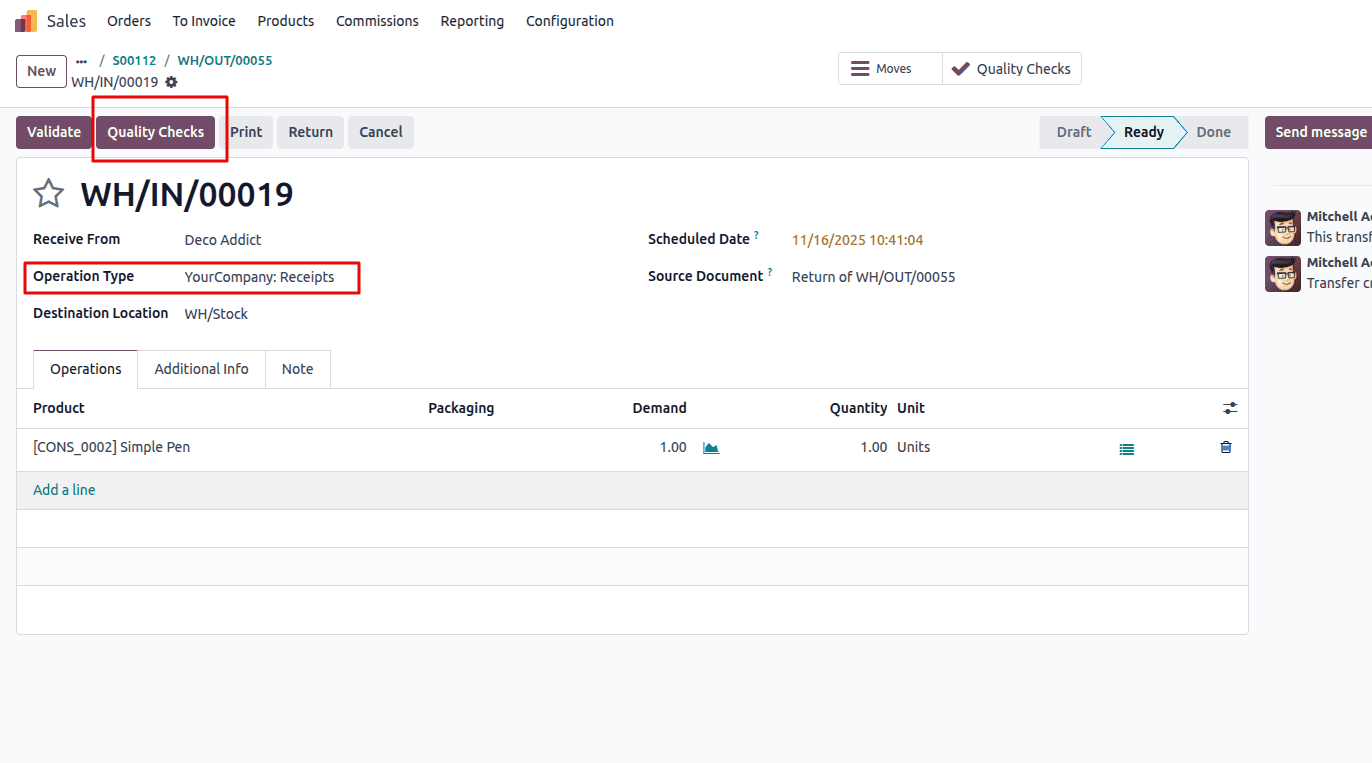
And then we can perform the quality control for the return operations also, the same as for delivery operations, because we configured this control point for the two types of operation for the product ‘simple pen.’ As you can see in the image below, the quality check status is passed for the receipt operations also.

This is how we can set up a control point and quality check in Odoo 18 for transfer operations.
Quality control becomes much easier to manage when it’s applied directly to everyday warehouse activities, and Odoo 18 does exactly that. By attaching inspections to transfers like receipts, deliveries, and returns, teams can catch problems exactly when and where they occur. Setting up a control point takes only a few minutes, but it can save hours of rework and prevent items from slipping through without proper verification. Whether you’re checking a simple product or monitoring a complex workflow, Odoo’s Quality module gives you the structure and clarity needed to maintain consistent standards throughout your operations.
To read more about How to Optimize Transfer Operations with Quality Control in Odoo 18, refer to our blog, How to Optimize Transfer Operations with Quality Control in Odoo 18.