Odoo 19 introduces an advanced Maintenance module that enables businesses to implement preventive maintenance strategies with ease. Rather than responding to equipment failures after they occur, organizations can proactively schedule maintenance activities to keep workflows uninterrupted. This approach allows potential issues to be detected early, reduces costly repairs, and enhances overall asset performance. With Odoo 19, users can create maintenance calendars, assign responsibilities, and monitor progress through a centralized platform. The system also keeps detailed records of maintenance history, enabling better analysis and planning. Whether you operate in manufacturing, logistics, or facilities management, setting up preventive maintenance in Odoo 19 can significantly enhance efficiency. This blog outlines the essential steps and insights needed to successfully configure and manage preventive maintenance for long-term operational success.
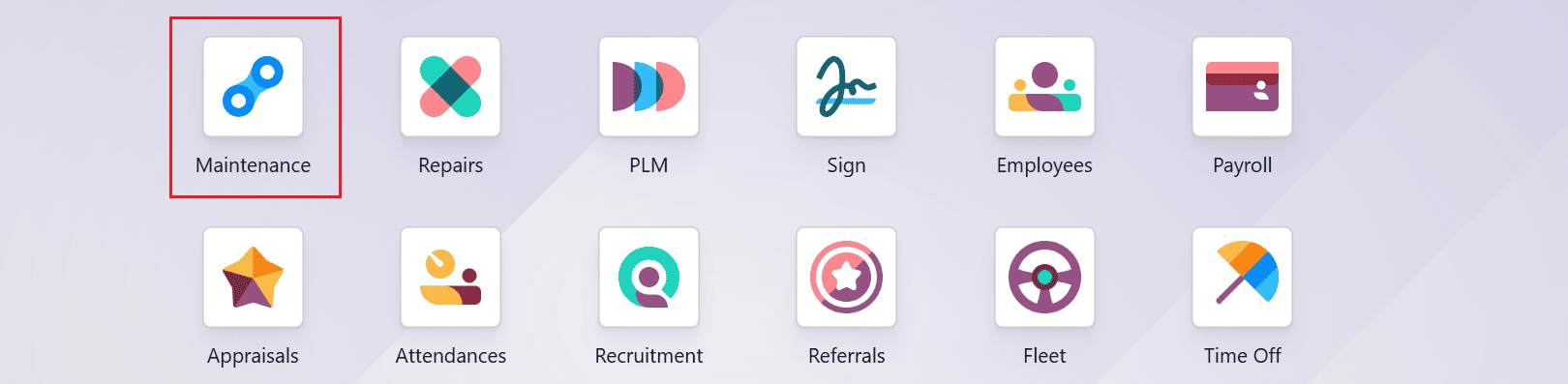
First, navigate to the Maintenance module from the Odoo 19 dashboard.
Equipment plays a vital role in daily operations, maintenance, and production by enabling specific tasks and processes to be carried out efficiently. It enhances productivity, accuracy, and overall performance by providing the appropriate tools for each job. When properly used and maintained, equipment ensures smooth operations and helps reduce downtime. Let’s create new equipment to set up preventive maintenance.
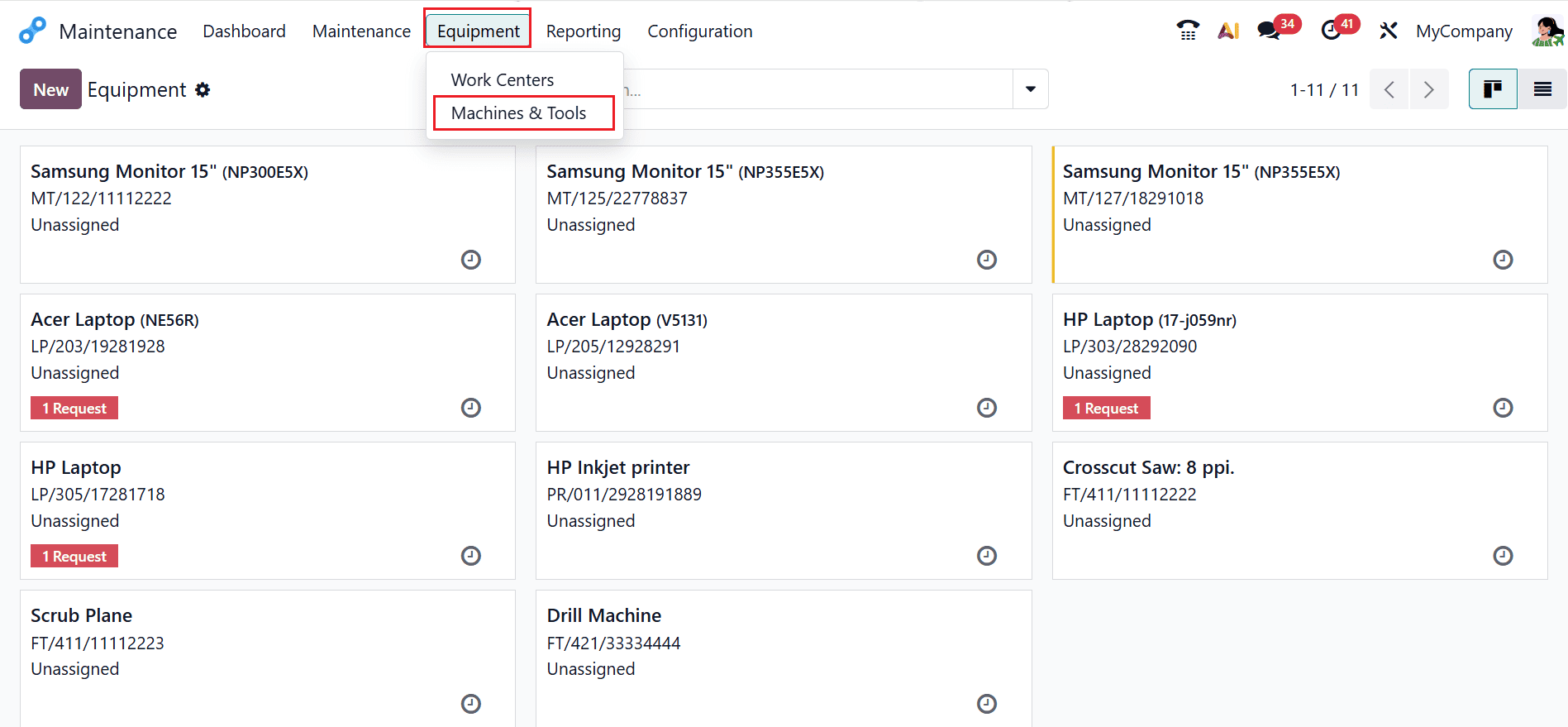
To create new equipment, navigate to the Equipment > Machine & Tools. A new window will open displaying all existing equipment in a Kanban view. Click the New button to create a new equipment entry.
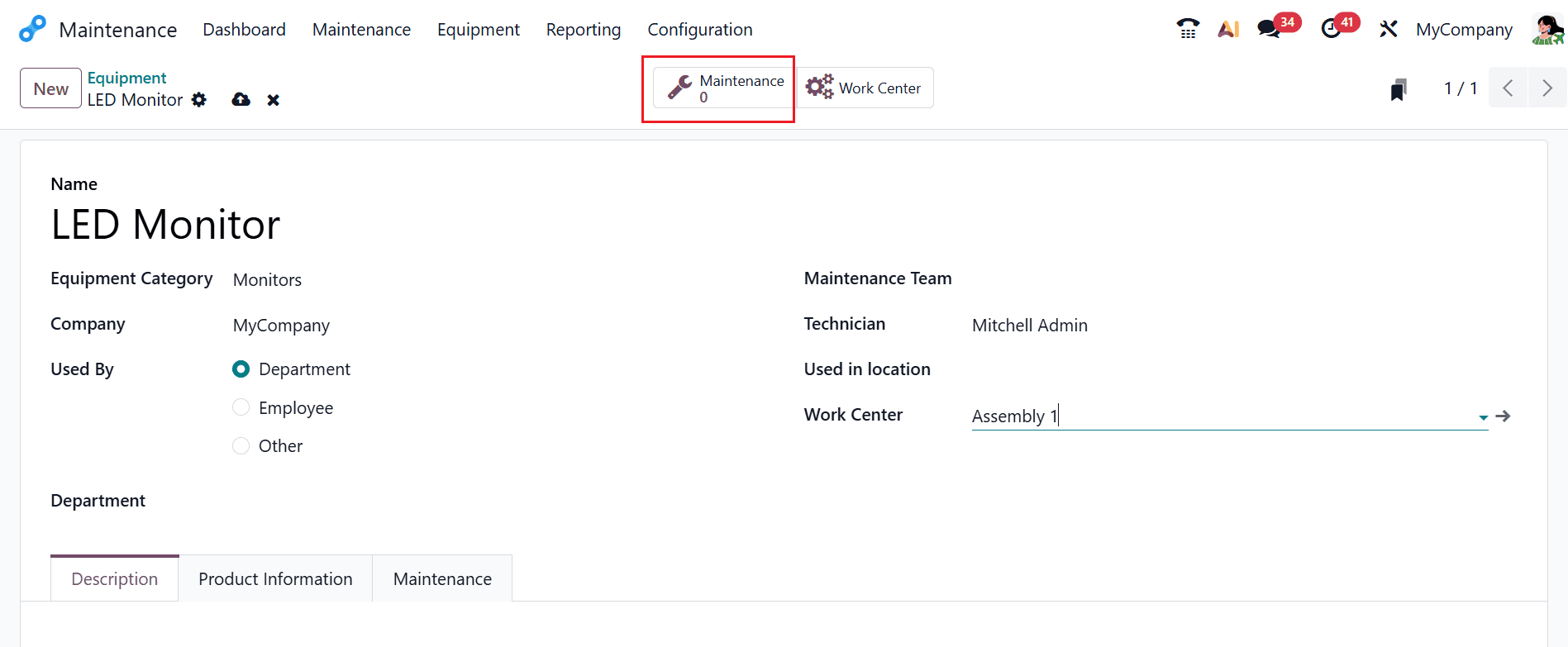
Here, you can add the name of the equipment as LED Monitor. Select the Equipment Category as Monitors. Next, fill in the required details, including Company, Used By, Department, Maintenance Team, Technician, Used in Location, and Work Center. To create a new preventive maintenance request for the equipment, click on the Maintenance smart tab, as shown below:
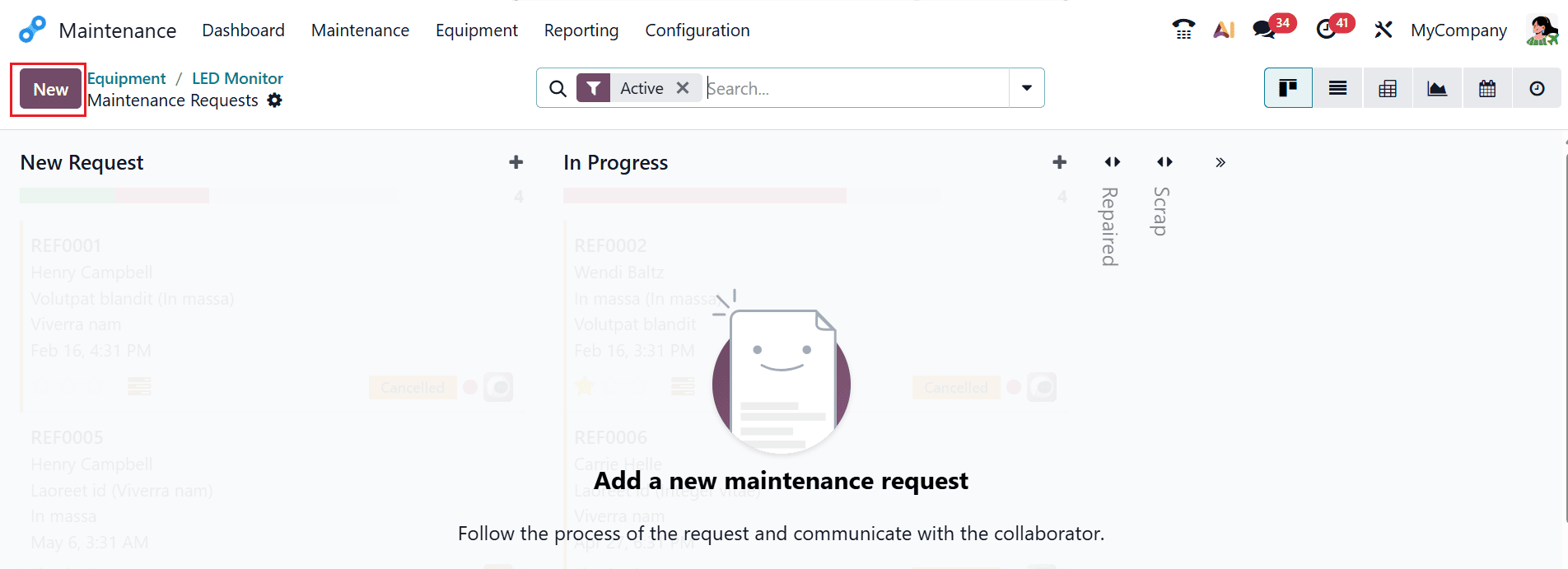
A new window will open, where you can click the New button as shown below.
In this window, enter a title for the maintenance request in the Request field. Add the newly created equipment in the Equipment field and select a team. Then, choose the Maintenance Type as Preventive as shown below:
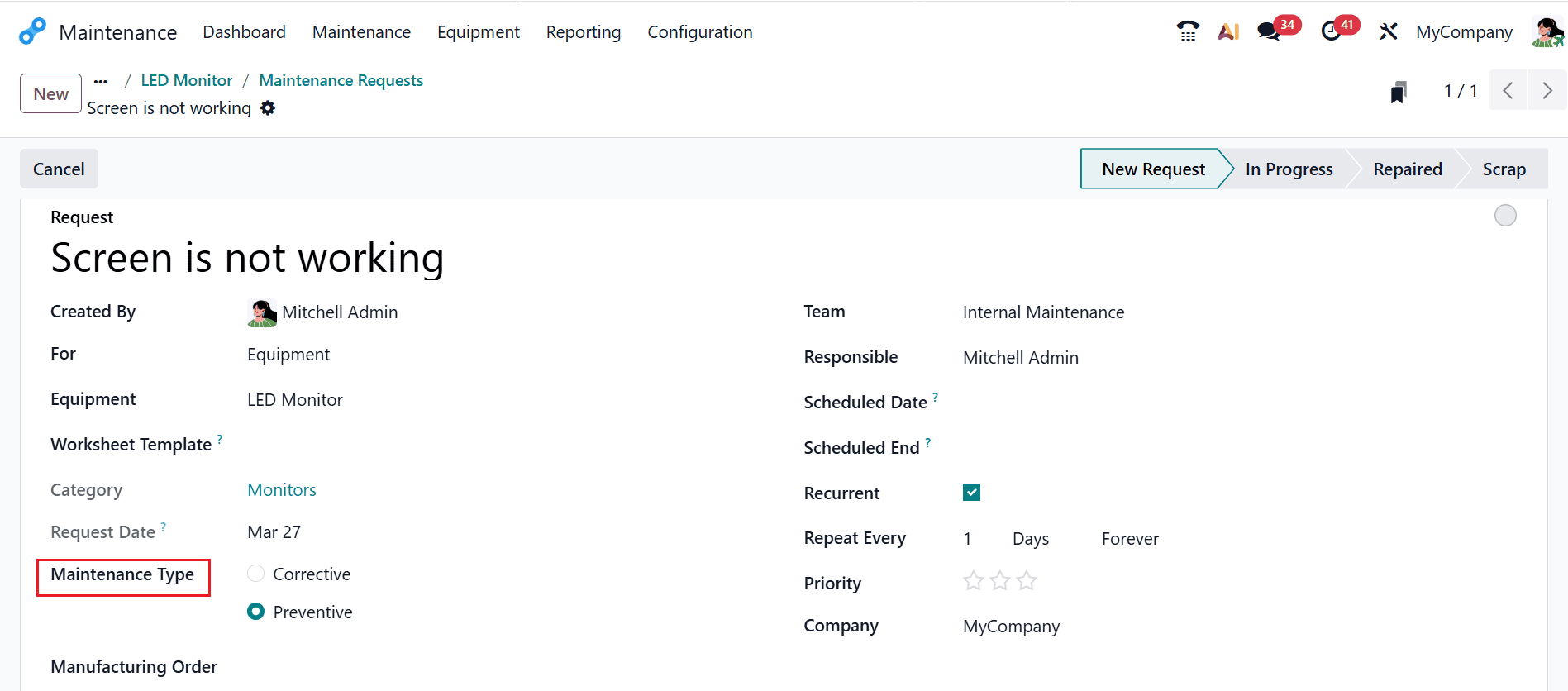
When preventive maintenance is chosen, a new field will appear named as Recurrent. Enable the Recurrent option, and then a new field will appear named Repeat Every, as shown below. Maintenance requests can be configured to recur on a daily, weekly, monthly, or yearly basis, depending on the required maintenance frequency. There are two recurrence options available: Forever or Until, depending on how long the request needs to continue.
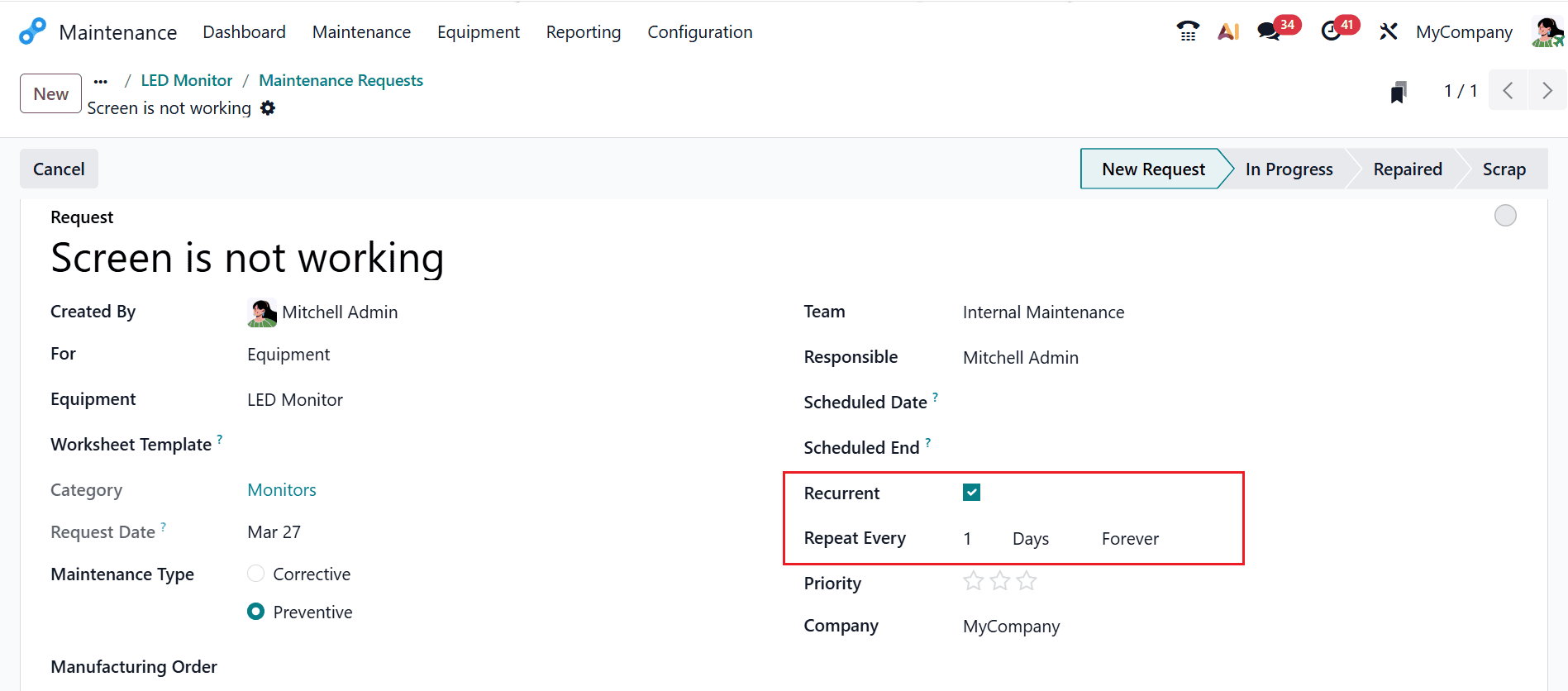
If Forever is selected, the maintenance will continue without an end date. If the Until option is selected, an end date must be specified using the calendar, as illustrated below.
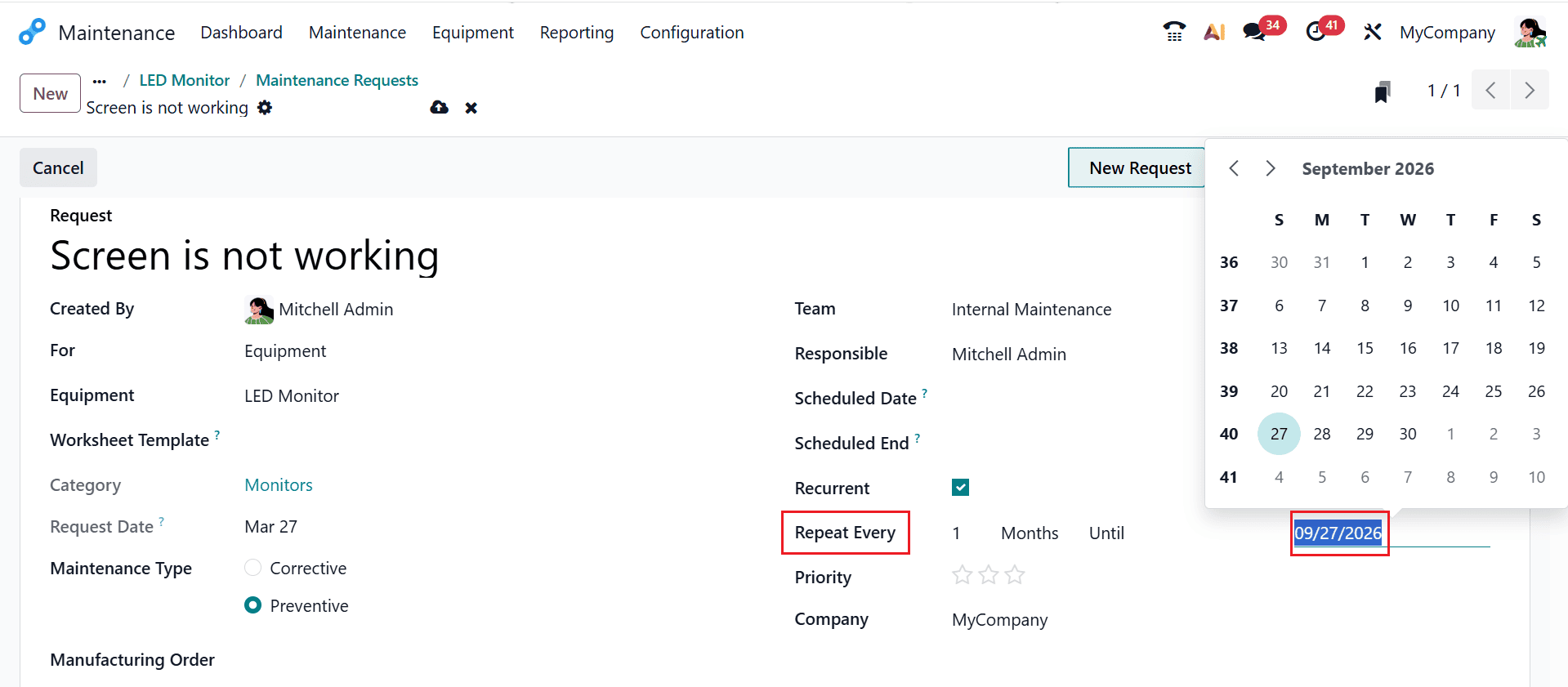
Here, a preventive maintenance request is created with a Request Date of March 27, 2026, and it is set to repeat monthly until September 27, 2026.
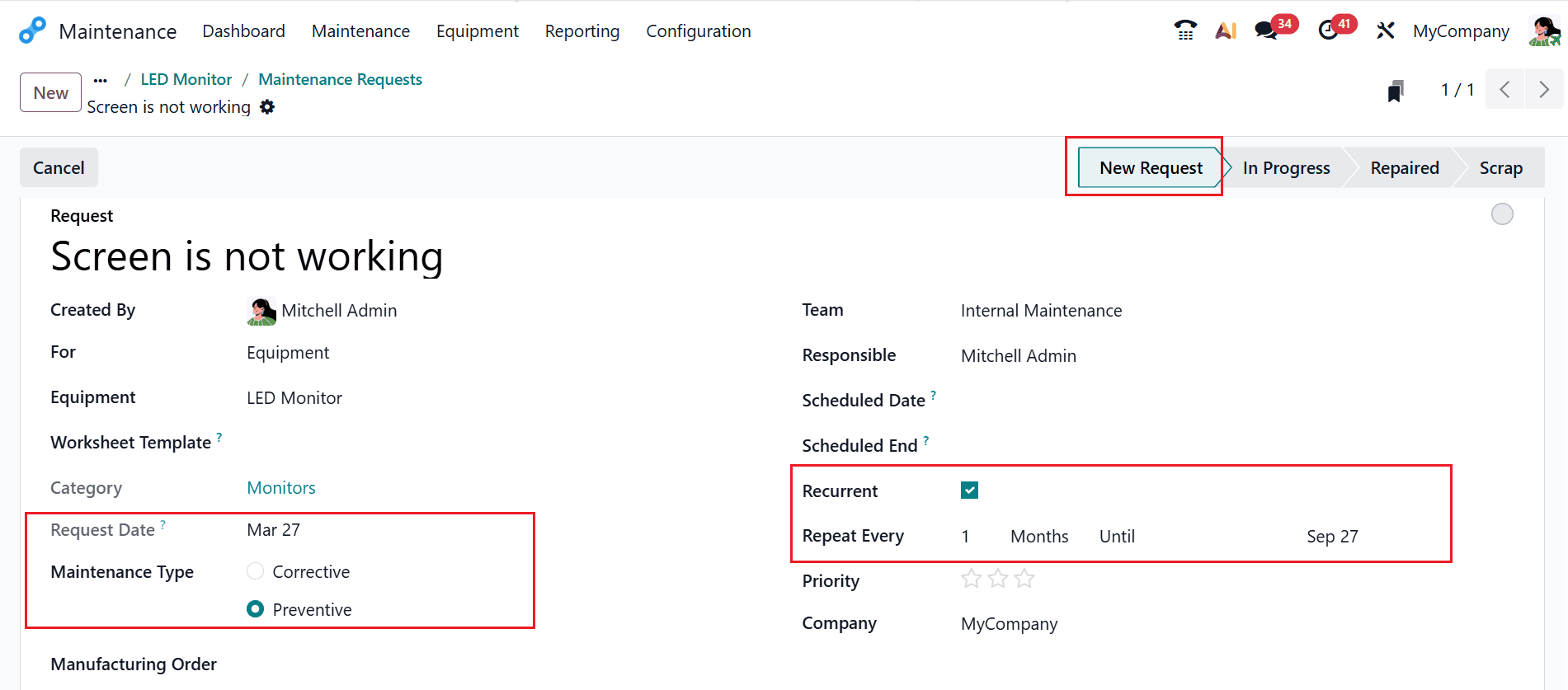
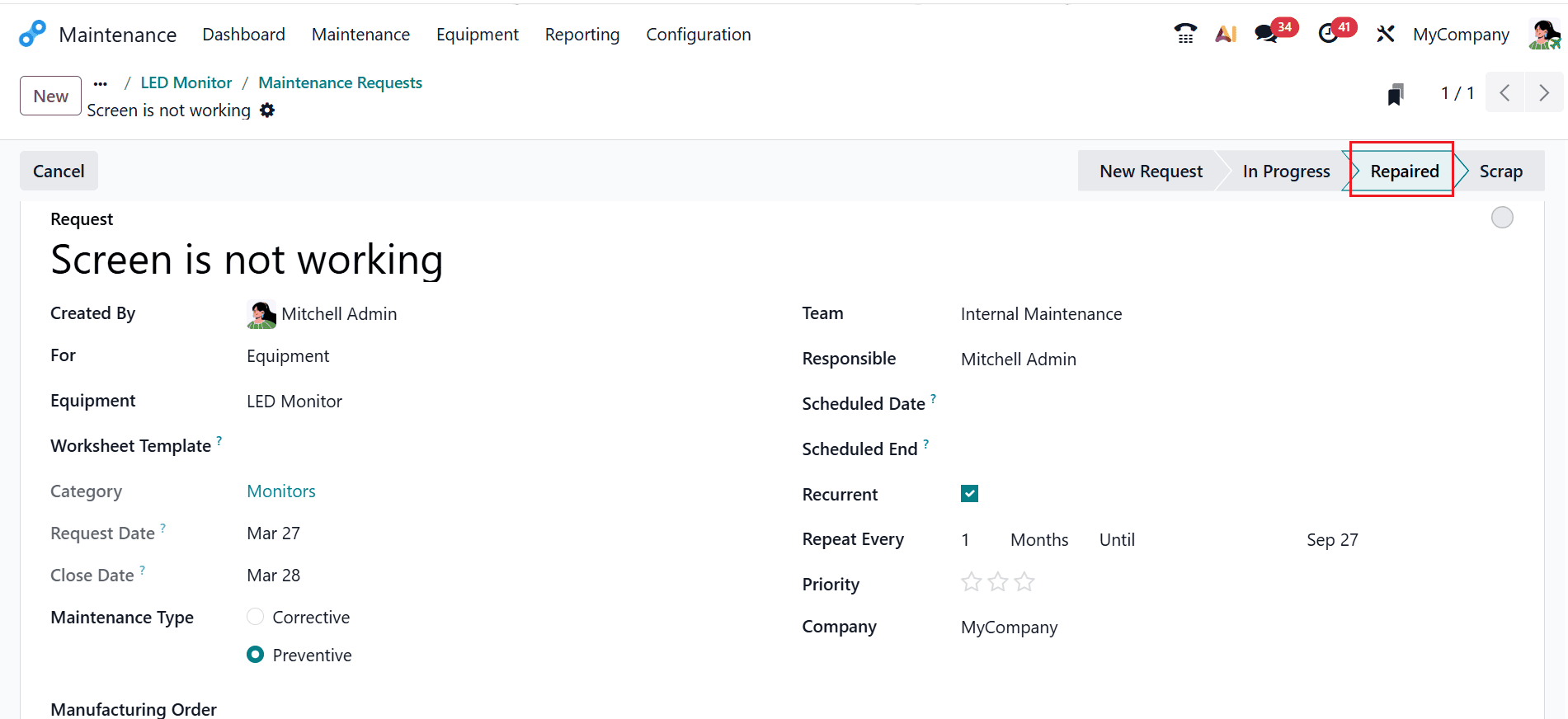
Once the maintenance process begins, the request status automatically changes from New Request to In Progress. After completing the process, the request will move to the Repaired stage as shown below:
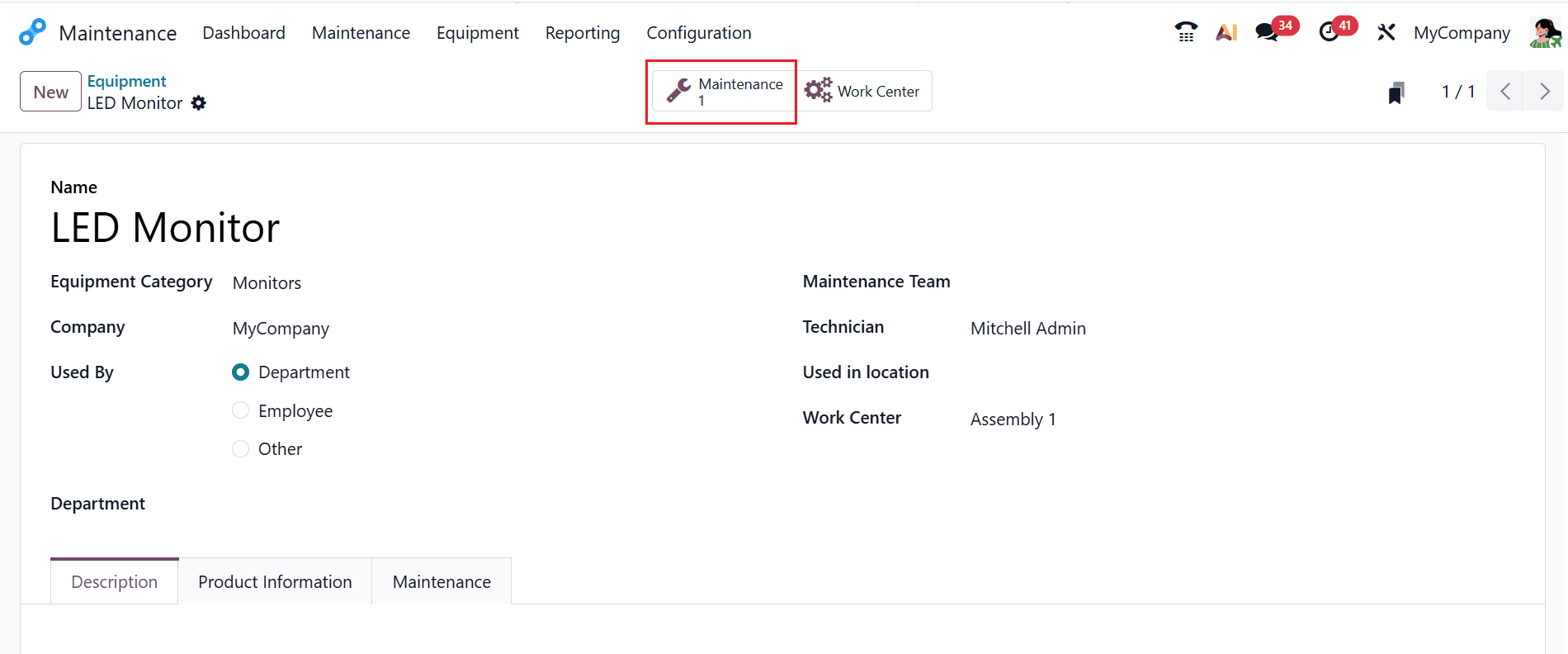
Then navigate back to Equipment and open the LED Monitor. There, the user can access a smart tab called Maintenance, where the request will be displayed after being created.
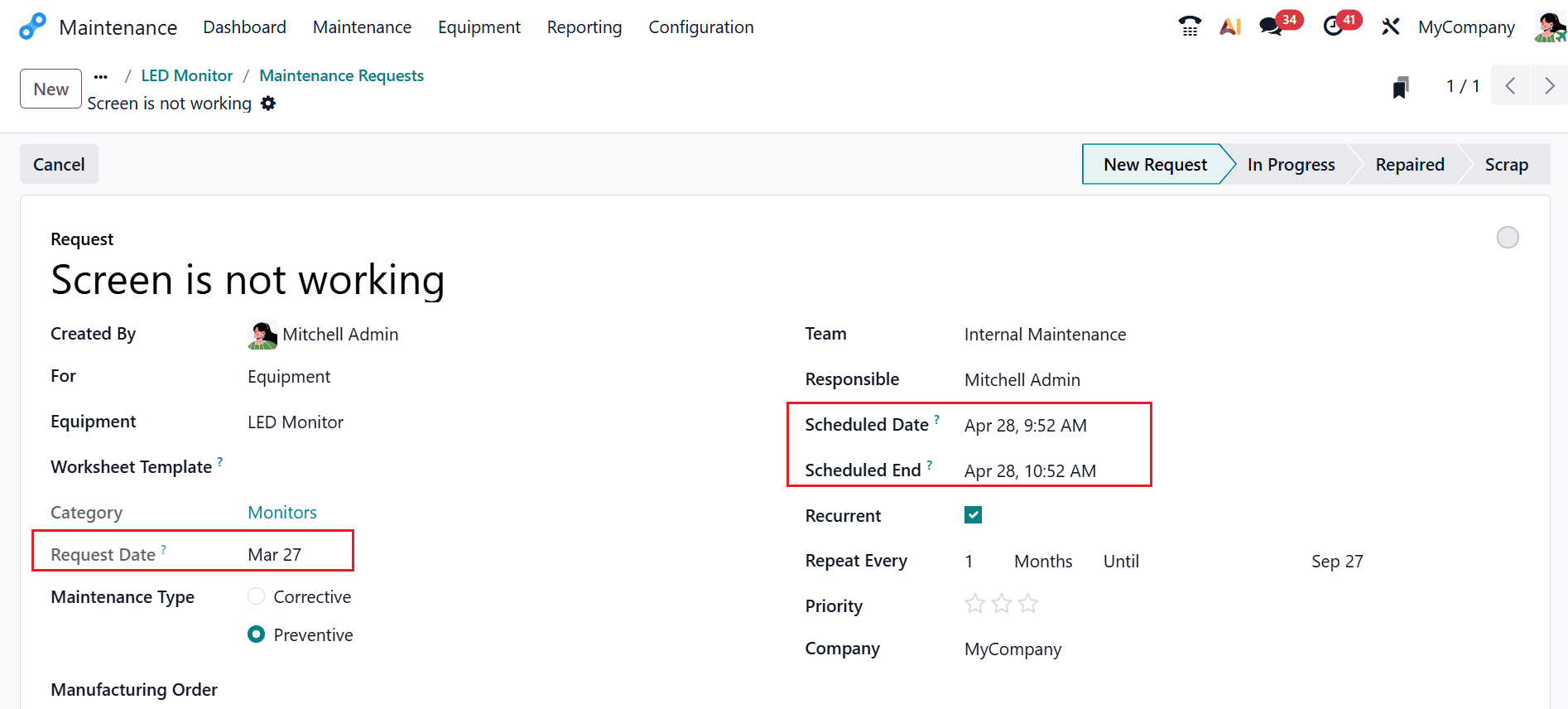
Afterward, the maintenance request will be generated automatically by the system. Check and confirm the details such as Request Date, Scheduled Date, and Scheduled End. In this case, the maintenance request has a request date of 03/27/2026 and a scheduled date of 04/28/2026. Once this request is completed, the system will automatically create the next maintenance request, with a scheduled date of 04/29/2026.
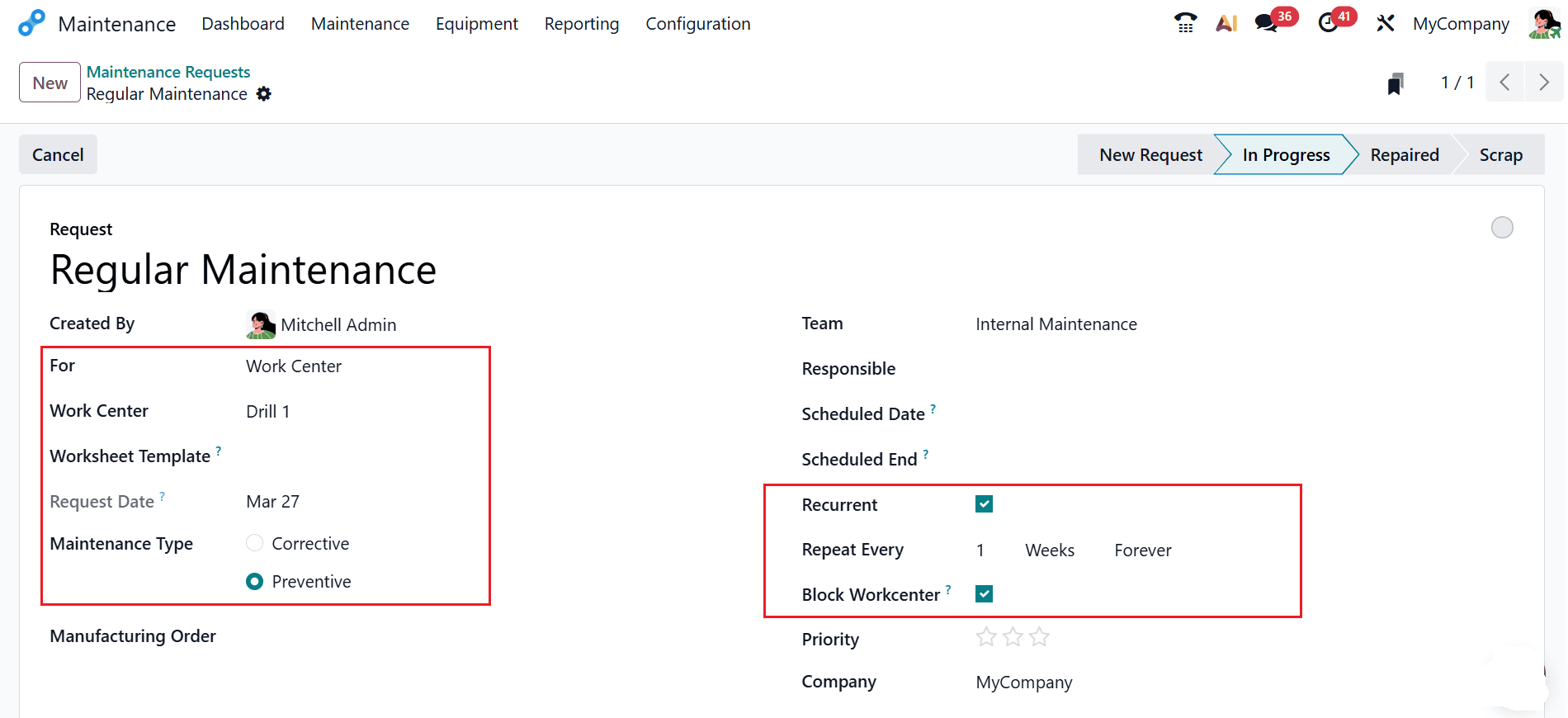
In Odoo 19, preventive maintenance requests can be assigned to work centers, which are the physical resources—such as machines, tools, or production areas—used in manufacturing processes. These work centers are essential for carrying out specific operations, making their reliability crucial to overall production performance. Using preventive maintenance strategies for work centers allows companies to lower the risk of sudden equipment failures that might affect operations. Scheduling maintenance activities at regular intervals or based on equipment usage ensures that operations remain consistent and efficient. This proactive approach not only helps maintain production continuity but also reduces downtime, lowers maintenance costs, and enhances the durability of critical assets.
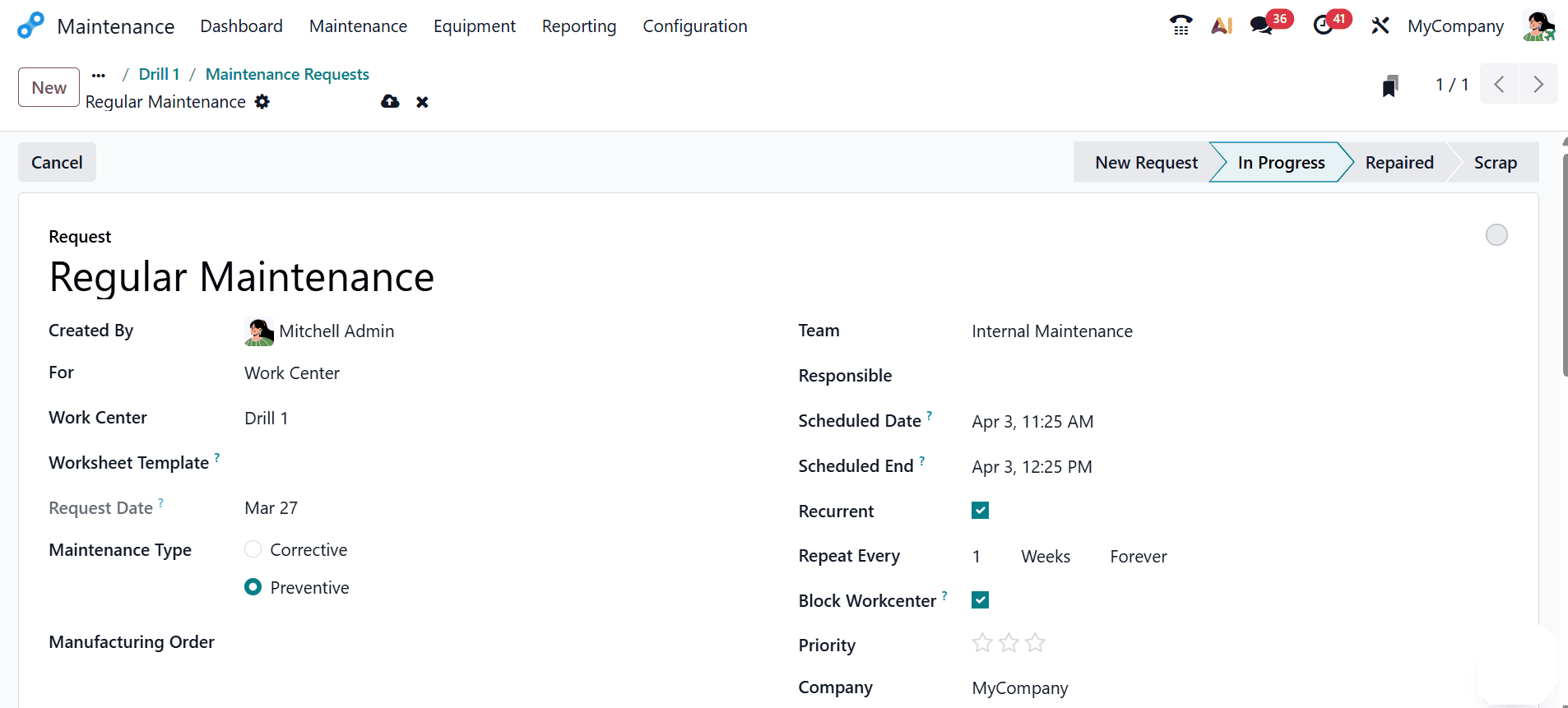
Here, create a new maintenance request for the work centre named Drill 1. In this case, the maintenance type is selected as preventive, and it is set to recur weekly with no end date, ensuring continuous upkeep. When you enable the Block Workcenter option, no work orders or additional maintenance requests can be scheduled for that work center during the maintenance period, effectively reserving it. The request status is updated through its stages—starting from New Request, moving to In Progress, and finally marked as Repaired once the task is completed.
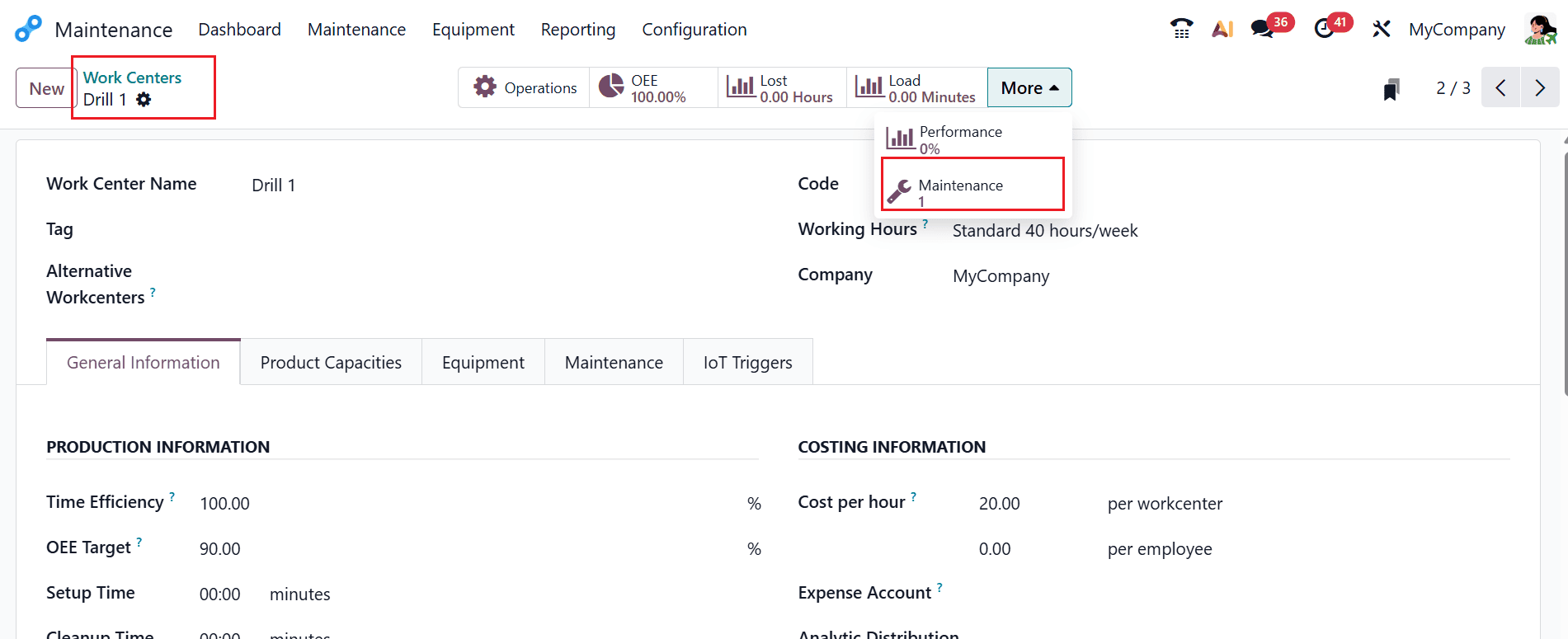
Then, navigate back to the Equipment > Work Centers. Select the Drill 1 work center, which is mentioned above. From the More option, select the Maintenance smart tab as shown below:
A new window will appear where you can view the automatically created maintenance request. Here, the Repeat Every option is set to Week, which schedules the next maintenance request for 04/03/2026.
Implementing preventive maintenance in Odoo 19 empowers businesses to take control of their equipment management processes in a more structured and efficient way. By automating maintenance schedules and tracking tasks in real time, organizations can reduce the likelihood of sudden breakdowns and costly disruptions. The Maintenance module offers flexibility to adapt to different operational needs, making it suitable for a wide range of industries. With accurate data tracking and reporting features, decision-makers can gain valuable insights into equipment performance and maintenance effectiveness. This leads to smarter planning, optimized resource allocation, and improved overall productivity. In addition, regular equipment maintenance supports a safer working environment and helps ensure compliance with operational and safety standards. By properly setting up and utilizing preventive maintenance in Odoo 19, businesses can achieve consistent performance, extend asset lifespan, and build a more reliable and resilient operational framework.
To read more about How to Perform Preventive Maintenance in Odoo 18, refer to our blog How to Perform Preventive Maintenance in Odoo 18.