Current enterprise systems are never built using a single system. Odoo has been used as a central platform for business processes, but other legacy web applications, e-commerce sites, warehouse management systems, or custom websites built using an external MySQL database may still be used.
Manual export of CSV files or the use of brittle and custom Python scripts to extract transform and load data is cumbersome and inefficient. In Odoo 19, the MySQL connector plugin will allow you to build a seamless solution to connect external MySQL databases to Odoo and integrate the two in a simple and efficient manner.
In this practical guide, we will learn how to connect to MySQL, map a table schema, and synchronize the external data into Odoo 19.
Key Features Overview
- Centralized Credentials Configuration: Manage secure configurations for connecting multiple hosts of MySQL in Odoo.
- Automatic Schema Loading: Automatically fetch the schema of tables along with the fields in the remote/local MySQL database.
- Field Mapping Capability: Direct mapping between custom MySQL fields and the corresponding Odoo standard/custom models (like res.partner for Contacts).
- Foreign Key Processing: Feature of mapping foreign keys to corresponding columns in the related tables.
- Import Logging & History: Logging of the imported data set along with the history of its statuses (Draft > Fetched > Synchronized).
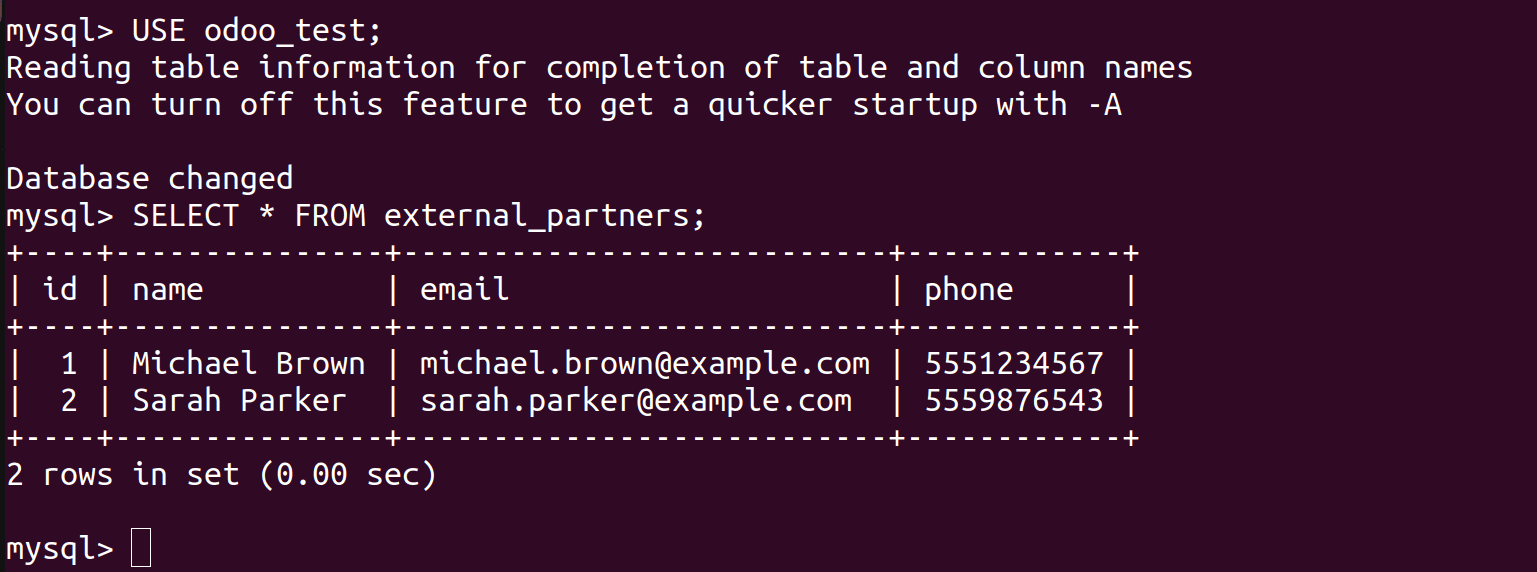
For the purpose of demonstrating this application, a very basic MySQL database odoo_test with one table external_partners has been designed:
Step-by-Step Setup and Synchronization
Step 1: Access Credential Configuration
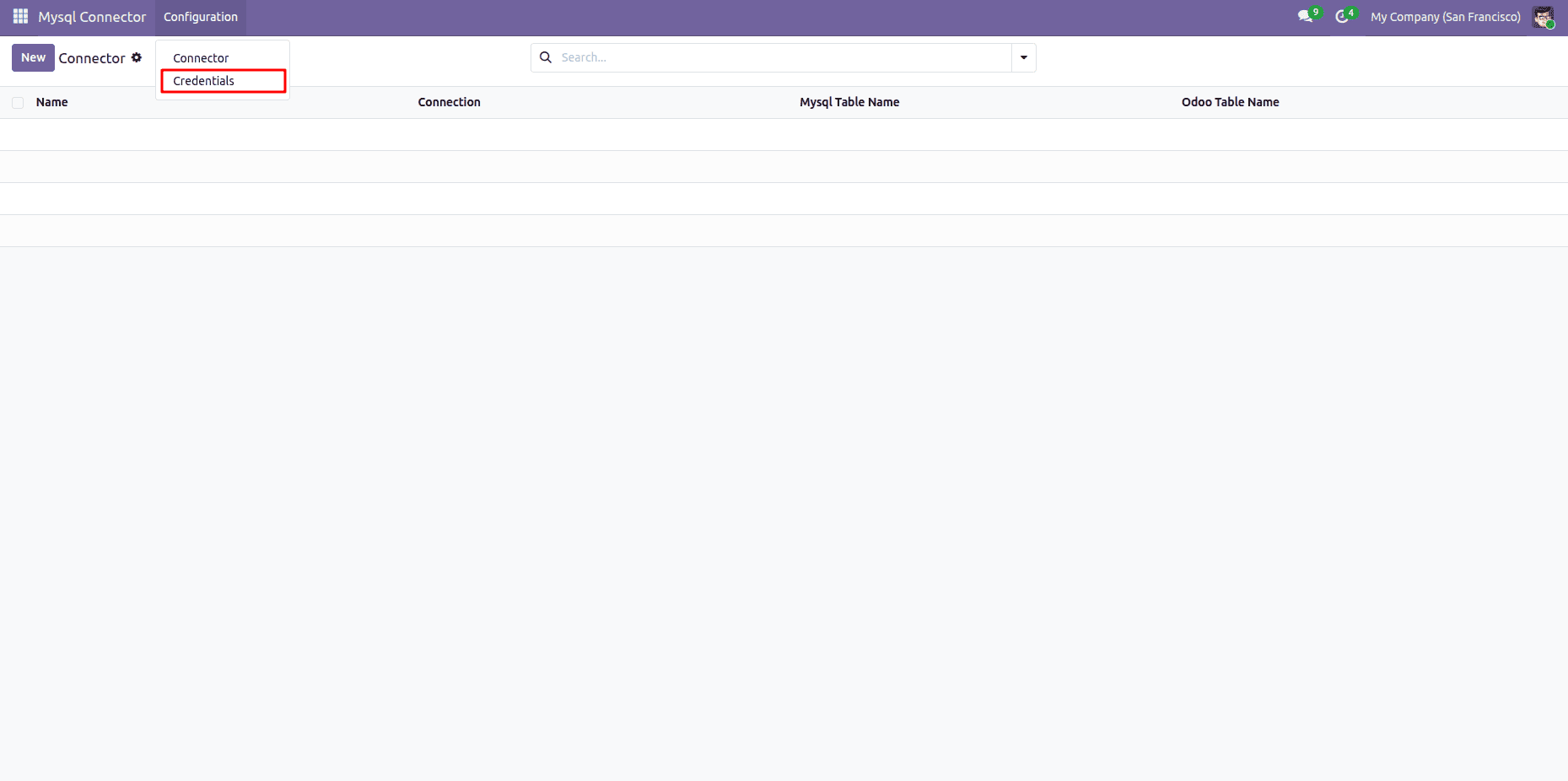
- Open the Mysql Connector app from your Odoo 19 main menu.
- Click Configuration > Credentials.
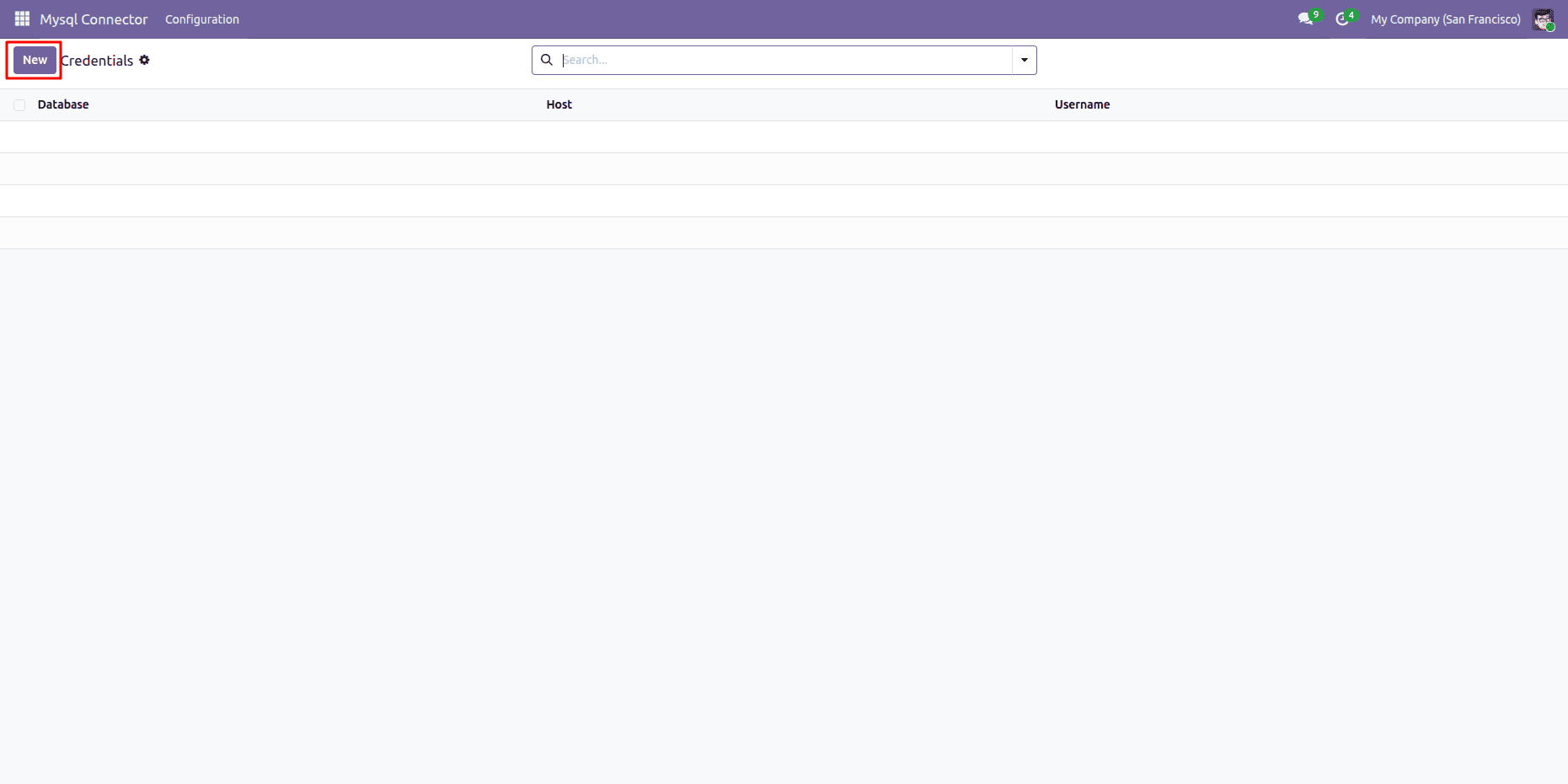
- Click the New button to create a new MySQL host entry.
Step 2: Establish the Server Connection
1. Input your database server connection details:
- Database: odoo_test
- Host: localhost (or external IP)
- Username: odoo
- Password: odoo
2. Click the Connect button at the top left.
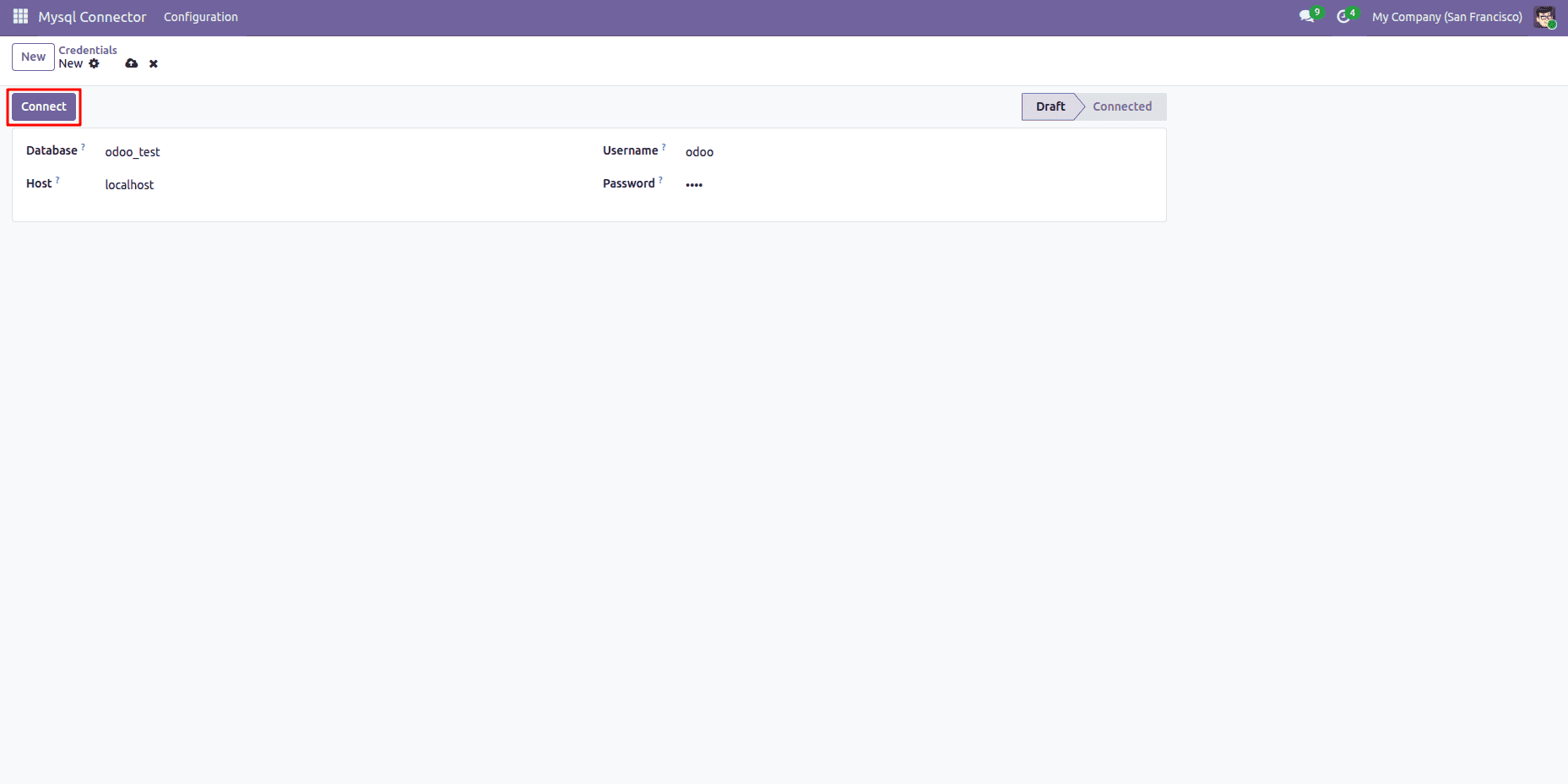
Upon successful authentication, the record status bar transitions to Connected.
Step 3: Define Table Mapping Rules
After establishing a connection between the two platforms, a mapping rule needs to be set up in order to instruct Odoo in which table to read data from and where to send it.
1. Navigate to Configuration > Connector.
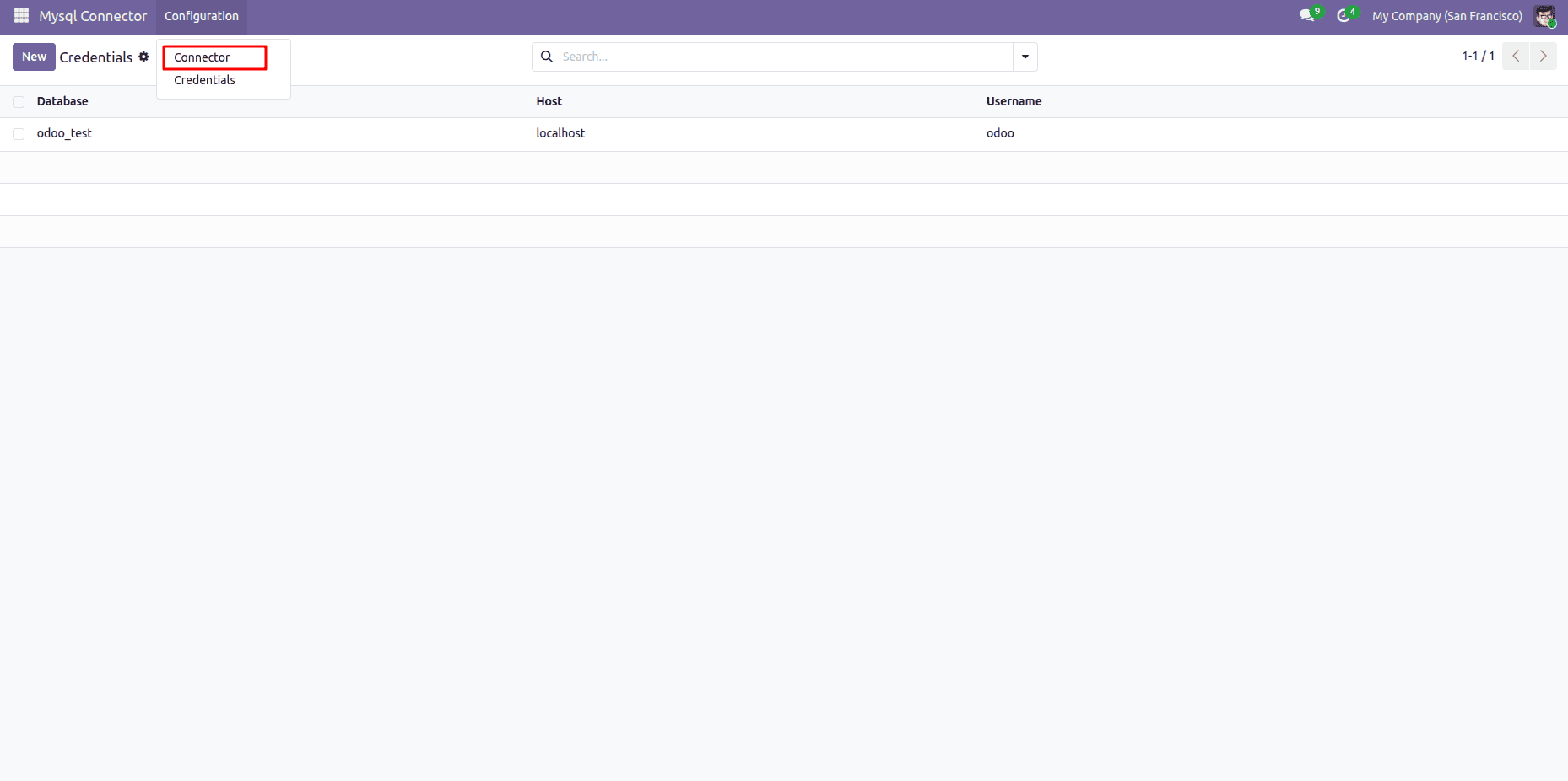
2. Fill out the mapping definition fields:
- Name: Sync External Partners
- Connection: Select your established connection (odoo_test).
- Mysql Table Name: Enter the exact MySQL table name (external_partners).
- Odoo Table Name: Select the target Odoo model (Contact / res.partner).
3. Click the Fetch Data button.
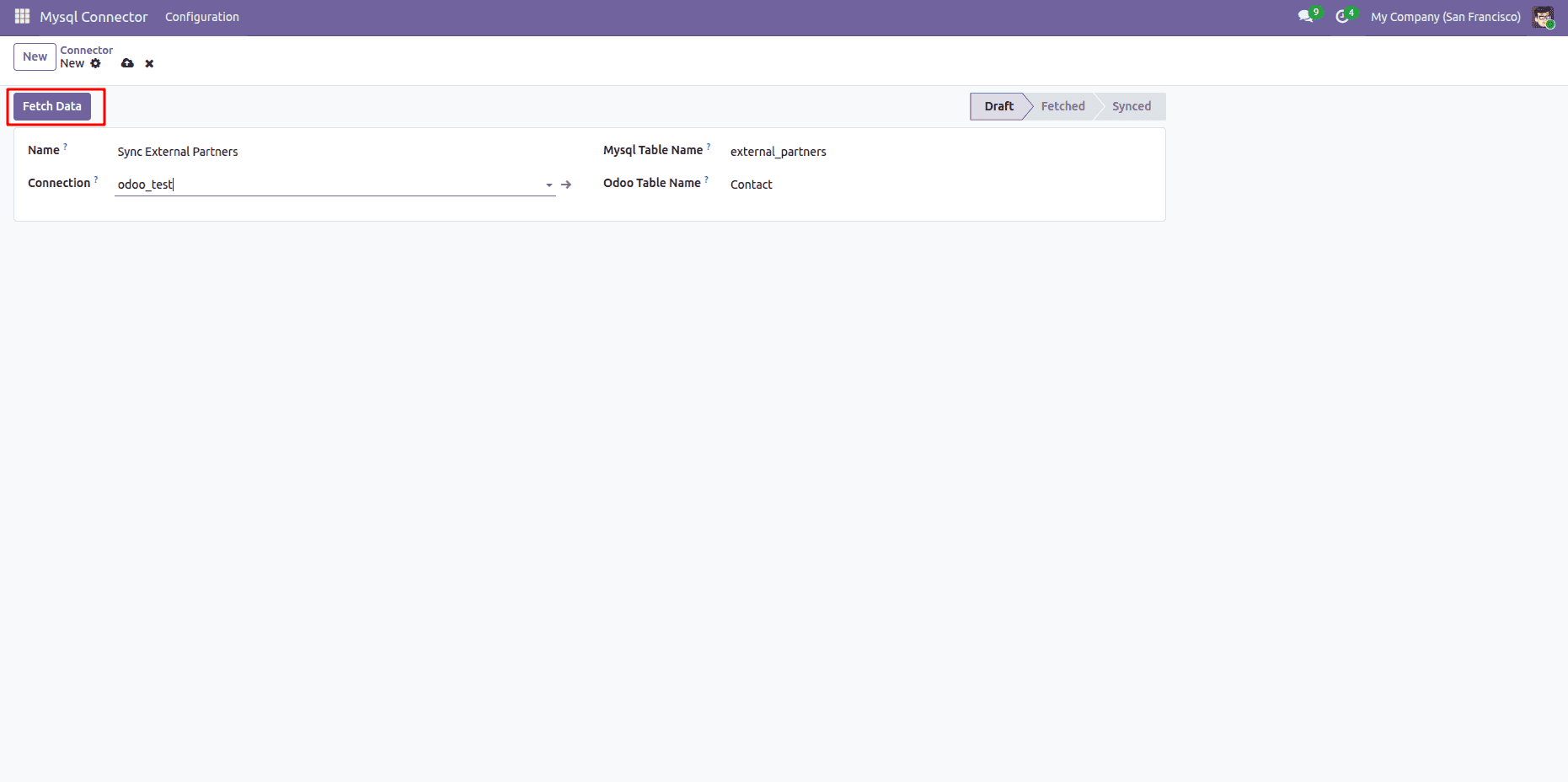
Step 4: Map MySQL Columns to Odoo Fields
Once fetched, the module populates the Data Mapping table with detected column names from MySQL.
1. For each MySQL field, map its corresponding Odoo target field:
- name > Name (Contact)
- email > Email (Contact)
- phone > Phone (Contact)
- (Note: Leave non-relational scalar columns empty under Reference Table/Column).
2. Save the mapping configuration.
3. Click the Sync Table button.
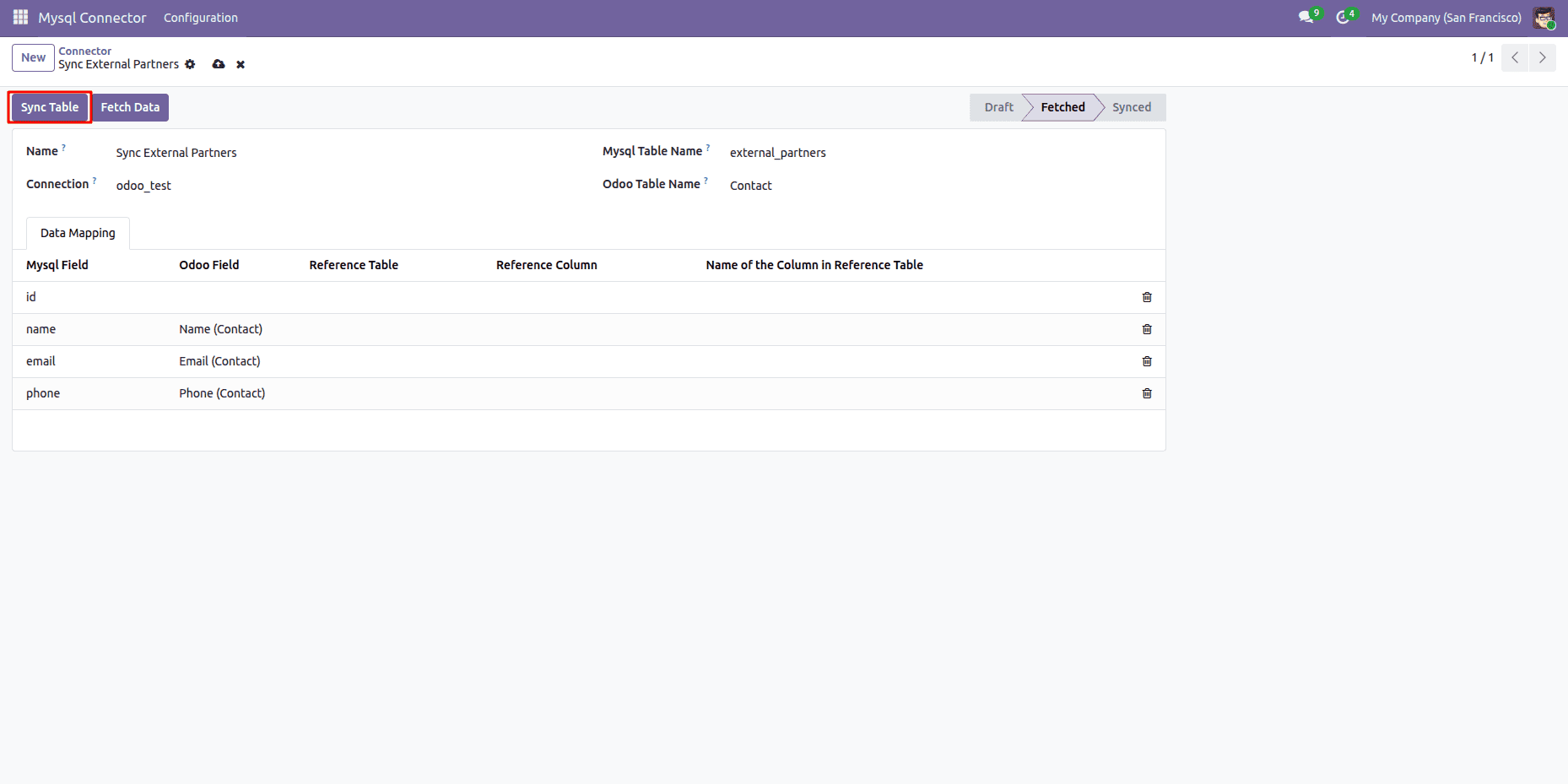
The status stage in the upper-right corner updates from Fetched to Synced.
Step 5: Verify the Synchronized Data in Odoo
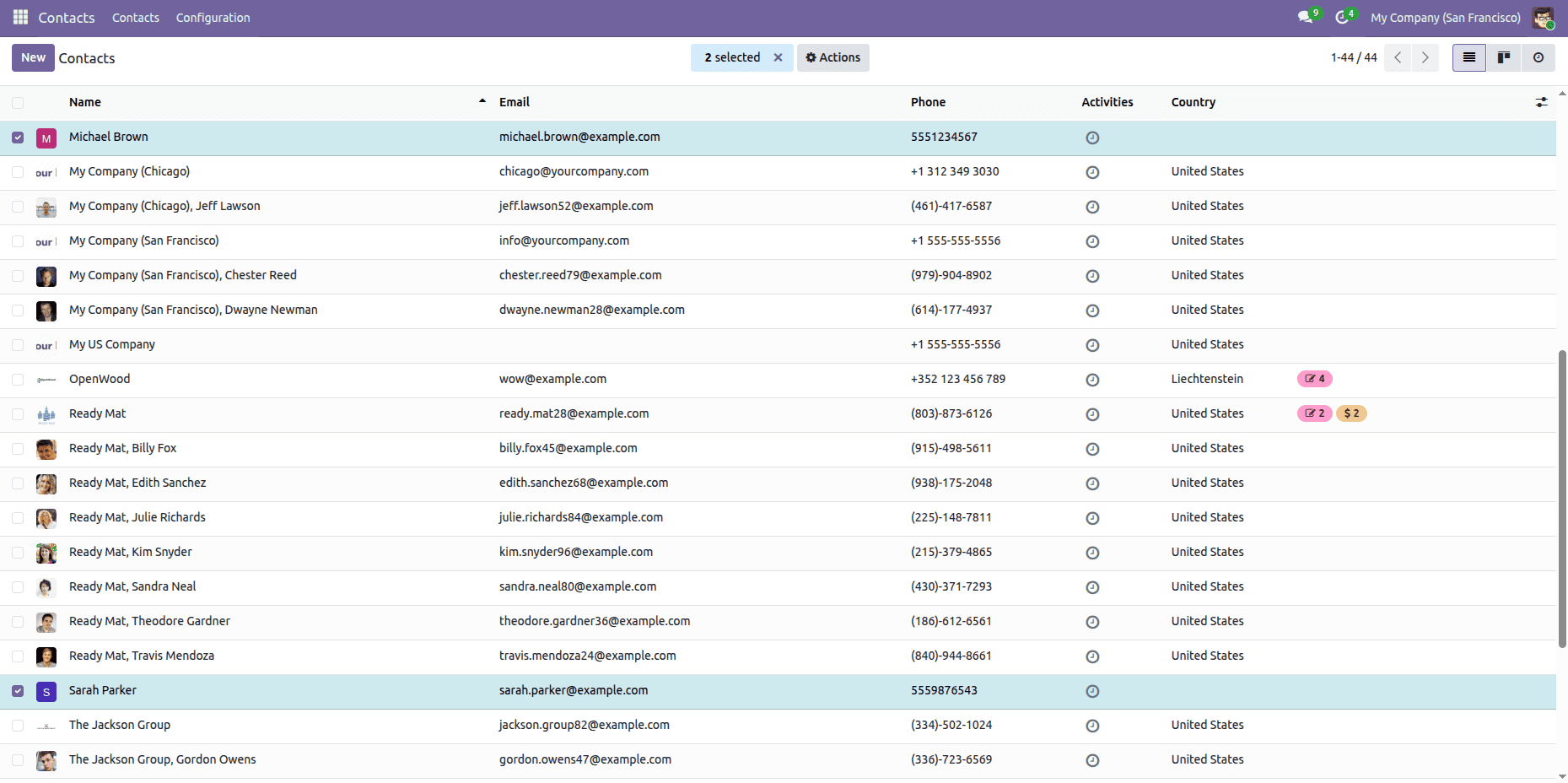
To confirm the data transfer, open Odoo's Contacts application:
1. Michael Brown and Sarah Parker now appear in the Contacts list view:
Common Use Cases for Businesses
- E-commerce Integration: Integrate customer records and sales transactions from MySQL-based e-commerce websites into Odoo Sales and Invoicing modules.
- ERP Legacy Systems: Gradually move records to Odoo 19 from existing ERP systems using MySQL without causing any service interruptions.
- 3PL: Transfer inventory transactions and other records from third-party warehouse management systems into the Odoo Inventory module.
The Odoo MySQL Connector module makes the process of connecting your external MySQL databases with Odoo 19 easy. The module allows business administrators to create effective data transfer processes in a few steps, saving time and effort otherwise spent on creating custom scripts.
To read more about How to Configure and Use Amazon S3 Connector in Odoo, refer to our blog How to Configure and Use Amazon S3 Connector in Odoo.