1. What are Webhooks? (The "Reverse API")
Webhook is a programming web hook that basically enables one system to notify or push changes to another system instantly.
In a regular API setup, Odoo would keep on asking the other system for new data. This is called polling.
With notifications (as seen in Sync and Service Bus), the sender is the system sending the signal. With webhooks, the sender is the system that receives the signal. So, in the first case, the external system triggers the Odoo module to send the information. In the second case, it is the external system that pushes the information towards Odoo automatically when an event occurs.
Think of it like this: instead of checking your delivery status every hour, you just get a message the moment your package arrives.
2. How It Works: Event > Request > Odoo
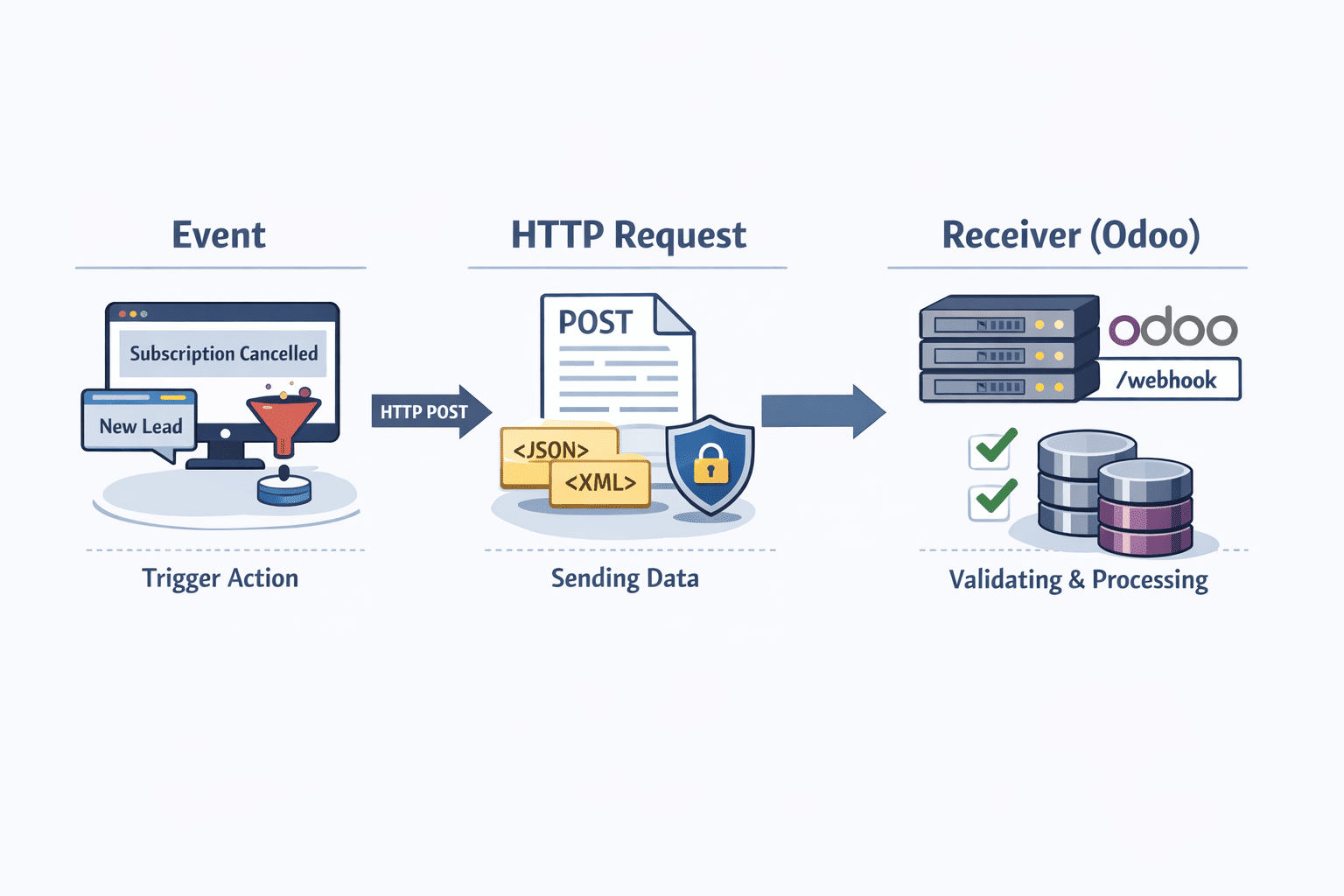
The flow of a webhook is pretty straightforward:
Event: An event in an external system occurs, such as when a payment is charged to Stripe or a new lead is created.
HTTP Request: It makes a POST request with the system's data, which is usually sent in JSON format along with some headers.
Receiver (Odoo): Odoo has an end point which waits for this request. It will then validate the request and will do the processing of received data.
3. API Polling vs Webhooks
When building integrations in Odoo, you usually choose between polling and webhooks.
| Feature | API Polling | Webhooks |
| Initiator | Odoo (The Client) | External System (The Server) |
| Timing | Scheduled (e.g., Odoo Cron every 15 mins) | Instant / Real-time |
| Efficiency | Low; wastes resources on "empty" checks | High; only executes when there is work to do |
| Reliability | Easier to recover if a single call fails | Requires robust logging to prevent data loss |
4. Why Webhooks Matter for Real-Time Work
Webhooks are really useful in situations where timing matters:
To complete integration with the application of your choice, follow the instructions below for the relevant payment method. Upon receipt of a successful payment notification from your payment gateway, you can automatically mark the invoice as paid and set up delivery.
E-commerce Sync If you have a store on Amazon or Shopify and would like to keep your stock levels up to date when a sale is made, our ‘E-commerce Sync’ integration is perfect for you. Updating your inventory in real time means you avoid ever selling out or offering items that are no longer in stock. Give it a try today!
Integration Triggers: IoT/External Systems With Integration Triggers you can use real-time data, such as data from sensors or other third-party services, to trigger specific actions.
In short, they help keep your system in sync without delays.
5. Why Logging Webhooks is Important
This part is often ignored, but it’s actually critical.
If something went wrong and we hadn’t recorded the webhook, we wouldn’t know what happened and it would become an endless task trying to figure out what went wrong.
- Debugging Issues
They can silently fail. Sometimes webhooks can fail silently. This means if your code blows up in any way the sender of the webhook request only gets a generic failure message, and the intent of the webhook request is lost.
Logging the payload will show what values caused the problem, making it easier to diagnose and fix.
- Security Checks
Just a heads up that webhook requests can be easily generated and send, so don’t do anything important in a webhook listener. Many web services also send a XHOOK or X VERIFY header with a hash of some kind that you can verify with their API keys.
Logging those headers helps you verify whether the request actually came from a trusted source.
- Monitoring Traffic
Logs help you spot unusual behavior.
Like anti-virus programs and firewalls, there are applications that cache queries so that if the same request is made many times it can be identified as a duplicate and the associated processing may be skipped.
- Replay and Recovery
If your server is down or your code has a bug, then your logs will save your bacon.
You can redeposit the payload and reprocess it after you have fixed the problem that caused the failure notification to the external system. You do not have to ask the external system to send the payload again.
Webhooks are a popular mechanism to change a communication style from pull to push, hence enabling faster and more scalable integrations.
Everything is happening behind the scenes, so it becomes very important to put in some logging statements. If not, then debugging and troubleshooting will be very hard.
Proper logging is highly recommended for handling webhooks.
To read more about A Complete Overview of Webhooks in Odoo 19, refer to our blog A Complete Overview of Webhooks in Odoo 19.