Odoo's Discuss app comes with its own bot, OdooBot. It greets new users, shows them emojis and slash commands, and mentions them then goes quiet once it figures you've got the hang of it. Here's the interesting part: none of this functionality is hardcoded specifically for OdooBot. Underneath, it follows a small, reusable pattern consisting of an abstract "bot logic" model, a hook on ‘discuss.channel’ that fires after every message, and a partner record that gives the bot a face in the UI.
Once you see that, it's obvious how to build your own bot on top of it. Helpdesk triage, an internal FAQ assistant, a leave-request bot for HR, or just something that pings a webhook and posts whatever comes back. That's what we're building here a chatbot module for Odoo 19, from scratch.
We'll walk through the module structure, the bot logic model, the message-posting hook, giving the bot its own identity in the channel, and—if plain text replies aren't enough for you—a few notes on the OWL 3 frontend for something like a typing indicator.
Step 1: Plan the Module and Its Dependency on Mail
All bots in Discuss run on top of the mail module because it’s the owner of the discuss.channel, discuss.channel.member, and message posting pipeline. The starting point is a usual module structure:
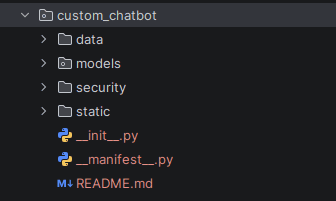
__manifest__.py:
{
   "name": "Custom Discuss Chatbot",
   "version": "19.0.1.0.0",
   "category": "Discuss",
   "summary": "Adds a custom scripted chatbot to the Discuss app",
   "depends": ["mail"],
   "data": [
       "security/ir.model.access.csv",
       "data/chatbot_partner_data.xml",
   ],
   "installable": True,
   "application": False,
}
Step 2: Define a Partner Record for the Bot
Similar to how OdooBot has a partner record associated with it, your bot needs an identity as well, a res.partner and (usually a corresponding res.users as well) if your bot requires specific permissions to work with, in order for it to participate in channels, display an avatar and be mentioned.
data/chatbot_partner_data.xml:
<?xml version="1.0" encoding="utf-8"?>
<odoo>
   <record id="partner_support_bot" model="res.partner">
      <field name="name">Support Bot</field>
      <field name="active">True</field>
      <field name="is_company">False</field>
      <field name="email">support-bot@example.com</field>
  </record>
   <record id="user_support_bot" model="res.users">
       <field name="partner_id" ref="partner_support_bot"/>
       <field name="login">support</field>
       <field name="group_ids" eval="[(6, 0, [ref('base.group_user')])]"/>
   </record>
</odoo>
Maintain a reference to the external ID of this partner. It is required for lookup by XML ID within the logic model.
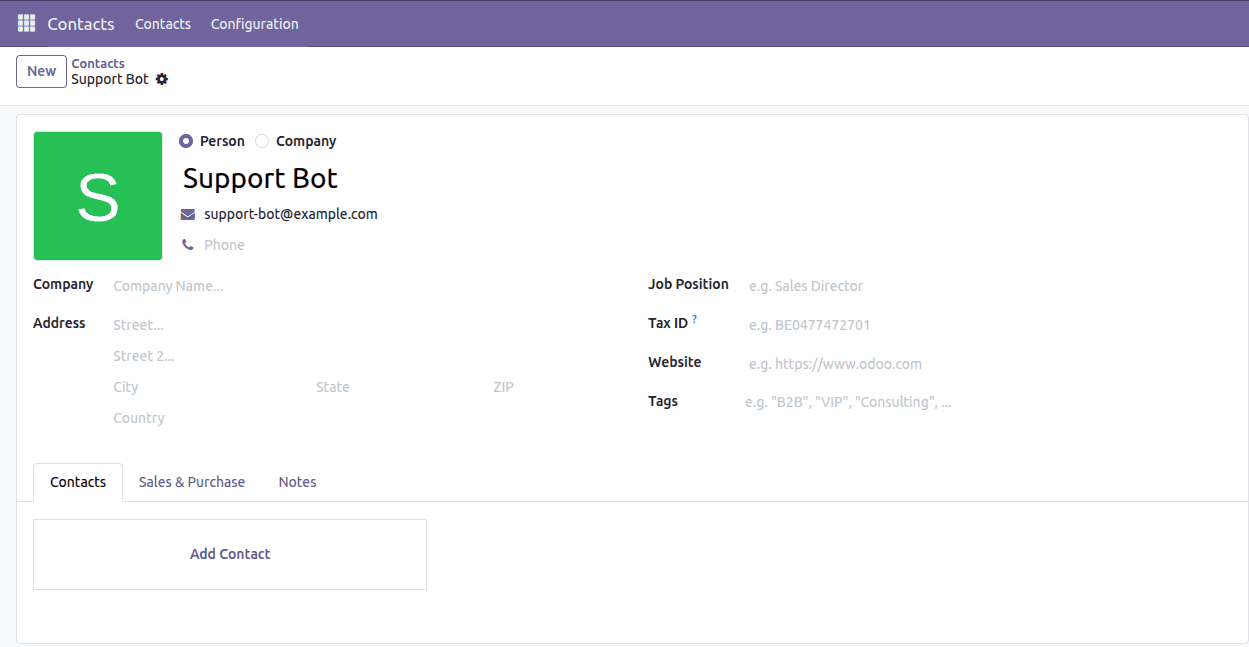
Step 3: Develop the Bot Logic Model
This is the most important part. Emulate the mail.bot by creating your own AbstractModel class that contains the decision logic of your bot. Stateless logic allows you to call the model from anywhere without any fear of undesired record creation.
models/chatbot_logic.py:
# -*- coding: utf-8 -*-
import logging
import re
from odoo import models
_logger = logging.getLogger(__name__)

class SupportChatbotLogic(models.AbstractModel):
   """Stateless decision logic for the custom Discuss chatbot."""
   _name = "support.chatbot.logic"
   _description = "Support Chatbot Logic"

   def _get_bot_partner(self):
       """Return the res.partner record representing this bot."""
       return self.env.ref("custom_chatbot.partner_support_bot", raise_if_not_found=False)
   def _is_bot_pinged(self, values):
       """True if the bot partner is among the message recipients (an @mention)."""
       bot_partner = self._get_bot_partner()
       if not bot_partner:
           return False
       partner_ids = values.get("partner_ids") or []
       # partner_ids may arrive as plain ids or as (6, 0, [ids]) command tuples
       if partner_ids and isinstance(partner_ids[0], (list, tuple)):
           partner_ids = partner_ids[0][2] if len(partner_ids[0]) > 2 else []
       return bot_partner.id in partner_ids

   def _apply_logic(self, channel, values, command=None):
       """Called from discuss.channel._message_post_after_hook."""
       bot_partner = self._get_bot_partner()
       if not bot_partner:
           return False
       if values.get("author_id") == bot_partner.id:
           return False
       if bot_partner.id not in channel.channel_partner_ids.ids:
           return False
       is_direct_chat = channel.channel_type == "chat"
       if not is_direct_chat and not self._is_bot_pinged(values):
           return False
       body = (values.get("body") or "").strip()
       try:
           answer = self._get_answer(self._strip_html(body).lower())
       except Exception:
           _logger.exception("Custom chatbot failed to generate a reply")
           answer = False
       if answer:
           channel.with_context(mail_create_nosubscribe=True).message_post(
               body=answer,
               author_id=bot_partner.id,
               message_type="comment",
               subtype_xmlid="mail.mt_comment",
           )
       return bool(answer)
   # ------------------------------------------------------------------
   # Reply logic - replace/extend this for real intelligence
   # ------------------------------------------------------------------
   def _get_answer(self, body):
       """Very small keyword-based state machine.
       Replace this method with a call to a helpdesk API, knowledge base
       search, or LLM completion."""
       if not body:
           return False
       if body in ("hi", "hello", "hey", "hi there"):
           return "Hi there! Ask me about password resets or system status."
       if "reset password" in body or "forgot password" in body:
           return "Head to Settings ? My Profile ? Change Password, or ping IT support."
       if "status" in body:
           return "All systems are currently operational."
       if "help" in body:
           return "I can help with: password resets, system status. Just ask!"
       return False
   # ------------------------------------------------------------------
   # Utilitiessupport.chatbot.logic
   # ------------------------------------------------------------------
   def _strip_html(self, body):
       """Best-effort plain-text extraction from a message body (which may be HTML)."""
       if not body:
           return ""
       return re.sub(r"<[^<]+?>", "", body).strip()
This is the place where you'll have to customize the _get_answer() method to make a call to an external API such as helpdesk, knowledge base search or LLM completion, etc., rather than keyword match as in the example.
Step 4: Extend Message Posting from discuss.channel
Odoo calls the logic for bots via the _message_post_after_hook method in discuss.channel. Inherit it similarly to how mail_bot does:
models/discuss_channel.py:
from odoo import models
class DiscussChannel(models.Model):
   _inherit = "discuss.channel"
   def _message_post_after_hook(self, message, msg_vals):
       self.env["support.chatbot.logic"]._apply_logic(self, msg_vals)
       return super()._message_post_after_hook(message, msg_vals)
This ensures your bot gets a chance to react every time a message lands in a channel it's a member of, without touching the core mail code.
Step 5: Add Access Rights
Since support.chatbot.logic is an AbstractModel with no table; it needs minimal access configuration, but you should still declare it explicitly:
id,name,model_id:id,group_id:id,perm_read,perm_write,perm_create,perm_unlink
access_support_chatbot_logic,support.chatbot.logic,model_support_chatbot_logic,base.group_user,1,0,0,0
If your bot needs to read or write other models, like creating a helpdesk ticket from a chat command, give it a dedicated service user with only the access it needs, and call message_post and any record creation with sudo(bot_user) rather than the calling user's rights.
Step 6: Try Your Bot in the Discuss App
Put the module into action; create a Direct Message with the partner of your bot (or add it into a channel) and say something that triggers it.
Make sure the bot shows up properly by verifying its avatar and name when it replies to you.
Test both DM and @bot_in_channel; the path that the bot takes when replying is different for each of them (if channel_type = "chat" or when it pings).
Take a look at Odoo server logs to see any exception; an error in the _apply_logic method will quietly fail the bot's reply if you don’t wrap dangerous calls (for instance, calls to external APIs).
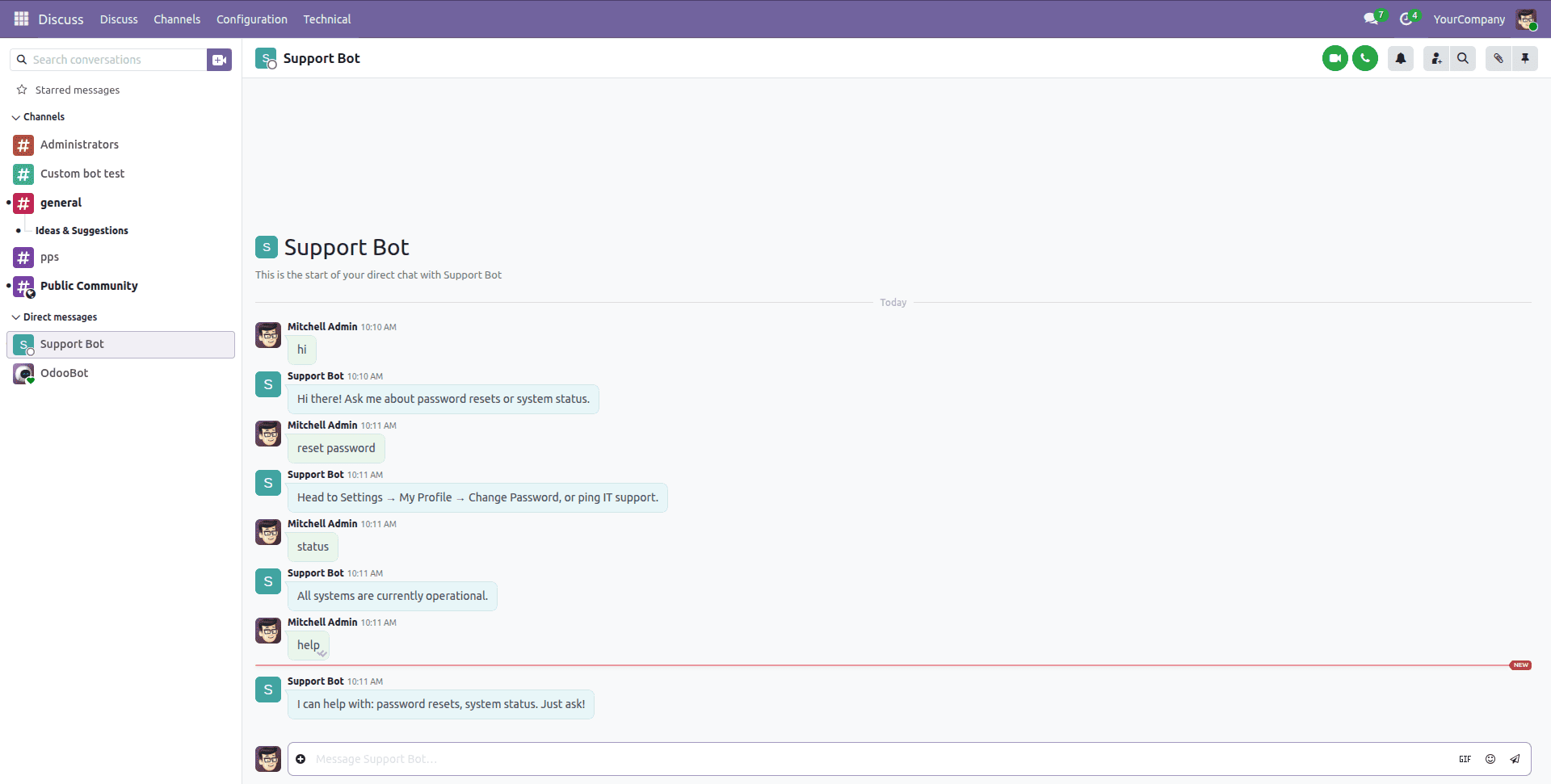
Building your own chatbot for Discuss isn't about bolting a new feature onto Odoo-it's about reusing the same three pieces OdooBot already relies on a partner identity, a stateless logic model, and a hook into discuss.channel. Once that skeleton is in place, what you fill it with is up to you-a keyword map or a call-out to a language model.
To read more about How to Configure a Chatbot for Your Helpdesk in Odoo 19, refer to our blog, How to Configure a Chatbot for Your Helpdesk in Odoo 19.