Mobo is a mobile ERP solution built on Odoo that extends core business operations to iOS and Android platforms. It enables real-time access to key Odoo modules, such as Sales, CRM, Inventory, Manufacturing, and POS, through a native mobile interface, ensuring seamless data synchronization with the backend. The product is positioned to improve operational agility, support on-the-go decision-making, and streamline workflows without dependency on desktop access.
Building on this, the Mobo Sales App specifically operationalizes the sales lifecycle by equipping field and inside sales teams with a mobile-first interface to manage leads, customers, quotations, and sales orders in real time. It ensures continuous data synchronization with Odoo, accelerates deal closures, improves sales visibility, and enables faster, informed decision-making without reliance on desktop systems.
HOW TO CONNECT?
To begin connecting your database to the Mobo app, simply install the application on your device. Once the installation is complete, the app will launch and display the initial connection screen, as shown below.
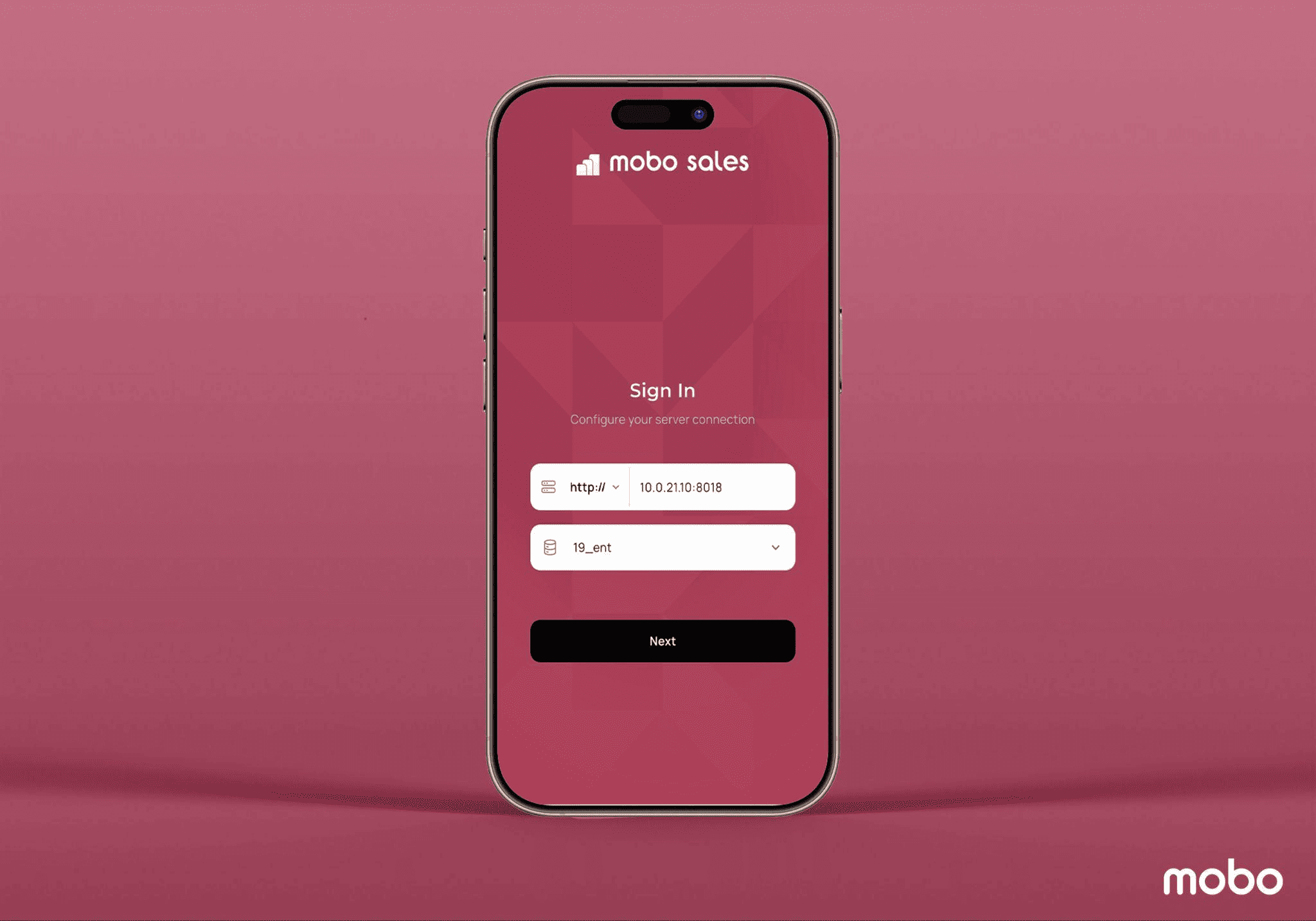
On the login screen, enter your server address and select the database you want to connect to. Then tap Next, and the app will take you to the sign-in page where you can enter your database credentials and securely log in.
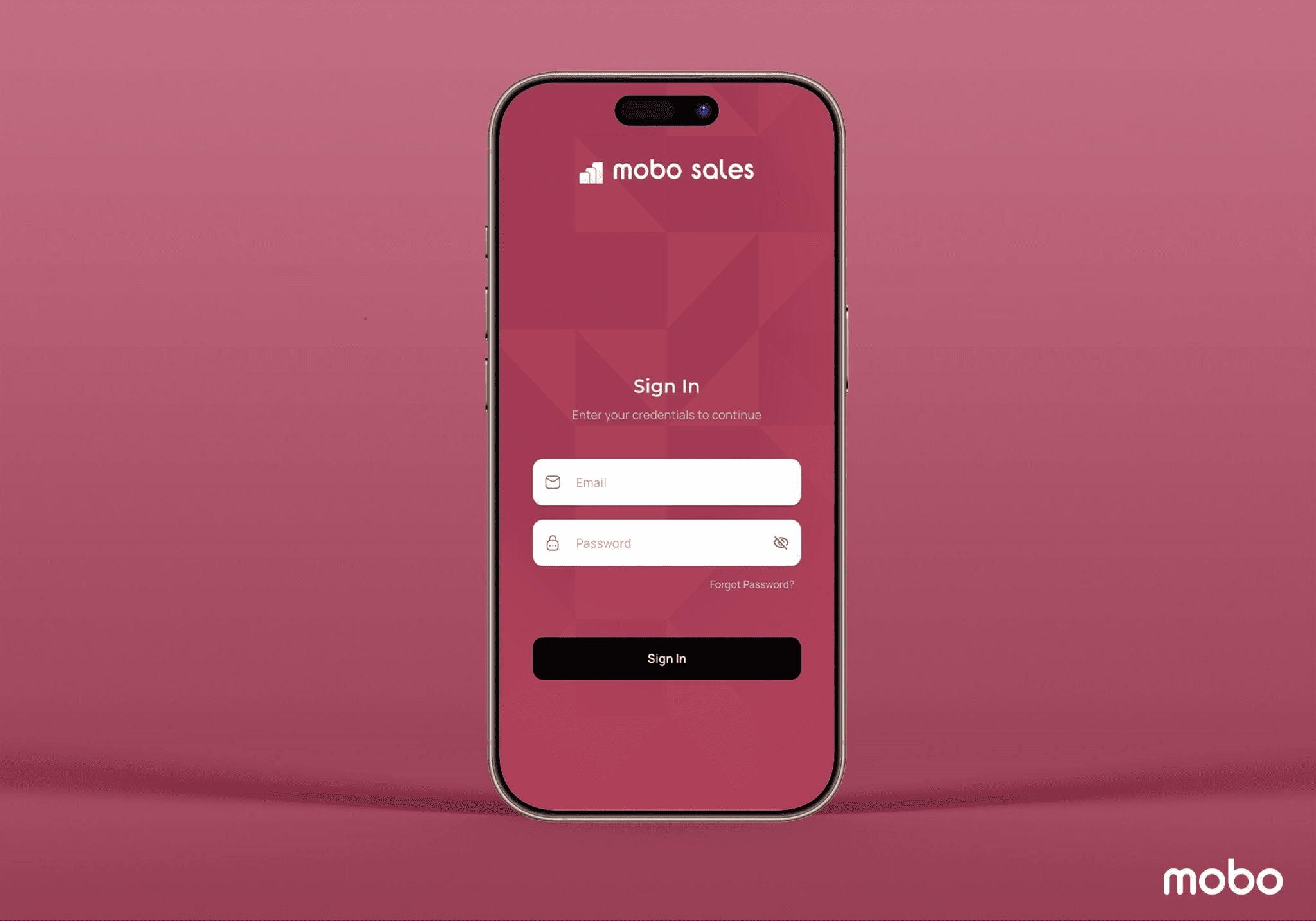
Once you enter your credentials and click ‘Sign In,’ you will be successfully redirected to the Mobo Sales Dashboard.
Mobo SALES DASHBOARD
The Mobo Sales dashboard is designed to give users instant visibility into everything that matters, all in one glance. It prioritizes clarity and actionability, ensuring that sales teams can immediately understand performance and jump into ongoing deals without friction. From the dashboard, users can quickly view key metrics such as monthly revenue, representing total sales for the month, and weekly revenue, reflecting the current week’s sales performance. The dashboard also highlights the conversion rate (quotation-to-sale ratio), untaxed invoices, average order value, and total receivables, enabling users to gauge financial health and pipeline status at a high level.
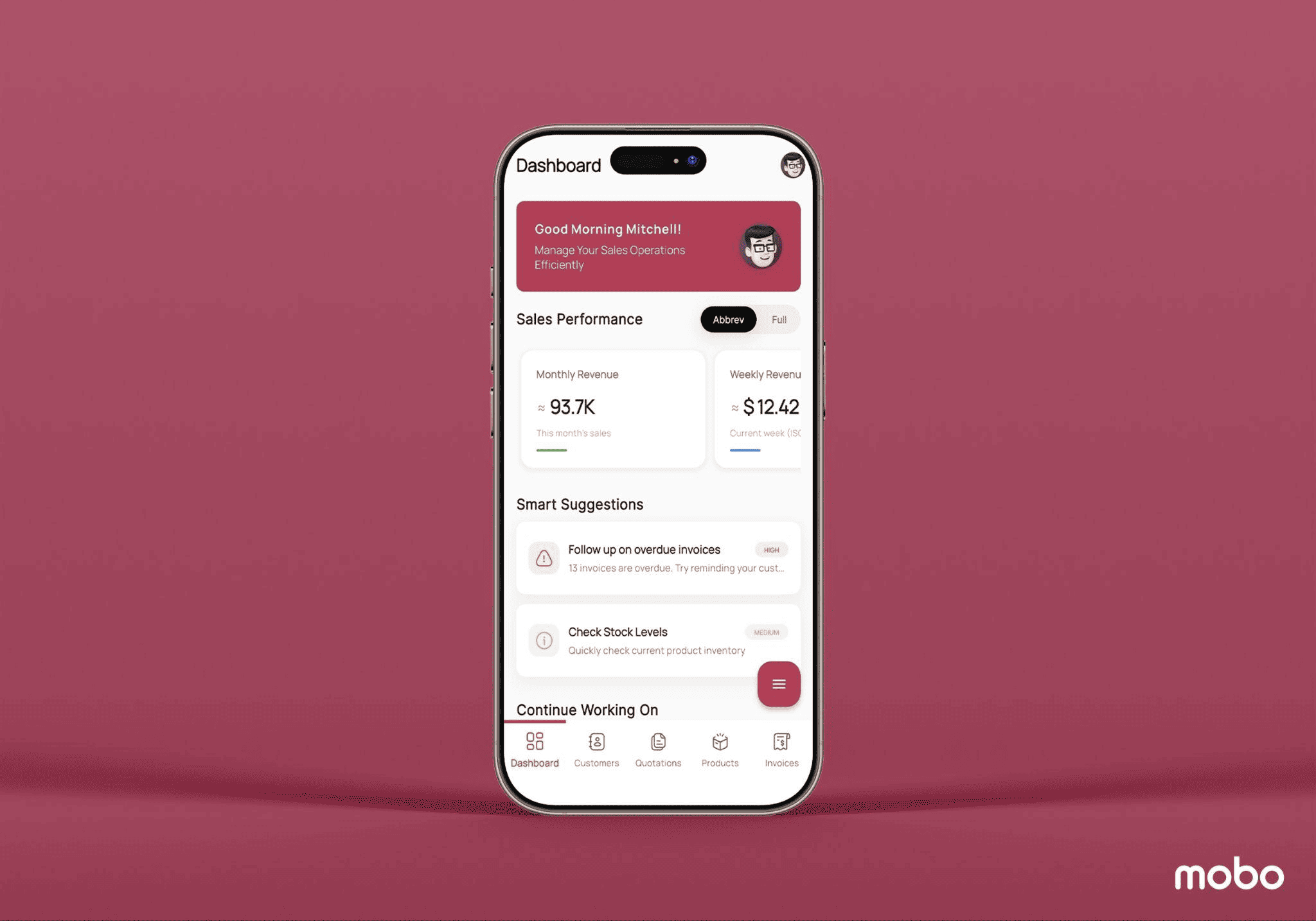
Beyond the metrics, the interface includes Smart Suggestions, which present timely notifications and action prompts based on priority, helping users respond faster and stay on top of pending activities. There is also a dedicated section that allows users to seamlessly continue work from where they left off, supporting faster operations resumption and improving workflow efficiency.
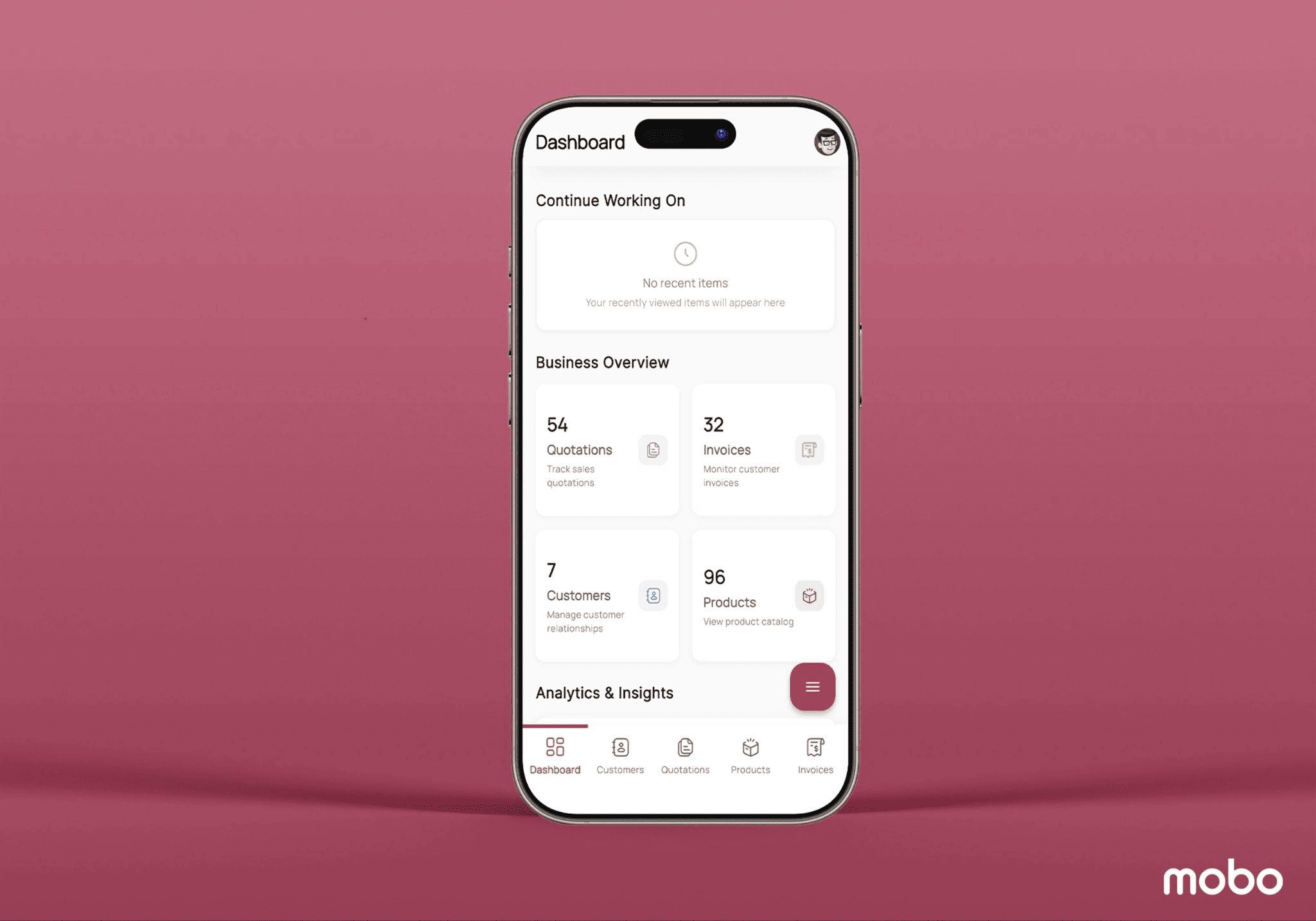
The dashboard further provides a Business Overview area where users can access key operational modules, including Quotations, Invoices, Customers, and Products. Each tile shows the respective count, and a single tap redirects the user. For example, selecting Quotations takes you directly to the list view of active quotations, while Products leads you to the full product catalog.
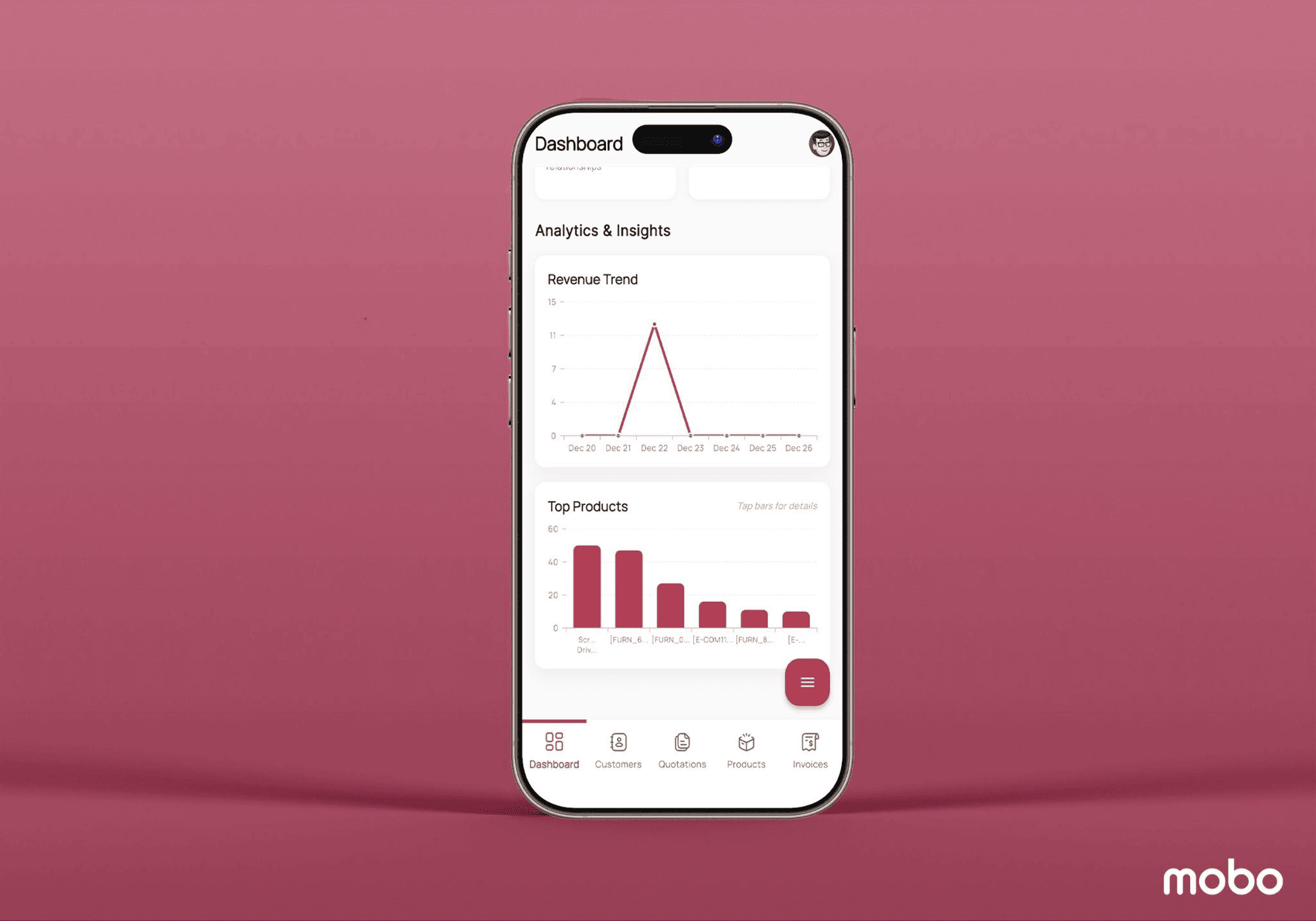
Finally, the Analytics & Insights section brings data visualization to the forefront, offering a revenue trend graph and top-products bar chart to help users quickly spot patterns and identify best-performing items. Overall, the Mobo Sales dashboard delivers an intuitive and data-driven experience, equipping users with the information they need to act quickly, make informed decisions, and stay aligned with business goals.
CREATE PRODUCT
By tapping the three-line (hamburger menu) icon on the dashboard, users gain immediate access to quick-create actions, making it easy to add new data without navigating deep into menus. This shortcut offers options to create a new product, customer, invoice, or quotation directly from the dashboard itself, ideal for fast-moving sales teams who need to update records on the go.
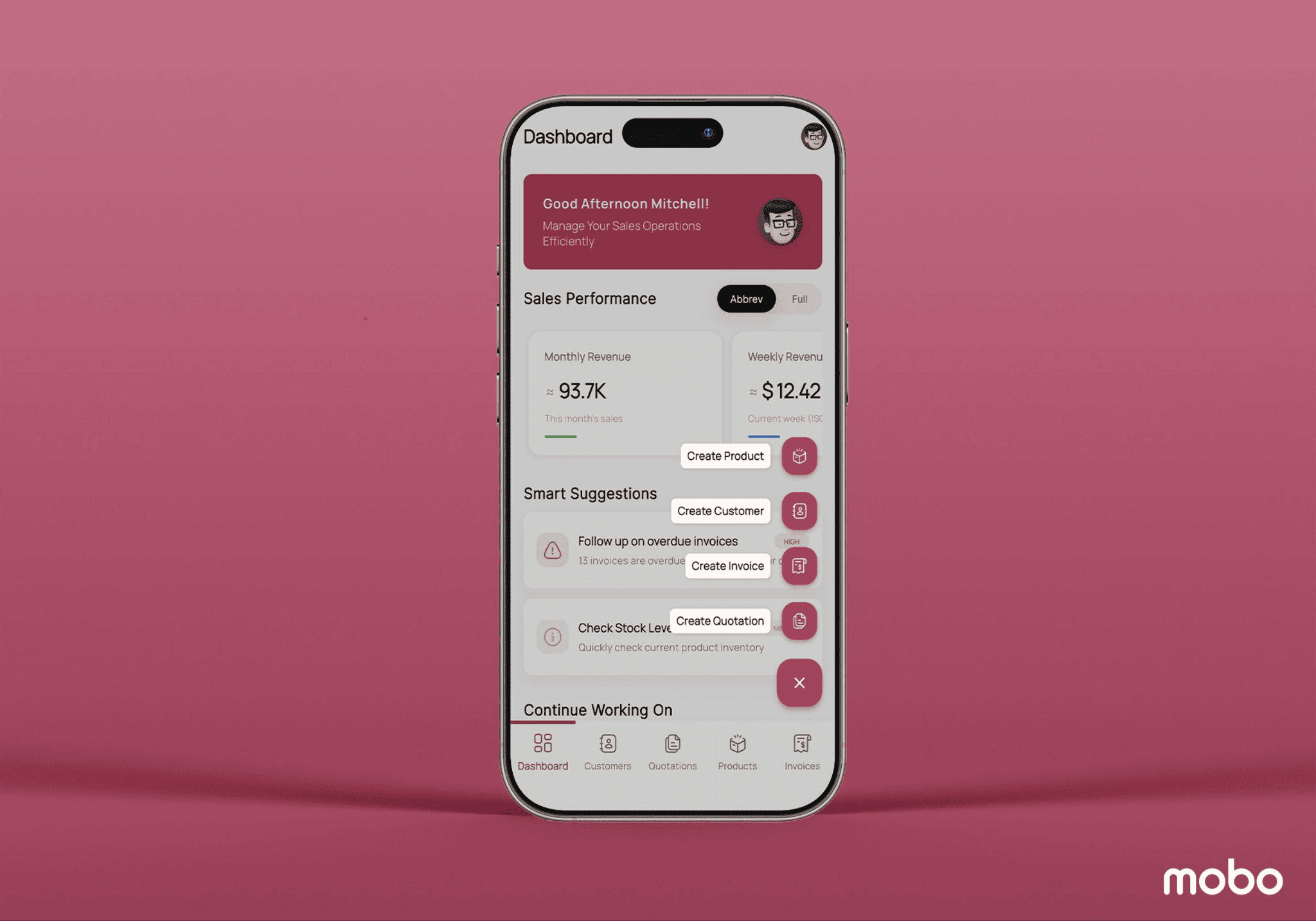
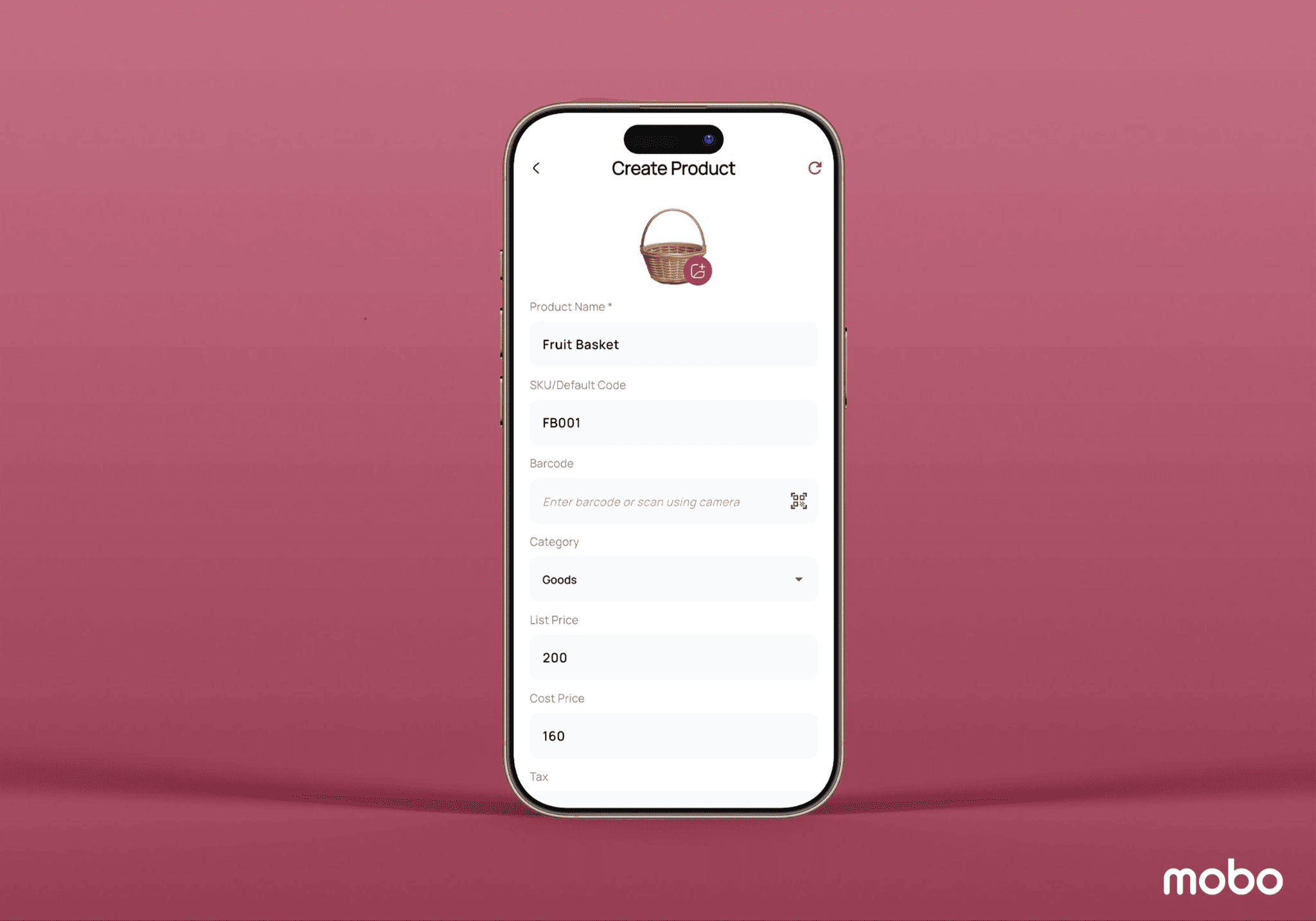
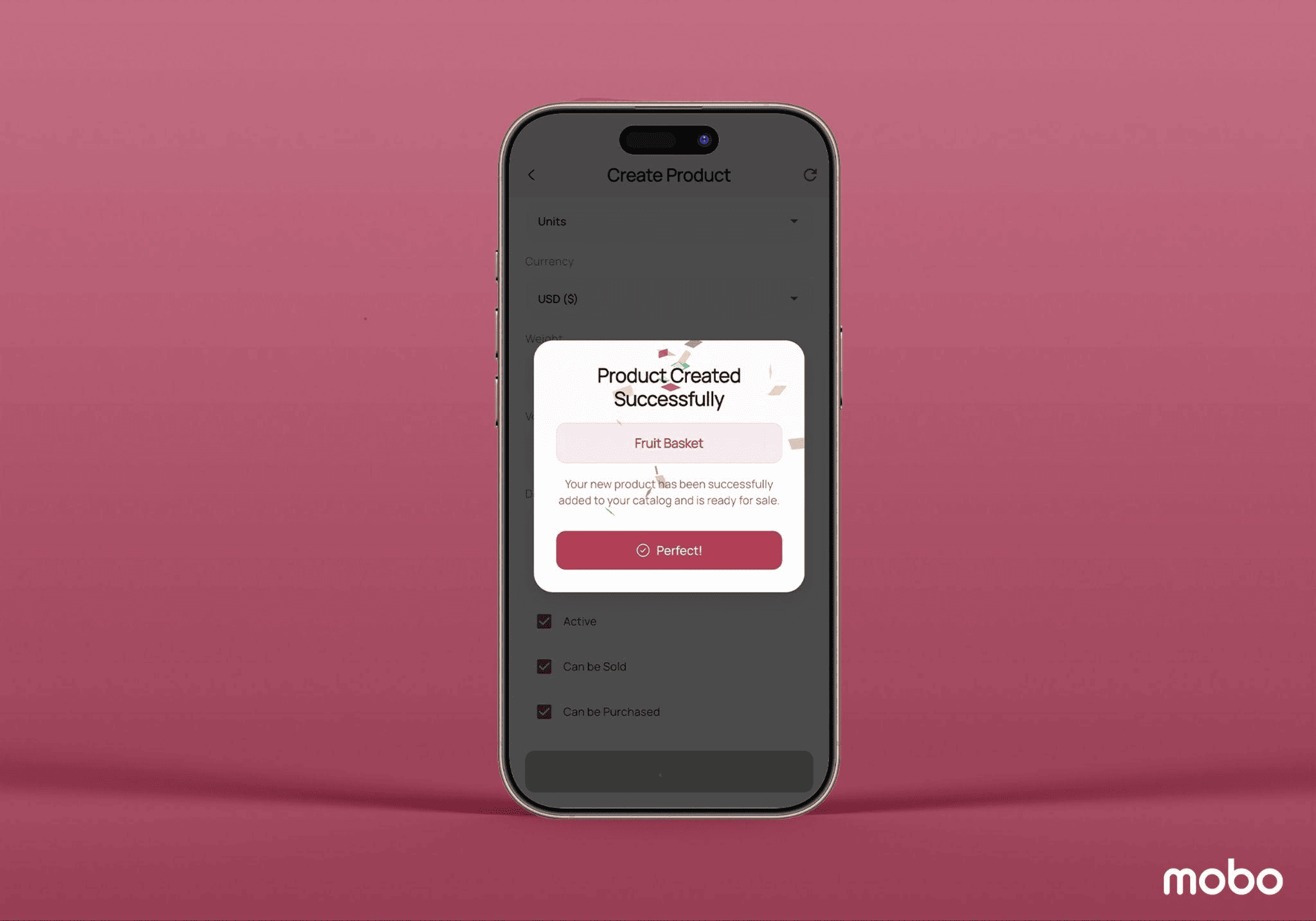
When selecting Create Product, the user is redirected to a clean and structured form view designed for effortless product entry. Here, details such as product name, internal code, barcode, list price, cost price, and a short description can be added to fully define the item. Once all fields are filled in, simply tapping the Create Product button finalizes the process. Upon successful creation, a confirmation pop-up appears, as shown in the screenshot, ensuring the user knows the new product has been added to the catalog and is now ready for use across the Mobo Sales App.
CREATE CUSTOMER
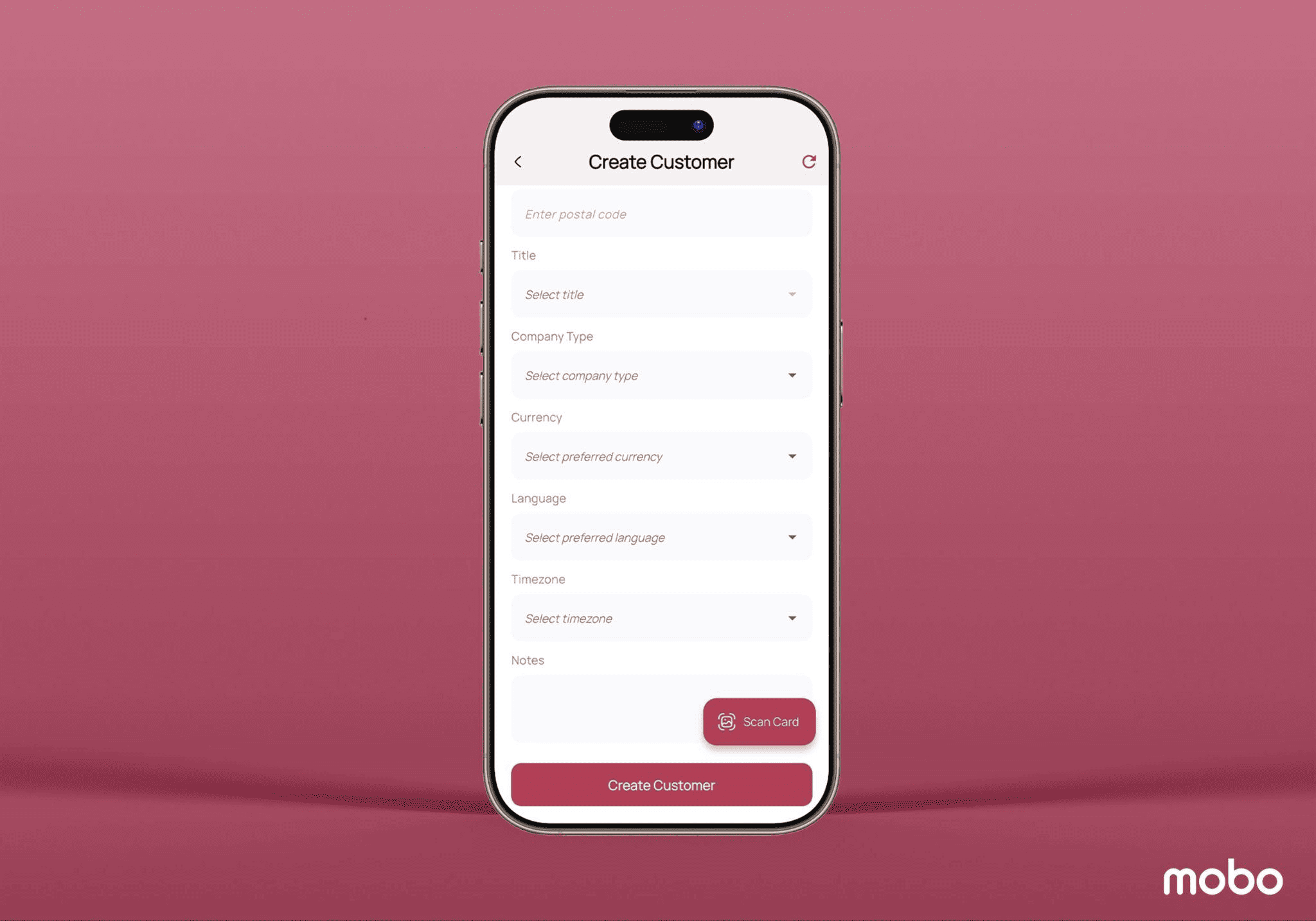
By selecting Create Customer from the menu, users are taken to a dedicated form view designed for smooth and hassle-free customer creation. This screen allows you to enter all the necessary details, such as the customer’s name, contact information, and billing or delivery details. To make the process even more efficient, the app includes a business card scanning feature, simply scan the card, and the system automatically extracts and fills in relevant information like name, phone number, email, and company details. Once the form is reviewed and completed, the customer profile can be created with a single tap, making it instantly available for quotations, invoicing, and sales activities.
CREATE INVOICE
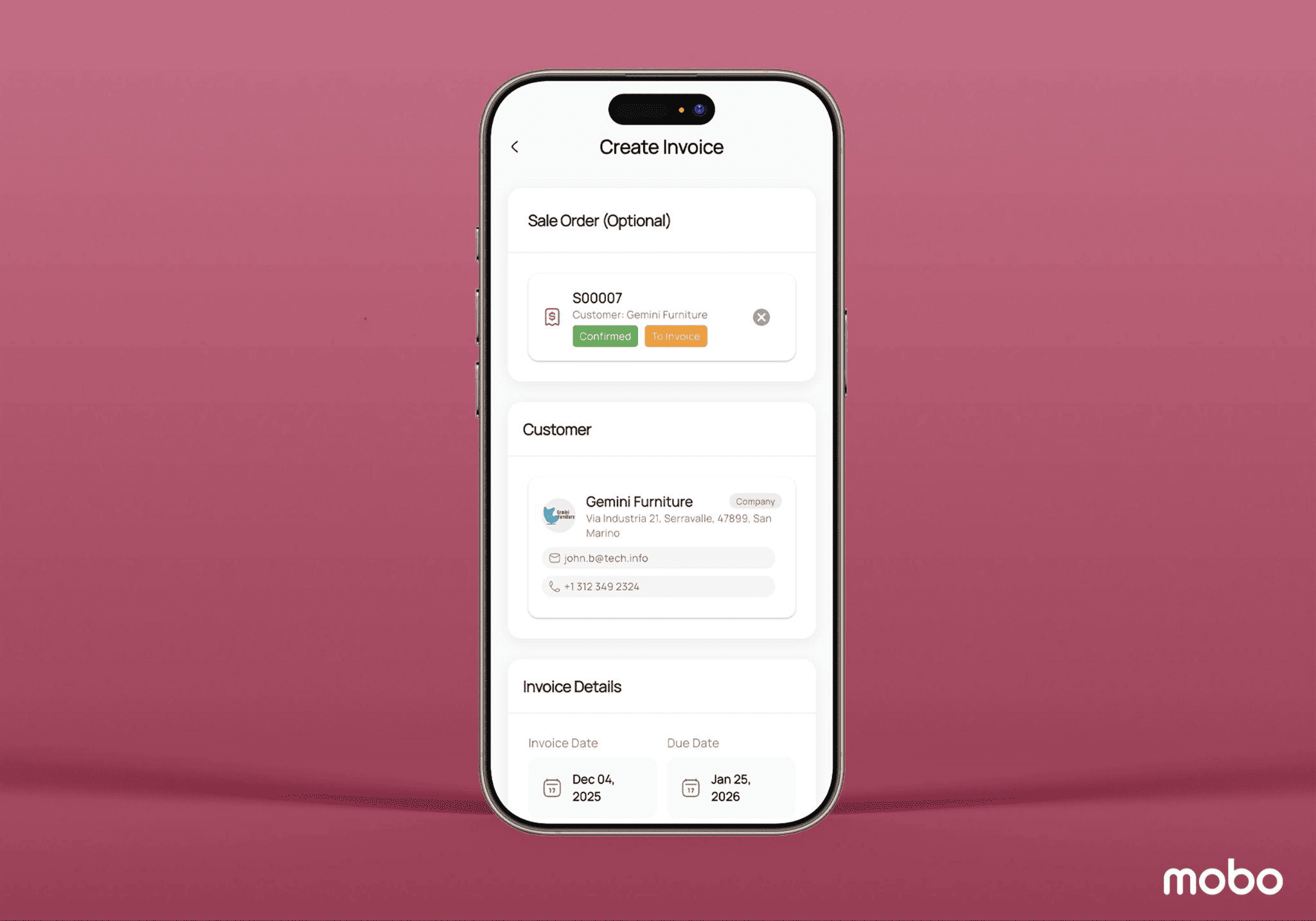
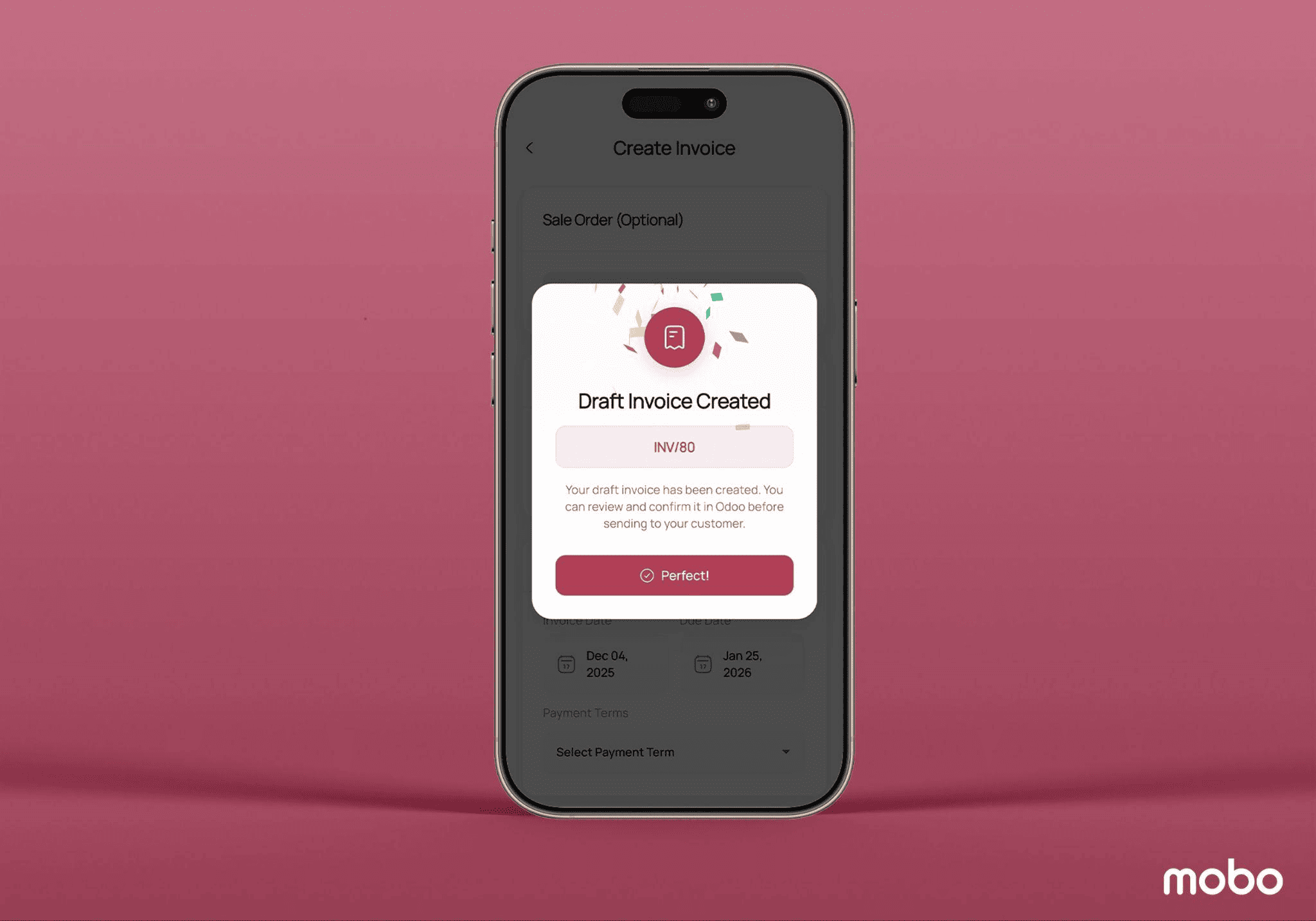
By choosing Create Invoice from the quick menu, users are directed to a clean and intuitive form view where a new invoice can be generated with ease. The app offers flexibility, you can either link the invoice to an existing sale order or create one on the spot, depending on the sales flow. When tied to a sale order, all related information such as customer details and ordered items is automatically populated, minimizing manual entry and reducing the chance of errors. There is also a dedicated space to add additional notes or remarks if needed, ensuring full clarity for both internal teams and customers. Once the information is confirmed, tapping the Create Invoice button submits the invoice, which is then instantly generated and stored in the backend for processing, tracking, and follow-up.
CREATE QUOTATION
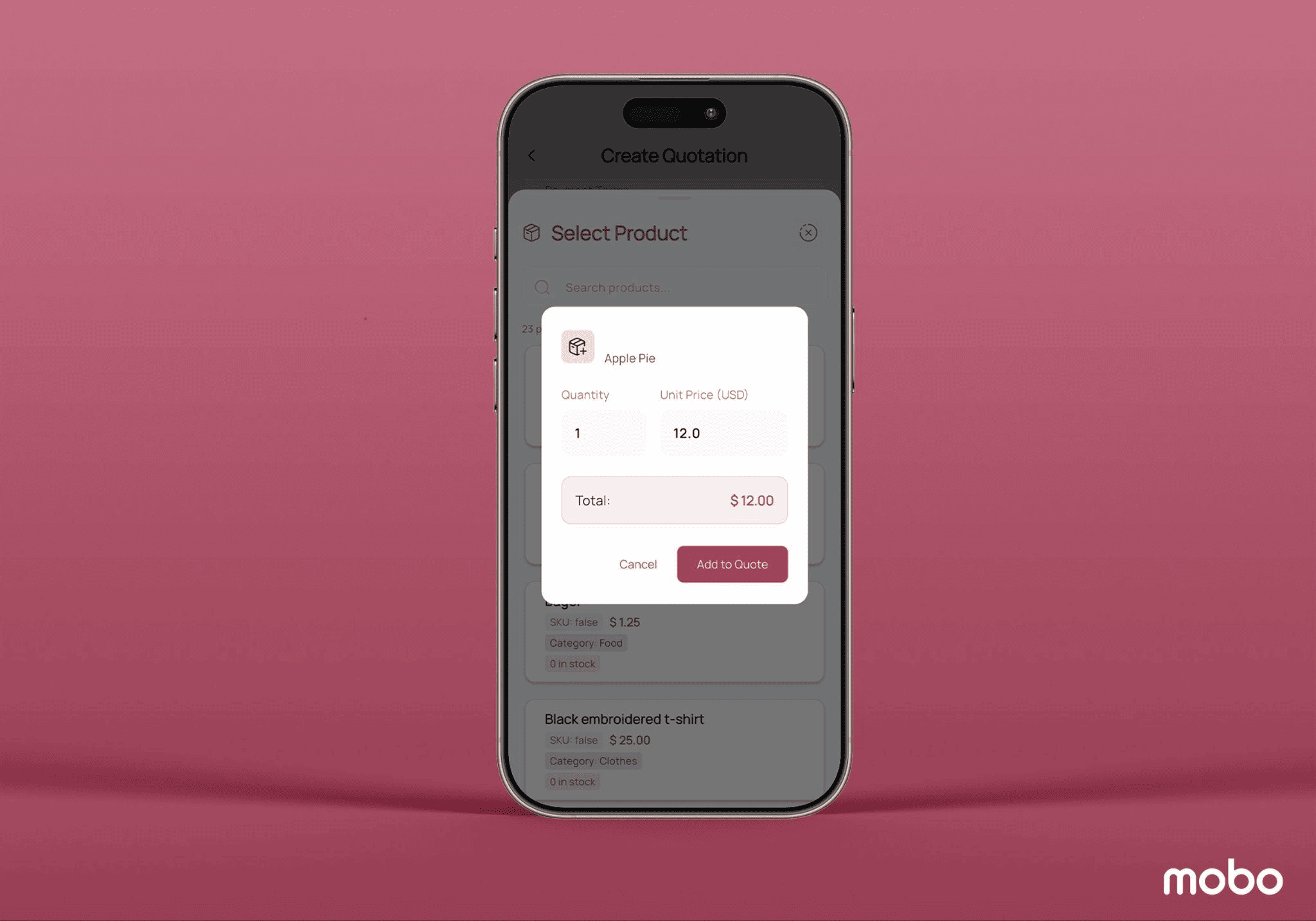
By tapping Create Quotation, users are guided into a streamlined form where they can quickly draft a new sales quotation. The form allows you to specify key details such as the customer, the applicable pricelist, and any additional notes that may help personalize or clarify the offer. Products can be added directly to the quotation, making it easy to tailor pricing and quantities based on the customer’s needs. Once everything is set, simply selecting Create Quote finalizes the process, generating the quotation instantly and making it available for follow-up, approval, or conversion into a sale.
The Mobo Sales App is a mobile-driven extension of Odoo, designed to give sales teams full operational control from anywhere, without relying on a desktop system. Its dashboard delivers an immediate pulse of business performance through flexible metrics, monthly and weekly revenue, conversion rates, receivables, average order value, untaxed invoices, and supports real-time decision-making through smart suggestions. Users can generate new records instantly using the quick-create menu, enabling product creation, customer creation with business-card scanning, quotation drafting, and invoice generation with sale-order auto-population, all directly from a handheld device.
Customers, quotations, invoices, and products are presented through structured list views with at-a-glance visibility and deep form views containing analytics, metadata, and performance insights. With consolidated product intelligence, including pricing, stock availability, sales analytics, inventory locations, and logistics specifications, users can make faster, more accurate sales decisions. Combined with visual reporting such as revenue trend graphs and top-selling item charts, Mobo Sales accelerates sales execution and brings end-to-end ERP accessibility into the field, transforming Odoo sales operations into a modern mobile experience.
To read more about Overview of Pagination & Lazy Loading Odoo Data in Mobo Apps, refer to our blog Overview of Pagination & Lazy Loading Odoo Data in Mobo Apps.